
Baseus PPCXZ05
Baseus Battery Pack for Magsafe Instruction Manual
Model: PPCXZ05 | Brand: Baseus
Introduction
This manual provides comprehensive instructions for the safe and efficient use of your Baseus 5000mAh Wireless Portable Charger. Please read this manual thoroughly before operation and retain it for future reference.
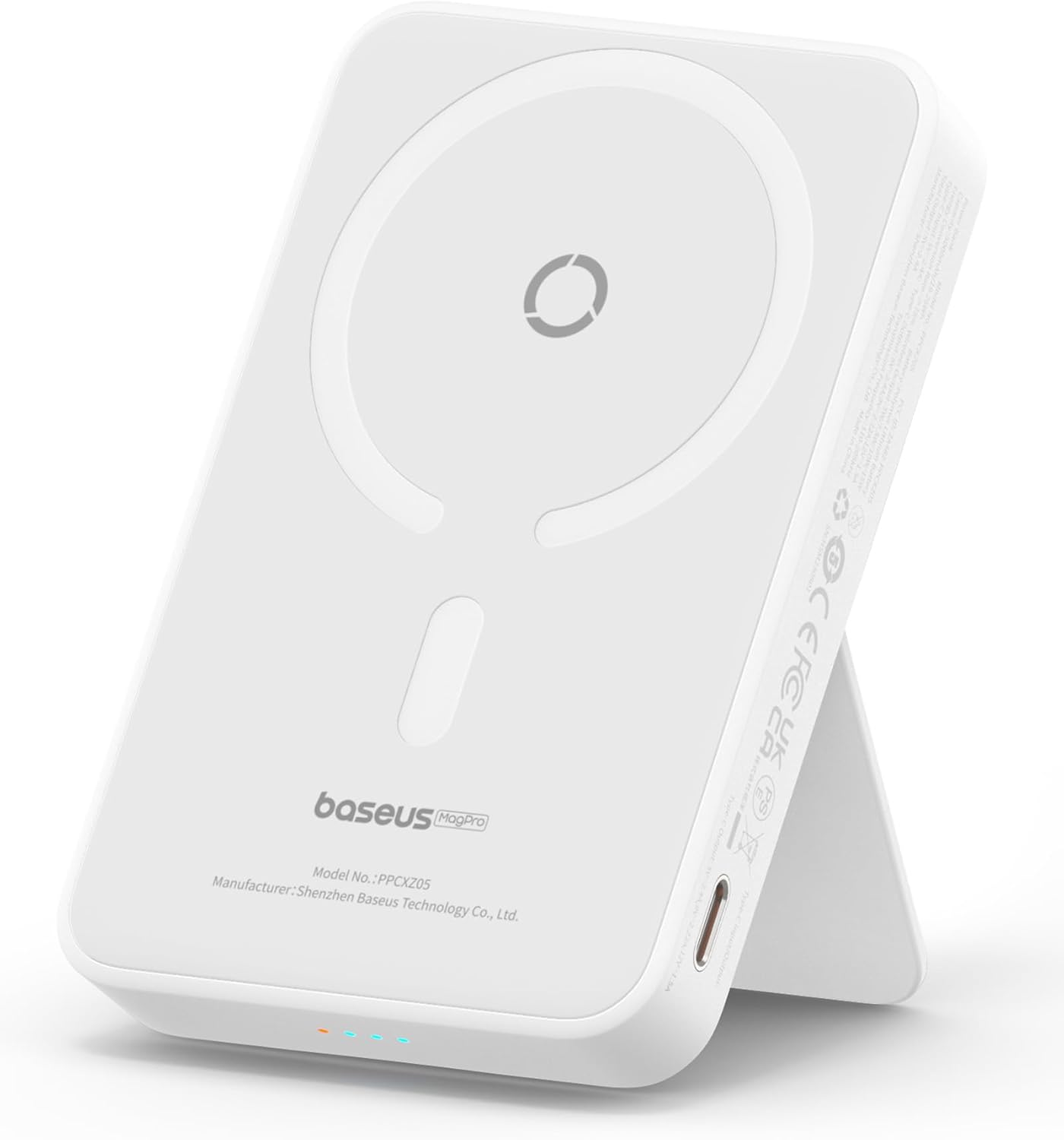
Image: The Baseus 5000mAh Wireless Portable Charger in white, featuring a built-in kickstand.
Package Contents
Upon opening the package, verify that all items are present and in good condition:
- Baseus 5000mAh Magnetic Wireless Portable Charger x 1
- USB-C to USB-C Cable x 1
- User Manual x 1
- Baseus Mascot Sticker x 1 (Note: Sticker is for decorative purposes only and does not affect product functionality.)
Setup
Initial Charging of the Power Bank
Before first use, fully charge the Baseus portable charger. Connect the provided USB-C to USB-C cable to the USB-C port on the side of the power bank and to an 18W PD charger (not included). The battery indicator lights will illuminate to show charging progress. A full charge typically takes under 2 hours.

Image: The power bank connected via USB-C cable for recharging, demonstrating its ability to charge itself while simultaneously charging a smartphone wirelessly.
Operating Instructions
Magnetic Wireless Charging (MagSafe)
Align the Baseus portable charger with the back of your iPhone 12/13/14/15 series device. The strong magnetic connection will securely attach the power bank, initiating 7.5W fast magnetic wireless charging automatically. Ensure your iPhone is either without a case or uses a MagSafe-compatible magnetic phone case for optimal magnetic attachment and charging efficiency.

Image: A hand demonstrating the "Snap to Charge" feature, showing an iPhone being magnetically attached to the power bank for wireless charging.
Wired Charging via USB-C Port
For faster charging, connect your iPhone (or other compatible device) to the USB-C port on the power bank using a USB-C cable. This port supports 20W PD fast charging, capable of charging an iPhone 15 to 50% in approximately 30 minutes.

Image: An illustration highlighting the dual charging capabilities: 7.5W wireless charging and 20W PD cable charging, compatible with iPhone 12/13/14/15 series.
Using the Built-in Kickstand
The power bank features a built-in folding stand. Extend the stand to position your iPhone vertically or horizontally for hands-free viewing. This is particularly useful for supporting iOS 17 StandBy mode.

Image: Two individuals using the Baseus power bank's foldable stand to prop up their iPhones for hands-free viewing, demonstrating its adjustable angle.
StandBy Mode Compatibility
When placed horizontally on the kickstand and connected to power, your iPhone running iOS 17 or later will automatically enter StandBy mode, displaying useful widgets, photos, or a clock.
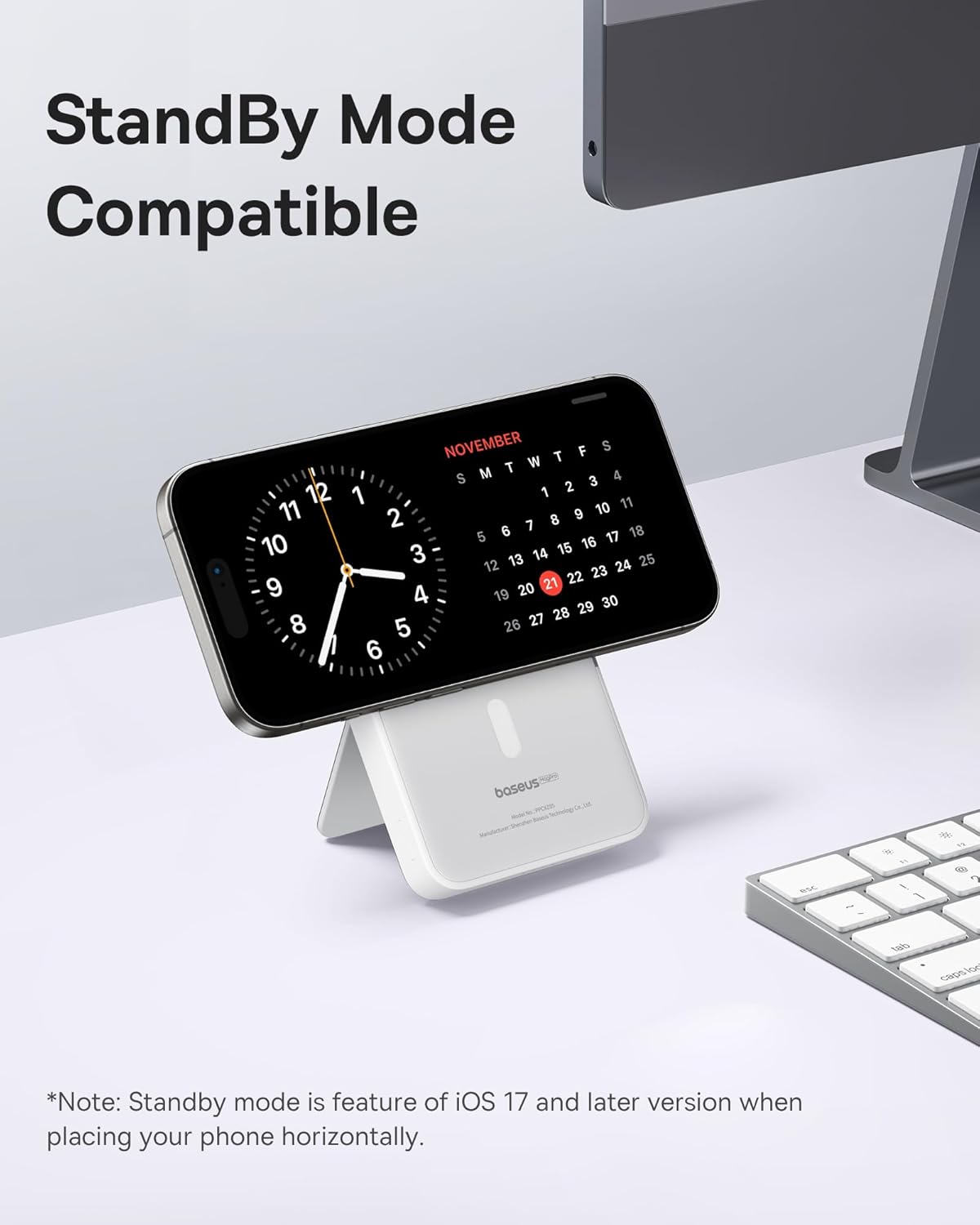
Image: An iPhone displaying iOS 17 StandBy mode while resting horizontally on the Baseus power bank's kickstand.
Pass-Through Charging
The power bank supports pass-through charging, allowing you to charge your phone wirelessly while simultaneously recharging the power bank itself via the USB-C port.
Battery Indicator
The power bank features LED indicator lights to display the remaining battery level. Refer to the specific light patterns in the included user manual for detailed interpretation of battery status.
Official Product Video
Video: An official Baseus video demonstrating the features and usage of the Baseus Magnetic Power Bank, including its magnetic attachment, kickstand functionality, and compact design.
Maintenance
To ensure the longevity and optimal performance of your Baseus portable charger, follow these maintenance guidelines:
- Cleaning: Use a soft, dry cloth to wipe the surface of the power bank. Avoid using harsh chemicals or abrasive materials.
- Storage: Store the device in a cool, dry place away from direct sunlight, extreme temperatures, and humidity.
- Handling: Avoid dropping the power bank or subjecting it to strong impacts.
- Charging Cycles: For optimal battery health, avoid completely draining the power bank frequently. Recharge it when the battery indicator shows low power.
Troubleshooting
If you encounter issues with your Baseus portable charger, refer to the following common solutions:
- Device not charging wirelessly:
- Ensure your phone is MagSafe compatible (iPhone 12 series or newer).
- Remove any non-MagSafe cases from your phone. Thick or non-magnetic cases can interfere with the magnetic connection and wireless charging.
- Verify the power bank itself is charged.
- Ensure proper alignment of the phone with the magnetic charging area on the power bank.
- Slow charging:
- For wired charging, use a 20W PD compatible wall charger (not included) to recharge the power bank and a compatible cable for your phone.
- Ensure the cable is securely connected to both the power bank and your device.
- Power bank not recharging:
- Check the USB-C cable for damage and ensure it is properly connected.
- Verify the wall adapter is functioning correctly and provides sufficient power (e.g., 18W PD).
Specifications
| Feature | Detail |
|---|---|
| Product Dimensions | 4.2 x 2.7 x 0.7 inches |
| Item Weight | 7.8 ounces |
| Item Model Number | PPCXZ05 |
| Battery Type | Lithium Polymer (1 included) |
| Battery Capacity | 5000 Milliamp Hours |
| Special Features | Wireless Charging, Built-in Kickstand, PD 20W Fast Charging, Pass-Through Charging |
| Color | True White |
| Manufacturer | Baseus |
| Connector Type | USB Type C |
Warranty and Support
Baseus offers a 24-Month Service Protection for this product. If you have any questions or require assistance with your Baseus 5000mAh Magnetic Wireless Portable Charger, please contact Baseus customer support immediately. Refer to the contact information provided in the product packaging or on the official Baseus website.
Related documentsPPCXZ05


Ask a question about this manual
Ask about setup, troubleshooting, compatibility, parts, safety, or missing instructions. Manuals+ will review the question and use this page’s manual context to help answer it.