
1. Introduction
This manual provides essential information for the safe and effective operation, maintenance, and troubleshooting of your ONEVAN Cordless Impact Wrench. Please read this manual thoroughly before using the tool to ensure proper handling and to prevent injury or damage.
The ONEVAN Cordless Impact Wrench is a powerful and versatile tool designed for various applications, including automotive repairs, construction, and general home maintenance. Its brushless motor delivers high torque and speed, making it efficient for tightening and loosening bolts and nuts.
2. Safety Instructions
Always follow basic safety precautions when using electric tools to reduce the risk of fire, electric shock, and personal injury.
- Work Area Safety: Keep your work area clean and well-lit. Cluttered or dark areas invite accidents. Do not operate power tools in explosive atmospheres, such as in the presence of flammable liquids, gases, or dust.
- Electrical Safety: Avoid body contact with earthed or grounded surfaces (e.g., pipes, radiators, ranges, refrigerators). Do not expose power tools to rain or wet conditions.
- Personal Safety: Always wear eye protection. Use hearing protection when operating the tool for extended periods. Dress properly; avoid loose clothing or jewelry. Secure long hair.
- Tool Use and Care: Do not force the power tool. Use the correct power tool for your application. Disconnect the battery pack from the power tool before making any adjustments, changing accessories, or storing power tools.
- Battery Pack Use and Care: Recharge only with the charger specified by the manufacturer. Do not use battery packs or tools that are damaged or modified.
3. Package Contents
Upon opening the package, please verify that all items listed below are present and undamaged:
- 1 x 1/2 Inch Impact Wrench
- 2 x 3.0Ah Lithium-Ion Batteries
- 1 x Fast Charger
- 6 x Impact Wrench Sockets (14mm, 17mm, 18mm, 19mm, 21mm, 22mm)
- 1 x 10MM Chuck
- 2 x Adapter
- 1 x Lot Head
- 1 x Bolt
- 1 x Ring
- 1 x Belt Clip
- 1 x Carry Box

Figure 3.1: Complete package contents of the ONEVAN Cordless Impact Wrench kit, including the wrench, two batteries, charger, various sockets, chuck, adapters, and carry box.
4. Product Features and Components
The ONEVAN Cordless Impact Wrench is engineered with several features to enhance performance and user experience.
4.1. Brushless Motor Technology

Figure 4.1.1: Illustration of the brushless motor, highlighting its benefits such as increased running time, extended lifetime, and lower noise. It delivers a maximum torque of 1000Nm and a maximum speed of 2200 RPM.
The wrench is equipped with an advanced brushless motor, which provides superior efficiency, longer tool life, and reduced maintenance compared to brushed motors. This motor delivers a powerful 750Ft-lbs (1000N.m) of torque and a maximum speed of 2200 RPM, suitable for demanding tasks.
4.2. High Capacity Batteries
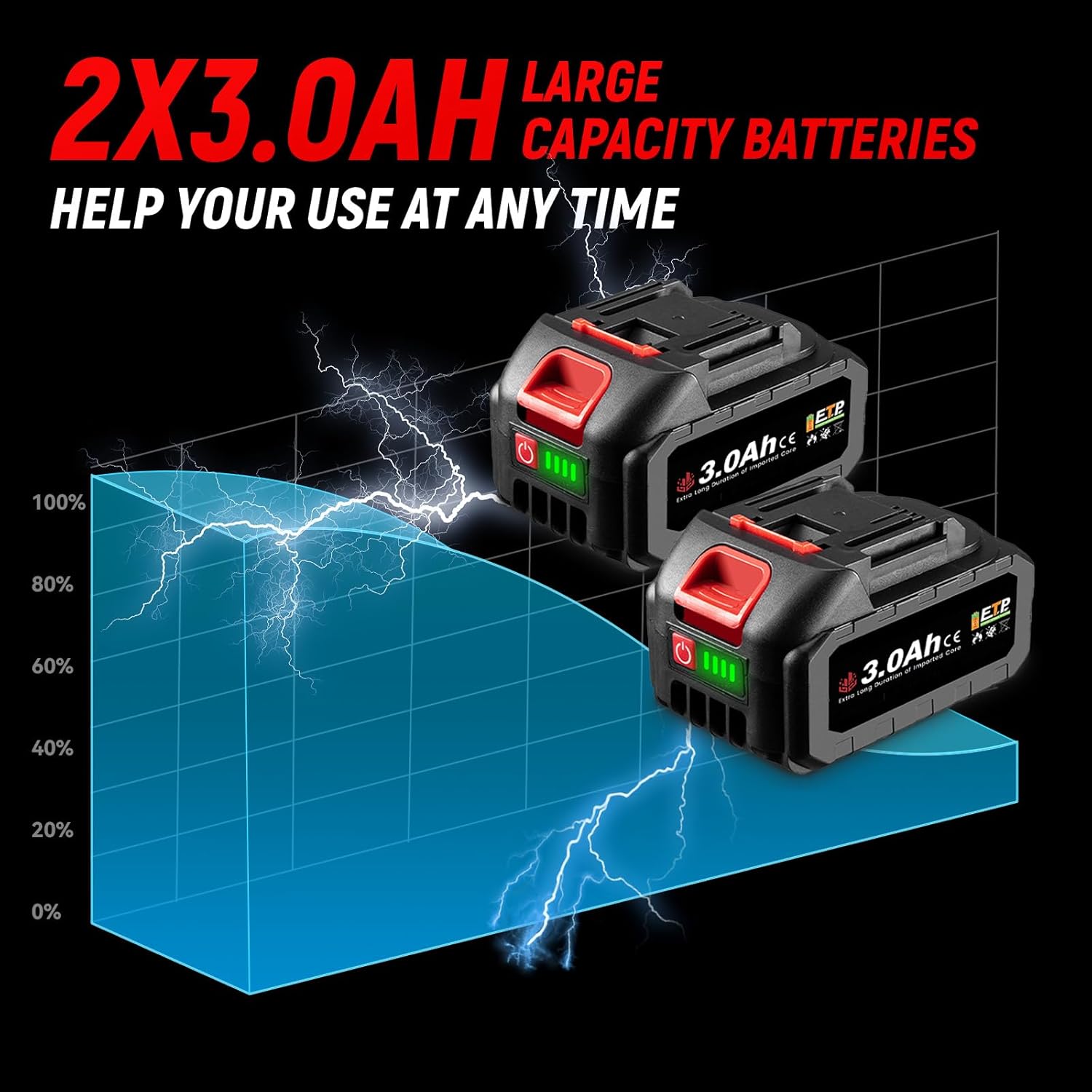
Figure 4.2.1: Image showing two 3.0Ah lithium-ion batteries, emphasizing their large capacity for extended use.
The kit includes two 3.0Ah lithium-ion batteries, providing ample power for extended operation and minimizing downtime. These batteries are designed for long-lasting performance and quick recharging with the included fast charger.
4.3. Forward and Reverse Mode

Figure 4.3.1: Visual representation of the forward rotation (tighten screws) and reverse rotation (loosen screws) selector switch located near the trigger.
A convenient switch allows for quick selection between forward rotation for tightening and reverse rotation for loosening fasteners. This feature is essential for efficient operation in various applications.
4.4. Built-in LED Light

Figure 4.4.1: The built-in LED light illuminates the work area, providing visibility in dark or confined spaces.
An integrated LED light automatically illuminates the work area when the trigger is pressed, improving visibility in dimly lit or confined spaces.
4.5. Stepless Speed Control
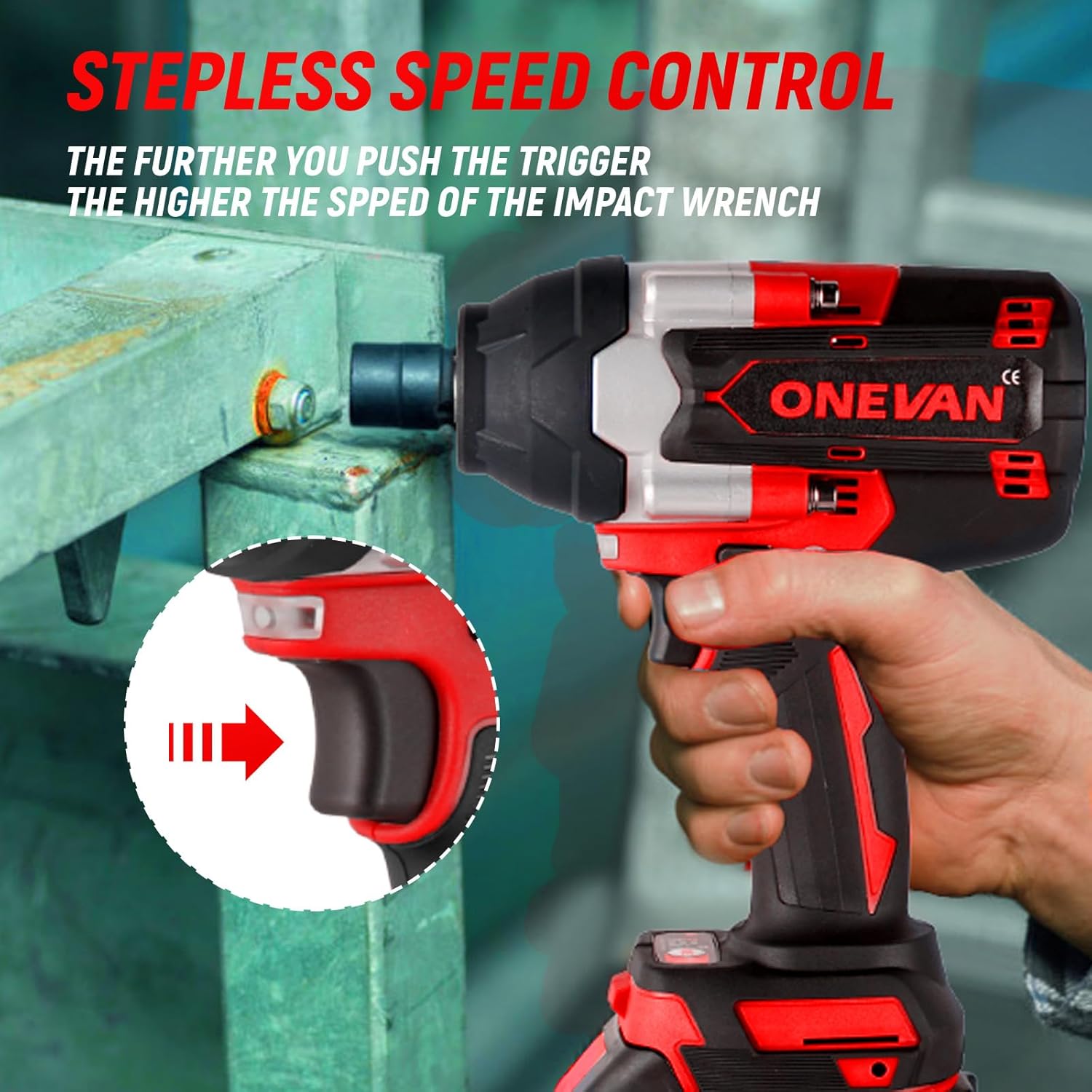
Figure 4.5.1: The trigger mechanism allows for stepless speed control; pressing it further increases the impact wrench's speed.
The trigger provides stepless speed control, allowing the user to adjust the rotational speed based on the application's requirements. Pressing the trigger further increases the speed and impact frequency.
4.6. Versatile Applications

Figure 4.6.1: Examples of applications for the impact wrench, demonstrating its utility for tasks such as tightening screws, shelf installation, tire disassembly, and general engineering industrial use.
With its high torque and included accessories, the impact wrench is suitable for a wide range of tasks, from tightening small screws to disassembling vehicle tires and heavy-duty industrial applications.
5. Setup
5.1. Charging the Battery
- Connect the fast charger to a standard electrical outlet.
- Slide the battery pack onto the charger until it clicks into place.
- The charger's indicator light will show the charging status. Refer to the charger's specific instructions for light indications.
- Once fully charged, remove the battery pack from the charger.
Note: It is recommended to fully charge the batteries before first use. Do not overcharge the batteries.
5.2. Installing the Battery
- Align the charged battery pack with the battery slot on the base of the impact wrench.
- Slide the battery pack firmly into the slot until it locks securely into place with an audible click.
- To remove the battery, press the release button(s) on the sides of the battery pack and slide it out.
5.3. Attaching Sockets and Accessories
- Ensure the impact wrench is turned off and the battery is removed before attaching or removing accessories.
- For impact sockets: Align the square drive of the socket with the 1/2 inch square anvil on the wrench. Push the socket firmly onto the anvil until it locks into place.
- For the 10MM Chuck: Attach the chuck to the 1/2 inch square anvil using the appropriate adapter if necessary. Ensure it is securely fastened.
- To remove accessories, pull them firmly off the anvil.
6. Operating Instructions
6.1. Powering On/Off
The impact wrench is activated by pressing the trigger switch. The tool will only operate when the trigger is depressed. Release the trigger to turn the tool off.
6.2. Selecting Rotation Direction (Forward/Reverse)
Locate the forward/reverse selector switch, typically above the trigger. Push the switch to the left for forward rotation (tightening) and to the right for reverse rotation (loosenings). Ensure the switch is fully engaged in the desired position before operating the tool.
6.3. Speed Control
The tool features variable speed control. The further you depress the trigger, the faster the tool will operate. This allows for precise control over the torque and speed, which is crucial for delicate tasks or when starting to tighten/loosen fasteners.
6.4. General Operation Tips
- Always hold the tool firmly with both hands, especially when applying high torque.
- Ensure the socket is fully seated on the fastener head to prevent stripping.
- For tightening, start at a lower speed and gradually increase as needed. For loosening, apply full power if necessary.
- Avoid continuous operation at maximum torque for extended periods to prevent overheating.
- When working in dark areas, the built-in LED light will automatically activate to illuminate your workspace.
7. Maintenance
Regular maintenance ensures the longevity and optimal performance of your impact wrench.
- Cleaning: After each use, wipe down the tool with a clean, damp cloth. Do not use harsh chemicals or abrasive cleaners. Keep ventilation openings clear of dust and debris.
- Battery Care: Store batteries in a cool, dry place away from direct sunlight and extreme temperatures. Do not store fully discharged batteries for long periods. Recharge them periodically if not in use.
- Storage: When not in use, store the impact wrench and its accessories in the provided carry box in a dry, secure location out of reach of children.
- Inspection: Periodically inspect the power cord of the charger for damage. Check the tool for any loose screws, damaged parts, or excessive wear. Do not use a damaged tool.
8. Troubleshooting
If you encounter issues with your ONEVAN Cordless Impact Wrench, refer to the following common problems and solutions:
| Problem | Possible Cause | Solution |
|---|---|---|
| Tool does not turn on. | Battery not charged or not properly installed. | Ensure battery is fully charged and securely inserted. |
| Tool has low power/torque. | Battery charge is low. | Recharge the battery. |
| Socket does not stay on anvil. | Socket not fully engaged or anvil is worn. | Push socket firmly until it clicks. If issue persists, inspect anvil for damage. |
| Tool overheats. | Continuous heavy use. | Allow the tool to cool down. Avoid prolonged operation at maximum load. |
If the problem persists after attempting these solutions, please contact ONEVAN customer support for further assistance.
9. Specifications
| Feature | Specification |
|---|---|
| Brand | ONEVAN |
| Model Number | Cordless Impact Wrench |
| Power Source | Battery Powered |
| Battery Voltage | 20 Volts |
| Battery Capacity | 2 x 3.0Ah Lithium Ion |
| Maximum Torque | 750 Foot Pounds (1000 N.m) |
| Maximum Rotational Speed | 2200 RPM |
| Impact Frequency | 0-2700 IPM |
| Square Drive | 1/2 Inch |
| Item Weight | 4 pounds |
| Material | Metal |
| Color | Black+ Red |
10. Warranty and Support
For warranty information, technical support, or service inquiries regarding your ONEVAN Cordless Impact Wrench, please contact the manufacturer directly through their official website or the retailer where the product was purchased.
Please have your product model number (Cordless Impact Wrench) and ASIN (B0D7YV1HFV) ready when contacting support.
You can visit the ONEVAN Store for more information: ONEVAN Store on Amazon
