
Introduction
This manual provides detailed instructions for the ELISWEEN Wireless Controller, Model RM. This controller is designed for use with Nintendo Switch, Switch Lite, and Switch OLED consoles, offering enhanced gaming features and ergonomic design.
Key features include programmable back buttons, adjustable turbo function, dual vibration motors, and a 6-axis gyro sensor for precise motion control.
Package Contents
- ELISWEEN Wireless Controller (Model RM)
- USB-C Charging Cable
- User Manual
Controller Layout
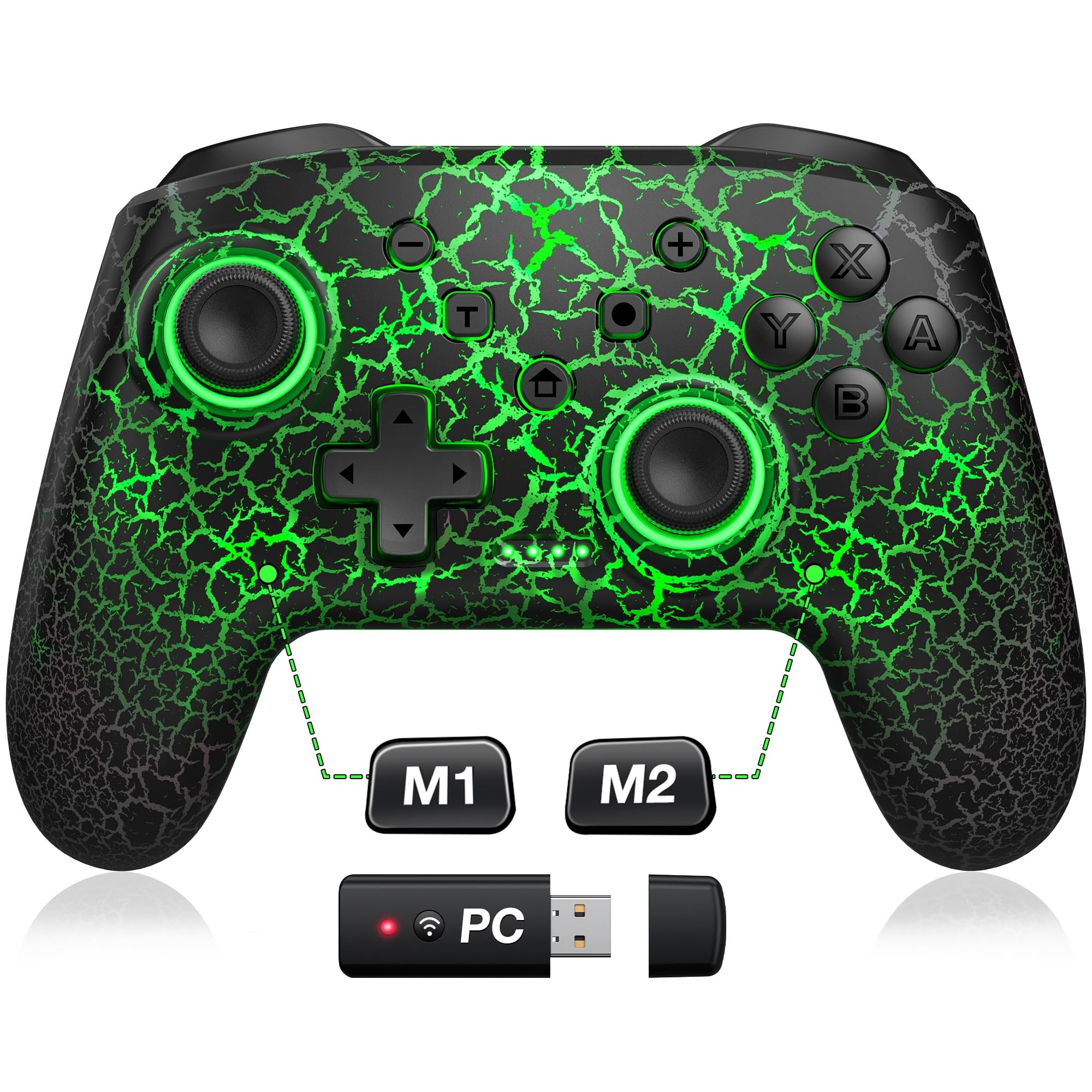
Front view of the ELISWEEN Wireless Controller, highlighting the main buttons and joysticks.
The controller features standard Nintendo Switch button layout including A, B, X, Y buttons, D-pad, Left and Right joysticks, L/R and ZL/ZR shoulder buttons, and various system buttons (Home, +, -, Capture, T for Turbo, and a button for LED control).
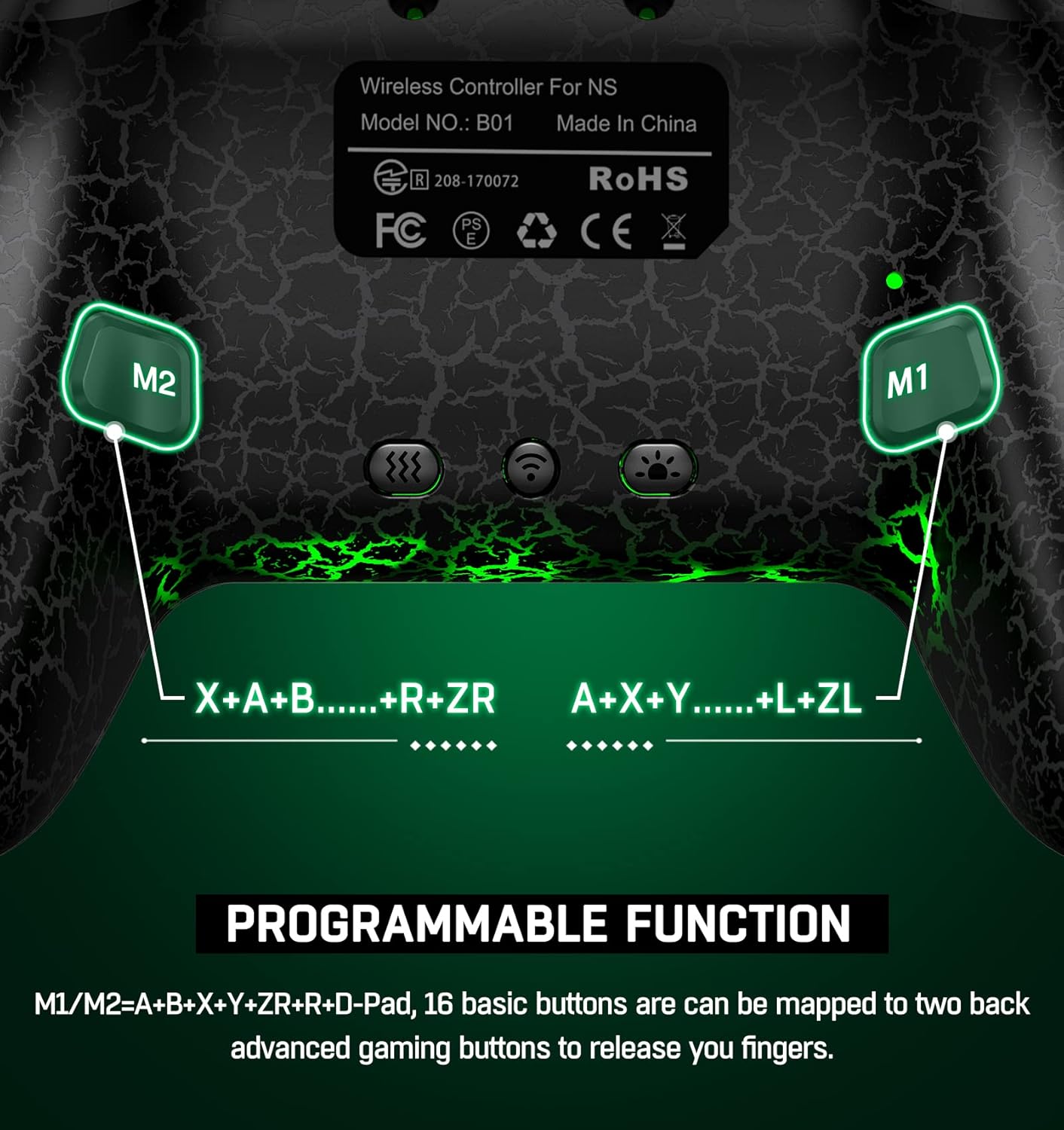
Rear view of the controller, showing the M1 and M2 programmable back buttons.
Additionally, there are two programmable back buttons, M1 and M2, located on the underside of the controller for custom assignments.
Setup and Connection
Initial Pairing (First Time Use)
- Ensure your Nintendo Switch console is powered on.
- From the HOME Menu, select Controllers > Change Grip/Order.
- On the ELISWEEN controller, press and hold the Y + HOME buttons simultaneously for 3-5 seconds until the LED indicators begin to flash rapidly.
- Once the controller is successfully paired, the player LED(s) on the controller will light up solid.
Reconnecting
After initial pairing, simply press the HOME button on the controller to wake up your Nintendo Switch console and automatically reconnect. (Note: Wake-up function does not support Switch 2.)
Operating Instructions
Programmable Back Buttons (M1/M2)
The M1 and M2 buttons on the back can be programmed for single or multi-key functions.
The controller features two programmable back buttons, M1 and M2. These buttons can be assigned to single or multiple key inputs (A, B, Y, L, ZL, R, ZR, D-pad) to enhance gameplay comfort and efficiency.
- Single Programming: Press and hold the Program button (usually a small button near M1/M2) and the desired M button (M1 or M2). Then press the single button you wish to map (e.g., 'A'). Release all buttons. The M button is now programmed.
- Multi-Programming: Press and hold the Program button and the desired M button (M1 or M2). Then press the sequence of buttons you wish to map (e.g., 'A' then 'B' then 'Y'). Release all buttons. The M button is now programmed to the sequence.
- To clear a programmed button, repeat the programming steps without pressing any input buttons after selecting the M button.
Turbo Function
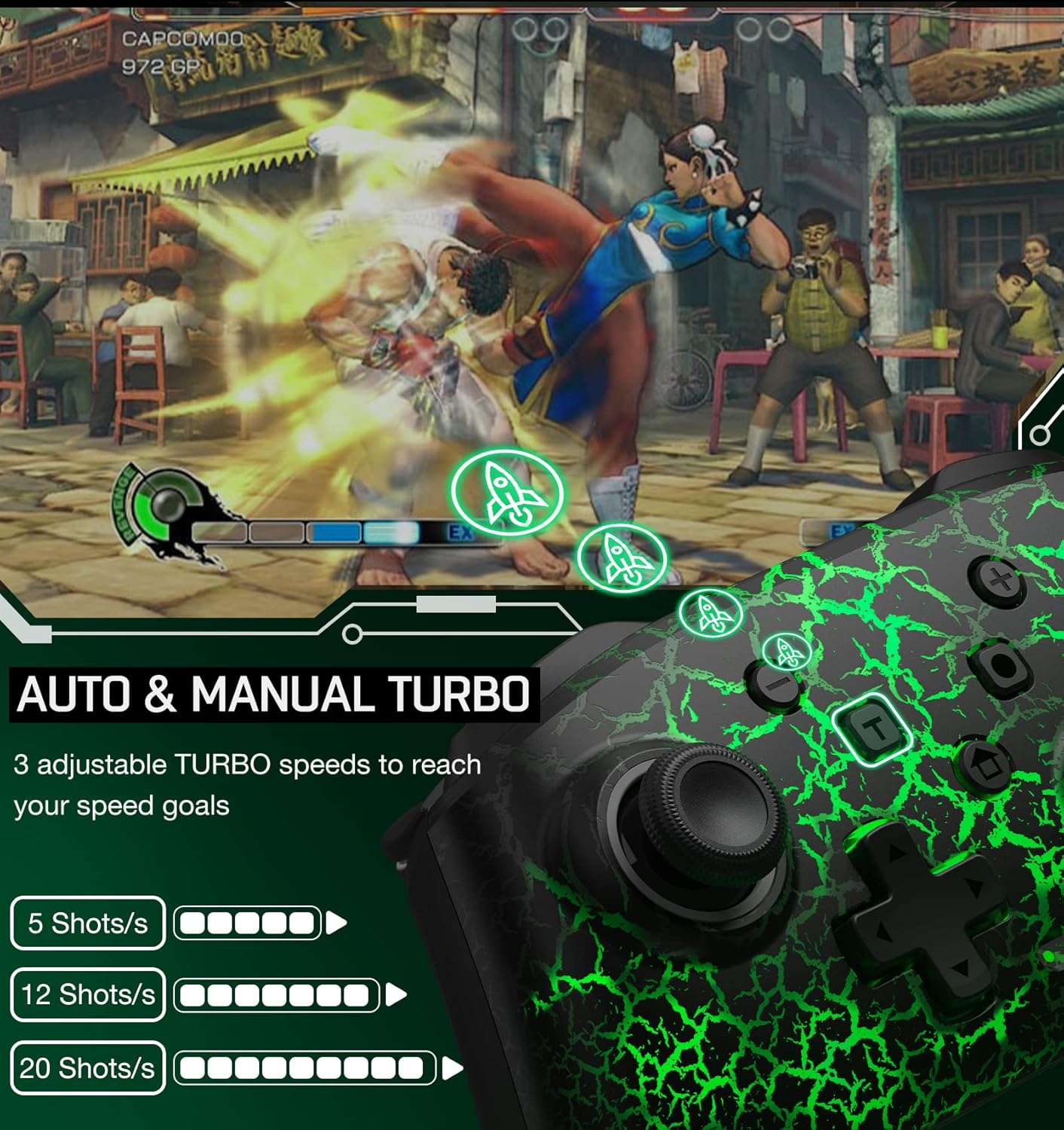
Illustration of the Auto & Manual Turbo function with three adjustable speeds: 5, 12, or 20 shots per second.
The controller supports both auto and manual turbo modes with three adjustable speeds: 5 shots/s, 12 shots/s, or 20 shots/s. Any of the A/B/X/Y/L/ZL/R/ZR buttons can be set to turbo.
- Manual Turbo: Press and hold the T (Turbo) button, then press the button you want to set for turbo (e.g., 'A'). Now, holding down 'A' will activate turbo.
- Auto Turbo: Press and hold the T (Turbo) button, then press the button you want to set for turbo (e.g., 'A') a second time. Now, 'A' will continuously activate turbo without needing to be held down.
- Adjust Turbo Speed: While in turbo mode, press the T (Turbo) button and the Up/Down D-pad to cycle through the three speed settings.
- Clear Turbo: Press and hold the T (Turbo) button, then press the turbo-enabled button a third time to disable turbo for that button. To clear all turbo settings, press and hold the T (Turbo) button for 5 seconds.
Vibration Function & Gyro Sensor

Visual representation of the 4-level vibration intensity and the 6-axis gyro sensor for motion control.
The controller features dual vibration motors with 3-level adjustable intensity (weak, medium, strong) for immersive feedback. It also includes a 6-axis gyro sensor for precise motion control in compatible games.
- Adjust Vibration: Press the Vibration Adjustment Key (refer to controller diagram for location, often a small button on the back or a combination with the T button) to cycle through vibration intensities.
- The 6-axis gyro sensor is automatically active for games that support motion controls.
Screenshot Function
The controller includes a dedicated screenshot button (often labeled with a camera icon) to capture in-game moments. Some models may support continuous screenshot functionality.
Charging and Battery Life

Information on the controller's battery capacity (1000mAh), charge time (3 hours), and play time (up to 16 hours).
The controller is equipped with a 600mAh rechargeable battery (some models may feature 1000mAh). A full charge typically takes 2-3 hours and provides approximately 10-15 hours of continuous gameplay.
- Connect the controller to a USB power source using the provided USB-C charging cable.
- The LED indicators will show charging status and turn off or change color when fully charged.
- The controller features an automatic shutdown function: if there is no operation for more than 5 minutes, the controller will enter sleep mode to conserve battery.
Compatibility

The controller is compatible with multiple devices, including Nintendo Switch, PC, iOS, and Android.
This wireless controller is compatible with Nintendo Switch, Switch Lite, and Switch OLED consoles. It may also support other platforms such as PC, iOS, and Android devices, depending on the specific model and firmware.
Specifications
| Feature | Detail |
|---|---|
| Brand Name | ELISWEEN |
| Model Name | RM |
| Compatible Devices | Nintendo Switch |
| Controller Type | Gamepad |
| Connectivity Technology | Wireless |
| Additional Features | Ergonomic, Programmable Buttons, Turbo Function, Gyro Sensor, Vibration |
| Power Source | Battery Powered |
| Battery Capacity | 600 mAh (approx. 10-15 hours play time) |
| Charging Time | 2-3 hours |
| Color | Black Light Receiver |
Maintenance
- Keep the controller clean by wiping it with a dry, soft cloth.
- Avoid exposing the controller to extreme temperatures, humidity, or direct sunlight.
- Do not attempt to disassemble or modify the controller, as this may void the warranty and cause damage.
- Store the controller in a safe place when not in use to prevent accidental damage.
Troubleshooting
Controller Not Connecting
- Ensure the controller is sufficiently charged.
- Verify that the console is in the "Change Grip/Order" screen during initial pairing.
- Try restarting both the controller and the Nintendo Switch console.
- Ensure no other wireless devices are causing interference.
Buttons Not Responding
- Check if the controller is properly connected to the console.
- Reset the controller by pressing a small reset button (if available, often a pinhole on the back) or by holding the HOME button for an extended period.
- Ensure the game you are playing supports the controller's functions.
Vibration or Gyro Not Working
- Confirm that the game supports vibration and motion controls.
- Check the controller's settings on the Nintendo Switch to ensure these features are enabled.
- Ensure the vibration intensity is not set to 'None'.
Warranty and Support
ELISWEEN provides technical support for this wireless controller. If you encounter any technical problems or have questions, please contact customer service. We aim to reply within 24 hours to provide assistance.
For specific warranty details, please refer to the product packaging or contact the seller directly. The product is fulfilled by Amazon and sold by ELISWEEN.
