
1. Introduction
This manual provides essential information for the proper use and maintenance of your HCDZ replacement remote control. This remote is designed to be compatible with Blaupunkt BP-SB60-1 and Goodmans GDSB04BT60 soundbar models. It operates using infrared (IR) technology and requires no programming; it functions immediately upon battery installation.
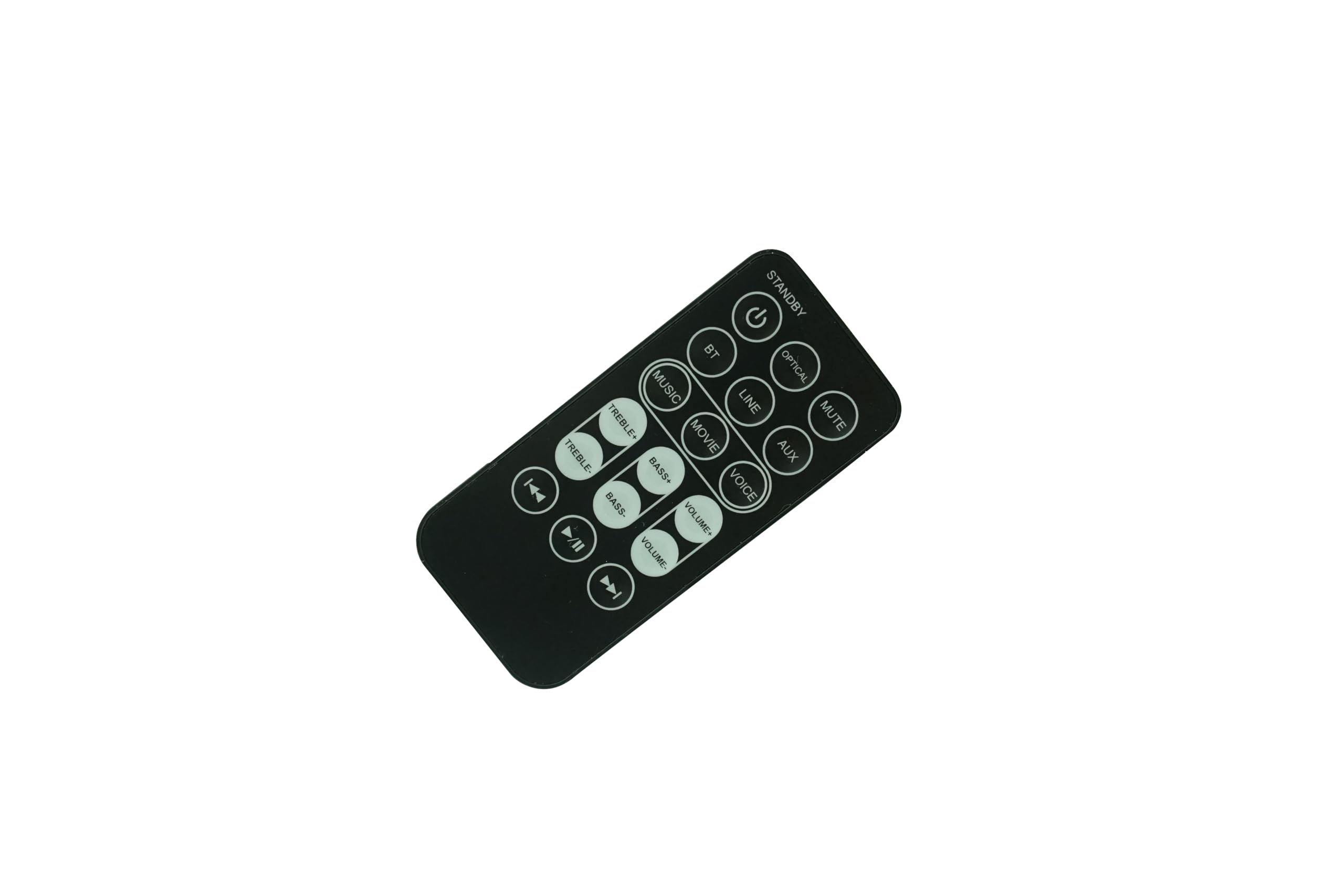
Figure 1: HCDZ Replacement Remote Control
2. Safety Information
- Do not leave the remote control in extremely hot or humid environments.
- Avoid mixing new batteries with old ones. Replace all batteries simultaneously.
- Do not expose the remote control's IR sensor to direct sunlight or strong lighting apparatuses, as this may cause malfunction.
- If the remote control will not be used for an extended period, remove the batteries to prevent potential damage from leakage and corrosion.
3. Package Contents
The package includes:
- 1 x HCDZ Replacement Remote Control
Note: Batteries and additional instructions are not included in the package.
4. Setup: Battery Installation
The remote control requires two (2) AAA alkaline batteries (not included).
- Locate the battery compartment cover on the back of the remote control.
- Slide the cover downwards or press the latch (if present) and lift to open the compartment.
- Insert two AAA batteries, ensuring the positive (+) and negative (-) terminals align correctly with the markings inside the compartment.
- Replace the battery compartment cover by sliding it back into place until it clicks securely.

Figure 2: Battery Compartment Open

Figure 3: Battery Compartment Closed
The remote control is now ready for use with your compatible soundbar.
5. Operating Instructions
This remote control is designed for intuitive operation. Point the remote directly at your soundbar's IR receiver. Below is a guide to the common buttons and their functions:

Figure 4: Remote Control Button Layout
- STANDBY (Power Button): Turns the soundbar on or off.
- OPTICAL: Selects the Optical input source.
- MUTE: Mutes or unmutes the sound.
- AUX: Selects the Auxiliary input source.
- LINE: Selects the Line-in input source.
- VOICE: Activates or deactivates voice enhancement mode.
- BT (Bluetooth): Selects the Bluetooth input source for pairing or connecting.
- MUSIC: Activates the music equalizer preset.
- MOVIE: Activates the movie equalizer preset.
- VOLUME+ / VOLUME-: Increases or decreases the master volume.
- BASS+ / BASS-: Increases or decreases the bass level.
- TREBLE+ / TREBLE-: Increases or decreases the treble level.
- Previous Track (◀◀): Skips to the previous track (in BT/USB mode).
- Play/Pause (►‖‖): Plays or pauses media playback (in BT/USB mode).
- Next Track (►►): Skips to the next track (in BT/USB mode).
6. Maintenance
To ensure the longevity and proper functioning of your remote control:
- Clean the remote control regularly with a soft, dry cloth. Do not use liquid cleaners or abrasive materials.
- Avoid dropping the remote control or subjecting it to strong impacts.
- If the remote control will not be used for an extended period (e.g., more than a month), remove the batteries to prevent leakage and potential damage to the internal components.
7. Troubleshooting
If the remote control is not functioning as expected, consider the following:
- No response from soundbar:
- Check if the batteries are inserted correctly with the correct polarity (+/-).
- Replace old batteries with fresh AAA alkaline batteries.
- Ensure there are no obstructions between the remote control and the soundbar's IR receiver.
- Confirm that the remote control is pointed directly at the soundbar.
- Intermittent response:
- Check battery levels; replace if low.
- Ensure no strong light sources (like direct sunlight) are interfering with the IR signal.
8. Specifications
- Brand: HCDZ
- Compatible Devices: Blaupunkt BP-SB60-1, Goodmans GDSB04BT60 Soundbars
- Connectivity Technology: Infrared (IR)
- Maximum Range: 8 Meters (approximately 26 feet)
- Power Source: 2 x AAA batteries (not included)
- Color: Black
- Special Feature: No programming needed, works out of the package
9. Warranty and Support
This HCDZ replacement remote control comes with a 3-month warranty from the date of purchase. For warranty claims or technical support, please contact your retailer or the HCDZ customer service department.