
1. Introduction
Thank you for choosing the Aptkdoe HD65 Wireless Sport Earbuds. These earbuds are designed to provide a high-quality audio experience with features tailored for active lifestyles. This manual will guide you through the setup, operation, and maintenance of your new earbuds.
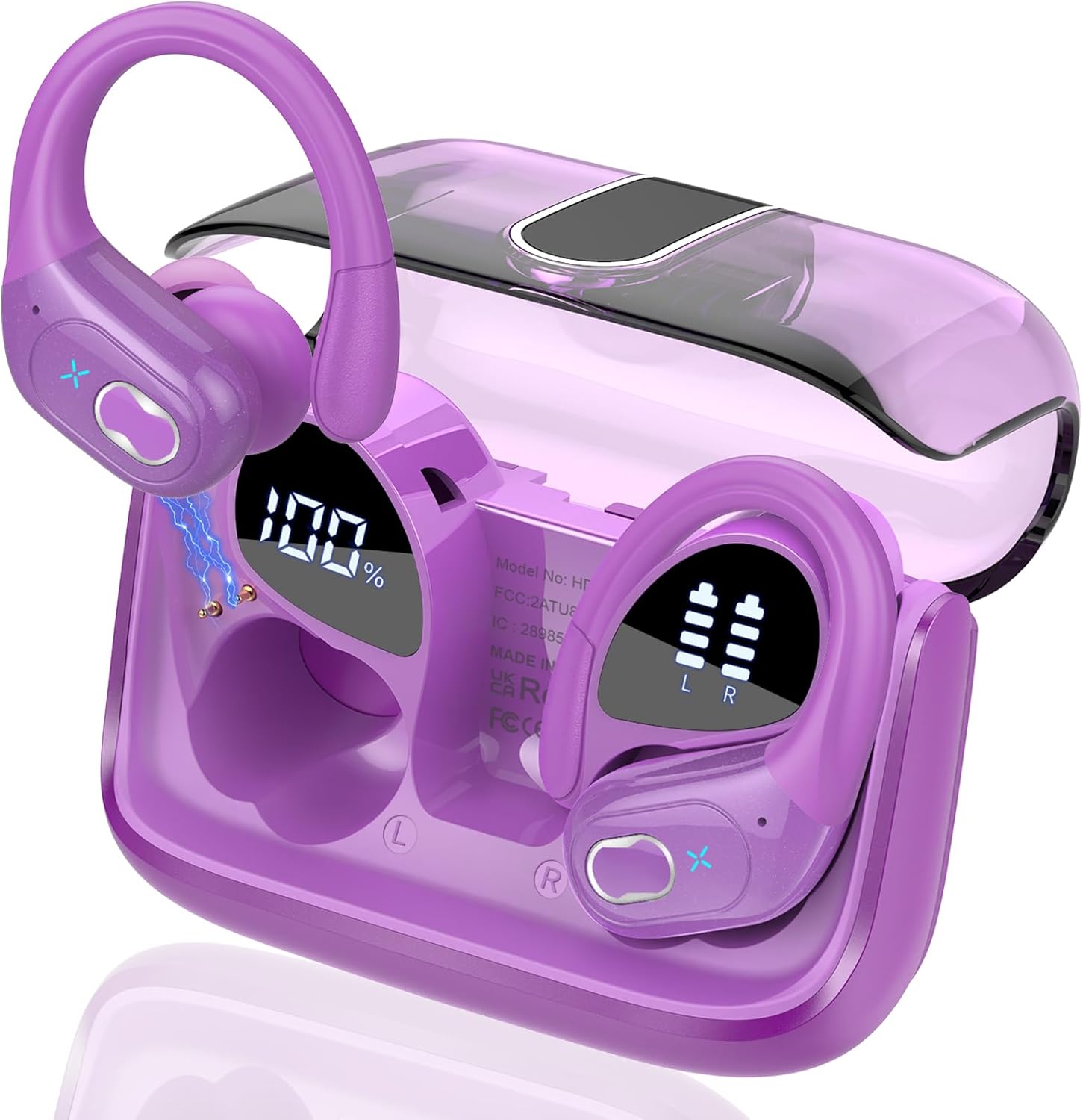
Image: Aptkdoe HD65 Wireless Sport Earbuds in their purple charging case, displaying battery levels.
2. What's in the Box
- 2 x Wireless Earbuds (Left and Right)
- 1 x Fast Charging Case
- 1 x USB-C Charging Cable
- 3 x Pairs of Earplugs (S, M, L)
- 1 x Instruction Manual

Image: A visual representation of the Aptkdoe HD65 package contents, including the earbuds, charging case, USB-C cable, various ear tip sizes, and the user manual.
3. Product Features
3.1 Audio Quality
The HD65 earbuds feature 14.2mm large speaker drivers, delivering deep bass, clear midrange, and crisp treble for a rich stereo sound experience. Equipped with high-quality ENC (Environmental Noise Cancellation) microphones, these earbuds passively reduce up to 80% of background noise, ensuring crystal-clear calls.

Image: An exploded view diagram illustrating the 14.2mm speaker driver components responsible for high-quality stereo sound.

Image: A visual representation highlighting the ENC Noise Cancelling Microphone feature for clear call quality.
3.2 Battery Life & Charging
Enjoy up to 15 hours of continuous use on a single charge. The portable charging case provides an additional 5-6 full charges, extending the total playtime to approximately 75 hours. The dual LED display on the charging case accurately shows the remaining power of the case and the charging progress of each earbud.

Image: An infographic illustrating the impressive 75-hour total battery life, with 15 hours per single earbud charge and 60 hours provided by the charging case.

Image: The LED digital display on the charging case, clearly showing the remaining battery percentage of the case and the individual charge status of the left and right earbuds.
3.3 Connectivity
Featuring advanced Bluetooth 5.4 technology, the Aptkdoe HD65 ensures instant pairing and stable transmission without interruptions. It supports HFP, A2DP, HSP, and AVRCP protocols, offering a stable connection distance of up to 33 feet (10 meters). The earbuds automatically pair with your last connected device when the case is opened.

Image: A visual representation of the Bluetooth 5.4 chip, emphasizing fast pairing and stable connection capabilities.
3.4 Design & Durability
The earbuds feature an ergonomic sports design with ear hooks made of innovative TPU (elastic) material, ensuring a secure and comfortable fit that prevents them from falling during activities. With an IPX7 waterproof rating and nano-coated material, they are resistant to sweat and raindrops, making them ideal for workouts, running, and other sports.

Image: An infographic highlighting the ergonomic design, flexible ear hooks, and IPX7 waterproof rating, emphasizing suitability for sports and active use.
4. Setup Instructions
4.1 Initial Pairing
- Charge Earbuds: Before first use, ensure both earbuds and the charging case are fully charged.
- Activate Bluetooth: Open the charging case. The earbuds will automatically enter pairing mode.
- Connect to Device: On your device (smartphone, tablet, laptop), go to Bluetooth settings and select "HD65" from the list of available devices.
- Confirmation: Once connected, you will hear an audio prompt, and the LED indicator on the earbuds may change.
4.2 Wearing the Earbuds
For optimal sound and secure fit, follow these steps:
- Choose the suitable earplugs (S, M, L) that best fit your ear canal.
- Insert the earbud into your ear canal.
- Rotate the earbud backward until the earhook sits comfortably and securely over your ear.
- Adjust the earbud to a comfortable and secure angle for your ear shape.

Image: A step-by-step guide demonstrating how to properly wear the earbuds for a comfortable and secure fit, including selecting ear tip size and adjusting the earhook.
5. Operating Instructions
The Aptkdoe HD65 earbuds feature sensitive button controls for easy management of music and calls without needing to access your phone.

Image: A visual guide to the earbud's physical button controls for various functions like play/pause, track skipping, volume adjustment, call management, and voice assistant activation.
- Play/Pause: Single tap L/R earbud.
- Next Track: Double tap R earbud.
- Previous Track: Double tap L earbud.
- Volume +: Long press R earbud for 2 seconds.
- Volume -: Long press L earbud for 2 seconds.
- Answer Call: One tap L/R earbud.
- Hang Up Call: One tap L/R earbud during a call.
- Reject Call: Long press L/R earbud for 2 seconds during an incoming call.
- Activate Voice Assistant (Siri): Triple tap L/R earbud.
6. Maintenance
- Cleaning: Regularly clean the earbuds and charging case with a soft, dry cloth. Avoid using harsh chemicals or abrasive materials.
- Water Resistance: The earbuds are IPX7 waterproof, meaning they can withstand sweat and rain. However, they are not designed for swimming or prolonged submersion in water. Ensure they are dry before placing them back in the charging case.
- Storage: Store the earbuds in their charging case when not in use to protect them and keep them charged.
- Battery Care: To prolong battery life, avoid fully discharging the earbuds and case frequently. Charge them regularly.

Image: An Aptkdoe HD65 earbud shown with water droplets, illustrating its IPX7 waterproof and sweat-resistant capabilities.
7. Troubleshooting
- Earbuds not pairing: Ensure both earbuds are charged. Turn off and on your device's Bluetooth. Place earbuds back in the case, close, then reopen to re-enter pairing mode.
- Only one earbud working: Place both earbuds back in the charging case, close the lid, and then open it again. This should reset the connection and allow them to pair with each other.
- Poor sound quality: Ensure earbuds are properly seated in your ears and try different sized ear tips. Check your device's volume and audio settings.
- Charging issues: Ensure the USB-C cable is securely connected to both the case and a power source. Clean the charging contacts on the earbuds and inside the case.
- Connection drops: Ensure your device is within the 33ft Bluetooth range. Avoid obstacles between your device and the earbuds.
8. Specifications
| Feature | Specification |
|---|---|
| Model Name | HD65 |
| Connectivity Technology | Wireless (Bluetooth) |
| Wireless Communication Technology | Bluetooth 5.4 |
| Bluetooth Range | 10 Meters (33 feet) |
| Audio Driver Size | 14.2 Millimeters |
| Noise Control | Passive Noise Cancellation (ENC Mic) |
| Battery Life (Earbuds) | 15 Hours (single charge) |
| Total Playtime (with case) | 75 Hours |
| Water Resistance Level | IPX7 Waterproof |
| Earpiece Shape | Ear Hook |
| Control Method | Push Button |
| Charging Port | USB-C |
| Compatible Devices | Cellphones, Tablets, Laptops, Smart Speakers, Televisions, Car Audio Systems |
9. Official Product Videos
Video: An overview of the Aptkdoe HD65 Wireless Earbuds, highlighting key features like 75-hour battery life, Bluetooth 5.3, and sport-friendly design.
Video: A detailed look at the Aptkdoe HD65 Wireless Sport Earbuds, showcasing their design and functionality.
10. Warranty and Support
For warranty information and customer support, please refer to the contact details provided on the product packaging or visit the official Aptkdoe website. Keep your purchase receipt for any warranty claims.


