
funxwe SD256
funxwe 256GB TF Memory Card
Model: SD256 - User Manual
Introduction
This manual provides detailed instructions for the proper use and care of your funxwe 256GB TF Memory Card. Designed for high-speed data transfer and reliable storage, this card is suitable for a wide range of compatible electronic devices.
Product Overview
The funxwe 256GB TF Memory Card is a Class 10, UHS-I (U3) memory solution offering ultra-high read and write speeds. It comes with an SD adapter for broader compatibility. The card is built with robust features to ensure data integrity and durability.

Image: The funxwe 256GB TF Memory Card and its accompanying SD adapter, presented in their retail packaging.

Image: Detailed dimensions of the TF Memory Card (15mm x 11mm) and the SD Adapter (32mm x 24mm).
Setup
To begin using your funxwe 256GB TF Memory Card, follow these steps:
- Insert the TF Card: Locate the microSD card slot on your compatible device (e.g., smartphone, tablet, camera, drone). Gently insert the TF card into the slot until it clicks into place. Ensure the card is oriented correctly to avoid damage.
- Using the SD Adapter: If your device uses a standard SD card slot (e.g., some digital cameras, laptops), insert the TF card into the provided SD adapter. Then, insert the adapter with the TF card into the device's SD card slot.
- Formatting (Optional): For optimal performance and to ensure compatibility, it is recommended to format the memory card using your device's internal formatting function before first use. This will erase all data on the card, so ensure no important files are present.

Image: The memory card is compatible with various devices including smartphones, tablets, driving recorders, GPS devices, cameras, sports cameras, security cameras, and aerial cameras.
Operating
The funxwe 256GB TF Memory Card is designed for efficient data handling. Here's how to operate it:
- Data Transfer: The card supports up to 80MB/s read speed and 60MB/s write speed. To transfer files, connect your device (or the card via an adapter) to a computer. Drag and drop files to and from the card's directory.
- Photo and Video Recording: With its Class 10, U3, and V30 ratings, the card is ideal for continuous shooting and full HD 4K video recording, ensuring smooth performance without dropped frames.
- Storage Capacity: The nominal capacity is 256GB. Due to different capacity algorithms and space reserved for system files and optimization, the actual available capacity will be approximately 232GB to 238GB.

Image: An illustration demonstrating the high-speed transmission capabilities of the memory card for various media types, including images and videos, on a laptop.
Maintenance
To ensure the longevity and optimal performance of your funxwe TF Memory Card, observe the following maintenance guidelines:
- Durability Features: The card is designed to be waterproof, shockproof, temperature resistant (-25°C to 85°C storage), X-ray radiation proof, anti-static, and resistant to mechanical impact of 500G acceleration.
- Proper Handling: Always handle the card by its edges. Avoid touching the gold contact pins to prevent static discharge or contamination.
- Safe Removal: Always safely eject the memory card from your device before physically removing it to prevent data corruption.
- Storage: When not in use, store the memory card in its protective case or a suitable storage container to shield it from dust, moisture, and physical damage.
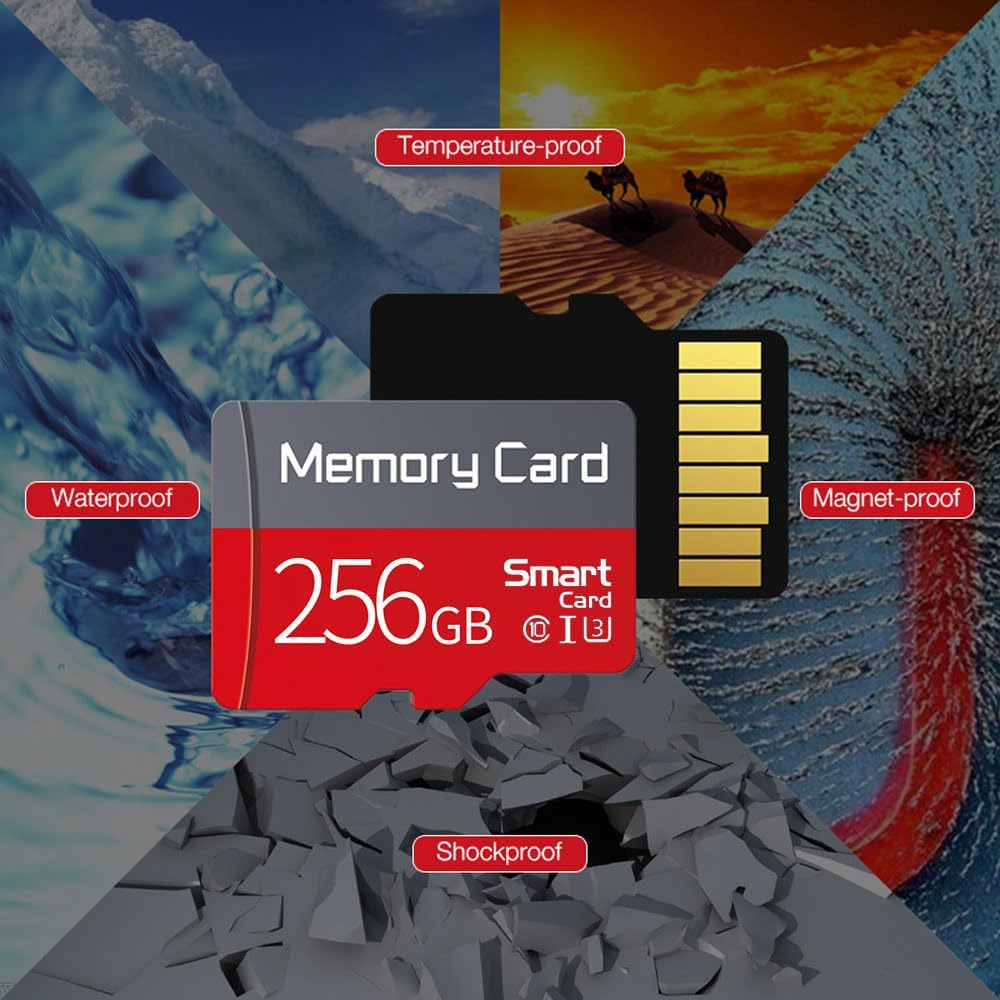
Image: Visual representation of the memory card's durability, highlighting its waterproof, temperature-proof, magnet-proof, and shockproof characteristics.
Troubleshooting
If you encounter issues with your funxwe TF Memory Card, consider the following common solutions:
- Card Not Recognized:
- Ensure the card is fully and correctly inserted into the device or adapter.
- Try inserting the card into a different compatible device or card reader to rule out a device-specific issue.
- Clean the gold contact pins on the card with a soft, dry, lint-free cloth.
- Slow Performance:
- Ensure your device supports UHS-I speeds. Older devices may not fully utilize the card's speed capabilities.
- Check if the card is nearly full. Performance can degrade when storage is almost exhausted.
- Reformat the card (after backing up data) to resolve potential file system fragmentation.
- Data Corruption:
- Always safely eject the card before removal.
- Avoid removing the card during data transfer or recording.
- If data is corrupted, data recovery software may be able to retrieve some files, but success is not guaranteed.
Specifications
| Feature | Detail |
|---|---|
| Model Name | SD256 |
| Flash Memory Type | Micro SD |
| Memory Storage Capacity | 256 GB (Actual available: 232GB~238GB) |
| Hardware Interface | microSDXC |
| Secure Digital Association Speed Class | Class 10 |
| Read Speed | Up to 80 Megabytes Per Second |
| Write Speed | Up to 60 Megabytes Per Second |
| Special Features | Waterproof, Shockproof, Extreme Temperature Resistance (-25°C to 85°C), X-ray Radiation Proof, Anti-static, Magnetic Proof, Drop Proof, Write Protect Switch |
| Compatible Devices | Camera, Gaming Console, Personal Computer, Smartphone, Tablet, Drone, Camcorder |
| Item Weight | 0.3 Ounces |
| Package Dimensions | 4 x 2 x 0.2 inches |
| UPC | 712383791405 |
Warranty
The funxwe 256GB TF Memory Card comes with a Two-Year Warranty. Please retain your proof of purchase for warranty claims. For details on warranty coverage and procedures, refer to the warranty information provided at the time of purchase or contact customer support.
Support
For further assistance, technical support, or inquiries regarding your funxwe 256GB TF Memory Card, please refer to the contact information provided by your retailer or the manufacturer's official website. Ensure you have your product model number (SD256) and purchase details ready when seeking support.
Ask a question about this manual
Ask about setup, troubleshooting, compatibility, parts, safety, or missing instructions. Manuals+ will review the question and use this page’s manual context to help answer it.