
HP Rove 20 DECT PH HS
Poly Rove 20 DECT PH HS Cordless Phone User Manual
1. Introduction
This manual provides essential information for the proper setup, operation, and maintenance of your Poly Rove 20 DECT PH HS cordless phone. Please read these instructions carefully before using the device to ensure optimal performance and safety.
2. Package Contents
Verify that all items are present in your product package:
- Poly Rove 20 DECT PH HS Handset
- Charging Cradle
- Power Adapter for Charging Cradle
- Rechargeable Battery Pack
- Belt Clip
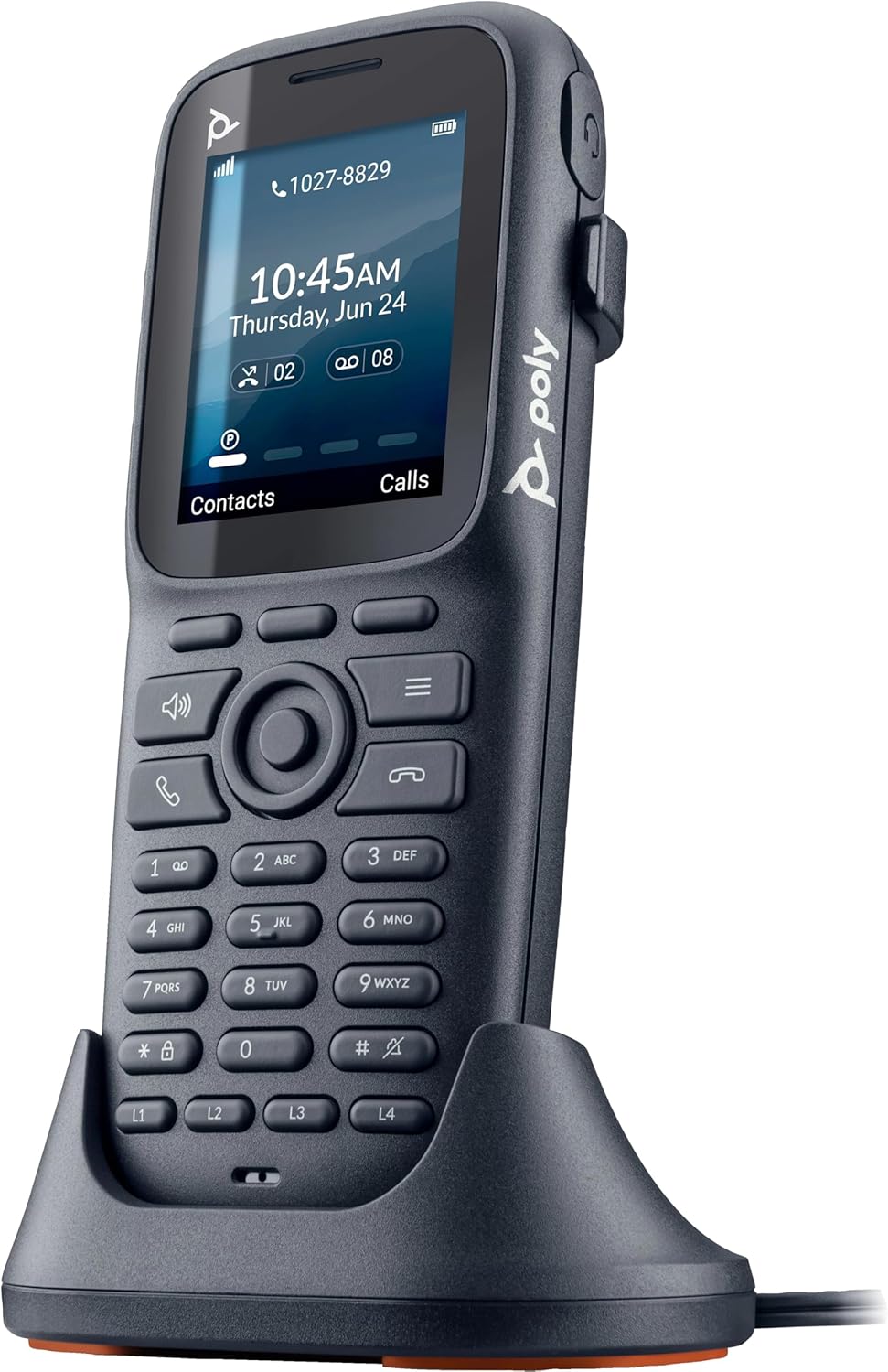
Image: The Poly Rove 20 DECT PH HS handset placed in its charging cradle, illustrating the charging setup.
3. Setup
3.1. Battery Installation
- Remove the battery compartment cover on the back of the handset.
- Insert the rechargeable battery pack, ensuring correct polarity.
- Replace the battery compartment cover.
3.2. Charging the Handset
- Connect the power adapter to the charging cradle and plug it into a power outlet.
- Place the handset into the charging cradle. The display will indicate charging status.
- Allow the handset to charge for at least 4 hours before initial use to ensure full battery capacity.
3.3. Registering the Handset to a DECT Base Station
The Poly Rove 20 DECT PH HS handset must be registered to a compatible DECT base station (sold separately) to function. Refer to your DECT base station's manual for specific registration instructions. General steps typically include:
- Put your DECT base station into registration mode.
- On the Rove 20 handset, navigate to the 'Settings' or 'Registration' menu.
- Select 'Register Handset' and follow the on-screen prompts. You may need to enter a PIN (default is often 0000 or 1234).
- Once registered, the handset will display the base station name or a confirmation message.
4. Operating Instructions

Image: Front view of the Poly Rove 20 DECT PH HS handset, showing the display, keypad, and function buttons.
4.1. Powering On/Off
- To power on: Press and hold the End Call/Power button until the display illuminates.
- To power off: Press and hold the End Call/Power button until the 'Power Off' option appears, then confirm.
4.2. Making a Call
- Enter the phone number using the keypad.
- Press the Call button (green handset icon) to initiate the call.
4.3. Answering a Call
- When the phone rings, press the Call button (green handset icon) to answer.
4.4. Ending a Call
- Press the End Call button (red handset icon) to terminate an active call.
4.5. Adjusting Volume
- During a call, use the Up/Down navigation keys to adjust the earpiece or speaker volume.
4.6. Using the Belt Clip

Image: Side view of the Poly Rove 20 DECT PH HS handset, showing the integrated belt clip for portability.
Attach the provided belt clip to the back of the handset for convenient carrying. Ensure it clicks securely into place.
5. Maintenance
5.1. Cleaning
- Wipe the handset and charging cradle with a soft, damp cloth.
- Do not use harsh chemicals or abrasive cleaners.
- Ensure the device is powered off and unplugged from the power source before cleaning.
5.2. Battery Care
- For optimal battery life, avoid extreme temperatures.
- If the handset will not be used for an extended period, remove the battery.
- Replace the battery when its performance significantly degrades.
6. Troubleshooting
| Problem | Possible Cause | Solution |
|---|---|---|
| Handset does not power on. | Battery is depleted or not installed correctly. | Ensure battery is installed correctly and charge the handset for at least 30 minutes. |
| Cannot make or receive calls. | Handset is not registered to a DECT base station or out of range. | Verify handset registration. Move closer to the DECT base station. Check base station power. |
| Poor audio quality. | Interference or weak signal. | Move away from other electronic devices. Ensure handset is within optimal range of the base station. |
| Handset not charging. | Cradle not powered or handset not seated correctly. | Check power adapter connection. Ensure handset is properly seated in the cradle. Clean charging contacts. |
7. Specifications
- Brand: HP
- Model: Rove 20 DECT PH HS
- Telephone Type: Cordless
- Material: Plastic
- Power Source: Battery Powered
- Dialer Type: Single Keypad
- Item Dimensions (L x W x H): 7.1 x 3.5 x 2.3 inches
- Answering System Type: Digital
- Item Weight: 8 ounces
- Compatible Devices: IP networks, VoIP services, PSTN/ISDN networks, DECT-compatible base stations
- Phone Talk Time: 35 Hours
- Multiline Operation: Multi-Line Operation
- Phone Standby Time: 300 hours
- Caller ID: Yes
- Manufacturer: HP POLY VOICE
- UPC: 197497473193
8. Warranty and Support
For warranty information, technical support, or service inquiries, please refer to the official HP website or contact HP customer support directly. Keep your purchase receipt as proof of purchase for warranty claims.
EU Spare Part Availability Duration: 7 Years.
Related documentsRove 20 DECT PH HS


Ask a question about this manual
Ask about setup, troubleshooting, compatibility, parts, safety, or missing instructions. Manuals+ will review the question and use this page’s manual context to help answer it.