
Introduction
The KLSYQ Camera Glasses KRY705 are designed for capturing high-definition video and photos during various outdoor activities. These lightweight and durable smart glasses feature a 1080P HD camera, a 32GB memory card, and a long-lasting battery, making them suitable for sports, hiking, travel, and more. This manual provides essential information for the proper setup, operation, and maintenance of your device.
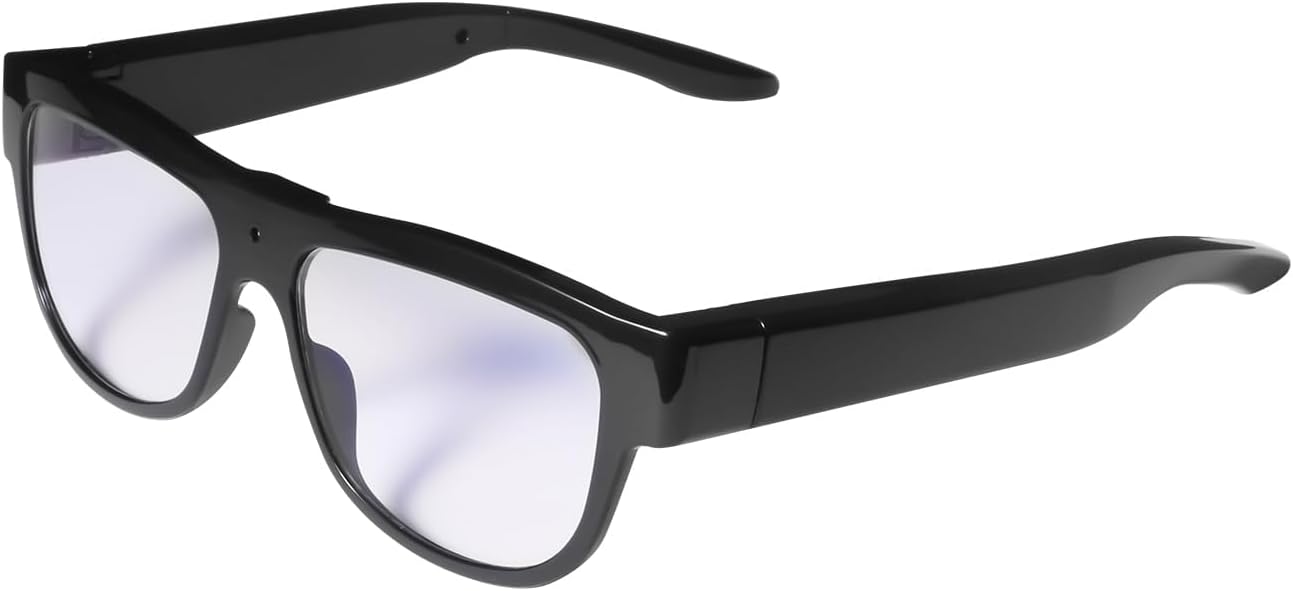
Figure 1: KLSYQ Camera Glasses KRY705
What's in the Box
Upon opening the package, please verify that all the following items are included:
- 1 x Rimless Camera Glasses
- 1 x Black Protective Case
- 1 x Cleaning Cloth
- 1 x USB Cable
- 1 x User Manual (this document)
- 1 x 32GB Memory Card (pre-installed or included separately)
Product Overview
Familiarize yourself with the key components of your KLSYQ Camera Glasses:

Figure 2: Camera Glasses Components
- Video Key: Used to initiate video recording.
- Power On/Off/Take Picture Button: Controls power and captures still images.
- USB Transfer Interface: For charging and data transfer.
- Indicator Light: Displays charging status (red) and use status (blue).
Setup
1. Charging the Device
Before first use, fully charge the camera glasses. Connect the provided USB cable to the USB Transfer Interface on the glasses and plug the other end into a USB power source (e.g., computer USB port, wall adapter). The indicator light will show a red color during charging. Once fully charged, the light may change or turn off. A full charge provides up to 90 minutes of recording time.
2. Memory Card Installation (if not pre-installed)
The camera glasses come with a 32GB memory card. If it is not already installed, locate the memory card slot and gently insert the card until it clicks into place. Ensure the card is inserted in the correct orientation.
Operating Instructions
1. Power On/Off
- To Power On: Short press the Power On/Off/Take Picture button. The indicator light will turn blue, indicating standby mode.
- To Power Off: Long press the Power On/Off/Take Picture button for approximately 3 seconds. The machine blue light will turn off, indicating shutdown.
2. Video Recording
While the device is in standby mode (blue indicator light), press the Video Key to start recording. The indicator light may change to indicate recording is in progress. Press the Video Key again to stop recording.
3. Taking Pictures
While the device is in standby mode (blue indicator light), press the Power On/Off/Take Picture button to capture a still image.
4. Viewing and Transferring Footage
To view or transfer recorded files, it is recommended to remove the memory card from the glasses and connect it to your computer using a card reader. Alternatively, you can connect the glasses directly to a PC via the USB cable, but viewing footage directly through the data cable is not recommended.

Figure 3: Methods for Reading Content
The 32GB memory card automatically overwrites the oldest files when storage is full, ensuring continuous recording without manual deletion.
Maintenance
- Cleaning: Use the provided cleaning cloth to gently wipe the lenses and frame. Avoid using harsh chemicals or abrasive materials.
- Storage: Store the camera glasses in the black protective case when not in use to prevent scratches and damage.
- Battery Care: To prolong battery life, avoid fully discharging the battery frequently. Charge the device regularly, even if not in constant use.
- Environmental Conditions: Avoid exposing the glasses to extreme temperatures, direct sunlight for extended periods, or excessive moisture.
Troubleshooting
- Device not powering on: Ensure the battery is charged. Connect to a power source and try again.
- Cannot record video/take pictures: Check if the device is in standby mode (blue indicator light). Ensure the memory card is properly inserted and has sufficient space.
- Poor video/image quality: Ensure lenses are clean. Record in well-lit conditions.
- Cannot access files on computer: Ensure the memory card is correctly inserted into a card reader or the glasses are properly connected via USB. Try a different USB port or card reader.
- Short battery life: Ensure the device is fully charged before use. Battery performance can degrade over time.
Specifications
| Model Number | KRY705 |
| Video Resolution | 1080P HD (30fps) |
| Memory Storage Capacity | 32 GB (included) |
| Battery Type | Lithium Polymer |
| Battery Capacity | 230 Milliamp Hours |
| Recording Time | Up to 90 minutes (fully charged) |
| Connectivity | USB |
| Item Weight | 4.6 ounces |
| Package Dimensions | 7.09 x 3.19 x 2.52 inches |
Warranty and Support
For warranty information and customer support, please refer to the documentation provided with your purchase or contact KLSYQ customer service directly. Details regarding specific warranty periods and terms are typically outlined by the manufacturer.