
1. Introduction
This manual provides detailed instructions for the installation, operation, and maintenance of your DWFSKZKV HORACO Lg-2.5ge-sfp 2.5G SFP to RJ45 Copper Transceiver Module. This module is designed to convert an SFP/SFP+ optical port into an RJ45 Ethernet port, enabling 2.5 Gigabit Ethernet connectivity over standard copper cabling. Please read this manual thoroughly before using the product to ensure proper function and safety.
2. Safety Information
Please observe the following safety precautions to prevent damage to the product or injury to yourself:
- Do not attempt to disassemble or modify the module.
- Ensure proper grounding for all connected network equipment.
- Avoid exposing the module to extreme temperatures, humidity, or direct sunlight.
- Handle the module with care to prevent physical damage to the connectors or casing.
- Always disconnect power from the host device before installing or removing the module.
3. Package Contents
The package should contain the following item:
- 1 x DWFSKZKV HORACO Lg-2.5ge-sfp 2.5G SFP to RJ45 Copper Transceiver Module
4. Product Overview
The HORACO Lg-2.5ge-sfp module is a high-performance 2.5G SFP+ copper transceiver designed for converting SFP/SFP+ ports to RJ45 Ethernet ports. It facilitates 2.5 Gigabit wired network connections, offering flexible deployment options for various networking environments.

Image 1: Front view of the HORACO Lg-2.5ge-sfp 2.5G SFP to RJ45 Copper Transceiver Module, showing the SFP connector and RJ45 port.
Key Features:
- 2.5G Performance: Supports 2.5 Gigabit Ethernet speeds over copper cabling.
- Durable Design: Features high-quality electronic chips for stable transmission, thickened gold plating for resistance to wear, and an alloy shell for efficient heat dissipation.
- Plug and Play: Simple installation without complex configuration.
- Wide Temperature Range: Operates reliably in temperatures from 0°C to 65°C.
- Broad Compatibility: Compatible with various devices including routers, switches, transceivers, network cards, servers, and data center equipment.

Image 2: Illustration highlighting the high-quality electronic chips, thickened gold plating, and alloy shell design for durability and heat dissipation.

Image 3: Visual representation of the module's operational temperature range, from 0°C to 65°C.
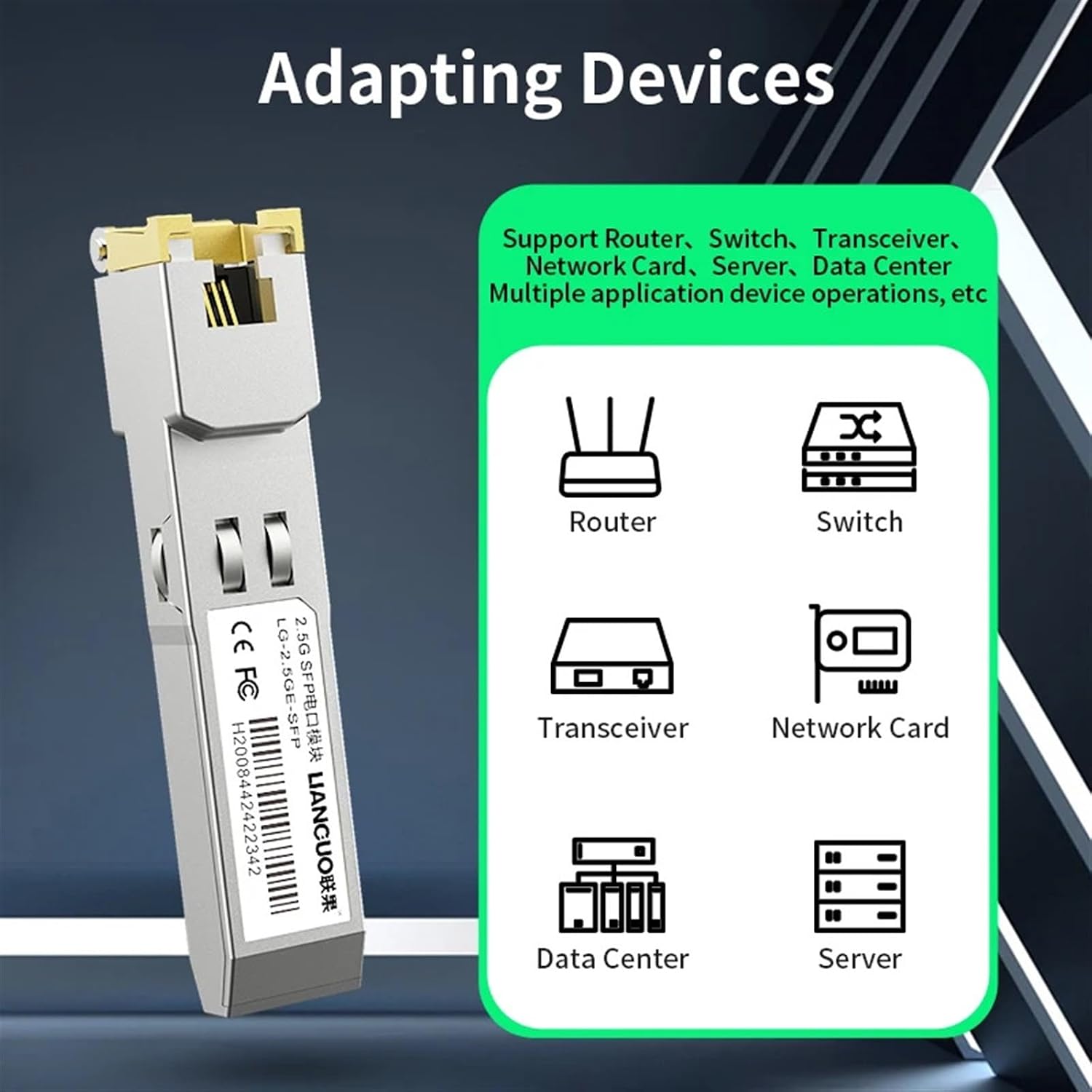
Image 4: Icons depicting compatible devices such as routers, switches, transceivers, network cards, servers, and data center equipment.
5. Setup
Follow these steps to install the Lg-2.5ge-sfp module into your network device:
- Prepare the Host Device: Ensure the network switch, router, or other compatible device is powered off or in a safe state for module installation.
- Insert the SFP Module: Gently slide the Lg-2.5ge-sfp module into an available SFP or SFP+ slot on your network device until it clicks into place. Ensure the module is oriented correctly.
- Connect Ethernet Cable: Insert a CAT5e or CAT6 Ethernet cable into the RJ45 port of the Lg-2.5ge-sfp module. Connect the other end of the Ethernet cable to your desired network device (e.g., computer, server, another switch).
- Power On: Power on your host network device. The module is plug-and-play and should be automatically detected and configured.
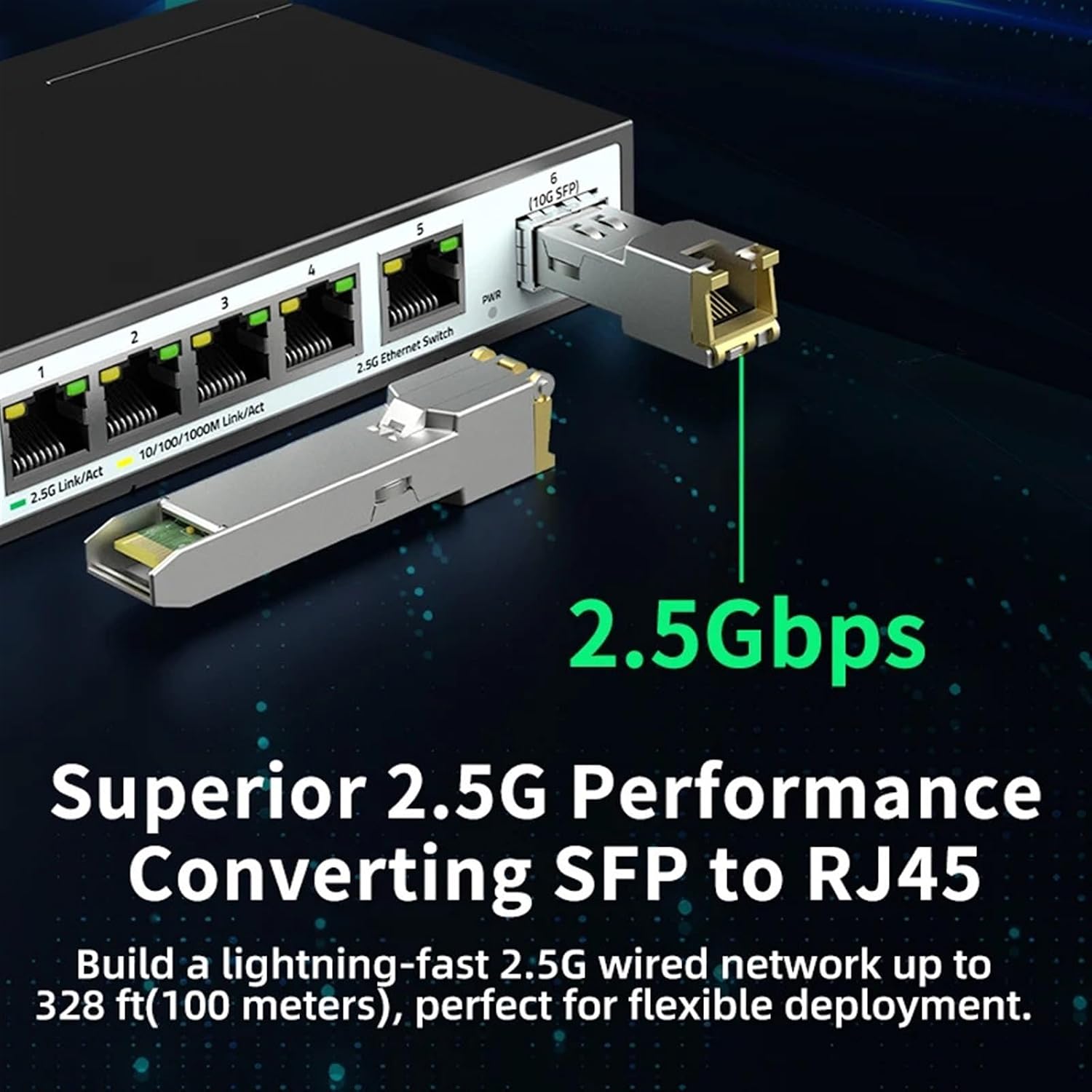
Image 5: The Lg-2.5ge-sfp module installed in an SFP+ slot of a 2.5G Ethernet switch, demonstrating its integration into a network.

Image 6: The Lg-2.5ge-sfp module with an RJ45 Ethernet cable connected, illustrating the plug-and-play functionality and compatible cable types (CAT5e, CAT6).
6. Operating Instructions
Once installed and connected, the Lg-2.5ge-sfp module operates automatically:
- The module will establish a 2.5 Gigabit Ethernet link with the connected device, provided both devices support 2.5G speeds.
- Link/Activity LEDs on the host device (if available) will indicate connection status and data transmission.
- Ensure that the connected Ethernet cable is rated for 2.5G speeds (CAT5e or CAT6 recommended) to achieve optimal performance.
7. Maintenance
To ensure the longevity and optimal performance of your SFP module, follow these maintenance guidelines:
- Cleaning: Use a soft, dry, lint-free cloth to gently wipe the exterior of the module if it becomes dusty. Do not use liquid cleaners or solvents.
- Handling: Always handle the module by its casing. Avoid touching the electrical contacts or the RJ45 port directly.
- Environment: Store and operate the module within its specified temperature and humidity ranges. Keep it away from sources of strong electromagnetic interference.
- Inspection: Periodically inspect the RJ45 port and SFP connector for any signs of damage or debris.
8. Troubleshooting
If you encounter issues with your Lg-2.5ge-sfp module, refer to the following troubleshooting tips:
| Problem | Possible Cause | Solution |
|---|---|---|
| No link light on host device after installation. | Module not fully inserted; incorrect SFP/SFP+ slot; faulty cable; host device not powered on or port disabled. | Ensure module is fully seated. Verify host device port is enabled. Try a different SFP/SFP+ slot. Test with a known good Ethernet cable. Restart host device. |
| Network speed is lower than 2.5G. | Connected device does not support 2.5G; cable quality is insufficient (e.g., CAT5 instead of CAT5e/CAT6); host device port configured for lower speed. | Verify all connected devices support 2.5G. Use CAT5e or CAT6 Ethernet cables. Check host device port configuration. |
| Module not recognized by host device. | Module not fully inserted; incompatibility with host device; host device firmware outdated. | Re-insert the module. Check host device compatibility list for SFP/SFP+ modules. Update host device firmware if necessary. |
9. Specifications
| Feature | Description |
|---|---|
| Model | Lg-2.5ge-sfp |
| Interface Type | SFP |
| Data Rate | 2.5 Gigabit Ethernet |
| Connector | RJ45 |
| Cable Type | CAT5e, CAT6 (recommended for optimal performance) |
| Operating Temperature | 0°C to 65°C (32°F to 149°F) |
| Case Material | Alloy Shell, Plastic |
| Dimensions (L x W x H) | 1.18 x 0.79 x 0.39 inches (approx.) |
| Item Weight | 1.76 ounces / 50 Grams (approx.) |
| Compatible Devices | Routers, Switches, Transceivers, Network Cards, Servers, Data Center Equipment, Desktops, Laptops with SFP/SFP+ slots. |
10. Warranty and Support
This product comes with a standard manufacturer's warranty. For specific warranty terms and conditions, please refer to the documentation provided at the time of purchase or contact your vendor. For technical support or further assistance, please reach out to your product supplier or the manufacturer's customer service.