
BACtrack C6
BACtrack C6 Keychain Breathalyzer and Carrying Case Bundle
User Manual
Model: C6
Introduction
The BACtrack C6 Keychain Breathalyzer is a portable device designed to estimate your Blood Alcohol Content (BAC) with professional-grade accuracy. Utilizing BluFire Fuel Cell Sensor technology, it provides reliable results. This bundle includes the C6 breathalyzer and a protective carrying case for convenient transport and storage. The C6 offers both standalone operation and wireless connectivity to the BACtrack App for enhanced features like ZeroLine technology and BAC tracking.

Image: The BACtrack C6 Keychain Breathalyzer (white device with a digital display showing 0.046% BAC, attached to a keychain) alongside its grey zippered carrying case.
Product Features
- Pro-Grade Accuracy: Powered by BACtrack's patented BluFire Fuel Cell Sensor, providing reliable BAC estimations.
- ZeroLine Technology: Estimates the time until your BAC returns to 0.00%.
- Dual Operating Modes: Use in "Standalone Mode" for direct results on the device, or "App Mode" for wireless results and features via the BACtrack App.
- Ultra-Portable Design: Compact and lightweight, designed to attach to a keychain or fit easily in a pocket or purse.
- Included Carrying Case: A durable case for protecting your device.

Image: The BACtrack C6 breathalyzer displaying a BAC reading, with text highlighting its police-grade accuracy and BluFire Fuel Cell Sensor technology.
Setup and First Use
- Unpack the Device: Carefully remove the BACtrack C6 and its carrying case from the packaging.
- Charge the Device: Ensure the device is fully charged before first use. Connect the provided charging cable to the C6 and a USB power source.
- Download the BACtrack App (Optional): For enhanced features, download the free BACtrack App from the Apple App Store or Google Play Store.

Image: A graphic illustrating the BACtrack App's features, including ZeroLine Technology, Guess Your BAC, Track Your Drinking, and the option to Call an Uber, with app store icons.
- Pair with Smartphone (App Mode):
- Enable Bluetooth on your smartphone.
- Open the BACtrack App and follow the on-screen instructions to pair your C6 device.
- Initial Warm-up: The device may require a brief warm-up period before its first use or after a period of inactivity.
Operating Instructions
Taking a BAC Reading:
- Power On: Press the power button on the BACtrack C6. The device will display a countdown as it warms up.
- Prepare to Blow: Once the countdown finishes and the display indicates "BLOW", take a deep breath.
- Provide Breath Sample: Blow steadily and continuously into the mouthpiece for approximately 5 seconds until the device beeps or indicates the sample is complete. Ensure a consistent airflow.
- View Results: Your estimated BAC will be displayed on the C6 screen. If in App Mode, results will also appear on your smartphone.

Image: A person holding the compact BACtrack C6 breathalyzer to their mouth, demonstrating its portable and easy-to-use design for taking a BAC reading.
Understanding Operating Modes:
- Standalone Mode: The C6 operates independently, displaying BAC results directly on its screen. This mode is active when not connected to the BACtrack App.
- App Mode: When connected via Bluetooth to your smartphone, the C6 sends BAC results to the BACtrack App. This mode unlocks additional features:
- ZeroLine Technology: Provides an estimated time until your BAC returns to 0.00%.

Image: A smartphone screen displaying the BACtrack App with a BAC result and the ZeroLine feature, estimating the time until sobriety.
- Guess Your BAC: Allows you to compare your perception of your BAC with the actual reading.
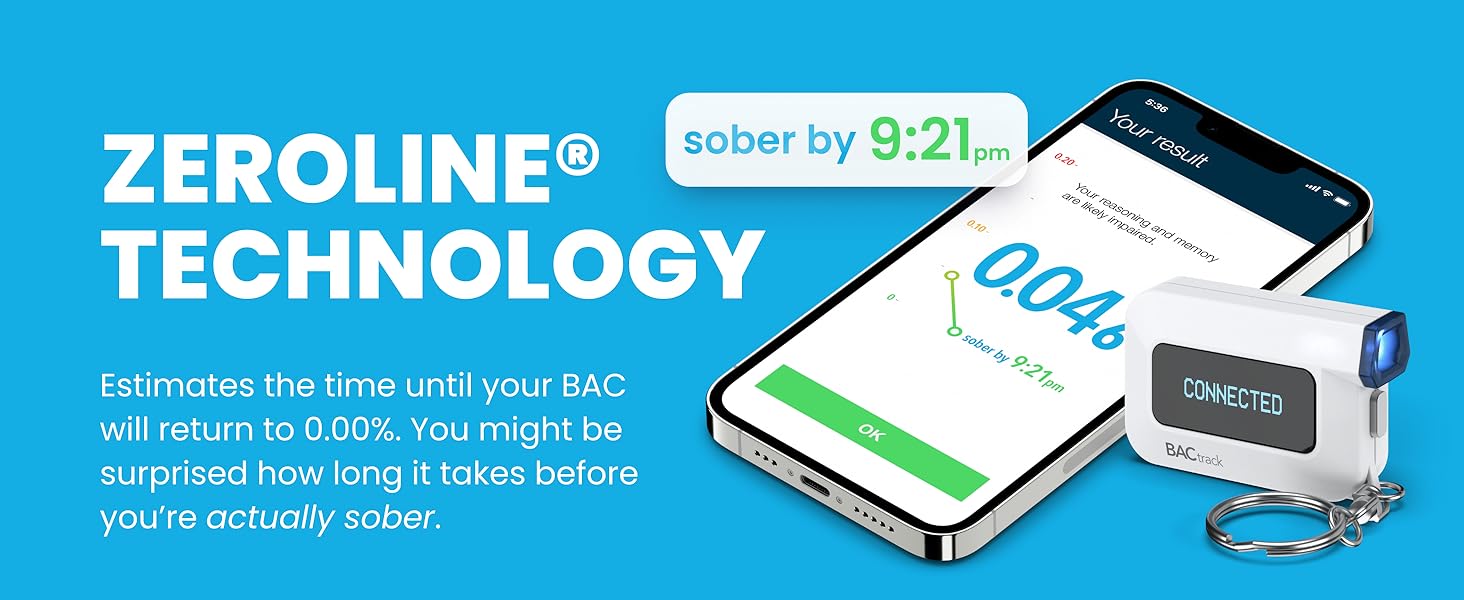
Image: A hand holding a smartphone displaying the BACtrack App's "Guess Your BAC" feature, allowing users to input their estimated BAC.
- Track Your Drinking: Records past BAC results, helping you understand how alcohol affects you.

Image: A smartphone screen showing the BACtrack App's "Track Your Drinking" feature, displaying a list of past BAC test results and times.
- Call an Uber: Provides a direct link to call an Uber from within the app if your BAC is above 0.00%.
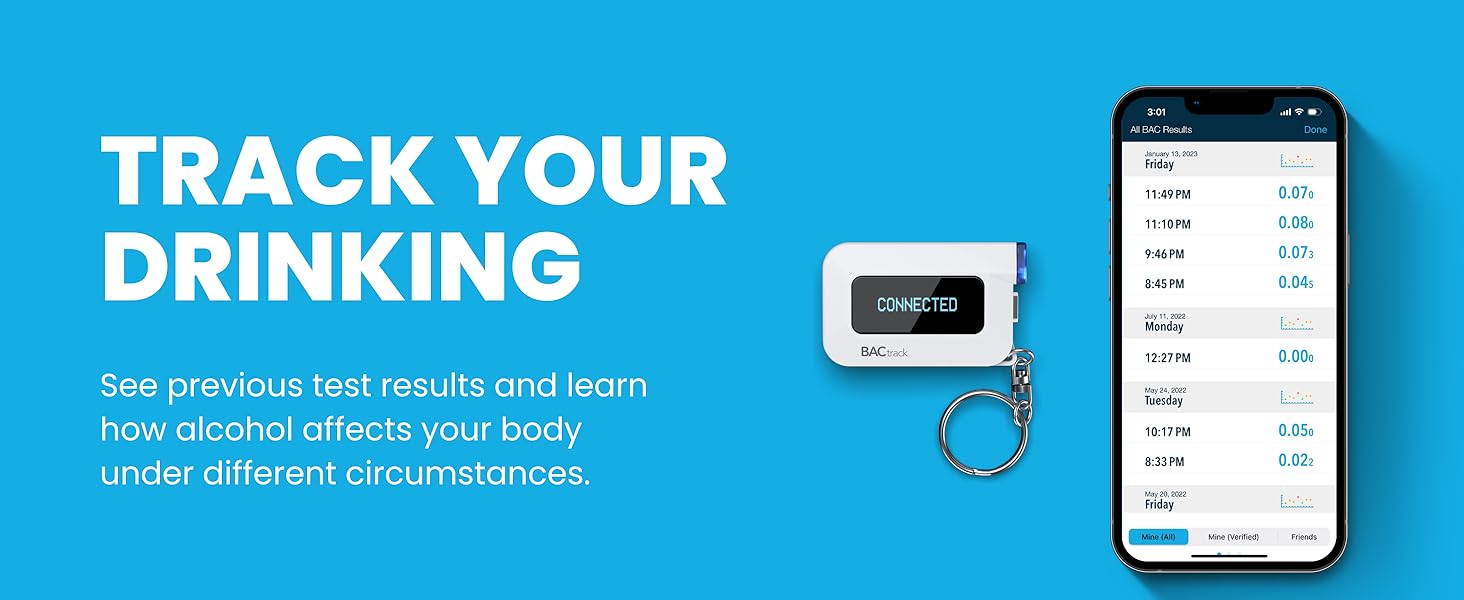
Image: A hand holding a smartphone displaying the BACtrack App's "Call an Uber" feature, showing ride options and estimated fares.
- ZeroLine Technology: Provides an estimated time until your BAC returns to 0.00%.
Maintenance
- Recalibration: All breathalyzers, including BACtrack devices, require periodic recalibration to maintain accuracy. Refer to the official BACtrack website or your product manual for recalibration instructions and service options. Additional charges may apply for recalibration services.
- Cleaning:
- Wipe the exterior of the device with a soft, damp cloth.
- Do not use harsh chemicals or abrasive cleaners.
- Ensure the mouthpiece area is free of debris.
- Storage: Store the device in its protective carrying case in a cool, dry place away from direct sunlight and extreme temperatures.

Image: The exterior of the grey zippered carrying case for the BACtrack C6, designed for protection and portability.
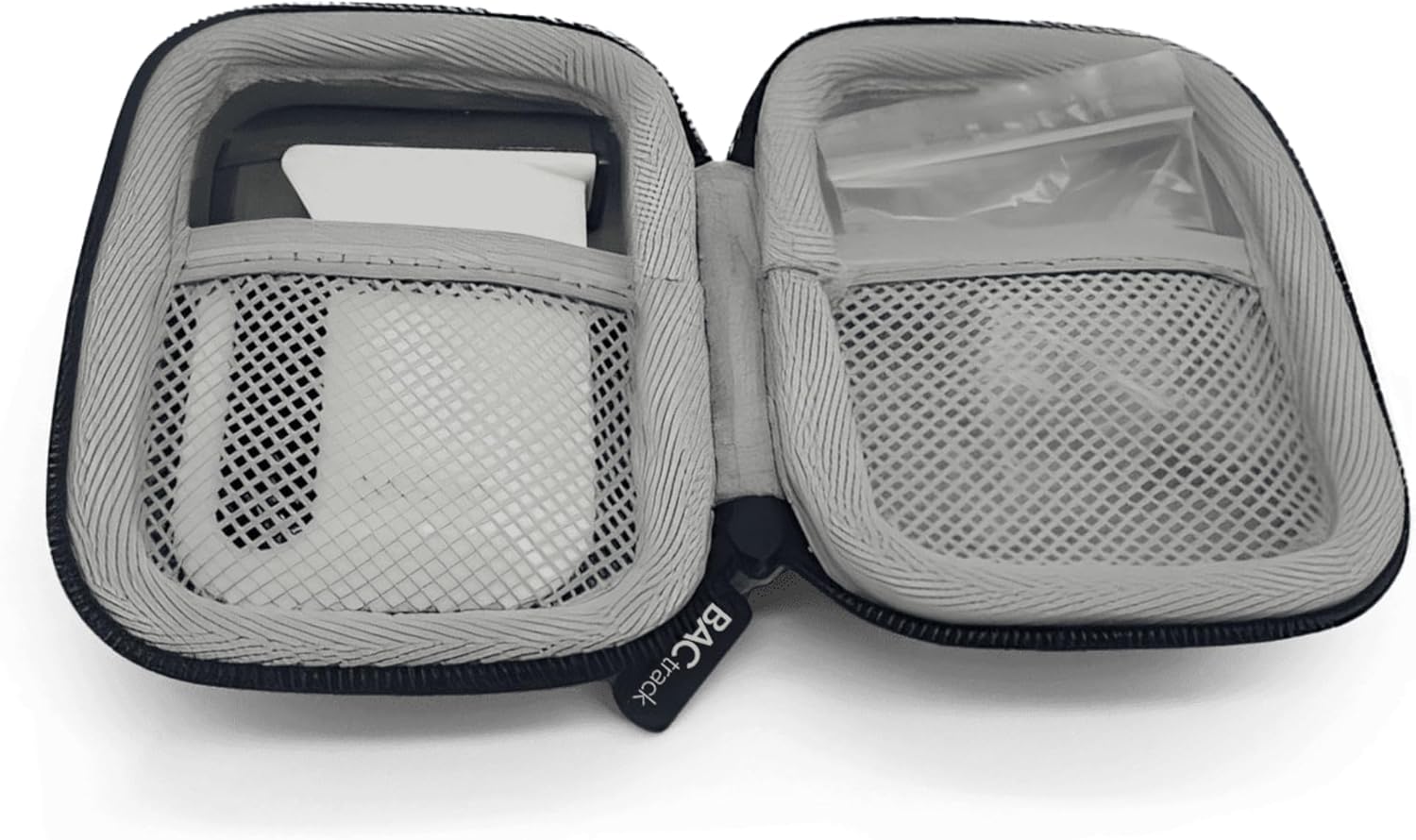
Image: The interior of the open grey zippered carrying case, showing compartments designed to hold the BACtrack C6 and small accessories.
Troubleshooting
| Problem | Possible Cause | Solution |
|---|---|---|
| Device not powering on. | Low battery or device malfunction. | Ensure the device is fully charged. If problem persists, contact support. |
| Inaccurate readings. | Needs recalibration, improper blowing technique, or recent alcohol consumption/mouthwash use. | Allow at least 20 minutes after drinking or using mouthwash before testing. Ensure a strong, continuous breath sample. Consider recalibration if accuracy issues persist. |
| Cannot connect to BACtrack App. | Bluetooth is off, app not updated, or device not in pairing mode. | Ensure Bluetooth is enabled on your phone. Restart both the device and the app. Check for app updates. Follow pairing instructions in the app. |
| "Flow Error" or "Invalid Sample". | Insufficient or inconsistent breath sample. | Ensure you blow steadily and continuously for the entire duration of the test. Take a deep breath before blowing. |
Specifications
- Model: C6
- Sensor Technology: BluFire Fuel Cell Sensor
- Connectivity: Bluetooth (for App Mode)
- Power Source: Rechargeable Battery
- ASIN: B0D7QXB3BT
- Date First Available: June 21, 2024
Warranty and Support
One Year Warranty: If your BACtrack C6 ceases to function properly during the first year of operation, BACtrack will repair or replace the defective product.
For detailed warranty information, technical support, or recalibration services, please visit the official BACtrack website or contact their customer service department. You can often find additional resources, FAQs, and contact information on the manufacturer's support pages.
Important Legal Disclaimer: All breathalyzers, including BACtrack devices, require periodic recalibration to maintain accuracy. See product manual for more information. Additional charges apply for recalibration.
Related documentsC6


Ask a question about this manual
Ask about setup, troubleshooting, compatibility, parts, safety, or missing instructions. Manuals+ will review the question and use this page’s manual context to help answer it.