
1. Introduction
Thank you for purchasing the Jectse USB Computer Speakers. These speakers are designed to provide clear, high-fidelity audio for your PC, laptop, tablet, and other devices with a 3.5mm AUX output. This manual will guide you through the setup, operation, and maintenance of your new speakers to ensure optimal performance.
2. Safety Information
- Do not expose the speakers to water or excessive moisture.
- Avoid placing the speakers near heat sources or in direct sunlight.
- Do not attempt to disassemble or repair the speakers yourself. Refer all servicing to qualified personnel.
- Ensure proper ventilation around the speakers.
- Use only the provided cables or compatible replacements.
3. Package Contents
Please check the package for the following items:
- Jectse USB Computer Speakers (1 unit)
- Integrated USB Power Cable (1 unit)
- Integrated 3.5mm AUX Audio Cable (1 unit)
- Instruction Manual (this document)
4. Product Overview
The Jectse USB Computer Speakers feature a compact design with advanced audio technology for an enhanced listening experience.
Key Features:
- HiFi Clear Sound: Equipped with 5W active full-frequency drivers and anti-magnetic technology to minimize static noise and deliver vivid, clear audio.
- Compact and Modern Design: Measuring 31.5x6x5.6cm (12.4x2.36x2.2 inches), these speakers are designed to fit seamlessly into any desk setting.
- Intuitive Volume Control: Features a digital volume knob for precise adjustment, which can also synchronize with your computer's system volume.
- Versatile Connectivity: Utilizes a 3.5mm AUX input for compatibility with various devices including PCs, laptops, tablets, and mobile phones.
- Intelligent EQ Tuning: Built-in smart chip automatically identifies and switches between optimized sound modes for music, games, and movies.
Components:
Refer to the images below for a visual guide to the speaker components.
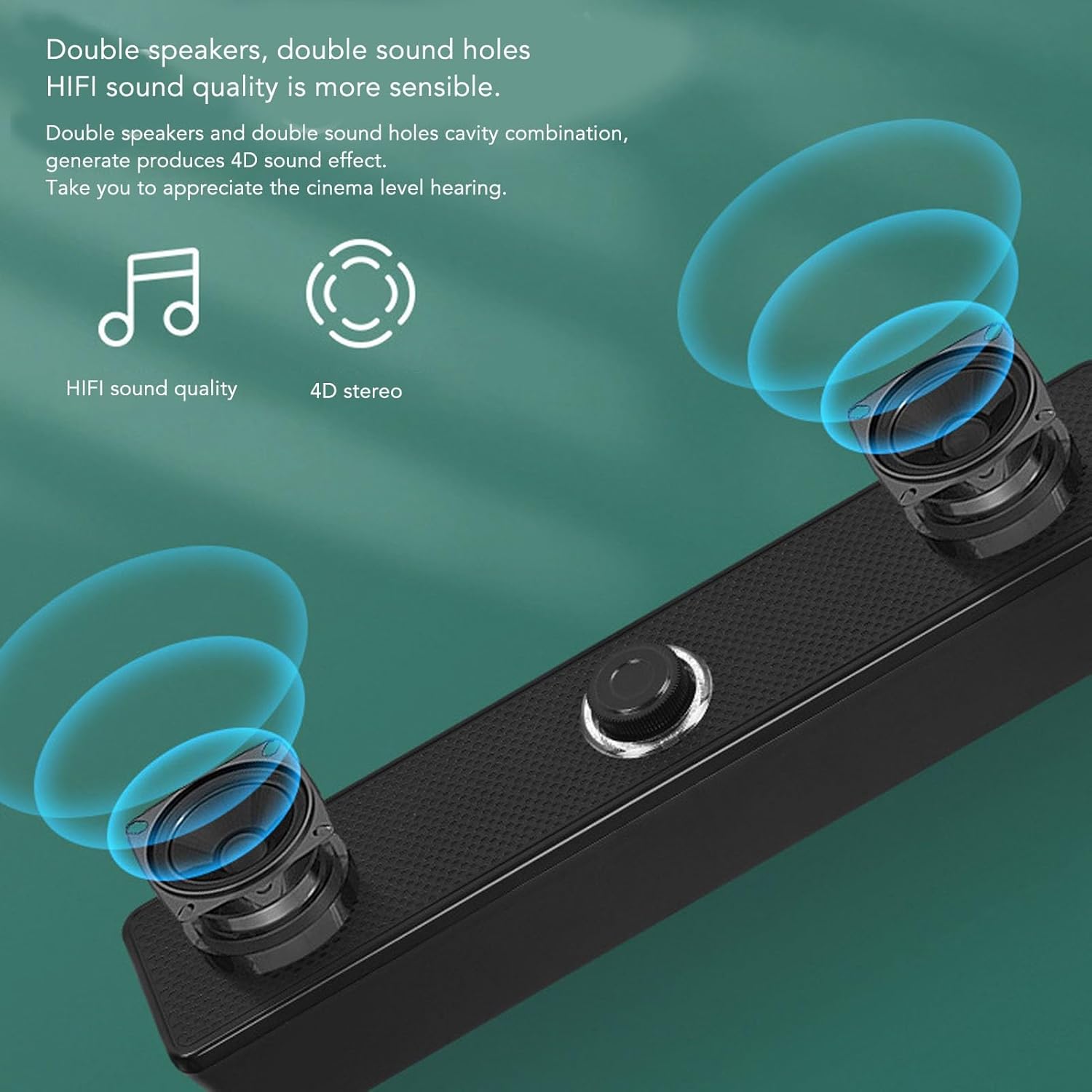
Figure 4.1: Front view of the Jectse USB Computer Speakers, showing the dual speaker grilles and the central volume knob with LED illumination.

Figure 4.2: Close-up of the speaker's integral honeycomb decorative cover, designed for durability and heat dissipation.
5. Setup
Follow these steps to connect your Jectse USB Computer Speakers:
- Placement: Place the speakers on a stable, flat surface near your computer or audio source. Ensure there is adequate space for sound dispersion.
- Connect USB Power: Plug the integrated USB cable from the speakers into an available USB port on your computer, laptop, or a compatible USB power adapter (5V/1A recommended). The speakers will power on, and the volume knob LED will illuminate.
- Connect 3.5mm AUX Audio: Plug the integrated 3.5mm AUX audio cable into the headphone jack or audio output port of your device (PC, laptop, tablet, mobile phone).
- Verify Connection: Once both cables are connected, your speakers are ready for use. You may need to select the correct audio output device in your computer's sound settings.
6. Operating Instructions
Volume Control:

Figure 6.1: The LED illuminated volume knob for adjusting audio levels.
- Increase Volume: Turn the volume knob clockwise.
- Decrease Volume: Turn the volume knob counter-clockwise.
- Power On/Off: The speakers power on automatically when connected via USB. To turn off the speakers, turn the volume knob fully counter-clockwise until it clicks or the LED light turns off.
- The built-in sound decoding chip allows the digital volume knob to synchronously control the computer system's volume.
Intelligent EQ Tuning:

Figure 6.2: The speaker's intelligent EQ tuning automatically optimizes sound for different content types.
The smart chip within the speakers automatically identifies the sound field environment and adjusts the audio output for optimal listening. It presets and switches between three exclusive sound modes:
- Music Mode: Optimized for listening to music.
- Game Mode: Enhanced audio for gaming experiences.
- Viewing Mode: Tailored for watching movies and videos.
This automatic adjustment ensures the best possible sound quality for your current activity.
Anti-Magnetic Noise Reduction:

Figure 6.3: Anti-magnetic noise reduction technology helps eliminate interference from other electronic devices.
The speakers incorporate anti-magnetic technology to suppress static noise and avoid interference from other electronic products in the surrounding environment, ensuring a cleaner audio output.
7. Maintenance
- Cleaning: Use a soft, dry cloth to clean the exterior of the speakers. Do not use liquid cleaners or abrasive materials.
- Storage: When not in use for extended periods, store the speakers in a cool, dry place away from direct sunlight and extreme temperatures.
- Cable Care: Avoid bending or twisting the integrated cables excessively to prevent damage.
8. Troubleshooting
| Problem | Possible Cause | Solution |
|---|---|---|
| No sound from speakers. |
|
|
| Sound is distorted or unclear. |
|
|
| Speakers not powering on. |
|
|
9. Specifications
| Brand: | Jectse |
| Model Name: | Jectseghfm19q6pa |
| Speaker Maximum Output Power: | 5 Watts |
| Connectivity Technology: | Wired (USB for power, 3.5mm AUX for audio) |
| Mounting Type: | Desktop |
| Dimensions (L x W x H): | 31.5 x 6 x 5.6 cm (12.4 x 2.36 x 2.2 inches) |
10. Warranty and Support
Jectse products are designed for reliability and performance. For warranty information or technical support, please refer to the warranty card included with your purchase or contact Jectse customer service through the retailer where the product was purchased. Please have your model number (Jectseghfm19q6pa) and purchase date ready when contacting support.