
1. Introduction
Thank you for choosing the DazzlingStage Mini LED Par Lights. This manual provides essential information for the safe and effective operation of your new lighting system. Please read it thoroughly before use and retain it for future reference.
These LED par lights feature 4x8W RGBW 4-in-1 LEDs, offering a wide range of colors and effects. They are designed for various applications, including parties, home entertainment, discos, and small stage setups.
2. Safety Information
- Ensure the power supply voltage matches the requirements specified on the product label.
- Do not open the device casing. There are no user-serviceable parts inside. Refer all servicing to qualified personnel.
- Keep the device away from water, moisture, and high humidity environments.
- Avoid direct eye exposure to the light source.
- Ensure proper ventilation around the unit to prevent overheating. Do not block ventilation openings.
- Always disconnect the power cable before cleaning or performing any maintenance.
- This product is for indoor use only.
3. What's in the Box
- 8 x DazzlingStage Mini LED Par Lights
- 8 x Instruction Manuals
- 16 x Mounting Brackets (rackets)
- 16 x Screws
- Remote Control (quantity not specified, typically one per light or one for a pack)
4. Product Overview
The DazzlingStage Mini LED Par Light is a compact and versatile lighting fixture. It features four powerful RGBW LEDs capable of producing a wide spectrum of colors. The unit includes a digital display and control buttons on the rear panel, along with DMX IN/OUT ports for professional control. A remote control is also provided for convenient operation.
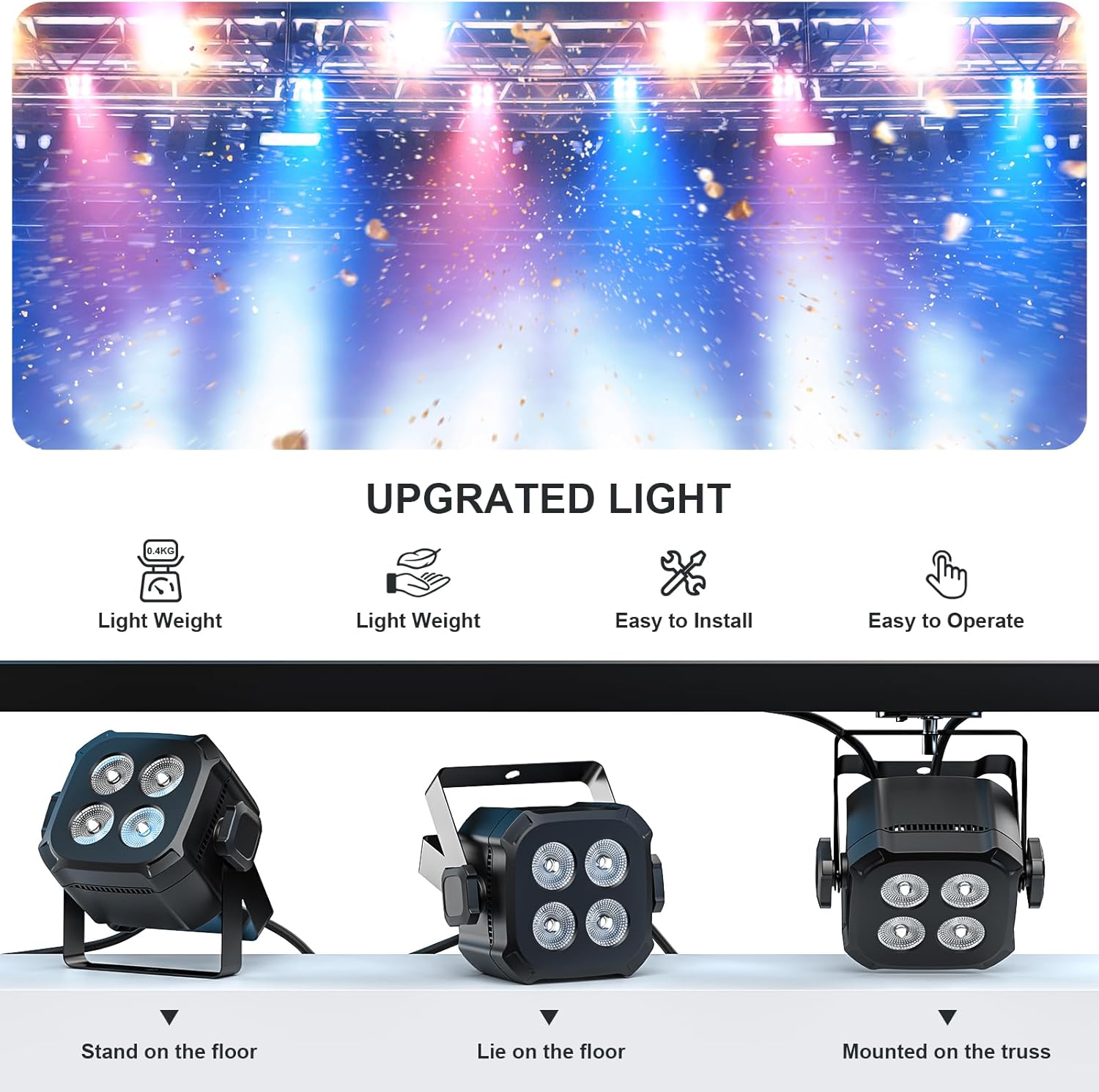
Image: The DazzlingStage Mini LED Par Light can be stood on the floor, laid on the floor, or mounted on a truss using the included bracket.
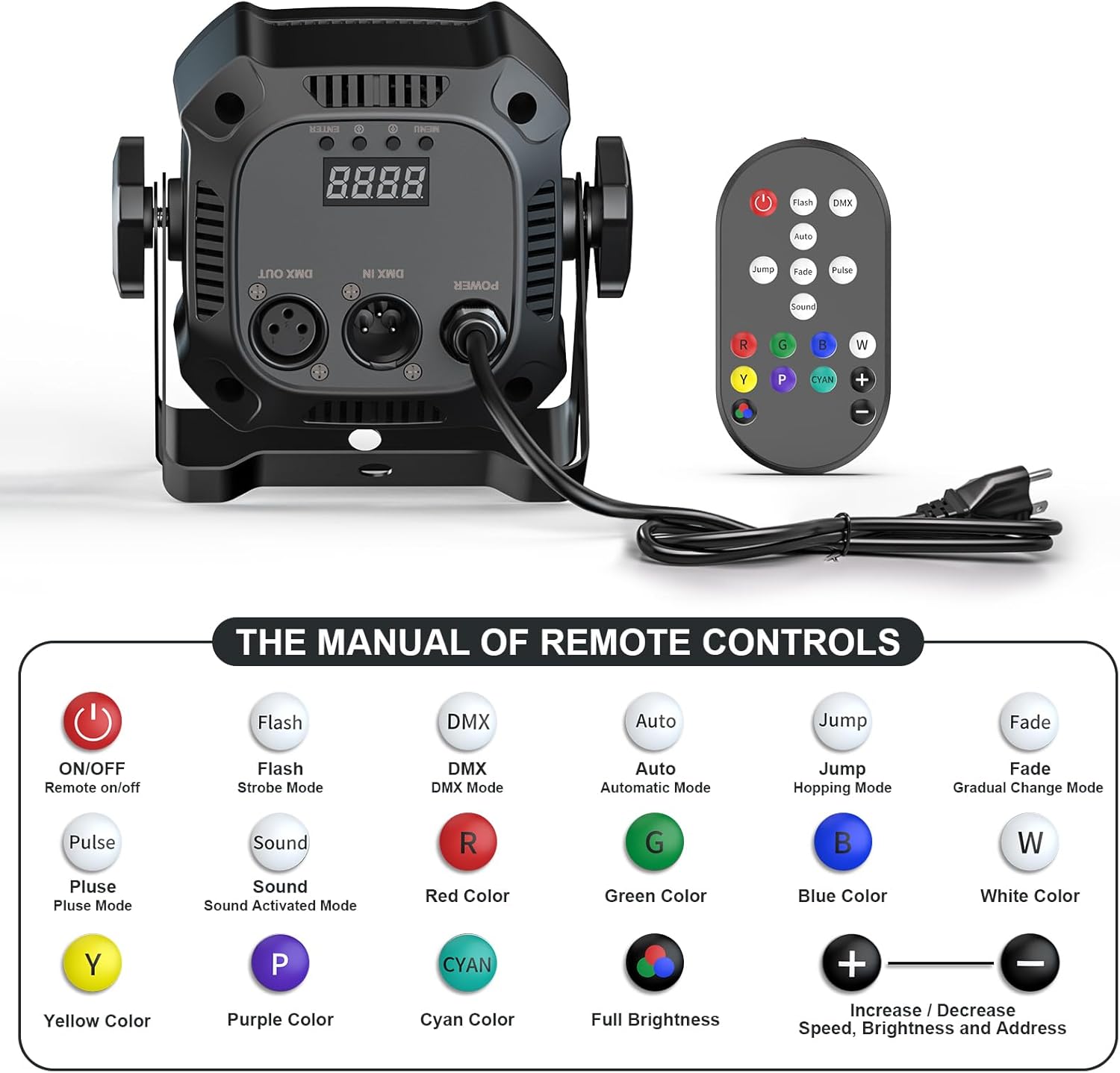
Image: Rear panel of the light showing DMX IN/OUT, power input, LCD display, and control buttons. The remote control is also shown with its various function buttons.
5. Setup
Follow these steps to set up your DazzlingStage Mini LED Par Lights:
- Unpacking: Carefully remove all components from the packaging. Inspect for any damage.
- Mounting: The light can be placed on a flat surface or mounted. Use the included brackets and screws to secure the light if mounting to a truss or wall. Ensure the mounting surface is stable and can support the weight of the fixture.
- Power Connection: Connect the provided power cord to the light's power input and then to a suitable power outlet.
- DMX Connection (Optional): If using DMX control, connect a DMX cable from your DMX controller's output to the DMX IN port of the first light. For multiple lights, daisy-chain them by connecting the DMX OUT of the first light to the DMX IN of the next, and so on.
6. Operating Modes
The DazzlingStage Mini LED Par Lights offer multiple operating modes:
- Auto Mode: The light cycles through pre-programmed patterns and colors automatically.
- Sound-Activated Mode: The light reacts to music and sounds, changing patterns and colors in sync with the beat.
- DMX512 Mode: For professional control using a DMX controller, allowing precise manipulation of color, brightness, and effects.
- Master-Slave Mode: Link multiple lights together. One light acts as the master, controlling all other slave units.
- Remote Control: Use the included IR remote for convenient wireless control of various functions.
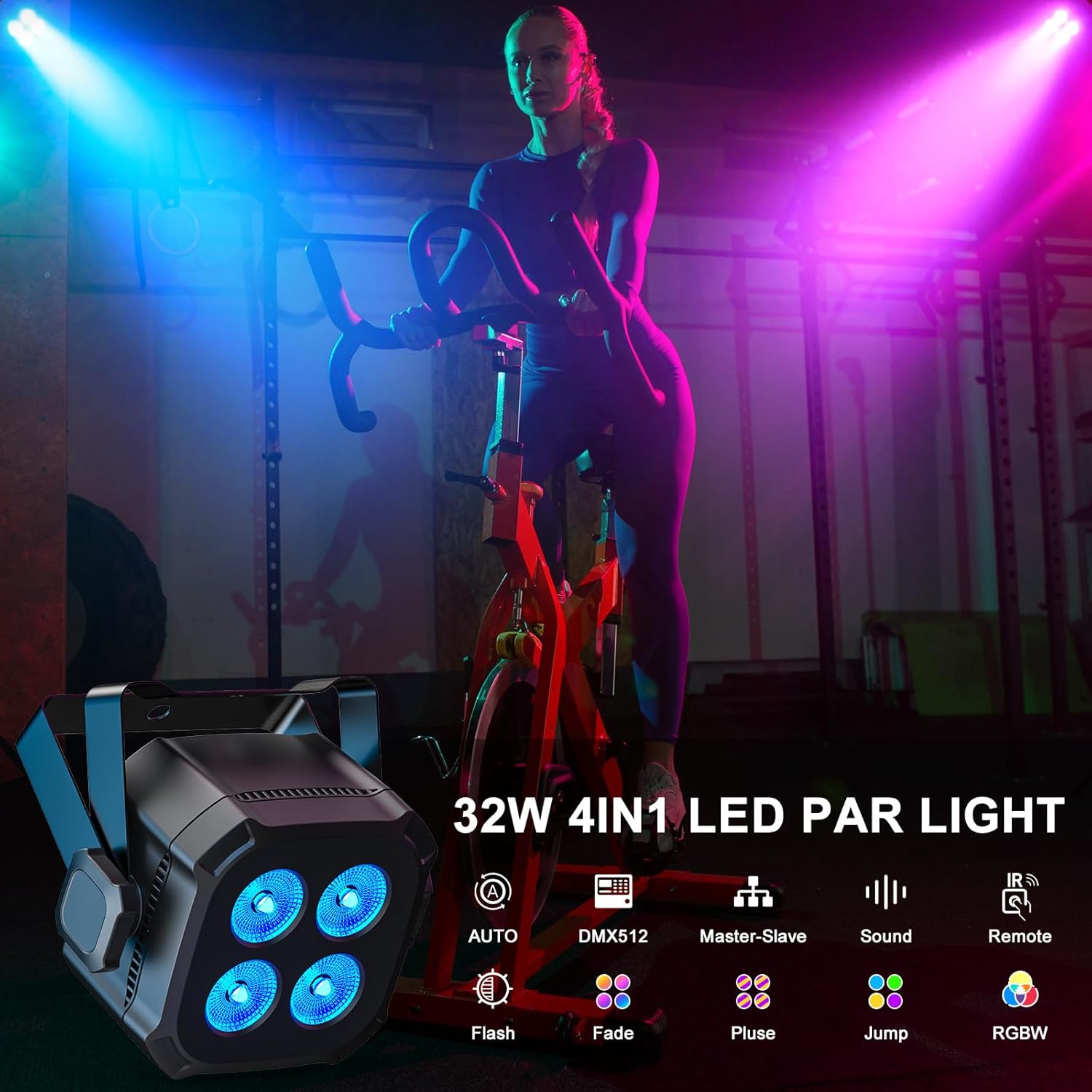
Image: An overview of the light's features, including RGBW 4-in-1 LEDs and control options such as Auto, DMX512, Master-Slave, Sound-Activated, and Remote.
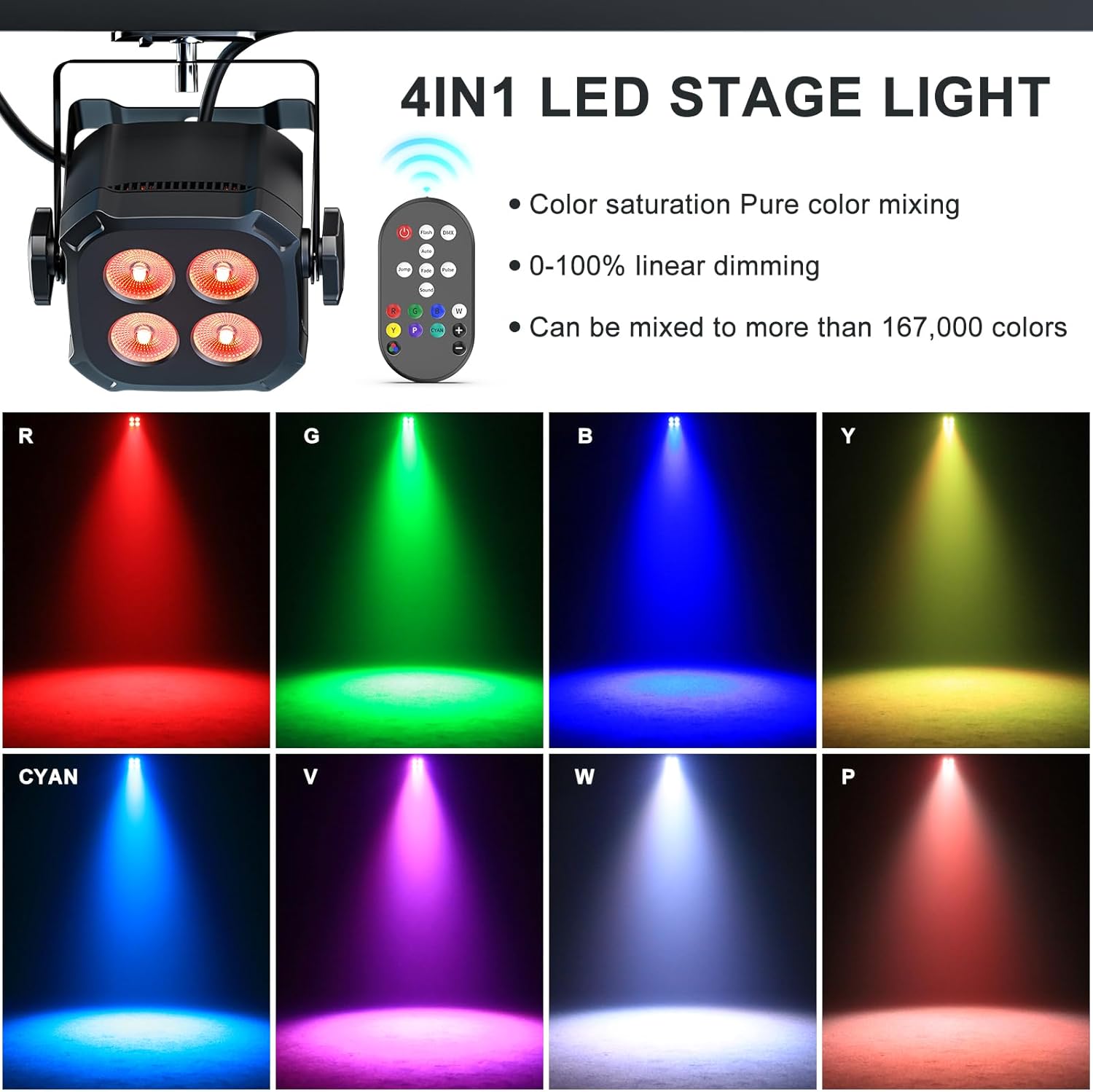
Image: Examples of the 4-in-1 LED's color mixing capabilities, showing pure colors like red, green, blue, yellow, cyan, violet, white, and pink.
6.1 Remote Control Functions
The remote control allows you to easily switch between modes and adjust settings:
- ON/OFF: Power on or off.
- Flash/Strobe: Activates strobe effect.
- DMX: Switches to DMX control mode.
- Auto: Activates automatic mode.
- Jump: Activates hopping mode (color jumping).
- Fade: Activates gradual color change mode.
- Pulse: Activates pulse mode.
- Sound: Activates sound-activated mode.
- Color Buttons (R, G, B, W, Y, P, C): Selects individual colors (Red, Green, Blue, White, Yellow, Purple, Cyan).
- Full Brightness: Sets light to maximum intensity.
- +/-: Increases/Decreases speed, brightness, or DMX address.
6.2 DMX Mode
The lights support DMX512 control with 4 or 8 channels. Refer to the DMX channel chart in the full manual for specific functions of each channel. Use the LCD display and buttons on the rear panel to set the DMX address and channel mode.
Video: Demonstration of various light effects including color changes, jump mode, strobe, and fade. This video illustrates the dynamic capabilities of the DazzlingStage Mini LED Par Lights.
6.3 Sound-Activated Mode
In sound-activated mode, the lights respond to audio input. The sensitivity of the sound activation can be adjusted using the remote control or the unit's control panel.
Video: A visual representation of the sound-activated mode, showing lights changing colors and patterns in response to music, suitable for party environments.
6.4 Master-Slave Mode
To use Master-Slave mode, set one light as the 'Master' and all other lights as 'Slave' units. Connect the DMX OUT of the Master unit to the DMX IN of the first Slave unit, and continue daisy-chaining. The Master unit will then control the synchronized behavior of all connected Slave units.
7. Maintenance
Regular maintenance ensures the longevity and optimal performance of your LED Par Lights:
- Cleaning: Periodically clean the lens and casing with a soft, dry cloth. Do not use abrasive cleaners or solvents.
- Inspection: Regularly check power cables and DMX cables for any signs of wear or damage. Replace damaged cables immediately.
- Storage: When not in use, store the lights in a dry, dust-free environment.
8. Troubleshooting
| Problem | Possible Cause | Solution |
|---|---|---|
| Light does not turn on. | No power supply. | Check power cable connection and power outlet. |
| No DMX control. | Incorrect DMX address or channel mode. Faulty DMX cable. | Verify DMX address and channel settings. Test DMX cable. |
| Sound-activated mode not working. | Low sound input or incorrect sensitivity setting. | Increase music volume or adjust sound sensitivity on the unit/remote. |
| Remote control not responding. | Remote battery low or line of sight blocked. | Replace remote battery. Ensure clear line of sight to the IR receiver on the light. |
9. Specifications
| Feature | Detail |
|---|---|
| Model Number | ZQ01640 |
| Light Source | 4 x 8W RGBW 4-in-1 LEDs |
| Power Source | Corded Electric |
| Wattage | 32 Watts |
| Control Modes | Auto, Sound-Activated, DMX512 (4/8 CH), Master-Slave, Remote |
| Material | Acrylonitrile Butadiene Styrene (ABS) |
| Product Dimensions | 5.3"L x 5.3"W x 5.3"H (11.5cm x 11.5cm x 9.5cm) |
| Item Weight | 10.6 ounces (0.4kg) |
| Color Mixing | Over 16 Million colors |
10. Warranty and Support
DazzlingStage products are designed for reliability and performance. For warranty information or technical support, please refer to the contact details provided with your purchase documentation or visit the official DazzlingStage website. Keep your proof of purchase for warranty claims.