
1. Introduction
Thank you for purchasing the AKImart 64GB Frameo 11-inch WiFi Digital Photo Frame. This device allows you to instantly share and display your cherished photos and videos with family and friends from anywhere in the world using the intuitive Frameo app. Featuring a high-resolution 1920*1280 FHD 2K LCD touch screen and automatic rotation, this frame is designed for ease of use and versatile placement, whether on a desk or wall-mounted.
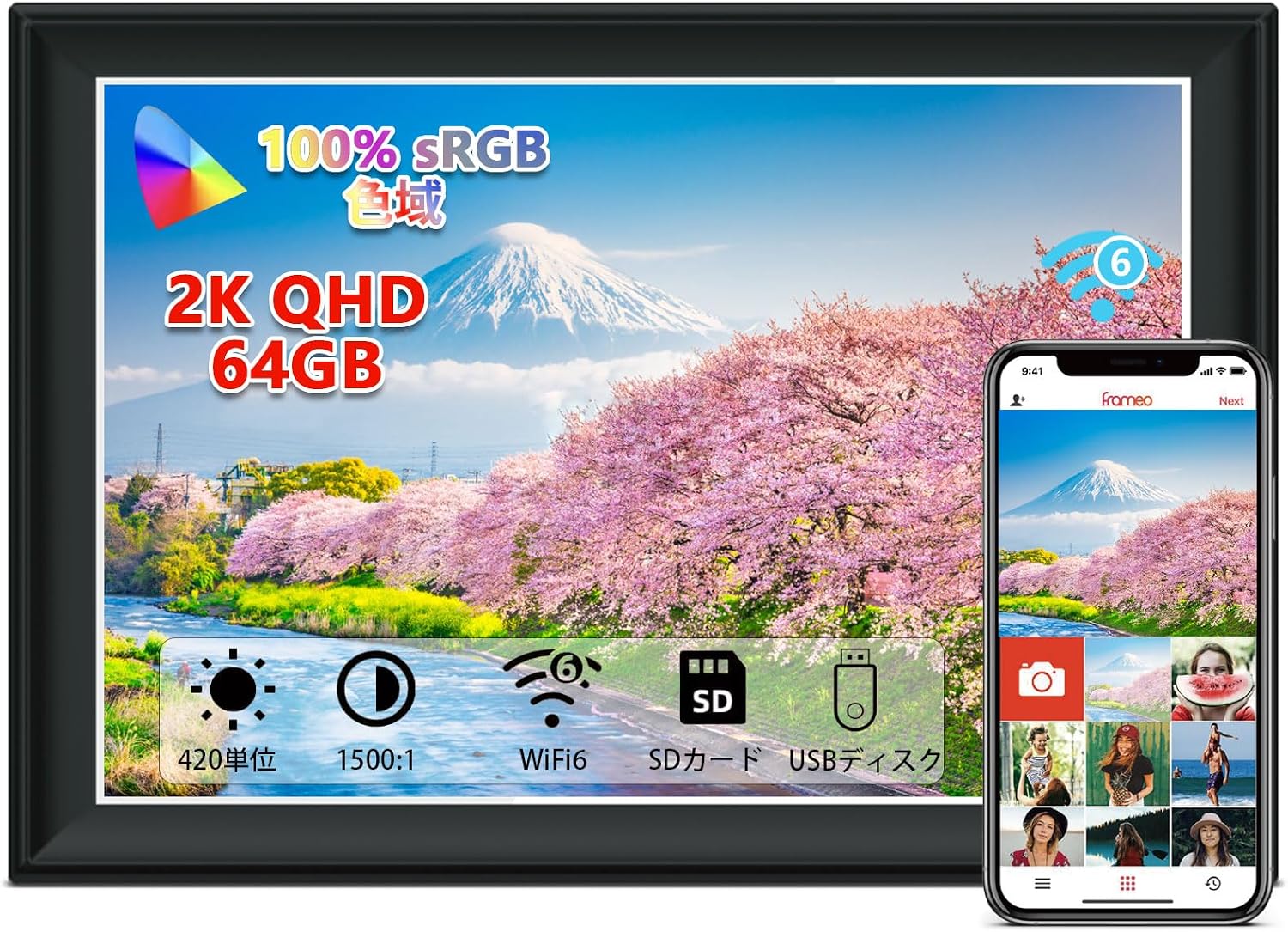
The AKImart 11-inch Frameo Digital Photo Frame, showcasing its sleek design and the companion mobile application.
2. Product Overview
The Frameo digital photo frame is equipped with advanced features to enhance your photo and video sharing experience:
- 11-inch QHD IPS Touch Screen: Enjoy a 1920*1280 resolution display with excellent visual effects from any angle.
- Dual-band WiFi (2.4/5GHz): Connect to your home network for seamless photo and video sharing.
- Frameo App Integration: Easily share moments with family and friends via the free Frameo app (available for Android and iOS).
- 64GB Internal Storage: Store approximately 90,000 photos or numerous short videos. Expandable via memory card and USB.
- Automatic Rotation: Photos automatically adjust for horizontal or vertical display.
- Privacy and Security: Frameo is a professional photo management application from Denmark, ensuring only authorized users can access your frame.
- Customizable Settings: Features include slideshow mode, playback order, image hide/show, brightness adjustment, and sleep mode.

Overview of the digital photo frame's core functionalities.

The frame offers substantial internal storage, with options for expansion.
3. Setup Guide
Follow these steps to set up your Frameo digital photo frame and connect it to the app:
- Download the Free Frameo App: Search for "Frameo" on the Google Play Store or Apple App Store.
- Set Up Your Frameo: When you first power on the frame, you will need to set it up. Connect the frame to Wi-Fi to access the internet. Give your frame a name and optionally set an avatar.
- Connect with Friends and Family: Share the unique code displayed on your frame with friends and family. This code is valid for 12 hours and helps protect your privacy by allowing you to approve requests.

A visual guide to the Frameo app setup process.
4. Operating Instructions
4.1 Sharing Photos and Videos via Frameo App
The Frameo app makes sharing photos and videos simple and convenient:
- Select Photos: Choose the photos or videos you wish to share from your mobile device's gallery.
- Select Recipients: Choose the Frameo device(s) you want to send the media to.
- Write a Caption: Add a personalized caption to your photos or videos.
- Send: Tap send to instantly transfer the media to the connected digital photo frame.
Note: Videos sent via the app are limited to a maximum of 15 seconds. Longer videos can be transferred via USB memory or SD card.

Steps for sharing media directly from your smartphone to the Frameo app.
4.2 Automatic Rotation and Display
The frame automatically adjusts the orientation of photos for correct display, whether placed horizontally or vertically. It also supports wall mounting.

The frame's automatic rotation feature ensures optimal viewing in any orientation.
4.3 Customizable Display Settings
You can customize various display settings directly on the frame:
- Slideshow Mode: Configure the duration each photo is displayed.
- Playback Order: Choose sequential or random playback.
- Image Visibility: Hide or unhide specific images.
- Brightness Adjustment: Control the screen brightness for optimal viewing in different lighting conditions.
- Sleep Mode: Set a schedule for the frame to automatically turn off and on.
5. Maintenance
To ensure the longevity and optimal performance of your digital photo frame, follow these maintenance guidelines:
- Cleaning: Gently wipe the screen and frame with a soft, dry, lint-free cloth. Do not use liquid cleaners or abrasive materials.
- Placement: Avoid placing the frame in direct sunlight, near heat sources, or in areas with high humidity.
- Power: Always use the original power adapter provided with the frame.
- Storage: If storing the frame for an extended period, ensure it is powered off and stored in a cool, dry place.
6. Troubleshooting
If you encounter issues with your digital photo frame, please refer to the following common solutions:
- Frame Not Turning On/Stuck on Splash Screen: If the frame does not power on correctly or gets stuck on the Frameo splash screen after a power outage, locate the reset button. On some models, this button is a small pinhole located deep within the headphone jack. Use a toothpick or a similar thin object to gently press the reset button. This may restore the frame to its default settings and resolve the issue.
- Wi-Fi Connectivity Issues: Ensure your Wi-Fi network is active and within range. Try restarting your router and the photo frame. Verify that you have entered the correct Wi-Fi password.
- Photos Not Appearing: Check your internet connection. Ensure the Frameo app is updated to the latest version. Verify that the photos were successfully sent from the app and that the frame is connected to your account.
- Screen Unresponsive: Try restarting the frame by unplugging it and plugging it back in. If the issue persists, a factory reset (if available in settings) might be necessary.
7. Specifications
| Feature | Specification |
|---|---|
| Brand | AKImart |
| Product Model Number | ZN-DP1101 |
| Screen Size | 11 inches |
| Color | Black |
| Compatible Devices | Smartphones |
| Product Dimensions | 7 x 5 x 2.51 cm; 720 g |
| Resolution | 1920*1280 |
| ASIN | B0D7Q5PFNH |
8. Warranty and Support
Specific warranty details and direct support contact information are not provided in the product data. For warranty claims, technical support, or further assistance, please refer to the manufacturer's official website or contact the seller directly through your purchase platform. Keep your proof of purchase for any warranty-related inquiries.