
Welcome
Thank you for choosing the ACEMO Kids Case for your iPad 10.2-inch. This manual provides essential instructions for the proper installation, use, and maintenance of your new case. Please read it carefully to ensure optimal protection and functionality for your device.
Product Overview
The ACEMO Kids Case is designed to provide robust protection and enhanced usability for children. Key features include:
- Soft Silicone Material: Offers excellent shock absorption and drop protection against accidental bumps and falls.
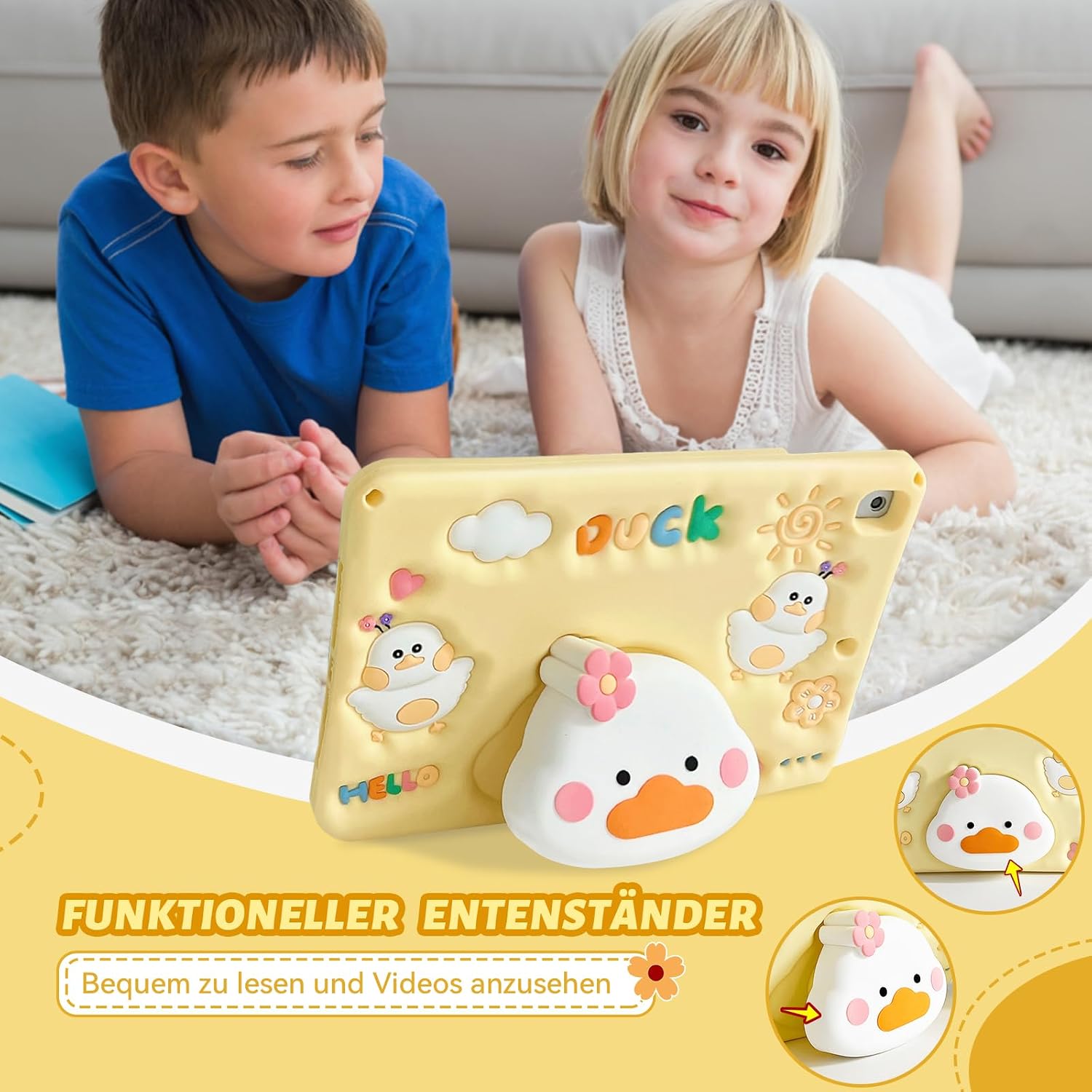
- 3D Cartoon Stand: An integrated, retractable stand shaped like a duck provides stable hands-free viewing in landscape orientation.
- Adjustable Shoulder Strap: Allows for convenient and secure carrying, making the iPad portable for children.
- Kid-Friendly Design: Durable, lightweight, and safe for children's daily use.

Compatibility
This case is specifically designed for the following 10.2-inch iPad models:
- iPad 9th Generation (2021): Models A2602, A2603, A2604, A2605
- iPad 8th Generation (2020): Models A2428, A2429, A2430, A2270
- iPad 7th Generation (2019): Models A2197, A2200, A2198
To ensure proper fit, please verify your iPad model number. The model number is typically printed on the back of your iPad.
Package Contents
Your ACEMO Kids Case package includes:
- 1 x ACEMO iPad Case
- 1 x Adjustable Shoulder Strap
Setup and Installation
Installing the iPad into the Case
- Ensure your iPad is clean and free of dust or debris.
- Gently align your iPad with the case, starting from one corner.
- Press firmly around the edges of the iPad to secure it within the silicone case. Ensure all corners are fully seated and the iPad is snug.
Attaching the Shoulder Strap
- Locate the two attachment points on the corners of the case.
- Clip each end of the adjustable shoulder strap securely to these attachment points.
- Adjust the strap length for comfortable carrying or hanging.

Operating Instructions
Using the 3D Duck Stand
The integrated 3D duck figure on the back of the case functions as a convenient stand for hands-free viewing.
- Gently pull out the duck figure from the back of the case until it locks into an extended position.
- Position the iPad horizontally, resting it on the extended duck stand for stable viewing.

Using the Shoulder Strap
The adjustable shoulder strap offers versatile carrying and viewing options:
- Carry the iPad comfortably over your shoulder or across your body for easy transport.
- The strap can also be used to hang the iPad on a car seat headrest, providing entertainment for backseat passengers.

Care and Maintenance
To ensure the longevity and appearance of your ACEMO Kids Case, follow these care guidelines:
- Cleaning: Wipe the silicone case with a soft, damp cloth. Avoid using harsh chemicals, abrasive cleaners, or solvents, as these may damage the material.
- Storage: When not in use, store the case in a cool, dry place away from direct sunlight to prevent material degradation.
- Inspection: Periodically inspect the case and shoulder strap for any signs of wear, tears, or damage. Replace if necessary to maintain optimal protection.
Troubleshooting
iPad does not fit correctly:
- Verify that your iPad model number is listed under the "Compatibility" section of this manual.
- Re-attempt installation, ensuring the iPad is aligned properly and pressed firmly into all edges of the case.
Stand is not stable:
- Ensure the 3D duck figure is fully extended and locked into its designated standing position.
- Place the iPad on a flat, stable surface for optimal balance.
Shoulder strap detaches:
- Verify that the clips on the strap are securely fastened to the attachment points on the case.
- Avoid applying excessive force or sudden jerks to the strap, which could cause detachment.
Product Specifications
| Feature | Detail |
|---|---|
| Brand | ACEMO |
| Model | iPad 10.2 inch (9th/8th/7th Gen) Case |
| Material | Soft Silicone |
| Color | Yellow |
| Dimensions (Approx.) | 25 x 18 x 2 cm |
| Weight (Approx.) | 660 g |
| Special Features | 3D Duck Stand, Adjustable Shoulder Strap, Shockproof |
Note: Specifications are approximate and may vary slightly.
Warranty and Customer Support
ACEMO products are designed for quality and durability. For any questions, concerns, or issues regarding your ACEMO iPad case, please contact our customer support team.
Please refer to your purchase documentation or the retailer's website for specific warranty details and contact information. We are committed to providing a suitable solution within 24 hours for any product defects.