
1. Introduction
The Waillynice T68 is a bladeless, rechargeable neck fan designed for portable personal cooling. It features a lightweight, foldable design with air outlets on both the top and bottom for efficient airflow. Integrated cooling plates at the back of the neck provide rapid cooling. Its turbine-inspired design prevents hair entanglement and dust accumulation, ensuring comfortable and prolonged use.

Image 1.1: The Waillynice T68 neck fan providing quick cooling.
2. Product Features
- Bladeless Design: Ensures safety and prevents hair entanglement.
- Foldable Structure: Allows for compact storage and enhanced portability.
- Rechargeable Battery: Equipped with a 5000 mAh battery for extended use.
- Adjustable Wind Speed: Three-gear wind speed settings with cooling function.
- Condenser Plate: Integrated cooling plates at the back of the neck for rapid temperature reduction.
- Lightweight Comfort: Designed for prolonged wear without discomfort.
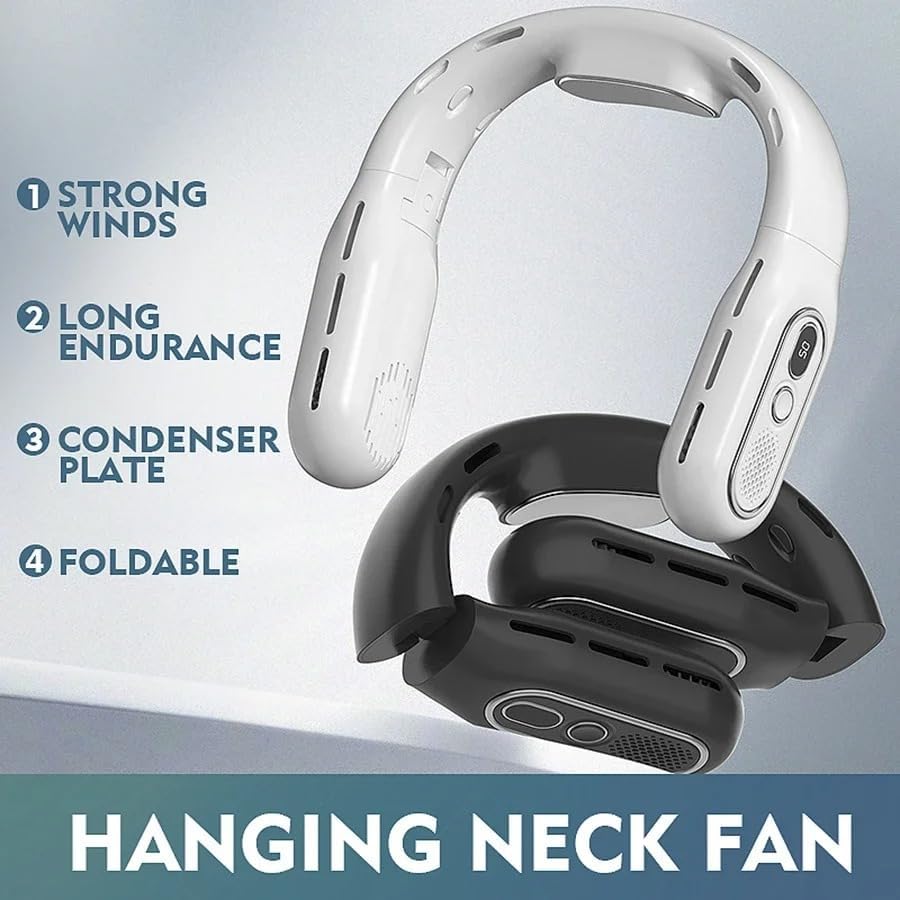
Image 2.1: Key features of the Waillynice T68 neck fan.

Image 2.2: Illustration of the durable battery.

Image 2.3: The fan's foldable design for portability.
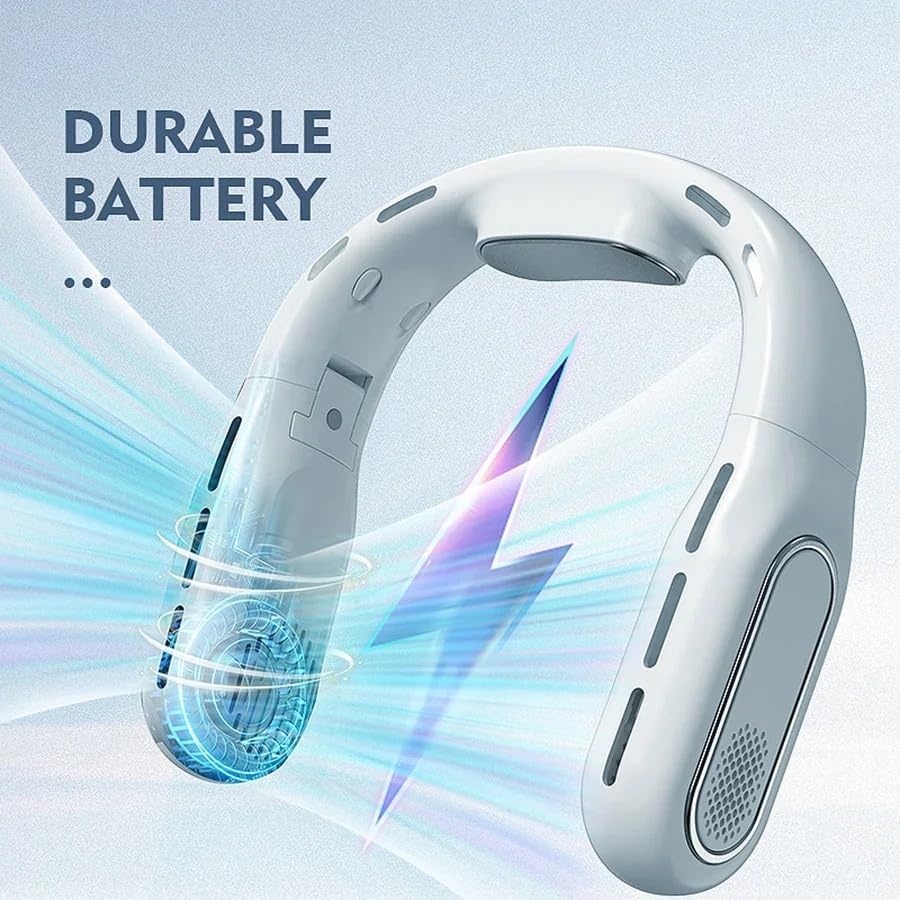
Image 2.4: Detail of the condenser plate for enhanced cooling.
3. Package Contents
Please check the package for the following items:
- 1 x Waillynice T68 Neck Fan
- 1 x USB Charging Cable
- 1 x User Manual (English and Chinese)
- 1 x Packaging Box

Image 3.1: All items included in the product package.
4. Setup
4.1 Charging the Device
- Locate the USB charging port on the Waillynice T68 neck fan.
- Connect the provided USB charging cable to the fan's charging port.
- Connect the other end of the USB cable to a compatible USB power source (e.g., wall adapter, computer USB port, power bank).
- The LED indicator on the fan will illuminate to show that the device is charging.
- Allow the fan to charge fully before its first use.
4.2 First Use
Before using the Waillynice T68 neck fan for the first time, ensure it is fully charged to optimize battery performance and lifespan.
5. Operating Instructions
5.1 Power On/Off
- To turn the fan ON, press and hold the power button located on the device until the fan starts.
- To turn the fan OFF, press and hold the power button again until the fan stops.
5.2 Adjusting Fan Speed
The Waillynice T68 neck fan features three adjustable wind speed settings:
- While the fan is ON, press the power button once to cycle to the first speed setting (low).
- Press the power button a second time to cycle to the second speed setting (medium).
- Press the power button a third time to cycle to the third speed setting (high).
- Pressing the button a fourth time will cycle back to the first speed setting.
5.3 Wearing the Fan
Gently place the Waillynice T68 neck fan around your neck. Adjust its position to ensure the air outlets are directed for optimal personal cooling. The soft neck connection allows for multi-angle adjustment for comfort.
6. Maintenance
6.1 Cleaning
- Ensure the fan is turned OFF and disconnected from any power source before cleaning.
- Wipe the exterior surface of the fan with a soft, dry cloth.
- Do not use abrasive cleaners, solvents, or harsh chemicals, as these may damage the finish.
- Do not immerse the fan in water or any other liquid.
6.2 Storage
When not in use, store the Waillynice T68 neck fan in a cool, dry place, away from direct sunlight and extreme temperatures. Utilize its foldable design for compact storage.
7. Troubleshooting
If you encounter any issues with your Waillynice T68 neck fan, please refer to the following common problems and solutions:
- Fan not turning on:
- Check if the battery is charged. Connect the fan to a power source and allow it to charge.
- Ensure the power button is pressed and held correctly.
- Weak airflow:
- Check the selected wind speed setting and adjust to a higher speed if needed.
- Ensure the air outlets are not obstructed by clothing, hair, or other objects.
- Fan not charging:
- Verify that the USB charging cable is securely connected to both the fan and the power source.
- Try using a different USB cable or power adapter to rule out a faulty accessory.
- Ensure the power source is functional.
If the problem persists after attempting these solutions, please contact customer support.
8. Specifications
| Feature | Specification |
|---|---|
| Brand | Waillynice |
| Model Name | T68 |
| Color | White |
| Battery Capacity | 5000 mAh |
| Power Source | Electric (USB Rechargeable) |
| Wattage | 50W |
| Dimensions (D x W x H) | 6.4 cm x 12.7 cm x 21.8 cm |
| Special Features | Neck Fan, Bladeless, Foldable, Condenser Plate |
| UPC / GTIN | 755132918449 |
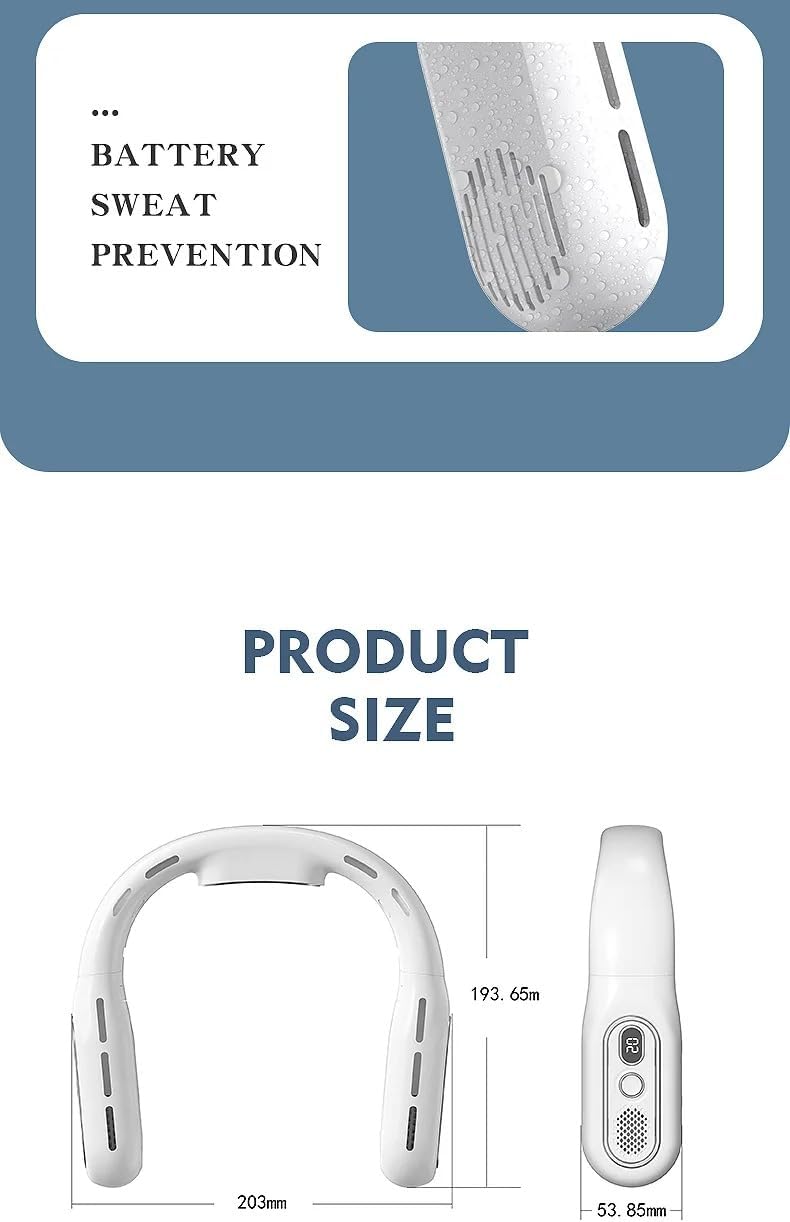
Image 8.1: Product dimensions of the Waillynice T68.
9. Safety Information
Please read and follow these safety guidelines to ensure safe operation and prevent damage to the device or injury:
- Do not immerse the fan in water or expose it to heavy rain.
- Do not attempt to disassemble, repair, or modify the device. Contact qualified personnel for service.
- Keep the fan out of reach of small children and pets.
- Avoid using the fan in extremely hot or humid environments.
- Do not insert any objects into the air outlets or charging port.
- Use only the provided USB charging cable or a certified equivalent.
10. Warranty and Support
For warranty information, product registration, or customer support, please refer to the documentation included with your purchase or visit the official Waillynice website. Please have your model number (T68) and proof of purchase ready when contacting support.