
1. Product Overview
This manual provides instructions for the Lamshaw Magnetic USB Replacement Charger, designed specifically for Bestinn H32 and P900 Fitness Trackers. This charger offers a convenient and reliable solution for keeping your fitness tracker powered.

Image 1.1: The Lamshaw Magnetic USB Replacement Charger alongside a compatible Bestinn fitness tracker.
2. Setup and Connection
Follow these steps to set up and connect your charger:
- Prepare the Charger: Uncoil the Lamshaw Magnetic USB Replacement Charger cable.
- Connect to Power Source: Insert the USB-A end of the charger cable into a compatible USB power source. This can be a computer's USB port, a laptop, a power bank, or a wall charger with a USB output. Ensure the power source provides a stable 5V output.
- Attach to Fitness Tracker: Align the magnetic charging pins of the charger with the charging contacts on the back of your Bestinn H32 or P900 fitness tracker. The magnetic connection will securely hold the charger in place.
- Verify Charging: Once connected, your fitness tracker's screen should display a charging indicator, typically a battery icon with a lightning bolt or a percentage increase.

Image 2.1: A Bestinn fitness tracker being charged by connecting the magnetic charger to a laptop's USB port.
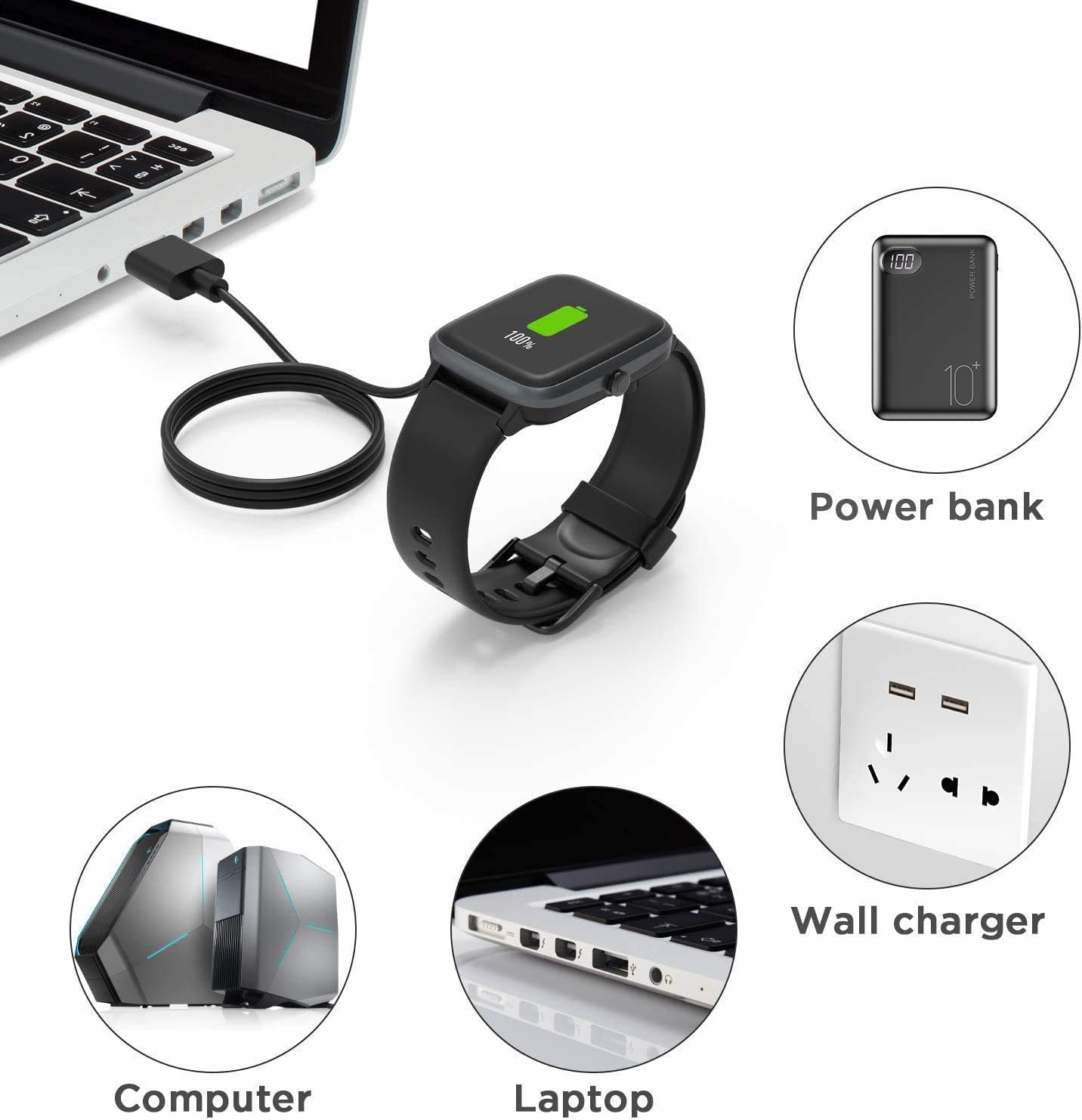
Image 2.2: Illustration of multiple compatible charging methods, including power banks, computers, laptops, and wall chargers.
3. Operating Instructions
The Lamshaw Magnetic USB Replacement Charger is designed for straightforward operation:
- Charging Time: A full charge for your Bestinn H32 or P900 fitness tracker typically takes approximately 2.5 hours when using a 1A output current power source. Actual charging time may vary based on the power source and the remaining battery level.
- Optimal Charging Environment: For best results, charge your device in a stable indoor environment.
- Safety Features: The charger incorporates protection against over-current, over-voltage, over-charging, and high temperatures to ensure safe charging of your device.

Image 3.1: The fitness tracker displaying a charging animation, indicating a full charge can be achieved in 2.5 hours.

Image 3.2: Visual representation of the charger's built-in safety features, including over-current, over-voltage, over-charging, and high-temperature protection.
4. Maintenance
To ensure the longevity and optimal performance of your charger, follow these maintenance guidelines:
- Cleaning: Gently wipe the cable and magnetic contacts with a soft, dry cloth to remove dust or debris. Avoid using liquid cleaners or abrasive materials.
- Storage: When not in use, store the charger in a cool, dry place. The flexible PVC cable is designed for easy coiling and convenient storage.
- Handling: Avoid sharp bends or excessive pulling on the cable, as this can damage the internal wiring. The cable is designed to withstand over 20,000 bends.
- Environmental Conditions: Do not expose the charger to extreme temperatures, direct sunlight, or moisture.

Image 4.1: Detailed view of the charger cable, emphasizing its pure copper probes, durable ABS+PC material, and flexible PVC cable, with a length of 3.3 feet (1 meter).
5. Troubleshooting
If you encounter issues with your charger, refer to the following common problems and solutions:
- Device Not Charging:
- Ensure the USB-A connector is fully inserted into the power source.
- Check that the magnetic pins are correctly aligned with the fitness tracker's charging contacts. The magnetic connection should feel secure.
- Try a different USB power source (e.g., another USB port on your computer, a different wall adapter, or a power bank) to rule out a faulty power source.
- Inspect the charging contacts on both the charger and the fitness tracker for any dirt, dust, or corrosion. Clean gently if necessary.
- Slow Charging:
- Ensure your power source provides sufficient output (ideally 1A or more for optimal charging speed). Lower current USB ports may result in slower charging.
- Avoid using USB hubs or unpowered USB ports, which may not deliver adequate power.
- Charger Feels Warm:
- It is normal for the charger to become slightly warm during operation. If it becomes excessively hot, disconnect it immediately and contact customer support.
6. Specifications
| Brand | Lamshaw |
| Model Compatibility | Bestinn H32, Bestinn P900 Fitness Trackers |
| Connector Type | Micro USB (on charger end), USB-A (on power source end) |
| Cable Type | USB |
| Special Feature | Magnetic Connection |
| Color | Black |
| Cable Length | 3.3 feet (1 meter) |
| Maximum Voltage | 5 Volts |
| Outer Material | PVC or Rubber |
| Item Weight | 0.317 ounces (approx. 9 grams) |
7. Compatibility
This Lamshaw Magnetic USB Replacement Charger is specifically designed and compatible with the following fitness tracker models:
- Bestinn H32 Fitness Tracker
- Bestinn P900 Fitness Tracker
Note: This charger is not universally compatible with all smartwatches or fitness trackers. Please ensure your device is one of the listed compatible models before use.

Image 7.1: Visual confirmation of compatibility with Bestinn H32 (pink band) and Bestinn P900 (black band) fitness trackers.
8. Product Video
Video 8.1: An official product video demonstrating the features and usage of the Lamshaw Smart Watch Charger Cable.