
1. Introduction
Welcome to the Fastrack Magnus FX3 Smart Watch user manual. This guide provides essential information for setting up, operating, and maintaining your new smartwatch. Please read this manual thoroughly to ensure proper use and to fully utilize all available features.

Image: Front view of the Fastrack Magnus FX3 Smart Watch, showcasing its display and metal strap.
2. What's in the Box
Verify that all items are present in your product packaging:
- Fastrack Magnus FX3 Smart Watch
- Magnetic Charging Cable
- Quick Start Guide
- Warranty Card
3. Setup
3.1 Initial Charging
Before first use, fully charge your smartwatch. Connect the magnetic charging cable to the charging points on the back of the watch and to a USB power source. A full charge takes approximately 2 hours.
3.2 Pairing with Your Smartphone
- Download the 'Fastrack Smart World' app from your smartphone's app store (available for Android and iOS).
- Ensure Bluetooth is enabled on your smartphone.
- Open the Fastrack Smart World app and follow the on-screen instructions to create an account or log in.
- Select 'Add Device' and choose your Fastrack Magnus FX3 from the list of nearby devices.
- Confirm the pairing request on both your watch and smartphone.
4. Operating Instructions
4.1 Display and Navigation
The Fastrack Magnus FX3 features a 1.46-inch TFT display with a 360x360 pixel resolution. Navigate the interface using touch gestures and the functional crown.
- Swipe Up: Access quick settings.
- Swipe Down: View notifications.
- Swipe Left/Right: Scroll through widgets and main menu options.
- Functional Crown: Rotate to scroll through menus or press to return to the home screen.

Image: Close-up of the Fastrack Magnus FX3 Smart Watch highlighting its premium metal construction and functional crown.
4.2 Bluetooth Calling (SingleSync BT Calling)
The SingleSync BT Calling feature allows you to make and receive calls directly from your watch when connected to your smartphone.
- Ensure your watch is paired and connected to your smartphone via Bluetooth.
- Access the phone function on your watch.
- You can dial numbers, access recent calls, or select contacts (synced from your phone).

Image: The Fastrack Magnus FX3 Smart Watch screen showing an incoming call, demonstrating its seamless connectivity for Bluetooth calling.
4.3 Health Monitoring
The Fastrack Magnus FX3 provides comprehensive health tracking features:
- Heart Rate Monitoring: Continuous 24/7 heart rate tracking.
- SpO2 Monitoring: Measure your blood oxygen levels.
- Stress Monitoring: Track your stress levels throughout the day.
- Sleep Tracking: Analyze your sleep patterns, including Deep, Light, and REM sleep.
- Hydration Alerts: Set reminders to drink water.
Access these features through the watch's menu or the Fastrack Smart World app for detailed insights.

Image: The Fastrack Magnus FX3 Smart Watch displaying detailed sleep monitoring data, including deep and light sleep durations.
4.4 Sports Modes
The watch supports over 60 sports modes to track various physical activities. Select your desired sport from the watch menu to begin tracking metrics such as steps, distance, calories burned, and heart rate during your workout.
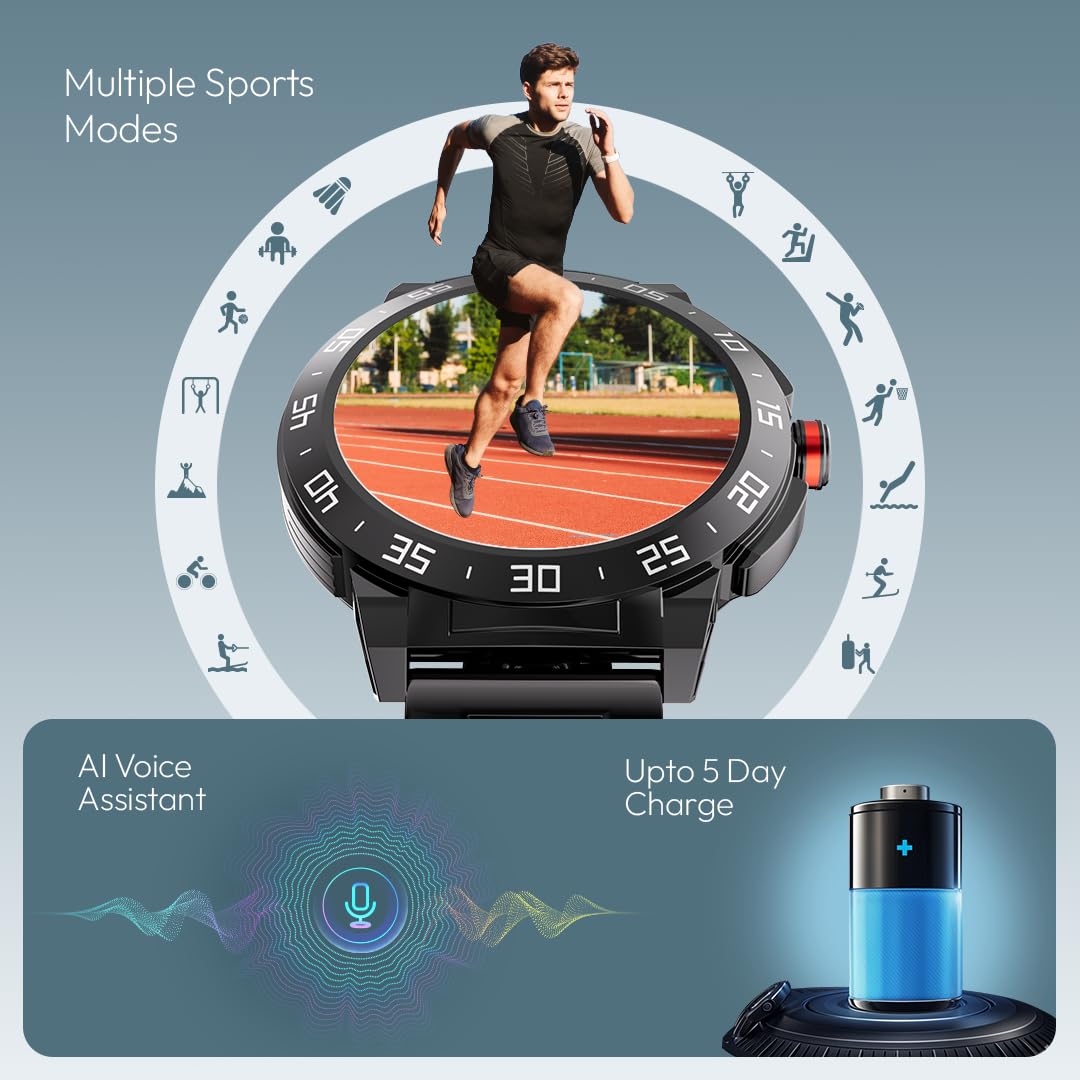
Image: The Fastrack Magnus FX3 Smart Watch interface displaying various sports mode icons, indicating its multi-sport tracking capabilities.
4.5 Smart Notifications
Receive notifications for calls, messages, and app alerts directly on your watch. Customize which app notifications you receive through the Fastrack Smart World app.

Image: The Fastrack Magnus FX3 Smart Watch displaying icons for various smart notifications, including calls, messages, and social media alerts.
4.6 Additional Features
- AI Voice Assistant: Use voice commands for various functions.
- Music Control: Control music playback on your smartphone.
- Camera Control: Remotely trigger your smartphone's camera.
- 100+ Watchfaces: Personalize your watch with a wide selection of watchfaces.
- In-Built Game: Enjoy a simple game directly on your watch.
5. Charging and Battery
The Fastrack Magnus FX3 is equipped with a 460mAh battery, providing up to 5 days of typical use and 3 days with Bluetooth calling enabled. Use the provided magnetic charging cable to charge the device. Charging time is approximately 2 hours.
Video: Official Fastrack Magnus FX3 Smart Watch preview, demonstrating its design and various features in action, including battery life and charging.
6. Care and Maintenance
- Water Resistance: The watch has an IP68 rating, making it resistant to dust and water. It can withstand immersion in water up to 1.5 meters for 30 minutes. Avoid hot water, steam, or prolonged submersion.
- Cleaning: Wipe the watch and strap regularly with a soft, dry cloth. For stubborn dirt, use a slightly damp cloth and mild soap, then rinse and dry thoroughly.
- Storage: Store the watch in a cool, dry place away from direct sunlight and extreme temperatures.
- Avoid Chemicals: Do not expose the watch to harsh chemicals, solvents, or detergents, as these can damage the finish and seals.
7. Troubleshooting
| Issue | Possible Solution |
|---|---|
| Watch not turning on | Ensure the watch is fully charged. Press and hold the power button for several seconds. |
| Unable to pair with phone | Check if Bluetooth is enabled on your phone. Restart both the watch and phone. Ensure the Fastrack Smart World app is updated. |
| Inaccurate health data | Ensure the watch is worn snugly on your wrist, not too tight or too loose. Clean the sensor on the back of the watch. |
| Notifications not received | Check app notification settings on your phone and within the Fastrack Smart World app. Ensure the watch is connected via Bluetooth. |
8. Specifications
| Feature | Detail |
|---|---|
| Model Name | Magnus FX3 |
| Model Number | 38143KM02 |
| Display Size | 1.46 Inches |
| Display Type | TFT LCD |
| Resolution | 360 x 360 pixels |
| Battery Capacity | 460 mAh Lithium Polymer |
| Battery Life (Average) | Up to 5 Days (3 Days with BT Calling) |
| Charging Time | Approx. 2-3 Hours |
| Water Resistance | IP68 |
| Connectivity | Bluetooth |
| Material | Metal Alloy Case |
| Item Weight | 46 g |
| Compatible Devices | Smartphone (Android, iOS) |
9. Warranty and Support
Your Fastrack Magnus FX3 Smart Watch comes with a manufacturer's warranty. Please refer to the included Warranty Card for details on coverage and terms. For technical support, service, or warranty claims, please contact Fastrack customer care:
- Customer Care Number: 1800-266-0123
- Email: customercare@titan.co.in
Keep your purchase receipt and warranty card for future reference.


