
Introduction
Thank you for choosing the KZ ZS12 PRO X In-Ear Monitor Headphones. This manual provides essential information for the proper setup, operation, and maintenance of your new audio device. Please read it thoroughly before use to ensure optimal performance and longevity.

Image: The KZ ZS12 PRO X In-Ear Monitor Headphones, showcasing the earbuds, detachable cable, and the inline microphone/remote.
Product Overview and Features
The KZ ZS12 PRO X is engineered for high-fidelity audio, combining advanced acoustic hardware with user-tunable sound profiles.
- Professional Acoustic Hardware Configuration: Features a combination of a 10mm super-linear inner magnetic dynamic driver, two 31736 dual array balanced armatures, and a 30019 customized balanced armature. This configuration delivers a sound quality experience suitable for professional musicians and audiophiles.
- Powerful Acoustic Hardware: Each frequency band (low, mid, high, ultra-high) is managed by an independent driver. The dynamic driver handles low and mid-frequencies for sufficient low-frequency response and natural mid-frequency transition, enhancing dynamics. Balanced armature drivers excel in high frequencies, providing accurate restoration of details and clear, transparent sound.
- High-performance Super-linear Dynamic Driver for Powerful Bass: Incorporates a new generation super-linear dynamic driver with breakthrough linear vibration response, capturing subtle notes and restoring authentic musical emotions and details.
- Professional Tuning Switch: Equipped with a 4-position custom tuning switch, allowing users to adjust sound profiles according to personal preference.
- Ultra-low Non-linear Distortion: Designed to interpret every nuanced expression of sound with precision, from profound bass to crystal-clear treble, ensuring an impeccable auditory experience.
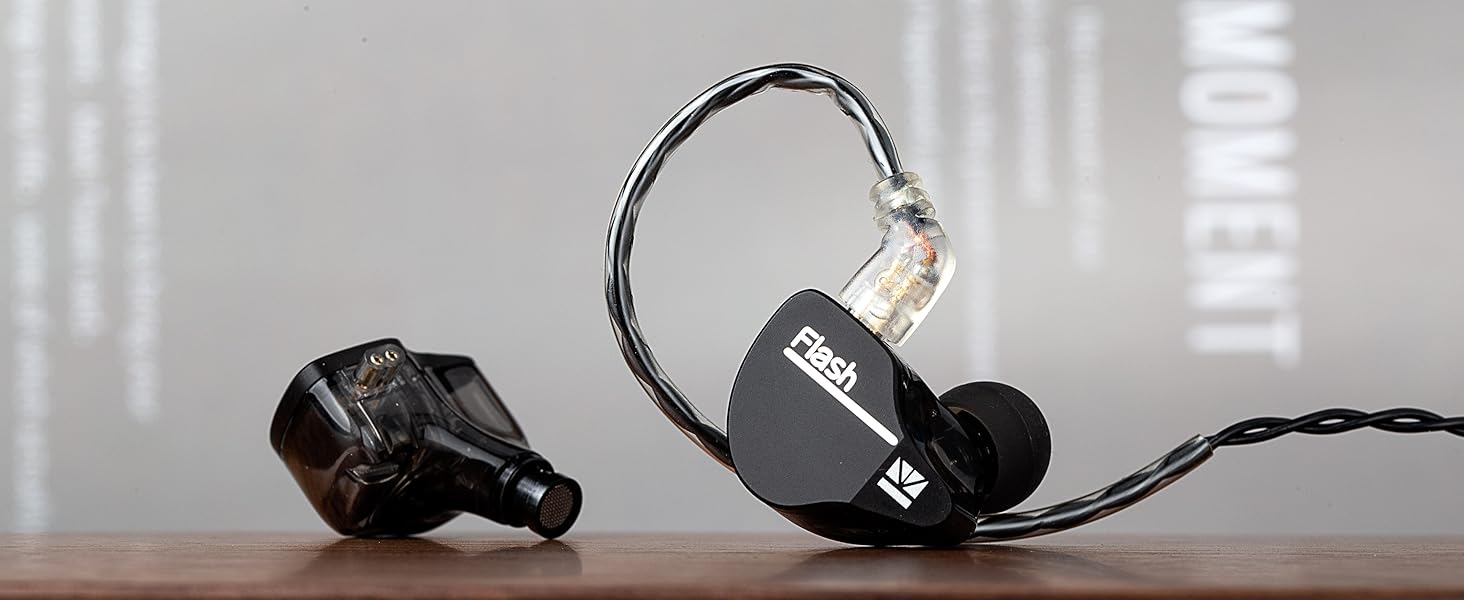
Image: An exploded diagram illustrating the internal components of the KZ ZS12 PRO X earbud, including the dynamic driver, balanced armatures, tuning switch, and metal housing.
Setup
- Attach the Cable: Carefully align the 2-pin connectors of the cable with the corresponding sockets on each earbud. Ensure the correct orientation (left and right) and push firmly until they click into place.
- Select Ear Tips: Choose the ear tips that provide the most comfortable and secure fit for your ears. A good seal is crucial for optimal sound quality and noise isolation.
- Insert Earbuds: Gently insert each earbud into your ear canal. The cable should loop over the top of your ear for a secure fit, especially during movement.
- Connect to Audio Source: Plug the 3.5mm jack of the cable into your audio device (e.g., smartphone, music player, computer).
Operating Instructions
Using the Tuning Switches
The KZ ZS12 PRO X features a 4-position tuning switch on each earbud, allowing you to customize the sound profile. Use a small tool (like the included pin) to adjust the switches.

Image: A detailed view of the 4-position tuning switch located on the side of the KZ ZS12 PRO X earbud.
Refer to the diagram below for common tuning combinations:
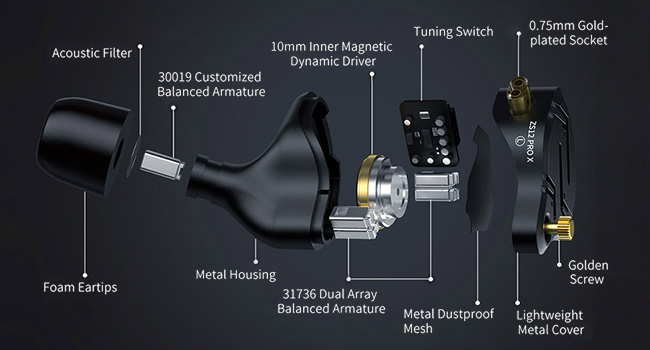
Image: A visual guide detailing the effects of different tuning switch combinations on the sound profile, specifically for low and high frequencies.
- Turn on Switch 1: Increases low frequency by 1 level.
- Turn on Switch 1+2: Increases low frequency by 2 levels.
- Turn on Switch 1+2+3: Increases low frequency by 3 levels.
- Turn on Switch 4: Reduces high frequency by 1 level.
- Turn off all switches: Activates the basic sound profile (flat response).
Experiment with different switch combinations to find the sound signature that best suits your listening preferences and the music genre.
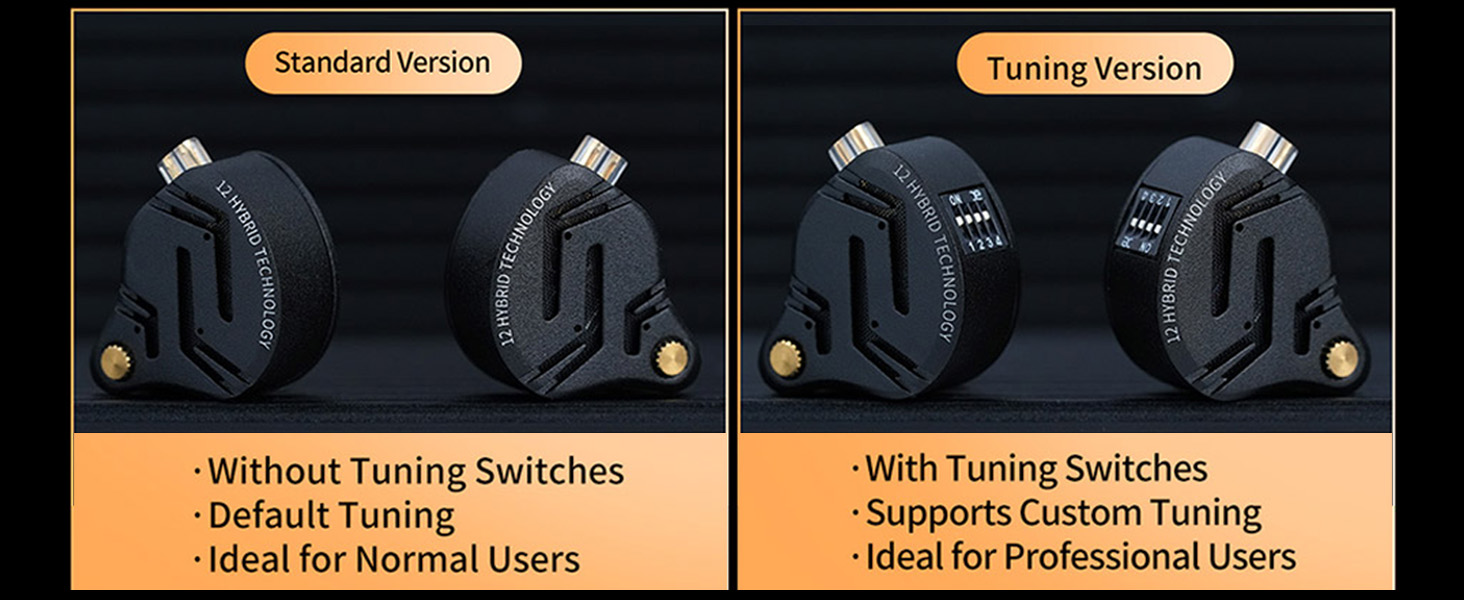
Image: A frequency response graph illustrating how different tuning switch settings alter the sound curve of the KZ ZS12 PRO X, showing variations in bass and treble response.
Inline Remote and Microphone (if applicable)
If your model includes a microphone and remote, you can use it for:
- Play/Pause: Single press the button.
- Next Track: Double press the button.
- Previous Track: Triple press the button.
- Answer/End Call: Single press the button during a call.
- Reject Call: Press and hold the button during an incoming call.
Maintenance
- Cleaning: Regularly clean the earbuds and ear tips with a soft, dry cloth. For ear tips, you can use a mild soap solution and water, ensuring they are completely dry before reattaching. Do not use harsh chemicals or abrasive materials.
- Cable Care: Avoid sharp bends or excessive pulling on the cable. When storing, coil the cable loosely.
- Storage: Store your headphones in a clean, dry place, preferably in a protective case, to prevent dust accumulation and physical damage.
- Moisture: Keep the headphones away from moisture and extreme temperatures.
Troubleshooting
| Problem | Possible Cause | Solution |
|---|---|---|
| No sound or low volume | Incorrect connection, low device volume, dirty audio jack/port, damaged cable. | Ensure cable is fully inserted. Check device volume. Clean audio jack/port. Test with another audio source or cable if possible. |
| Poor sound quality (e.g., muffled, distorted) | Loose ear tips, improper earbud insertion, dirty ear tips/nozzles, incorrect tuning switch settings. | Ensure ear tips are securely attached and earbuds are properly seated in your ears. Clean ear tips and earbud nozzles. Adjust tuning switches to a different setting. |
| Earbuds fall out easily | Wrong ear tip size, improper insertion. | Try different sized ear tips for a more secure fit. Ensure the cable loops over your ear correctly. |
| Microphone not working (if applicable) | Device settings, dirty microphone port, cable issue. | Check microphone settings on your device. Ensure the cable is fully connected. |
Specifications
| Feature | Detail |
|---|---|
| Model Name | KZ ZS12 PRO X |
| Connectivity Technology | Wired |
| Headphones Jack | 3.5 mm Jack |
| Noise Control | Passive Noise Cancellation |
| Frequency Range | 20-40000Hz |
| Impedance | 25 Ohm |
| Audio Driver Type | Dynamic Driver |
| Audio Driver Size | 10 Millimeters |
| Control Method | Remote |
| Item Weight | 2.82 ounces |
| Color | Dark Black |
| Manufacturer | EZ EAR |
What's in the Box
Your KZ ZS12 PRO X package includes:
- KZ ZS12 PRO X In-Ear Monitor Headphones (Left and Right units)
- Detachable Audio Cable (with or without mic, depending on model)
- Set of Ear Tips (various sizes)
- Tuning Pin/Tool
Image: The product packaging displaying the KZ ZS12 PRO X earbuds, detachable cable, ear tips, and tuning tool.
Warranty and Support
EZ EAR products are designed for reliability and performance. For any questions, technical support, or warranty claims, please refer to the contact information provided with your purchase or visit the official EZ EAR website. Keep your proof of purchase for warranty validation.