

1. Product Overview
The LeTianPai Presence Sensor Box, Model B1H54, is a multi-functional smart sensor designed for comprehensive environmental monitoring and human presence detection. It integrates five types of sensors into a single device, offering advanced capabilities for smart home automation and security.
Key features include:
- 5-in-1 Sensor: Combines millimeter wave radar, infrared, light, temperature, and humidity sensing.
- Matter Compatibility: Seamlessly integrates with smart home ecosystems such as Alexa, SmartThings, Google Home, and Apple Home.
- Dual Human Presence Detection: Utilizes both radar and infrared for precise identification of human presence and states.
- Flexible Installation: Features a magnetic design and supports various mounting options.
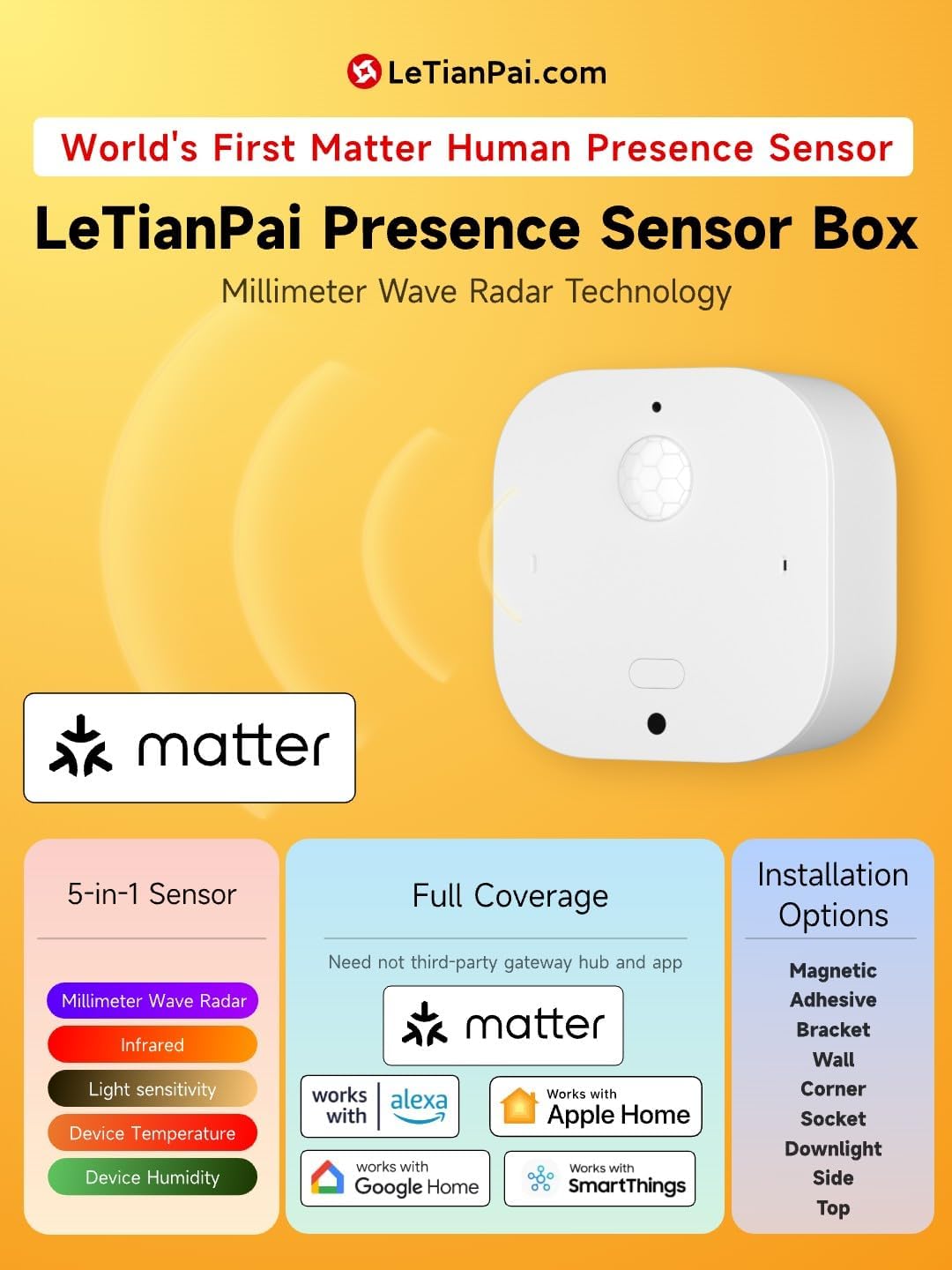
An illustration detailing the 5-in-1 sensor capabilities, Matter compatibility, and various installation options for the LeTianPai Presence Sensor Box.

A visual representation of the sensor's integrated 5-in-1 functionality, dual radar and infrared detection for human presence, and its support for multiple smart home platforms.
2. Key Features
The LeTianPai Presence Sensor Box is engineered with advanced technology to provide reliable and versatile smart home functionality.
- Comprehensive Sensing: Integrates millimeter wave radar, infrared, light, humidity, and temperature sensors for a complete environmental picture.
- Matter Direct Connection: Supports direct connection to Matter-enabled smart home platforms, eliminating the need for third-party gateways or apps.
- Ultra-Wide Angle & Long Range Detection: Offers a 130-degree detection angle with a static perception range of 4 meters and a dynamic perception range of 8 meters.
- Configurable Detection Modes: Allows selection between Radar only, Radar and Auxiliary Infrared, Radar and Infrared, or Infrared only for customized detection scenarios.
- USB-C Power Supply: Powered via USB-C, removing the need for batteries.
- Real-time Light Detection: Features a professional illuminance recognition chip capable of detecting light intensity from 0 to 10000 lux.
- Over-The-Air (OTA) Updates: Supports firmware updates for continuous improvement and new features.
- Built-in Magnet: Facilitates easy and flexible installation with various accessories.

An infographic highlighting the sensor's CSA certification, 5-in-1 capabilities, ultra-wide angle detection, hidden USB-C installation, Matter Direct Connection, and customizable detection modes.

A summary of the seven key advantages of the sensor box, including its precise human presence recognition, wide detection range, dual detection, integrated sensors, USB-C power, easy device search, and magnetic installation.
3. Setup and Installation
Follow these steps to set up and install your LeTianPai Presence Sensor Box.
3.1 Physical Installation
The sensor box features a compact design (2.13 x 2.13 x 0.87 inches) and a built-in magnet for flexible mounting. It can be surface-mounted or embedded.
- Magnetic Mounting: Use the integrated magnet to attach the sensor to metallic surfaces or compatible accessories.
- Adhesive Mounting: For non-metallic surfaces, use suitable adhesive brackets (not included unless specified in packaging).
- Embedded Installation: The USB-C recess design allows for vertical wiring behind the box, enabling a clean, invisible installation in 75mm tube lamp holes or standard 86 home boxes.
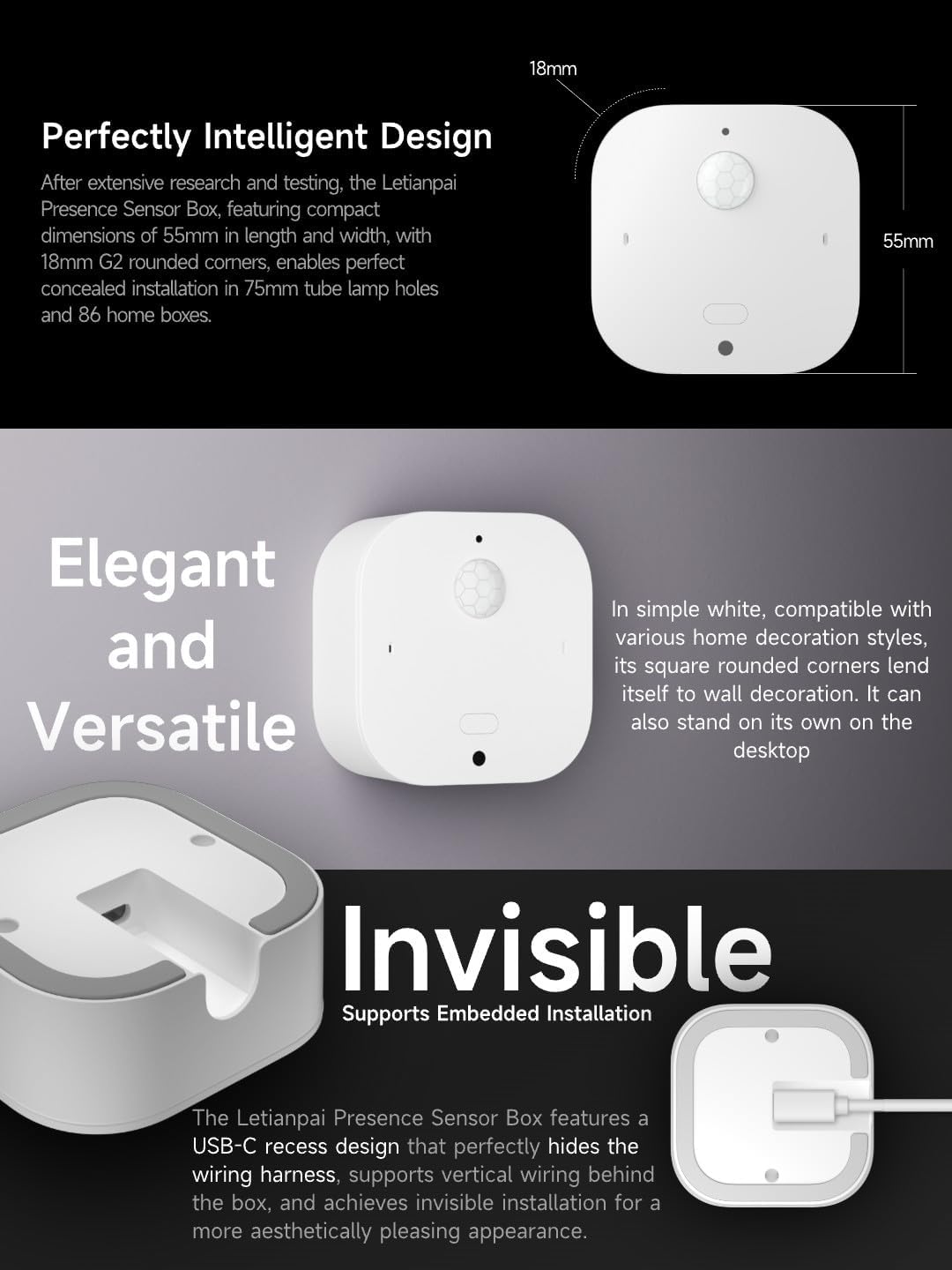
An image illustrating the compact dimensions (55mm x 55mm x 18mm) of the sensor, its elegant white design, and the recessed USB-C port for invisible wiring and embedded installation.
3.2 Power Connection
Connect the sensor to a power source using a USB-C cable. The device does not require batteries.
3.3 Pairing with Smart Home Platforms
The LeTianPai Presence Sensor Box is Matter-enabled, allowing direct integration with various smart home ecosystems.
- Ensure your smart home hub (e.g., Amazon Alexa, Google Home, Apple Home, SmartThings) supports Matter.
- Open your preferred smart home application.
- Initiate the device pairing process (often labeled as "Add Device" or "Add Accessory").
- Scan the Matter QR code located on the device or its packaging. Follow the on-screen prompts to complete the pairing.
- Once paired, the sensor will appear in your smart home app, and you can configure its settings and automations.

Screenshots demonstrating the process of scanning the Matter QR code to add the sensor to Google Home, SmartThings, Amazon Alexa, and Apple Home applications.
4. Operating Instructions
The sensor's multi-functional capabilities allow for diverse applications in your smart home.
4.1 Understanding Sensor Modes
The sensor offers configurable detection modes to suit different environments and preferences:
- Radar Only: Detects presence using millimeter wave radar.
- Radar and Auxiliary Infrared: Enhanced detection by combining radar with auxiliary infrared.
- Radar and Infrared: Utilizes both radar and primary infrared for comprehensive detection.
- Infrared Only: Detects presence using only the infrared sensor.
These modes can typically be adjusted within your smart home application's device settings.
4.2 Smart Home Integration and Scenarios
Leverage the sensor's data for various automations:
- Lighting Control: Automatically turn lights on when presence is detected and off when a room is vacant. Adjust light brightness based on ambient light levels detected by the sensor.
- Appliance Control: Trigger smart appliances (e.g., TV, air conditioning) upon entry or exit.
- Home Security: Use presence detection for security monitoring and alerts.
- Environmental Monitoring: Monitor temperature and humidity to adjust HVAC systems or trigger alerts.
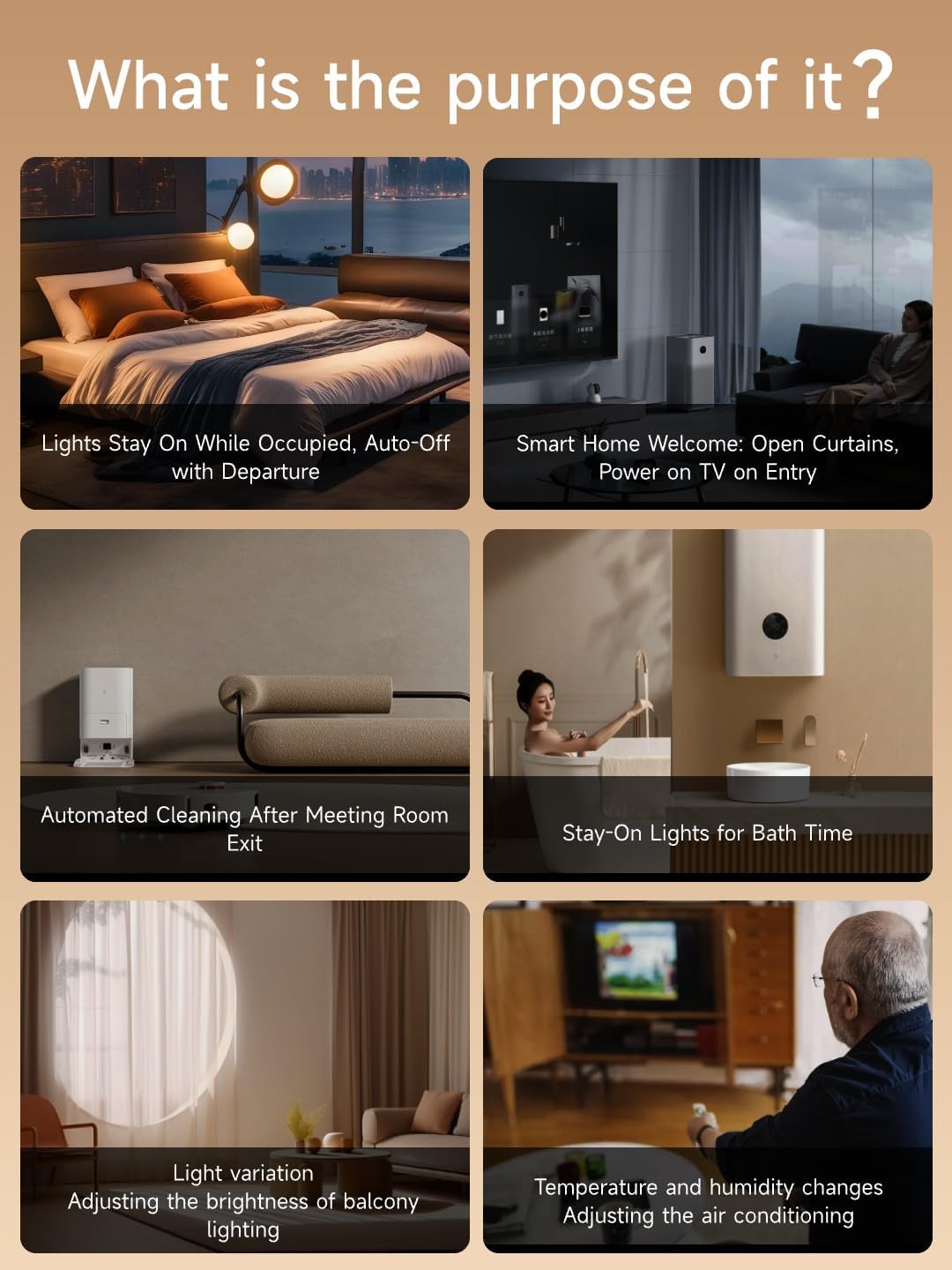
Illustrations of practical applications for the sensor, including automatic light control, smart home welcome scenes, automated cleaning triggers, and environmental adjustments based on temperature and humidity.

A visual emphasizing the sensor's professional chip for real-time light detection, capable of measuring illuminance from 0 to 10000 lux.
5. Maintenance
To ensure optimal performance and longevity of your LeTianPai Presence Sensor Box, follow these maintenance guidelines:
- Cleaning: Gently wipe the sensor's exterior with a soft, dry cloth. Avoid using abrasive cleaners, solvents, or excessive moisture, as these can damage the device.
- Firmware Updates: Regularly check for and install firmware updates through your connected smart home application. Updates often include performance improvements, bug fixes, and new features. The device supports Over-The-Air (OTA) updates.
- Placement: Ensure the sensor is placed in an area free from obstructions that could interfere with its detection capabilities. Avoid direct sunlight or strong drafts that might affect temperature and humidity readings.
6. Troubleshooting
If you encounter issues with your LeTianPai Presence Sensor Box, refer to the following troubleshooting tips:
- Device Not Responding:
- Verify the USB-C power connection. Ensure the sensor is receiving power.
- Check your Wi-Fi network and Matter hub connectivity.
- Attempt to restart the sensor by unplugging and re-plugging the USB-C cable.
- Inaccurate Temperature/Humidity Readings:
- Ensure the sensor is not placed near heat sources (e.g., direct sunlight, vents, appliances) or in areas with significant drafts.
- Allow some time for the sensor to stabilize after initial setup or relocation.
- Check for available firmware updates, as these can improve sensor accuracy.
- Slow Response in Apple Home/Other Platforms:
- Ensure your smart home hub and the sensor have the latest firmware.
- Verify network stability and signal strength between the sensor and your Matter hub.
- If issues persist, try re-pairing the device with your smart home platform.
- Detection Issues (False Alerts or No Detection):
- Review the sensor's placement to ensure there are no obstructions blocking its field of view.
- Adjust the detection mode and sensitivity settings within your smart home application.
- Ensure the detection range is appropriate for the room size.
- Difficulty with Manufacturer App (if applicable):
- Since the device is Matter-enabled, direct use of a manufacturer app may not be necessary for core functionality. Focus on integration with your primary Matter-compatible smart home platform.
- If a specific manufacturer app is desired, ensure it is the latest version and compatible with your device.
7. Specifications
| Specification | Detail |
|---|---|
| Brand | LeTianPai |
| Model Number | B1H54 |
| Product Dimensions | 2.13 x 2.13 x 0.87 inches |
| Item Weight | 1.58 ounces |
| Color | White |
| Material | Acrylonitrile Butadiene Styrene (ABS) |
| Power Source | USB-type |
| Maximum Range | 8 Meters (Dynamic Perception) |
| Mounting Type | Surface Mount |
| Compatible Devices | Alexa, SmartThings, Google Home, Apple Home (via Matter) |
| Operating Temperature | Up to 30 Degrees Celsius (50 Degrees Celsius Upper Rating) |
| Temperature Range | 6E+1 Degrees Celsius (Note: User reviews indicate potential for variation) |
| Included Components | Light Sensor, mmWave Radar |
| Certification | ISO 9001, CSA Certified (Matter) |