
Introduction
This manual provides essential instructions for the setup, operation, maintenance, and troubleshooting of your GoolRC WPL C14 RC Crawler Truck. Please read this manual thoroughly before operating the vehicle to ensure proper function and longevity.
What's in the Box
Verify that all components are present upon unboxing:
- Remote Controller
- 2 Car Batteries
- Charging Cable
- User Manual (this document)
- Other Fittings (e.g., small tools, spare parts)

Image: The GoolRC WPL C14 RC Crawler Truck, remote control, two batteries, charging cable, and other small accessories as typically found in the product packaging.
Setup
1. Battery Installation and Charging
Vehicle Battery: Locate the hidden battery compartment on the truck. Insert one of the provided rechargeable batteries, ensuring correct polarity. Secure the compartment cover. Use the included charging cable to fully charge the vehicle batteries before first use. Charging time may vary.
Remote Controller Battery: Install appropriate batteries (not specified, typically AA or AAA) into the remote controller, observing polarity markings. The remote controller requires its own power source to operate.
Image: A detailed view showing the hidden battery compartment of the RC truck and a separate shock absorber component.
2. Pairing the Remote Control
The 2.4GHz remote control system is designed for automatic pairing. Ensure both the vehicle and the remote controller are powered on. The remote control will automatically establish a connection with the vehicle. If pairing fails, turn both devices off and on again. This technology allows multiple vehicles to operate simultaneously without interference.

Image: The 2.4GHz remote control, showing the power switch, LED indicator, and controls for forward/backward movement and left/right turning.
Operating Instructions
Basic Controls
- Forward/Backward: Use the trigger on the remote control. Pull to move forward, push to move backward. The further you pull or push, the faster the vehicle will go.
- Turn Left/Right: Use the steering wheel on the remote control. Turn left to steer left, turn right to steer right.
- LED Headlights: The vehicle is equipped with LED headlights for improved visibility during low-light conditions. These lights activate automatically when the vehicle is powered on.
Driving on Various Terrains
The GoolRC WPL C14 is a 4WD all-terrain RC crawler designed to handle diverse environments. Its robust design and suspension system allow it to navigate rocky mountains, sandy beaches, grass, and dirt paths.

Image: The RC truck shown in different environments, illustrating its capability on grass, sand, rough off-road, and paved surfaces.
Video: The GoolRC WPL C14 RC Crawler Truck navigating challenging outdoor terrains, including rocky paths and shallow water, demonstrating its 4WD capabilities and suspension system.
Maintenance
Cleaning
After each use, especially after driving in dirt, sand, or wet conditions, clean the vehicle to remove debris. Use a soft brush or cloth to gently remove dirt from the chassis, wheels, and body. Avoid using harsh chemicals or excessive water directly on electronic components.
Battery Care
- Always fully charge batteries before use.
- Do not overcharge or completely discharge batteries.
- Store batteries in a cool, dry place away from direct sunlight and extreme temperatures.
- Remove batteries from the vehicle and remote control when not in use for extended periods.
General Inspection
Regularly inspect the vehicle for any loose screws, damaged parts, or worn tires. Ensure the suspension system is functioning correctly. Replace any damaged components promptly to maintain optimal performance and safety.
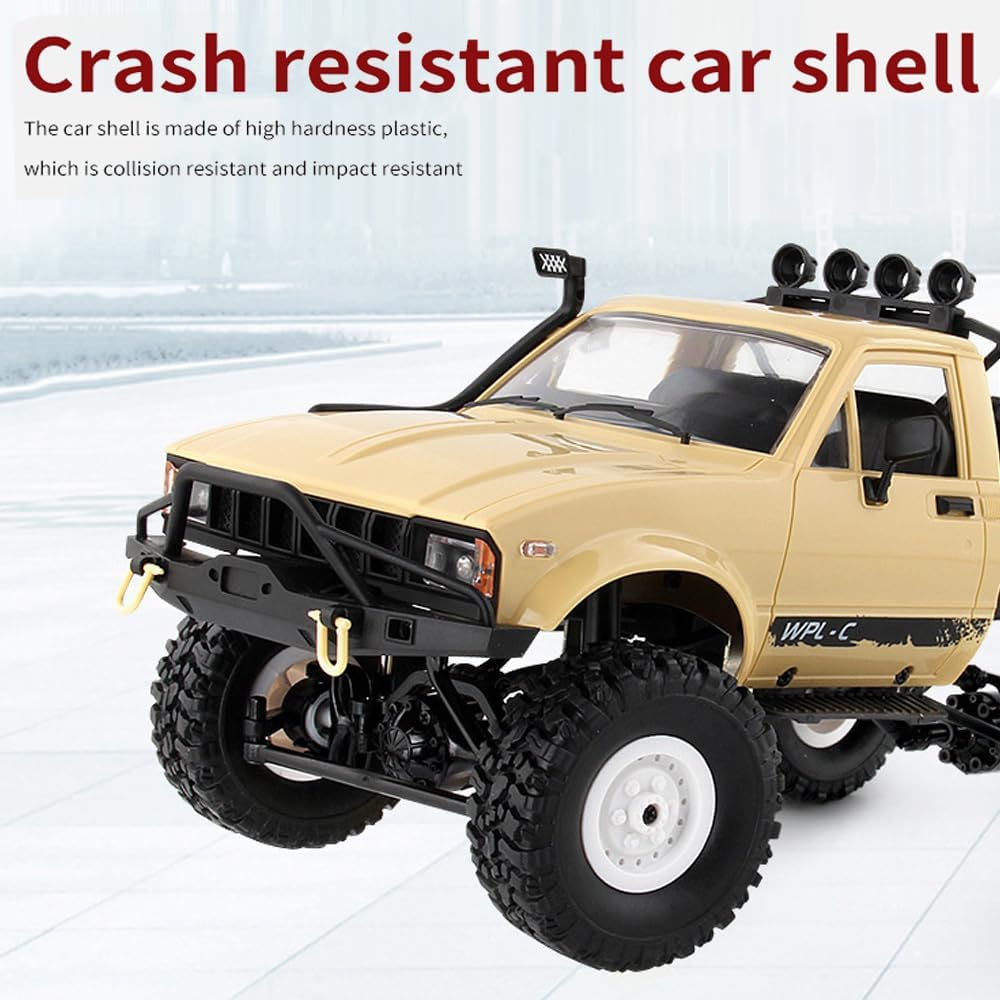
Image: A close-up view of the RC truck's body, highlighting its crash-resistant plastic car shell, designed for durability against impacts.
Troubleshooting
| Problem | Possible Cause | Solution |
|---|---|---|
| Vehicle does not respond to remote. | Low battery in vehicle or remote; not paired; interference. | Charge/replace batteries. Turn both off and on to re-pair. Move to an area with less interference. |
| Vehicle moves slowly or inconsistently. | Low vehicle battery; debris in drivetrain; motor issue. | Recharge vehicle battery. Clean any debris from wheels and axles. Contact support if issue persists. |
| LED lights not working. | Loose connection; damaged LED. | Check connections. If damaged, replacement may be required. |
| Vehicle makes unusual noises. | Debris in gears; damaged gears or motor. | Inspect and clean gears. If parts are damaged, replacement is necessary. |
Specifications
| Feature | Detail |
|---|---|
| Model Number | C14 |
| Brand | GoolRC |
| Scale | 1/16 |
| Drive System | 4WD (Four-Wheel Drive) |
| Control Frequency | 2.4GHz |
| Vehicle Type | RC Crawler / Semi Truck |
| Lighting | LED Headlights |
| Suspension | Four-spring suspension design, metal shock absorbers |
| Chassis | Metal Beam, Solid Chassis |
| Car Shell Material | High hardness plastic (crash resistant) |
| Package Dimensions | 17.8 x 8.07 x 6.22 inches |
| Item Weight | 2.51 pounds |
| Recommended Age | 14 years and up |

Image: The RC truck with its approximate dimensions: 31cm (12.2 inches) in length and 14cm (5.5 inches) in height.

Image: An exploded view of the RC truck's chassis, illustrating the metal beam frame, solid chassis, and the four-wheel drive shaft for powerful performance.
Warranty and Support
For warranty information or technical support, please refer to the contact details provided by the retailer or the manufacturer, GoolRC. Keep your purchase receipt as proof of purchase.