Introduction
This manual provides comprehensive instructions for the safe and efficient operation, maintenance, and troubleshooting of your kalado KCV600 Cordless Stick Vacuum Cleaner. Please read this manual thoroughly before first use and keep it for future reference.
Product Overview and Components
The kalado KCV600 is a powerful 10-in-1 cordless stick vacuum cleaner designed for versatile cleaning across various surfaces, including hard floors, carpets, and for picking up pet hair. It features a 480W brushless motor, 33 kPa suction, an anti-tangle V-shaped brush, and an intelligent LED touch screen.

Figure 1: The kalado KCV600 Cordless Stick Vacuum Cleaner shown with its main body, extension wand, floor brush, and a comprehensive set of 10-in-1 special accessories including an extendable hose, foldable vacuum rod, additional extension rod, and a bed brush. These accessories enable cleaning of various areas from high ceilings to tight corners and furniture.
Key Components and Features:
- 480W Brushless Motor & 33 kPa Suction: Provides powerful suction for effective dirt removal from all household corners. Suitable for cleaning cat litter, dog food, coffee grounds, etc., on hard floors, tiles, and carpets. Operates quietly at less than 69 dB.
- Upgraded Anti-Tangle V-shaped LED Brush: Designed to prevent hair tangling, especially effective for pet hair. Features 180° rotation and integrated LED lights for illuminating dark areas under furniture or in corners.
- Intelligent LED Touch Screen: Displays real-time battery life and vacuum operating status, providing clear information for easy monitoring.
- Removable and Durable Battery: Equipped with 8 x 2500 mAh batteries for continuous operation. Offers three suction modes: Low (50 minutes), Medium (20 minutes), and High (13 minutes). Fully charges in 3.5 hours. The removable design allows for flexible charging methods.
- Efficient 6-Layer Filtration Technology: A multi-stage filtration system that captures 99% of dust particles and mites smaller than 0.3 µm, ensuring clean air. Features a 1.2-liter dustbin with a one-button emptying function.
- 10-in-1 Special Accessories: Includes an extendable hose, foldable vacuum rod, additional extension rod, and a bed brush, making it ideal for cleaning high areas, blinds, cobwebs, narrow corners, furniture, and car interiors.
Setup and Assembly
The KCV600 cordless vacuum cleaner is designed for easy assembly. Follow these steps to set up your vacuum:
- Unpack Components: Carefully remove all components from the packaging. Verify that all parts listed in the product overview are present.
- Attach the Extension Wand: Connect the extension wand to the main motor unit until it clicks securely into place.
- Attach the Floor Brush: Connect the V-shaped LED floor brush to the other end of the extension wand, ensuring it locks firmly.
- Install the Battery: Insert the removable battery pack into the designated slot on the main motor unit. Ensure it is fully seated and locked.
- Charge the Battery: For optimal performance, fully charge the battery before first use. Connect the charger to the battery or the main unit and plug it into a power outlet. The LED screen will indicate charging status.
- Attach Accessories: Depending on your cleaning needs, attach the desired 10-in-1 accessory directly to the main unit or the extension wand.

Figure 2: Illustration showing the removable battery pack of the KCV600, highlighting its easy removal and installation. The battery provides 13-50 minutes of runtime and charges in 3.5 hours.
Operating Instructions
Operating your kalado KCV600 is straightforward. Familiarize yourself with the controls and suction modes for efficient cleaning.
Powering On and Suction Modes:
- Power On/Off: Press the power button on the main unit to turn the vacuum on or off.
- Adjusting Suction Power: The KCV600 offers three suction modes:
- Low Power: Provides up to 50 minutes of runtime, suitable for light cleaning and delicate surfaces.
- Medium Power: Offers approximately 20 minutes of runtime for everyday cleaning tasks.
- High Power: Delivers maximum suction (33 kPa) for tough dirt and deep cleaning, with a runtime of about 13 minutes.
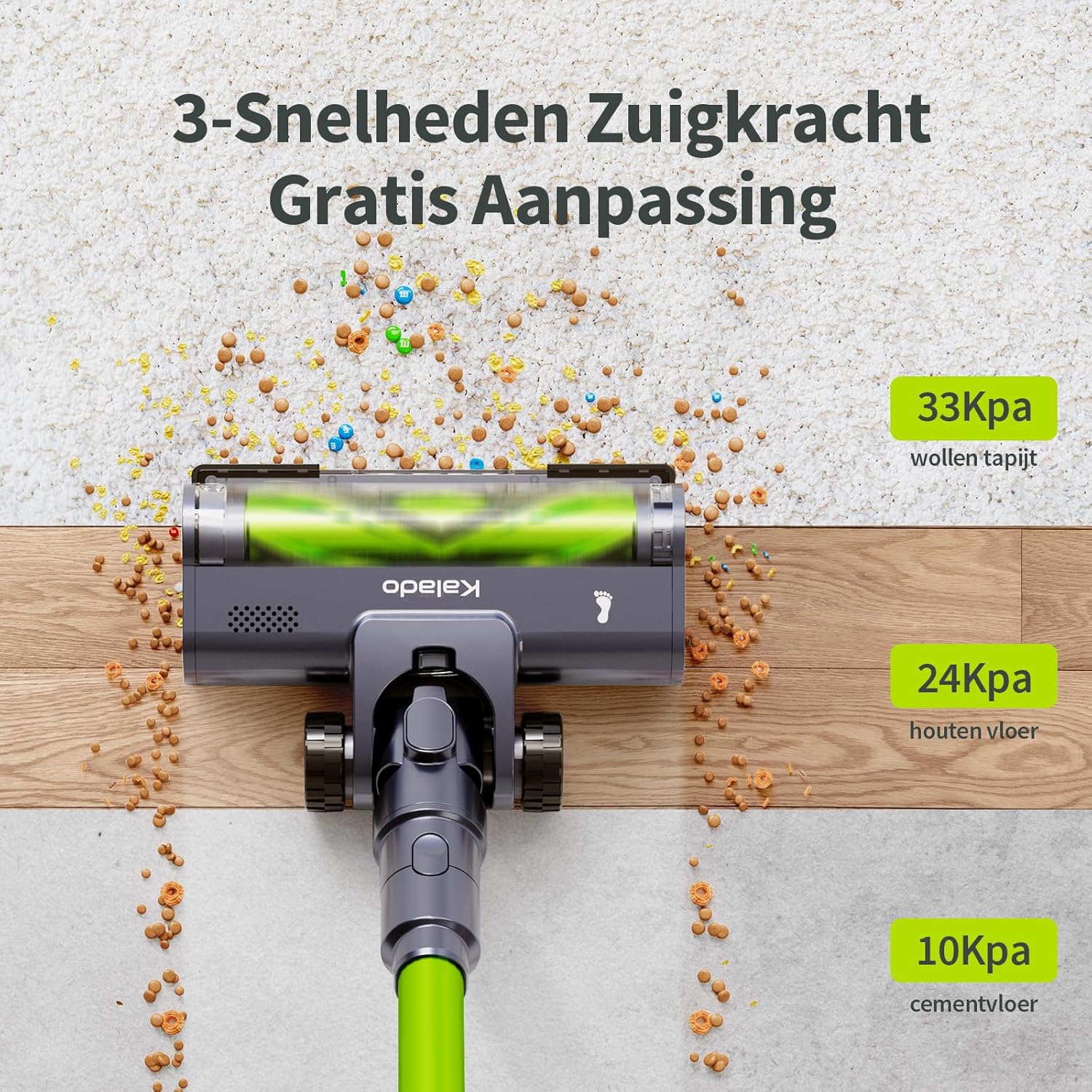
Figure 3: This image illustrates the KCV600's suction capabilities across different surfaces: 33 kPa for wool carpets, 24 kPa for wooden floors, and 10 kPa for cement floors, demonstrating its adaptability.

Figure 4: A detailed view of the intelligent LED touch screen, which provides real-time updates on battery percentage and operational status, making it user-friendly for all.
Using the V-shaped LED Brush:
- The V-shaped design effectively guides debris towards the suction inlet and minimizes hair tangling.
- The integrated LED lights automatically illuminate when the vacuum is in use, helping to spot dust and debris in dimly lit areas.
- The brush head offers 180° rotation, allowing for easy maneuverability around furniture and into tight spaces.
Maintenance
Regular maintenance ensures the longevity and optimal performance of your kalado KCV600 vacuum cleaner.
Emptying the Dustbin:
- The 1.2-liter dustbin should be emptied regularly, especially when it reaches the MAX fill line.
- To empty, position the dustbin over a trash can and press the one-button release mechanism.
Cleaning the Filtration System:
The KCV600 features a 6-layer high-efficiency filtration system. Regular cleaning of filters is crucial for maintaining suction power and air quality.

Figure 5: An exploded diagram illustrating the KCV600's 6-layer high-efficiency filtration system, including the pre-filter, metal filter, HEPA filters, and sponge filter, designed to capture fine dust and allergens.
- Disassemble Filters: Twist and pull to remove the dustbin and then separate the various filter components (metal filter, HEPA filters, sponge filter).
- Clean Filters: Tap off loose dust from the filters. For thorough cleaning, rinse the washable filter components under cold running water. Do not use detergents.
- Dry Filters: Allow all filter components to air dry completely for at least 24 hours before reassembling. Ensure they are completely dry to prevent mold or damage to the motor.
- Reassemble: Once dry, reassemble the filters in reverse order of disassembly and reattach the dustbin to the main unit.
Cleaning the Anti-Tangle Brush Roll:

Figure 6: This image demonstrates the one-touch roller release mechanism of the upgraded anti-tangle V-shaped brush, making it easy to remove and clean the brush roll.
- Periodically check the brush roll for tangled hair or debris.
- To remove the brush roll, use the one-touch release mechanism on the side of the floor head.
- Carefully cut away any tangled hair or threads using scissors.
- Reinsert the brush roll until it clicks into place.
Troubleshooting
If you encounter issues with your kalado KCV600, refer to the following common troubleshooting steps:
| Problem | Possible Cause | Solution |
|---|---|---|
| Vacuum does not turn on. | Battery is not charged or not properly installed. | Ensure the battery is fully charged and securely inserted. Check the LED screen for battery status. |
| Loss of suction power. | Dustbin is full, filters are clogged, or brush roll is tangled. | Empty the dustbin. Clean or wash all filters and allow them to dry completely. Remove any tangled hair or debris from the brush roll. |
| Brush roll not spinning. | Brush roll is jammed by debris or not properly installed. | Turn off the vacuum and remove any obstructions from the brush roll. Ensure the brush roll is correctly reinserted and locked into place. |
| Short operating time. | Battery not fully charged or operating in High Power mode. | Ensure the battery is fully charged (3.5 hours). Note that High Power mode has a shorter runtime (13 minutes). |
If the problem persists after following these steps, please contact customer support.
Specifications
| Brand | kalado |
| Model Number | KCV600 |
| Color | Green |
| Product Dimensions (L x W x H) | 48 x 31.5 x 34 cm (18.9 x 12.4 x 13.4 inches) |
| Item Weight | 1.6 Kilograms (3.5 lbs) |
| Dustbin Capacity | 1.2 Liters |
| Power | 480 Watt-hours |
| Voltage | 26.5 Volts |
| Number of Speeds | 3 |
| Noise Level | 69 dB |
| Runtime | Up to 50 minutes (Low Power) |
| Special Feature | HEPA Filtration |
| Filter Type | HEPA Filter |
| Recommended Surface | Hard Floor |
| Power Source | Battery Powered (Cordless) |
| Included Components | Extendable hose, foldable vacuum rod, additional extension rod, bed brush |
Warranty and Support
Your kalado KCV600 Cordless Stick Vacuum Cleaner comes with a comprehensive warranty and dedicated customer support.
- Warranty: We offer 3 years of lifetime support and parts replacement for your product.
- Customer Service: If you have any questions, require assistance with assembly, or need to purchase replacement parts or accessories (such as batteries), please refer to the official contact information provided in the original product packaging or contact kalado customer service directly.


