
1. Product Overview
The MakerHawk 3.7V 6000mAh LiPo Battery is a high-capacity, rechargeable lithium polymer battery designed for various electronic projects, including Arduino, ESP32 boards, and Raspberry Pi UPS systems. It features a built-in protection board and comes with a PH2.0 plug for easy integration. This battery utilizes an A-grade lithium cobalt oxide cell system, offering stable discharge performance and a long lifespan.
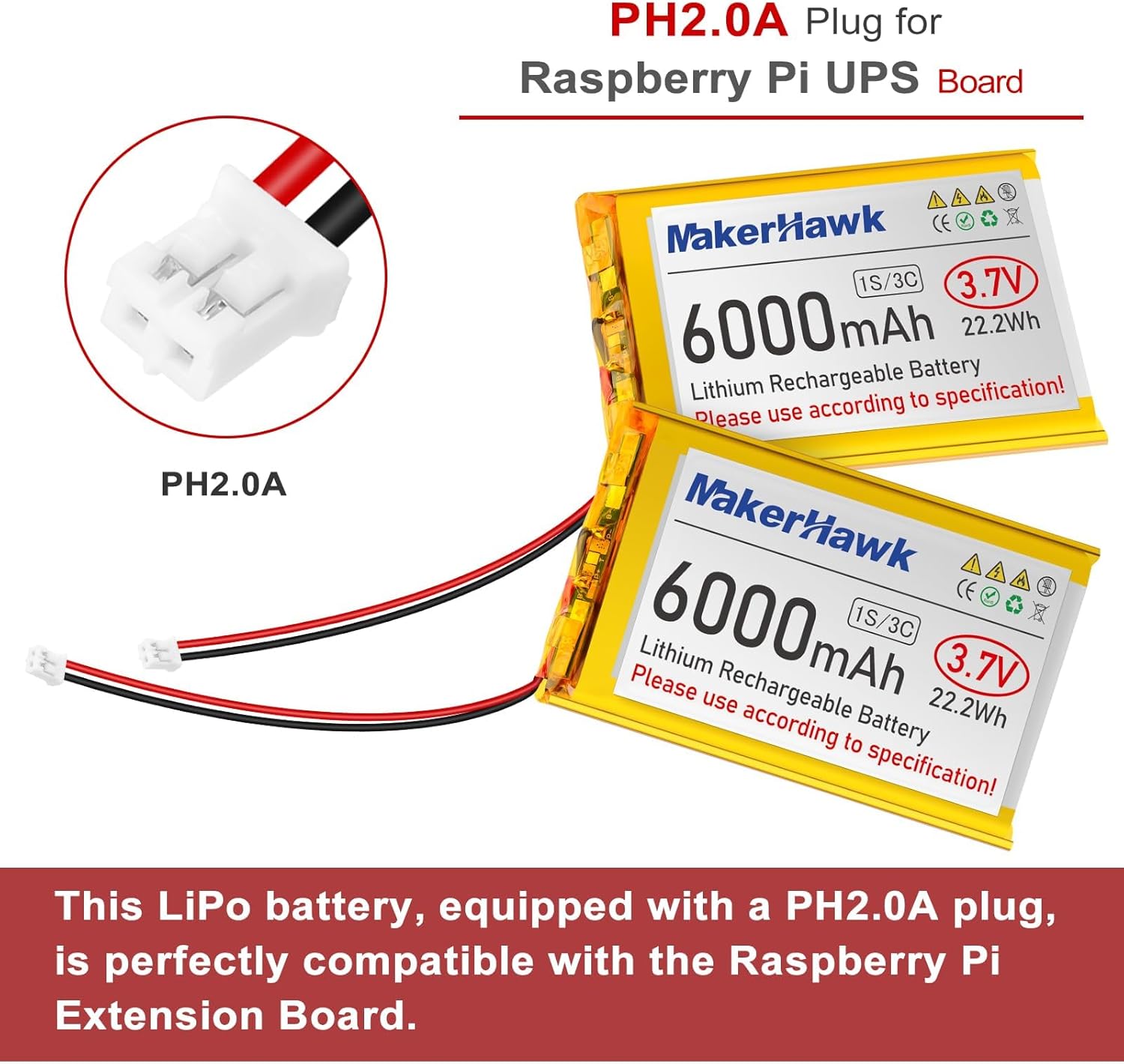
Image 1: Two MakerHawk 3.7V 6000mAh LiPo batteries, showing the PH2.0 plug connector.
2. Key Features
- Advanced Cell System: Utilizes an A-grade lithium cobalt oxide battery system for higher energy density, stable discharge, and extended lifespan, compliant with UN 38.3 standards.
- Over-Discharge Protection: Automatically shuts down when battery voltage drops to 3.0V to prevent damage from excessive discharge.
- Over-Charge Protection: Automatically cuts off power when the battery reaches its maximum voltage of 4.2V, indicating a full charge and preventing overcharging.
- Short Circuit Protection: The protection circuit will automatically shut down within milliseconds in the event of a short circuit.
- PH2.0 Plug: Equipped with a standard PH2.0 plug for broad compatibility with various development boards.

Image 2: Visual representation of the battery's integrated protection features: Overcharge, Over-Discharge, and Short Circuit Protection.
3. Setup and Connection
This battery is designed for compatibility with devices such as Arduino, ESP32 boards, and Raspberry Pi UPS systems. The PH2.0 plug allows for direct connection to compatible ports.
- Identify Connection Port: Locate the appropriate PH2.0 compatible power input port on your device (e.g., Arduino, ESP32, Raspberry Pi UPS board).
- Check Polarity: Before connecting, always verify the polarity of the battery's PH2.0 plug against your device's input port. Some devices, particularly certain ESP32 boards, may have reversed polarity compared to the battery's standard configuration. Connecting with incorrect polarity can cause damage to the battery, the device, or both.
- Connect Battery: Carefully align the PH2.0 plug from the battery with the corresponding port on your device and gently push to establish a secure connection.

Image 3: Example of the LiPo battery connected to a Raspberry Pi UPS extension board, which then powers a Raspberry Pi.
4. Operating Instructions
4.1 Charging
- Use a compatible LiPo battery charger.
- The battery's internal protection circuit will automatically cut off power when the voltage reaches 4.2V, indicating a full charge.
- The maximum recommended charging current is 0.5C (3A for this 6000mAh battery). Charging above this rate may reduce battery lifespan or damage the protection circuit.
- Charge the battery within a temperature range of 0-45°C.
4.2 Discharging
- The battery will provide stable 3.7V output during discharge.
- The over-discharge protection circuit will activate when the battery voltage drops to 3.0V, preventing further discharge. This protects the battery from irreversible damage.
- The continuous discharge rate is 3C. Avoid exceeding this rate to prevent damage to the battery and its protection circuit.
5. Maintenance and Storage
- Long-Term Storage: For optimal battery health during long-term storage, keep the battery charged between 40% and 60% of its capacity.
- Recharge Schedule: If storing for extended periods, it is recommended to charge the battery once every 3 months to maintain a voltage between 3.7V and 4.0V.
- Storage Environment: Store the battery in a cool, dry place, away from direct sunlight, extreme temperatures, and flammable materials.
- Physical Care: Avoid puncturing, crushing, or exposing the battery to water or fire. Do not disassemble the battery.
6. Troubleshooting and Safety Warnings
- No Power Output: If the battery provides no power, check if the over-discharge protection has been activated (voltage below 3.0V). Recharge the battery to reset the protection circuit.
- Charging Issues: If the battery does not charge, ensure your charger is compatible and functioning correctly. The over-charge protection will stop charging at 4.2V.
- Short Circuit: In case of a short circuit, the protection circuit will immediately shut down. Remove the short and attempt to recharge the battery to reset the protection. Note that prolonged high current or component overheating due to a short circuit (bypassing the protection) can permanently damage the protection circuit.
- Overcurrent Protection: The battery's overcurrent protection feature is in place (instantaneous 4.8A-6A). However, it is not entirely foolproof. Avoid charging and discharging the battery at excessively high currents or at currents and voltages beyond the recommended range. Doing so could potentially damage the protection circuitry, rendering it ineffective.
- Polarity Check: Always double-check the polarity of the PH2.0 connector before plugging it into any device, especially development boards like ESP32, as incorrect polarity can cause severe damage.
- Temperature: Do not operate the battery outside its specified temperature ranges (Charging: 0-45°C, Discharge: -20-60°C).

Image 4: Warning regarding the battery's overcurrent protection and the importance of adhering to recommended current and voltage ranges.
7. Specifications
| Parameter | Value |
|---|---|
| Capacity | 6000mAh |
| Voltage | 3.7V |
| Weight | 102.6g (approx. 3.62 oz) |
| BMS Overcharge Voltage | 4.2V |
| BMS Over-Discharge Voltage | 3.0V |
| Maximum Charging Current | 0.5C (3A) |
| Charging Temperature | 0-45°C |
| Discharge Temperature | -20-60°C |
| Type of Connector | PH2.0A |
| Product Dimensions (L x W x H) | 90mm x 60mm x 10mm (approx. 3.54 x 2.36 x 0.39 inches) |
| Battery Cell Composition | Lithium Polymer |

Image 5: A visual summary of the battery's technical specifications.
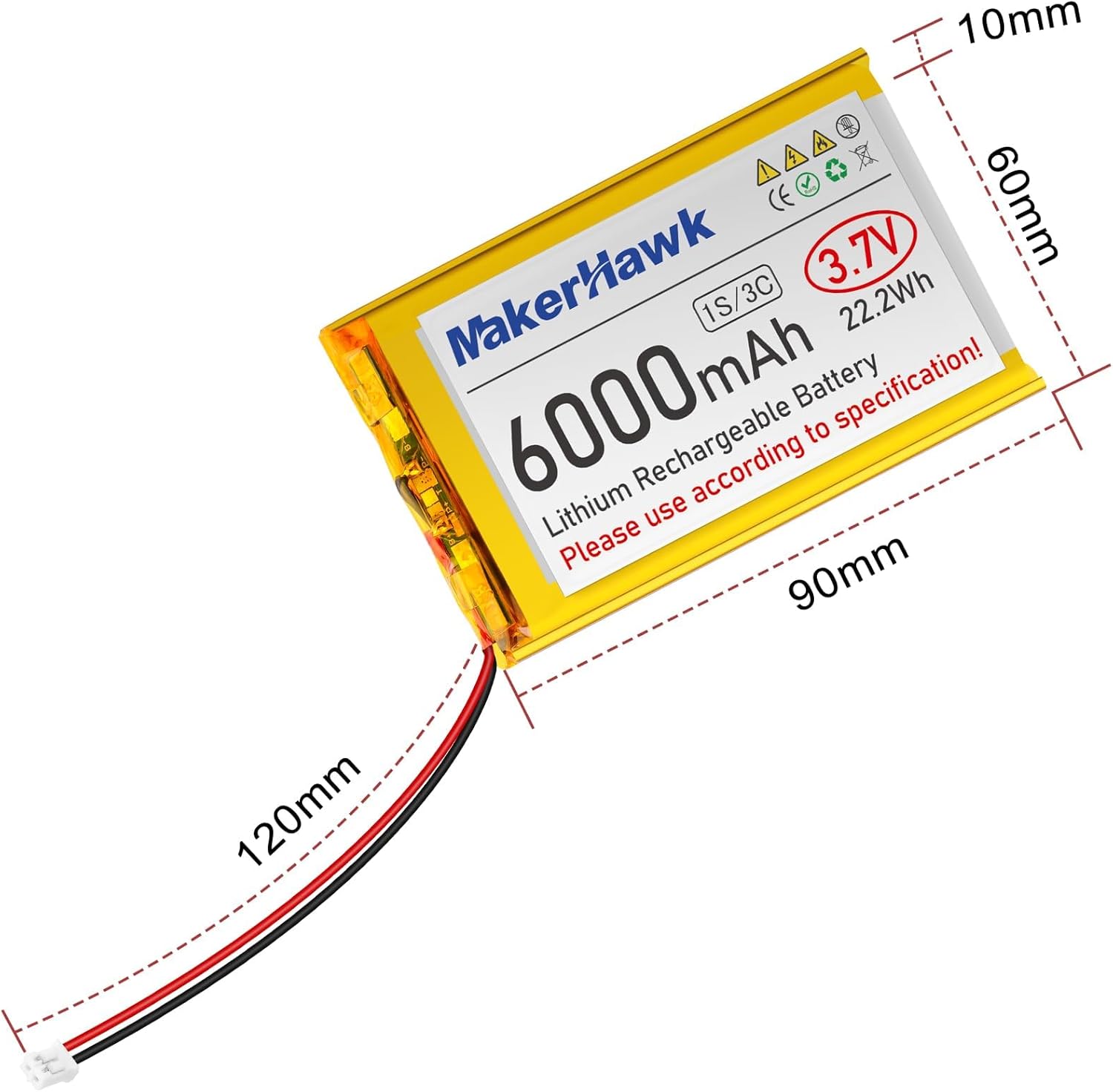
Image 6: Diagram showing the physical dimensions (length, width, thickness, and wire length) of the 6000mAh LiPo battery.
8. Warranty and Support
For warranty information, technical support, or any inquiries regarding your MakerHawk 3.7V 6000mAh LiPo Battery, please refer to the official MakerHawk website or contact their customer service directly. Contact details are typically available on the product packaging or the manufacturer's official online channels.
You can visit the MakerHawk Store on Amazon for more information and support resources.