1. Product Overview
The ESR MagSafe Power Bank with Kickstand is a Qi2 certified portable charger designed to provide fast and reliable power to your compatible devices. It features a 10,000mAh battery capacity, an intelligent LED display, and a versatile built-in kickstand for convenient viewing.

Image: The ESR MagSafe Power Bank with Kickstand, showcasing its sleek design and integrated stand.
2. What's Included
- 1 x ESR Qi2 15W Portable Charger (Model: 2G524)
- 1 x 2.0-ft (0.6 m) USB-C to USB-C Cable
- 1 x Instruction Manual

Image: Contents of the product packaging, including the power bank and USB-C cable.
3. Setup
3.1 Initial Charging of the Power Bank
Before first use, fully charge your ESR MagSafe Power Bank. Connect the provided USB-C to USB-C cable to the power bank's USB-C port and to a compatible power adapter (not included). The LED display will show the charging progress.
3.2 Activating the LED Display
Press the power button located on the side of the power bank to activate the intelligent LED display. This display shows the current battery percentage and charging status.

Image: Close-up of the power bank's LED display indicating 99% battery charge.
3.3 Setup Video Guide
For a quick visual guide on setting up your power bank, please refer to the official setup video:
Video: An unboxing and initial setup guide for the ESR Qi2 10,000mAh MagSafe Battery Pack with Kickstand.
4. Operating Instructions
4.1 Wireless MagSafe Charging
The power bank features Qi2 certified 15W MagSafe wireless charging. Simply align your compatible iPhone (12 series or later) or other MagSafe-compatible device to the magnetic charging surface on the power bank. The strong 1,200g magnetic force ensures a secure connection.
- Compatibility: iPhone 17/iPhone Air/iPhone 17 Pro/iPhone 17 Pro Max/16/15/14/13/12 series and Google Pixel 10/Google Pixel 10 Pro/Google Pixel 10 Pro XL.
- Note: Samsung and Android devices with non-magnetic cases do not support MagSafe wireless charging. Qi2 15W fast charging is not supported for Samsung and Android devices.

Image: Demonstrates the strong magnetic connection between the power bank and a smartphone.
4.2 Wired USB-C Charging
You can charge two devices simultaneously: one wirelessly via MagSafe and another via the 27W USB-C port. Connect your device to the USB-C port using a compatible cable.
- Compatibility: Samsung and Android devices without wireless charging can utilize 27W USB-C wired charging.

Image: The power bank connected to a smartphone via a USB-C cable for wired charging.
4.3 Using the Built-in Kickstand
The integrated kickstand allows for adjustable viewing angles (between 45° and 70°), perfect for watching videos, making video calls, or browsing content while your device charges.
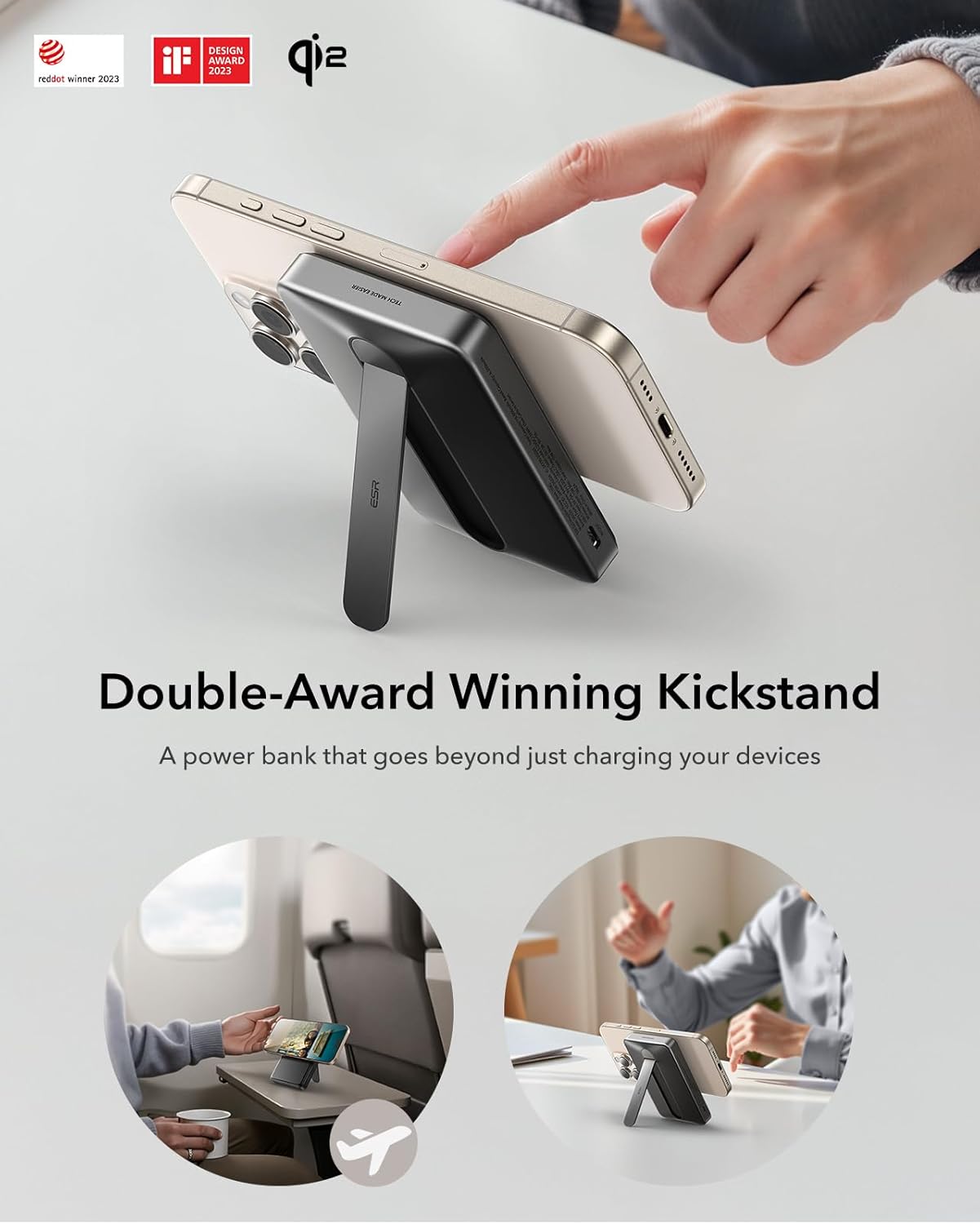
Image: A smartphone is propped up by the power bank's kickstand, demonstrating its viewing functionality.
Video: Demonstrates the ESR MagSlim Magnetic 10,000mAh Power Bank's kickstand feature and magnetic attachment.
Video: Highlights the versatility of the 10,000mAh kickstand portable battery for various uses.
5. Maintenance and Safety
5.1 Heat Dissipation and Overheating Prevention
The power bank incorporates a built-in NTC sensor, AI algorithm, and graphene heat dissipation technology to actively monitor charging temperatures. This prevents overcharging and overheating, ensuring safe device protection and compliance with air travel regulations.
Image: Diagram illustrating the intelligent cooling technology with NTC sensors and AI algorithms.
5.2 General Safety Guidelines
- Recommended for use between 50°F (10°C) and 104°F (40°C).
- Store in a cool, dry place when not in use.
- Avoid overcharging the power bank or connected devices.
- Charge the power bank regularly to maintain battery health.
- Always use the original USB-C to USB-C cable provided to charge the power bank.
5.3 iOS Charging Tips
With iOS 17, your iPhone may temporarily pause charging at 80% if it detects overheating. This is a protective measure for your battery. Charging will resume once the device cools down. Moving your iPhone to a cooler location can help speed up this process.
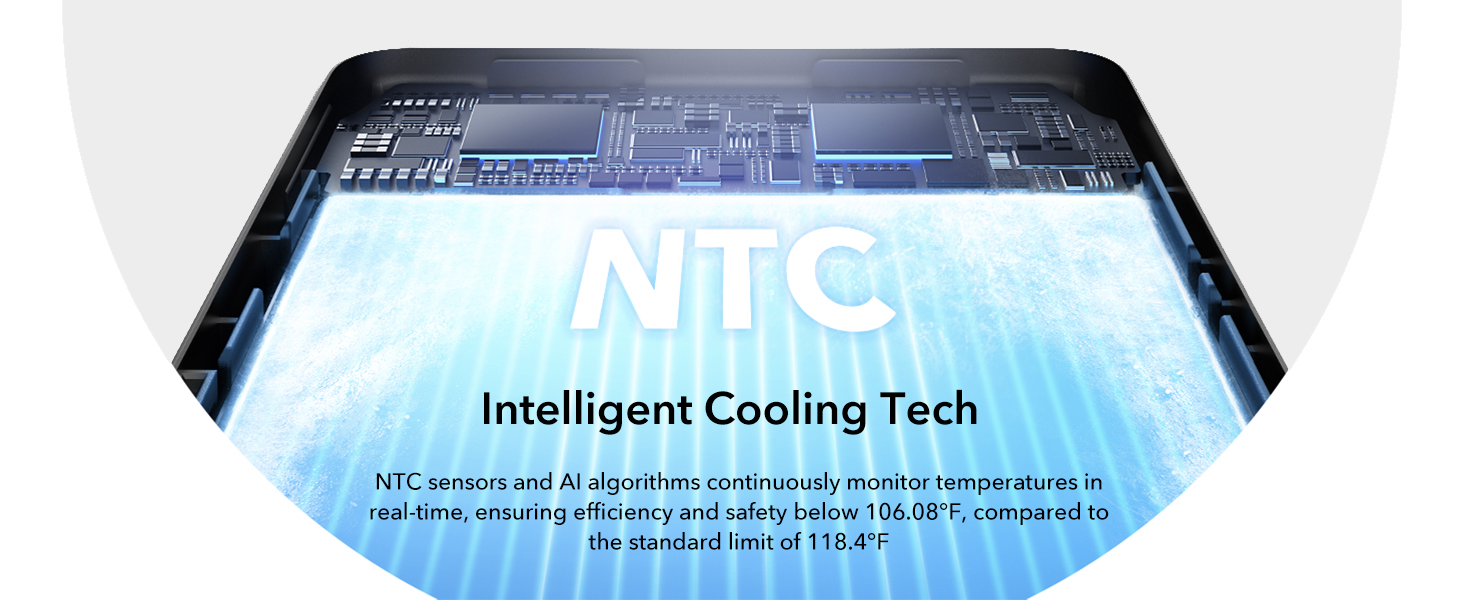
Image: An iPhone screen displaying a message about charging being on hold due to temperature.
6. Troubleshooting
6.1 Device Not Charging Wirelessly
- Ensure your device is MagSafe compatible (iPhone 12 series or later) or has a MagSafe-compatible case.
- Check if the power bank has sufficient charge.
- Verify proper alignment of your device on the power bank's magnetic charging surface.
6.2 Slow Charging Speed
- For optimal wireless charging, ensure your device supports Qi2 15W fast charging.
- When using wired charging, ensure your cable and wall adapter support 27W Power Delivery.
- Note that Samsung and Android devices do not support Qi2 15W fast wireless charging.
6.3 Power Bank Overheating
- If your device or power bank feels excessively hot, temporarily discontinue charging.
- Move the device and power bank to a cooler environment.
- Ensure there are no obstructions blocking the power bank's heat dissipation areas.
7. Specifications
| Model Number | 2G524 |
| Battery Capacity | 10,000 Milliamp Hours |
| Wireless Charging Output | Qi2 Certified 15W |
| Wired Charging Output | 27W USB-C |
| Product Dimensions | 4.13 x 2.66 x 0.85 inches |
| Item Weight | 7.7 ounces |
| Connectivity Technologies | USB, Magnetic Wireless Charging |
| Special Features | Fast Charging, Wireless Charging, LED Display, Kickstand |
| Color | Black |
8. Warranty and Support
ESR offers comprehensive customer support for your product. This includes:
- Detailed setup videos and FAQs.
- A comprehensive 24-month protection plan.
- Lifetime support.
- Personalized help.
For further assistance, please visit the official ESR website or contact their customer service directly.


