
1. Introduction
Thank you for choosing the ecozy Smart Ice Maker. This manual provides essential information for the safe and efficient operation, maintenance, and troubleshooting of your new appliance. Please read it thoroughly before first use and retain it for future reference.

Image: The ecozy Smart Ice Maker, showcasing its design, ice production, and the accompanying mobile application interface.
2. Safety Instructions
To reduce the risk of fire, electric shock, or injury, always follow these basic safety precautions:
- Ensure the power supply matches the voltage specified on the appliance.
- Do not immerse the appliance, power cord, or plug in water or other liquids.
- Unplug the ice maker from the outlet when not in use, before cleaning, and before servicing.
- Do not operate any appliance with a damaged cord or plug, or after the appliance malfunctions or has been damaged in any manner.
- Keep the appliance away from heat sources and direct sunlight.
- Use only potable water in the ice maker.
- Do not block any ventilation openings.
3. Product Overview
The ecozy Smart Ice Maker is a portable countertop appliance designed for convenient ice production. It features smart controls via a mobile app and voice commands, a self-cleaning function, and the ability to produce bullet-shaped ice in two sizes.
Components:
- Ice Maker Unit
- Ice Basket
- Ice Scoop
- Water Reservoir (internal)
- Control Panel (on top of unit)
4. Setup
4.1 Unpacking
- Remove all packaging materials and accessories.
- Inspect the ice maker for any damage. If damaged, do not operate and contact customer support.
4.2 Placement
- Place the ice maker on a flat, stable surface, away from direct sunlight and heat sources.
- Ensure there is at least 4 inches (10 cm) of space around the unit for proper ventilation.
4.3 Initial Cleaning
Before first use, clean the interior of the ice maker. Refer to the 'Maintenance' section for detailed cleaning instructions.
4.4 Water Filling
- Open the lid of the ice maker.
- Fill the water reservoir with potable water up to the 'MAX' fill line. Do not overfill.
- Close the lid securely.
5. Operating Instructions
5.1 Powering On and Ice Production
- Plug the ice maker into a grounded electrical outlet.
- Press the 'POWER' button on the control panel to turn on the unit.
- Select your desired ice size (Small or Large) using the 'SIZE' button. The ice maker will begin producing ice in approximately 6-8 minutes.

Image: The ecozy Smart Ice Maker highlighting its rapid ice production capability, making ice in approximately 6 minutes.
5.2 App and Voice Control
The ecozy Smart Ice Maker can be controlled remotely via a smartphone app and voice commands (e.g., Alexa).
- Download the ecozy app from your smartphone's app store.
- Follow the in-app instructions to connect your ice maker to your Wi-Fi network and pair it with the app.
- Once connected, you can use the app to start/stop ice production, select ice size, and schedule operations.
- To enable voice control, link the ecozy skill/device in your smart home assistant app (e.g., Amazon Alexa).

Image: A user interacting with the ecozy Smart Ice Maker using voice commands through Alexa.

Image: The ecozy mobile application interface, demonstrating remote control capabilities for the ice maker.
5.3 App Alerts & Scheduling
- The app provides real-time notifications for low water levels or when the ice bin is full.
- You can schedule ice production up to 24 hours in advance using the app, ensuring ice is ready when needed.

Image: Examples of smart notifications and reminders provided by the ecozy app, alerting users to operational status.
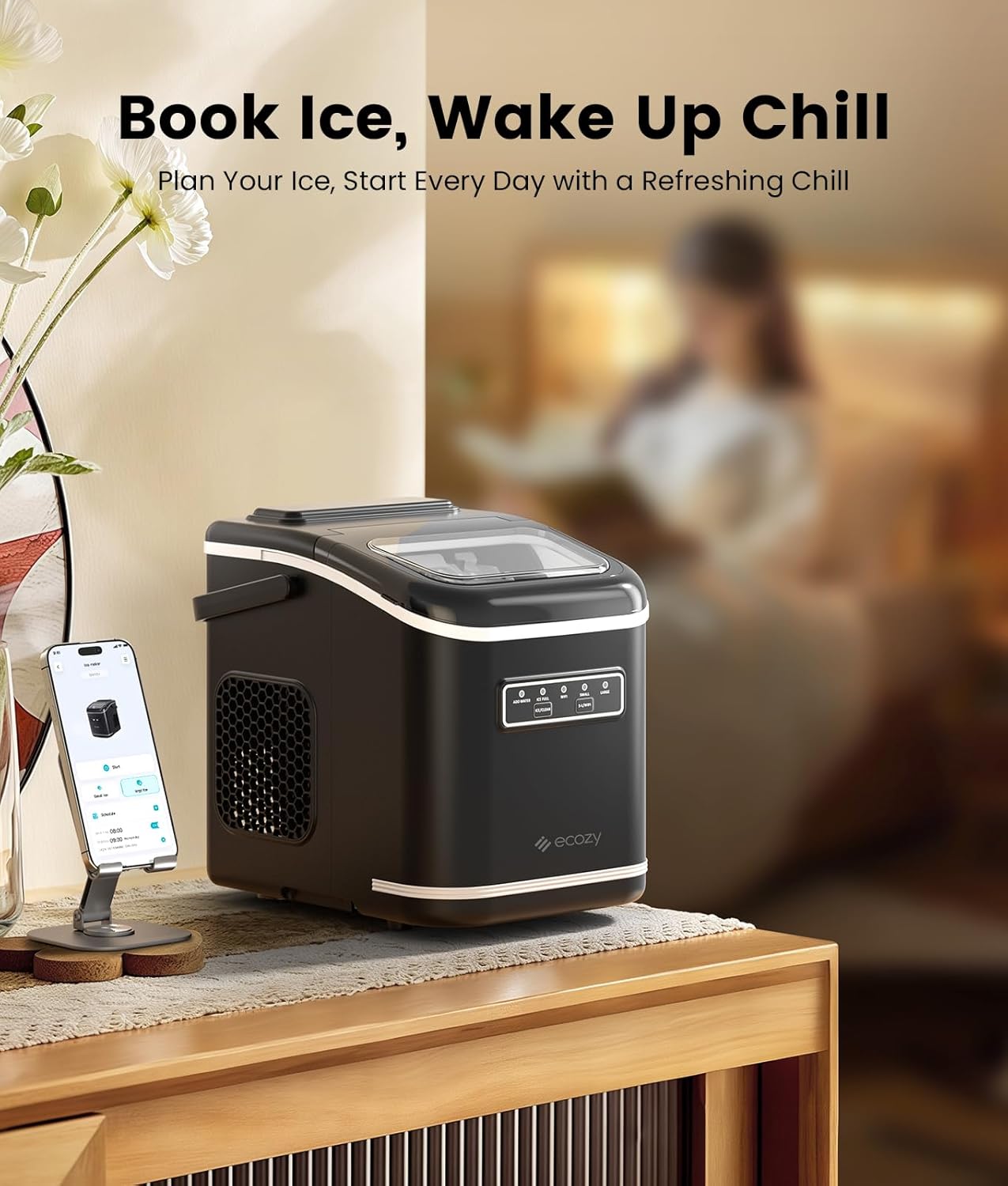
Image: The ecozy Smart Ice Maker with a smartphone showing the scheduling feature, allowing users to plan ice production.
6. Maintenance
6.1 Automatic Self-Cleaning
The ice maker features a one-touch self-cleaning function to maintain hygiene and prevent limescale buildup.
- Ensure the water reservoir is filled with clean water.
- Press and hold the 'CLEAN' button (or activate via app) to start the self-cleaning cycle.
- Once the cycle is complete, drain the water from the unit.

Image: Visual representation of the automatic self-cleaning mechanism within the ecozy Smart Ice Maker.
6.2 Regular Cleaning
- Wipe the exterior with a soft, damp cloth.
- Clean the ice basket and ice scoop with mild detergent and rinse thoroughly.
- For internal cleaning beyond the self-clean cycle, use a solution of water and vinegar, run a cycle, then drain and rinse with clean water.
6.3 Storing Ice
The ice maker is not a freezer. Ice cubes will melt if left in the basket for extended periods. For long-term storage, transfer ice cubes to an ice bag and store them in a freezer.
7. Troubleshooting
| Problem | Possible Cause | Solution |
|---|---|---|
| Ice maker not producing ice | No water in reservoir; Power issue; Ambient temperature too high | Add water; Check power connection; Ensure proper ventilation |
| Ice cubes are too small or soft | Water temperature too high; Ambient temperature too high | Use colder water; Move to a cooler location |
| "ADD WATER" indicator on | Water level is low | Fill the water reservoir up to the MAX line |
| "ICE FULL" indicator on | Ice basket is full | Remove ice from the basket |
8. Specifications
| Feature | Specification |
|---|---|
| Brand | ecozy |
| Model Name | IM-BS261B |
| Product Dimensions (D x W x H) | 8.7" x 11.41" x 11.57" |
| Capacity | 26 Pounds (ice production per 24 hours) |
| Wattage | 115 Watt-hours |
| Ice Type | Bullet Ice (Small/Large) |
| Control | App Remote, Voice Control (Alexa), Manual Buttons |
| Special Features | Self-Cleaning, App Alerts, Scheduling |

Image: The ecozy Smart Ice Maker with its key dimensions clearly marked for reference.
9. Warranty and Support
For warranty information or technical support, please refer to the contact details provided with your purchase or visit the official ecozy website. Keep your proof of purchase for warranty claims.
