
1. Introduction
Thank you for purchasing the Shark EVOPOWER SYSTEM NEO LC301J Cordless Stick Vacuum Cleaner. This manual provides essential information for the safe and efficient use of your new appliance. Please read it thoroughly before operation and retain it for future reference.
The Shark EVOPOWER SYSTEM NEO LC301J is a lightweight, powerful cordless stick vacuum cleaner designed for versatile cleaning. It features strong suction and a unique 'Hybrid Power Clean' head to effectively remove dirt, hair, and pet fur without tangling. The integrated 'Smart iQ Technology' automatically adjusts cleaning modes for optimal performance.
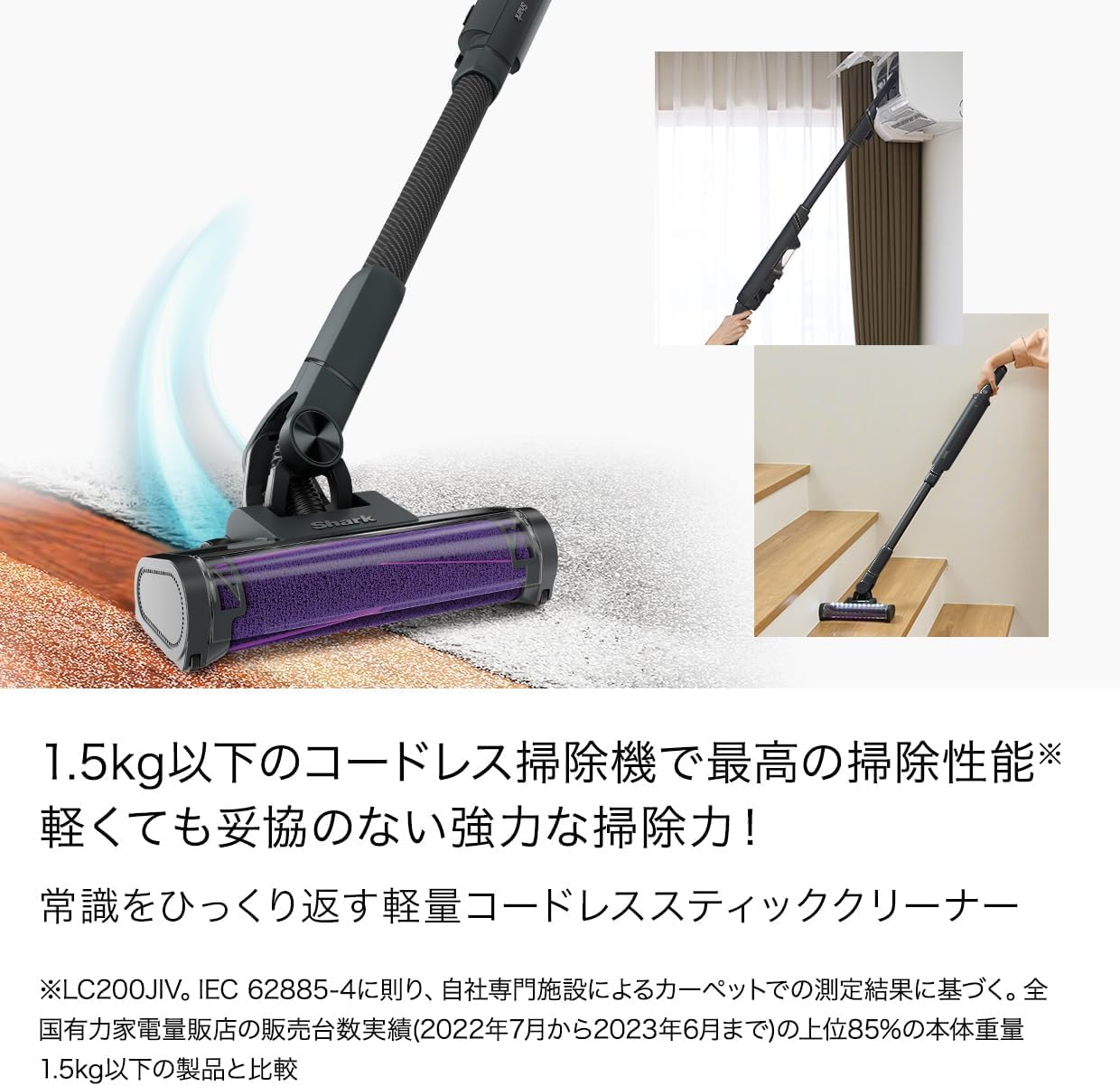
Image: The Shark EVOPOWER SYSTEM NEO LC301J in action, demonstrating its versatility for floor and elevated cleaning.
2. Product Components
Your Shark EVOPOWER SYSTEM NEO LC301J package includes the following components:
- Main Unit (Handheld Vacuum)
- Extension Wand
- PowerFins HairPro Floor Nozzle with Hybrid Power Clean Brushroll
- Charging Dock
- Power Adapter
- Soft Brush Attachment
- Scrubbing Brush Attachment
- Crevice Tool (if included in your specific accessory set)

Image: Included accessories: Soft Brush and Scrubbing Brush.
Soft Brush: This soft brush gently removes dust and debris from delicate surfaces such as shelves, tables, and window frames.
Scrubbing Brush: The scrubbing brush is designed to scrape dirt from carpets and floor mats. It is also convenient for cleaning car interiors.
3. Setup
3.1 Assembly
- Insert the extension wand into the PowerFins HairPro floor nozzle until it clicks securely into place.
- Attach the main unit (handheld vacuum) to the top of the extension wand, ensuring it clicks firmly.
- For handheld use, attach desired accessories directly to the main unit.

Image: Fully assembled Shark EVOPOWER SYSTEM NEO LC301J.
3.2 Charging the Battery
Before first use, fully charge the battery. The battery can be charged while attached to the vacuum or separately.
- Place the vacuum onto the charging dock, ensuring the charging contacts align.
- Connect the power adapter to the charging dock and then to a power outlet.
- The battery indicator lights will illuminate to show charging status. A full charge typically takes approximately 3.5 hours.

Image: Handheld unit charging on its stand.
4. Operating Instructions
4.1 Power On/Off
Press the power button located on the main unit to turn the vacuum on or off.
4.2 Cleaning Modes and Smart iQ Technology
The LC301J is equipped with Smart iQ Technology, which uses two sensors to automatically adjust the cleaning mode based on the surface and debris level. This ensures efficient cleaning without manual mode selection.

Image: Floor nozzle with LED lights and Smart iQ indicator.
4.3 Using Attachments
To use accessories, detach the main unit from the extension wand and attach the desired tool directly. This allows for versatile cleaning of upholstery, stairs, crevices, and other hard-to-reach areas.

Image: Handheld mode for targeted cleaning.
5. Maintenance
Regular maintenance ensures optimal performance and extends the life of your vacuum cleaner.
5.1 Emptying the Dust Cup
- Ensure the vacuum is turned off.
- Press the dust cup release button and remove the dust cup from the main unit.
- Hold the dust cup over a trash bin and press the empty button to release the bottom flap.
- Close the flap and reattach the dust cup to the main unit until it clicks.
5.2 Cleaning the Brush Roll
The Hybrid Power Clean brush roll is designed to prevent hair tangles. However, occasional inspection and cleaning are recommended.
- Ensure the vacuum is off and disconnected from the charger.
- Access the brush roll by opening the latch on the side of the floor nozzle.
- Remove any debris or tangled hair. The design minimizes tangles, but long strands may occasionally wrap around.
- Reinsert the brush roll and close the latch securely.

Image: The Hybrid Power Clean brush roll effectively prevents hair tangles.
5.3 Cleaning Filters
Rinse the pre-motor filters regularly (monthly) and the post-motor filter (annually) with cold water. Allow them to air dry completely for at least 24 hours before reinstalling.
6. Troubleshooting
If you encounter issues, refer to the table below for common problems and solutions.
| Problem | Possible Cause | Solution |
|---|---|---|
| Vacuum does not turn on | Battery not charged Battery not properly inserted | Charge the battery fully Ensure battery is securely clicked into place |
| Loss of suction | Dust cup full Filters clogged Blockage in nozzle or wand | Empty dust cup Clean or replace filters Remove any blockages |
| Brush roll not spinning | Blockage in brush roll area Brush roll cover not closed properly | Remove debris from brush roll Ensure brush roll cover is securely latched |
| Battery indicator flashing | Low battery Overheating | Recharge battery Allow vacuum to cool down before use |
7. Specifications
| Feature | Detail |
|---|---|
| Brand | Shark |
| Model Number | LC301J (EVOPOWER NEO Series) |
| Power Source | Battery-powered |
| Form Factor | Stick |
| Color | Blue Black |
| Item Dimensions (L x W x H) | 16 x 22.8 x 104 cm |
| Country of Origin | China |
| Manufacturer | SharkNinja |
8. Warranty and Support
For warranty information, please refer to the warranty card included with your product or visit the official Shark website. Keep your purchase receipt as proof of purchase for warranty claims.
If you require technical assistance or have questions not covered in this manual, please contact Shark customer support. Contact details can typically be found on the official Shark website or on your product packaging.