
Oraolo R2212
Oraolo Portable Bluetooth Speaker BS02 Instruction Manual
Model: R2212
Introduction
Thank you for choosing the Oraolo Portable Bluetooth Speaker. This manual provides essential information for setting up, operating, and maintaining your speaker to ensure optimal performance and longevity. Please read it thoroughly before use.
What's in the Box
- Oraolo Portable Bluetooth Speaker (Model: R2212)
- USB-C Charging Cable
- User Manual
Product Features

Durable and Water-Resistant Design
The speaker features a robust design with IPX6 water resistance, making it suitable for outdoor use. It can withstand splashes and light rain, but should not be submerged in water.
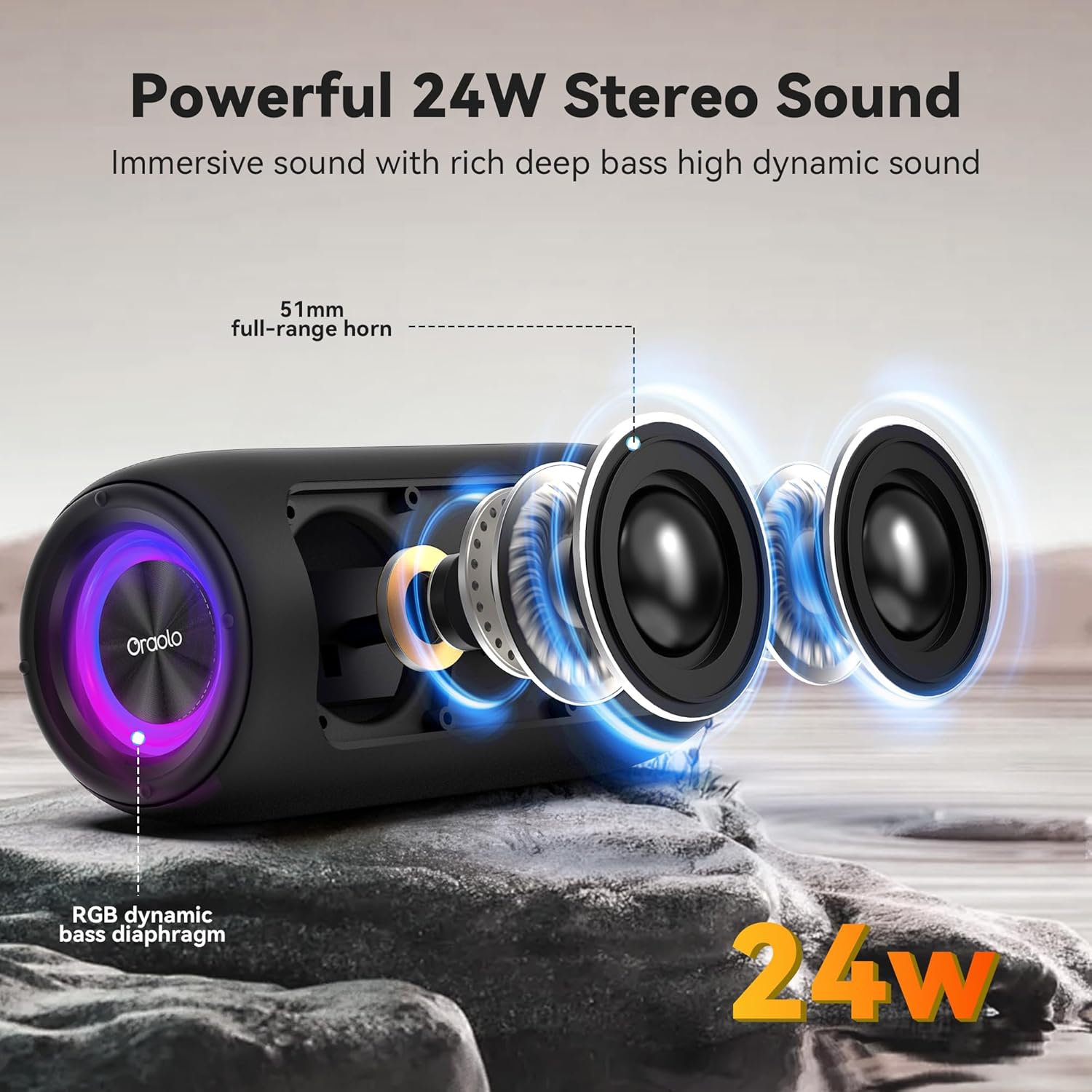
24W Loud Stereo Sound
Equipped with 51mm full-range horns and an RGB dynamic bass diaphragm, this speaker delivers 24 watts of powerful stereo sound with rich, deep bass and high dynamic range.

RGB Party Lights Show
Enhance your listening experience with 8 colors of LED lights, offering various modes including solid color, breath gradient, and blinking effects.
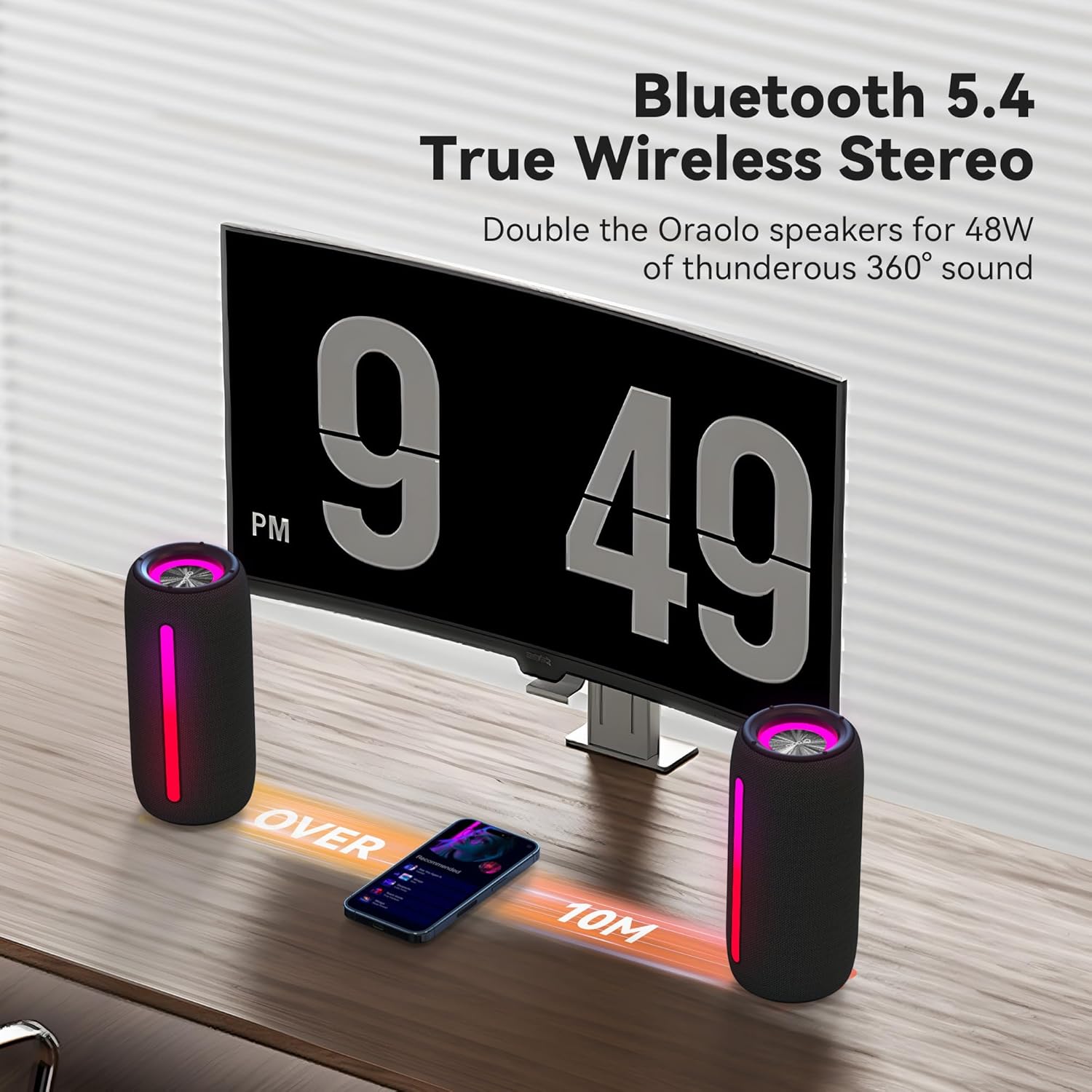
Bluetooth 5.4 and True Wireless Stereo (TWS)
Utilizes the latest Bluetooth 5.4 for stable and efficient wireless connection. Supports TWS pairing, allowing you to connect two Oraolo speakers for a combined 48W of thunderous 360° sound.

Multiple Inputs & Compatibility
Offers versatile connectivity options including Type-C for charging, AUX-in for wired connections, TF Card slot for direct music playback, and a USB port.

10 Hours Extended Playtime
Enjoy up to 10 hours of continuous music playback at 50% volume with the lights off, ensuring your party or outdoor adventure lasts longer.
Setup
1. Charging the Speaker
Before first use, fully charge the speaker. Connect the provided USB-C cable to the speaker's Type-C port and the other end to a compatible USB power adapter (not included). The charging indicator light will show charging status.
2. Powering On/Off
Press and hold the Power button (⏻) for 2-3 seconds to turn the speaker on or off. You will hear an audible prompt.
3. Bluetooth Pairing
- Turn on the speaker. It will automatically enter Bluetooth pairing mode, indicated by a blinking light.
- On your device (smartphone, tablet, etc.), enable Bluetooth and search for "Oraolo BS02" in the list of available devices.
- Select "Oraolo BS02" to connect. Once connected, you will hear a confirmation sound.
- The speaker will automatically reconnect to the last paired device when powered on, if the device's Bluetooth is active and within range.
4. True Wireless Stereo (TWS) Pairing (Optional)
To achieve 360° stereo sound, you can pair two Oraolo BS02 speakers together:
- Ensure both speakers are powered on and not connected to any other Bluetooth device.
- On one speaker (this will be the primary speaker), short press the 'M' button twice to initiate TWS pairing.
- The speakers will automatically search for and connect to each other. Once paired, you will hear a confirmation sound.
- Connect your device to the primary speaker via Bluetooth as described in step 3. Both speakers will now play audio in stereo.
Operating Instructions
Control Buttons Overview
| Button | Short Press | Long Press | Twice Press |
|---|---|---|---|
| ⏻ (Power) | Play / Pause | Power ON / OFF | Phone Call Option |
| + (Volume Up) | Volume Up | Next Track | |
| - (Volume Down) | Volume Down | Previous Track | |
| ☀ (Light) | Light Change | Light ON / OFF | |
| M (Mode) | Input Mode | Bluetooth Mode | TWS Pairing |
Playing Audio from Different Sources
- Bluetooth Mode: After successful pairing, audio will stream wirelessly from your connected device.
- AUX-in Mode: Connect an audio device using a 3.5mm AUX cable (not included) to the AUX-in port. The speaker will automatically switch to AUX mode.
- TF Card Mode: Insert a TF (Micro SD) card with music files into the TF card slot. The speaker will automatically detect and play music from the card.
- USB Mode: Insert a USB flash drive with music files into the USB port. The speaker will automatically detect and play music from the drive.
- To switch between input modes, short press the 'M' button.
Maintenance
- Keep the speaker clean by wiping it with a soft, dry cloth.
- Avoid using harsh chemicals or abrasive cleaners.
- Ensure the port cover is securely closed when near water to maintain IPX6 water resistance.
- Store the speaker in a cool, dry place when not in use.
- Do not expose the speaker to extreme temperatures or direct sunlight for prolonged periods.
Troubleshooting
| Problem | Possible Solution |
|---|---|
| Speaker does not turn on. | Ensure the speaker is charged. Connect it to a power source using the USB-C cable. |
| Cannot pair via Bluetooth. |
|
| No sound or low volume. |
|
| TWS pairing fails. |
|
Specifications
| Feature | Detail |
|---|---|
| Model Name | R2212 |
| Speaker Type | Outdoor |
| Speaker Maximum Output Power | 24 Watts |
| Connectivity Technology | Bluetooth 5.4 |
| Audio Output Mode | Stereo |
| Battery Life | Up to 10 hours (at 50% volume, lights off) |
| Water Resistance | IPX6 |
| Product Dimensions | 3.9 x 3.9 x 7.8 inches |
| Item Weight | 1.54 pounds |
| Compatible Devices | Smartphone, Tablet, MP3 Player, Desktop, Television, Projector, Laptop |
| Input Ports | Type-C (charging), AUX-in, TF Card, USB |
Warranty & Support
For warranty information and customer support, please refer to the product packaging or visit the official Oraolo website. Keep your purchase receipt for warranty claims.
Related documentsR2212


Ask a question about this manual
Ask about setup, troubleshooting, compatibility, parts, safety, or missing instructions. Manuals+ will review the question and use this page’s manual context to help answer it.