
1. Product Overview
The ESR MagSafe Power Bank (Model 2G521) is a compact, portable charger designed for efficient wireless and wired charging of compatible devices. It features 15W MagSafe wireless charging, a 5,000mAh battery capacity, and advanced safety features.

Image 1.1: The ESR MagSafe Power Bank attached to an iPhone, demonstrating its ultra-slim profile and portability.
Key Features:
- 15W Fast Charging: Provides faster and more reliable charging for compatible iPhones.
- Ultra-Compact Design: Slim and lightweight, ideal for on-the-go use.
- Advanced Heat Dissipation: Built-in NTC sensor, AI algorithm, and graphene ensure safe charging by preventing overheating.
- Strong Magnetic Lock: 1,200g magnetic force securely holds the power bank to your device.
- Dual Charging Capability: Charge two devices simultaneously via 15W MagSafe wireless and 20W USB-C wired charging.
2. Package Contents
Please check the package for the following items:
- ESR MagSafe Portable Charger (15W, 5000mAh)
- USB-C to USB-C Cable (2.0-ft / 0.6 m)
- Instruction Manual
3. Setup and Initial Use
3.1 Charging the Power Bank
Before first use, fully charge your ESR MagSafe Power Bank. Use the provided USB-C to USB-C cable and a compatible 20W or higher USB-C power adapter (not included) for optimal charging speed.
- Connect one end of the USB-C to USB-C cable to the USB-C port on the power bank.
- Connect the other end of the cable to a USB-C power adapter.
- Plug the power adapter into a wall outlet.
- The indicator lights on the power bank will show the charging status. Once all lights are solid, the power bank is fully charged.
Note: It is recommended to use the original cable to charge the power bank.
4. Operating Instructions
4.1 Wireless Charging (MagSafe)
The power bank supports 15W MagSafe wireless charging for compatible devices.
- Ensure your device is compatible with MagSafe wireless charging (iPhone 12 series and later, except SE, mini series, 16e).
- Align the power bank with the back of your iPhone. The magnets will automatically snap it into place.
- Charging will begin automatically.

Image 4.1: Demonstrating 15W fast wireless charging with the ESR MagSafe Power Bank.
Note: Wireless charging is also compatible with AirPods 4/3 and AirPods Pro 2/Pro.
4.2 Wired Charging (USB-C)
The power bank features a 20W USB-C port for wired charging.
- Connect one end of a USB-C to USB-C cable (or appropriate cable for your device) to the power bank's USB-C port.
- Connect the other end to your device.
- Charging will begin automatically.
Note: Samsung and Android devices without wireless charging can only use 20W USB-C wired charging.
4.3 Simultaneous Charging
You can charge two devices simultaneously using both the 15W MagSafe wireless charging and the 20W USB-C wired charging.
4.4 Magnetic Compatibility
For optimal magnetic attachment and charging, ensure your device or case is compatible:
- Compatible: Magnetic cases (≤3 mm thickness).
- Not Compatible: Irregular-shaped cases, non-magnetic cases, grips/stands, metal accessories, wallets.

Image 4.2: The ESR MagSafe Power Bank is ultra-compact compared to other power banks.
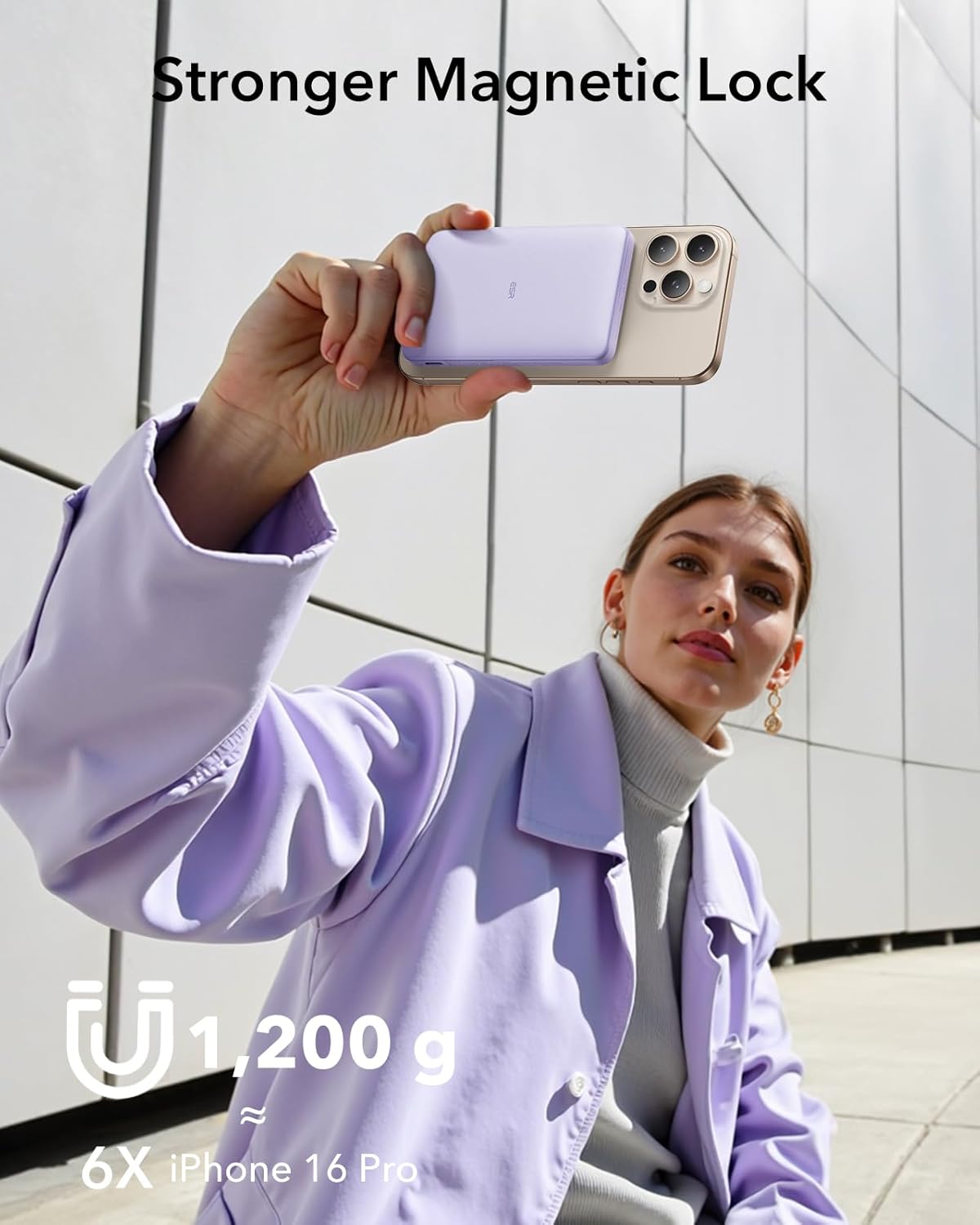
Image 4.3: The strong magnetic lock ensures the power bank stays securely attached to your device.

Image 4.4: Device and magnetic compatibility guidelines for the power bank.
5. Maintenance and Safety Guide
To ensure the longevity and safe operation of your power bank, please follow these guidelines:
- Operating Temperature: Recommended for use between 50°F and 104°F (10°C and 40°C).
- Storage: Store in a cool, dry place when not in use.
- Avoid Overcharging: Do not leave the power bank connected to a power source indefinitely after it is fully charged.
- Regular Charging: Charge the power bank regularly, even if not in use, to maintain battery health.
- Cable Usage: Use the original USB-C to USB-C cable provided or a certified equivalent to charge the power bank.
- Heat Dissipation: The power bank features intelligent cooling technology with NTC sensors and AI algorithms to monitor temperatures and prevent overheating.

Image 5.1: The power bank is designed for cooler and safer operation.

Image 5.2: Important safety guidelines for using the ESR MagSafe Power Bank.
6. Troubleshooting
6.1 Charging Stops at 80%
If your iPhone running iOS 17 pauses charging at 80%, this is a protective measure to prevent battery overheating. Charging will resume once the device cools down. To speed up this process, move your iPhone and power bank to a cooler location.

Image 6.1: Explanation for charging pausing at 80% on iOS 17 devices.
6.2 Device Not Charging
- Ensure the power bank is sufficiently charged.
- Check for proper alignment of the power bank with your device for wireless charging.
- Verify that your device is compatible with wireless charging or that the cable is securely connected for wired charging.
- Remove any non-magnetic cases, metal accessories, or wallets that may interfere with magnetic attachment or wireless charging.
- Try using a different charging cable or power adapter to charge the power bank itself.
7. Specifications
| Model Number | 2G521 |
| Battery Capacity | 5000 mAh |
| Wireless Charging Output | Up to 15W |
| USB-C Wired Charging Output | Up to 20W |
| Product Dimensions | 4.13 x 2.66 x 0.55 inches (10.5 x 6.75 x 1.4 cm) |
| Item Weight | 6.7 ounces (190 g) |
| Connector Type | USB Type C, Magnetic Wireless Charging |
| Special Features | Fast Charging, Wireless Charging, Intelligent Cooling, Strong Magnetic Lock |
8. Warranty and Support
ESR provides comprehensive customer support for this product:
- Protection Plan: A comprehensive 24-month protection plan is included.
- Lifetime Support: Enjoy lifetime support for your product.
- Personalized Help: Access personalized assistance for any issues or questions.
- Resources: Detailed setup videos and FAQs are available on the ESR website.
For further assistance, please visit the official ESR website or contact their customer service directly.
9. Product Video
Video 9.1: Official product video demonstrating the features and usage of the ESR MagSafe Power Bank.


