
1. Safety Information
Please read all safety instructions carefully before operating the KerryYoo K61 Electric Drift Go-Kart. Failure to follow these instructions may result in injury.
- Adult Supervision: Always ensure an adult supervises children during operation.
- Protective Gear: Riders must wear a helmet and other protective gear (e.g., knee pads, elbow pads) at all times.
- Age and Weight Limits: Suitable for children aged 6-12 years. Maximum weight capacity is 110 lbs (50 kg).
- Operating Environment: Use on flat, dry, paved surfaces away from traffic, pedestrians, and obstacles. Avoid slopes, wet conditions, or rough terrain.
- Seat Belt: Always use the adjustable seat belt to secure the rider.
- No Passengers: This go-kart is designed for a single rider only.
2. Product Overview
The KerryYoo K61 is an electric drift go-kart designed for recreational use by children. It features a robust motor, adjustable speed modes, and a length-adjustable seat.

Image: The KerryYoo K61 Electric Drift Go-Kart in gray, showcasing its sleek design and front LED lights.
Key Features:
- 24V 300W Motor: Provides smooth acceleration and supports high-performance drifting.
- 4 Speed Modes: Adjustable speed range between 4 and 8.5 MPH (Sport-High/Low, Drift-High/Low).
- Length Adjustable Seat: Three positions (20.75" to 26.5") to accommodate growing children aged 6 to 12.
- Durable Construction: High-strength steel frame and polypropylene body with front EVA tires and high-density, wear-resistant PP foam rear tires for drifting.
- Integrated Audio: Connect via USB, FM radio, or Bluetooth for music playback.
- LED Lighting: Features vibrant LED headlights and realistic brake lights.
3. Components and Controls

Image: Rear view of the go-kart highlighting the 300W motor and high-speed capabilities.
Main Components:
- Steering Wheel: Controls direction and features integrated audio controls.
- Accelerator Pedal: Located on the right, press to move forward.
- Brake Pedal: Located on the left, press to slow down or stop.
- Adjustable Seat: Allows for length adjustment to fit different rider heights.
- Power Button: Turns the go-kart on/off.
- Light Switch: Activates/deactivates LED headlights and brake lights.
- Speed Mode Switch: Toggles between high and low speed settings.
- Driving Mode Switch: Selects between Sport and Drift modes.
- Tires: Front EVA tires for grip, rear PP foam tires for drifting.

Image: Detailed view of the go-kart's adjustable seat mechanism and tire types.
4. Setup and Assembly
The KerryYoo K61 Go-Kart requires some assembly before first use. Follow the steps outlined in the video below for a smooth setup process.
Video: Detailed installation guide for the KerryYoo 24V Go Kart, demonstrating each step of the assembly process.
Assembly Overview:
- Unpack all components and verify against the parts list in your printed manual.
- Attach the front wheel assembly to the main chassis.
- Connect the steering column and steering wheel, ensuring all wires are properly connected.
- Install the rear wheels and secure them.
- Attach the rear spoiler.
- Connect the battery terminals (if not pre-connected).
- Ensure all screws and fasteners are tightened securely.
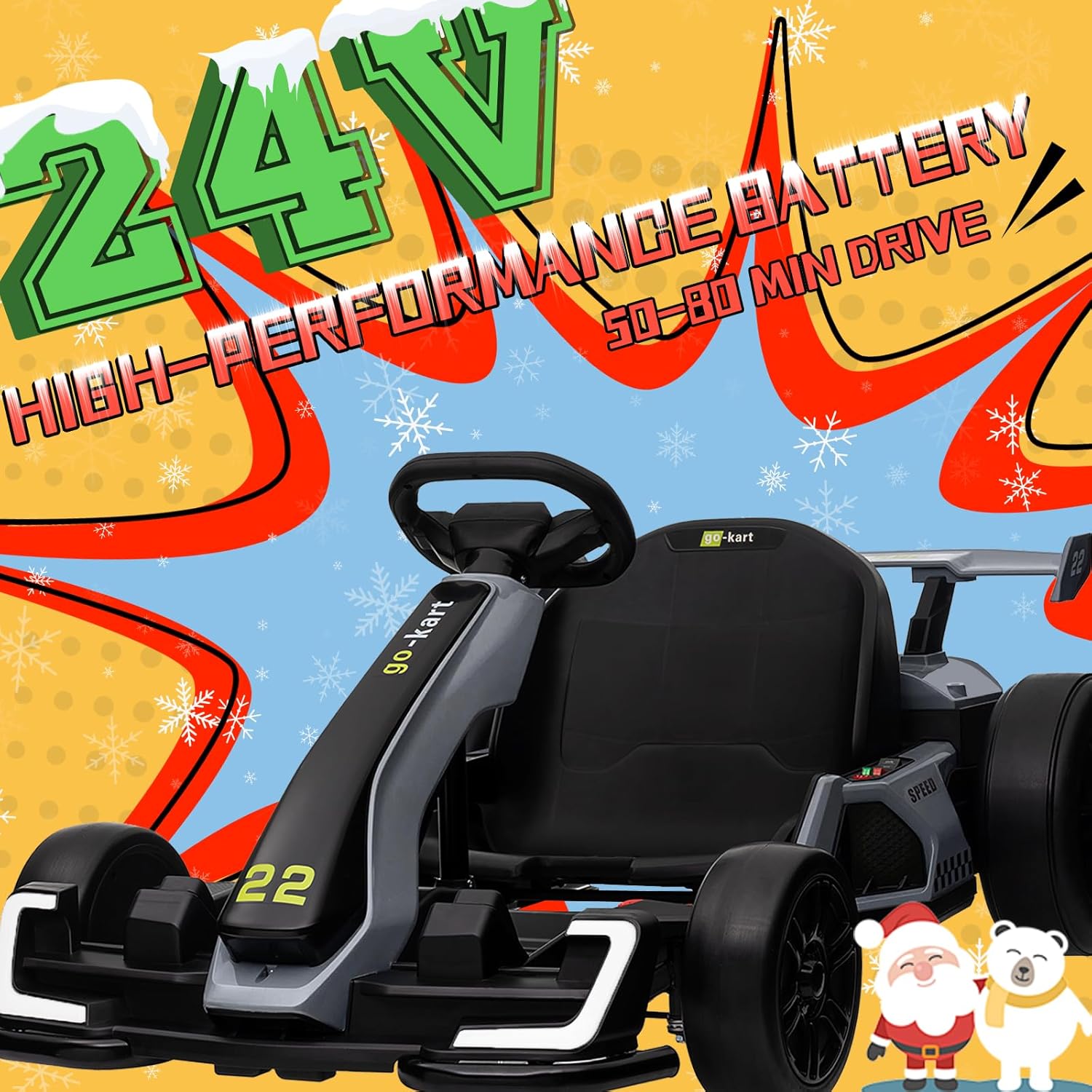
Image: Close-up of the 24V high-performance battery compartment, important for initial setup and charging.
5. Operating Instructions
Starting the Go-Kart:
- Ensure the go-kart is fully charged.
- Press the red power button to turn on the go-kart. You will hear a startup sound.
- Fasten the seat belt securely.
Driving Modes and Speed:
- Speed Modes: Use the speed mode switch to select between High and Low speed settings.
- Driving Modes: Use the driving mode switch to select between Sport mode (standard driving) and Drift mode (enables easier drifting).
- Acceleration: Press the right pedal to accelerate.
- Braking: Press the left pedal to brake.

Image: Close-up of the go-kart's control panel, showing the power button, light switch, speed mode, and driving mode selectors.
Audio Features:
The go-kart includes built-in audio support. You can connect your device via Bluetooth, use a USB drive, or tune into FM radio to play music while driving.
Video: A child demonstrating the KerryYoo 24V Go Kart in action, showcasing its speed and drift capabilities.
6. Maintenance
Battery Care:
- To maximize battery life, avoid fully draining it.
- Recharge the battery after each use.
- If the go-kart is not used regularly, charge the battery at least once per month.
- Proper battery care ensures long-lasting performance.
General Cleaning:
- Wipe down the go-kart with a damp cloth after use.
- Avoid using harsh chemicals or abrasive cleaners.
- Keep the go-kart dry and store it in a cool, dry place.
7. Troubleshooting
Go-Kart Not Moving Forward/Backward:
If your go-kart is unable to move forward or backward, and you've ensured the battery, charger, and switch button are all undamaged, the control button or receiver may need to be replaced.
Video: Instructions on how to test if the forward/reverse button on a KerryYoo Go-Kart is damaged.
Replacing the Receiver:
If detaching the switch doesn't solve the issue, the receiver may need to be replaced. The receiver is located at the bottom of the go-kart.
Video: A guide on how to replace the receiver on a KerryYoo Go-Kart.
8. Specifications
| Feature | Detail |
|---|---|
| Product Dimensions | 47.7 x 30 x 22 inches |
| Item Weight | 54 pounds |
| Recommended Age | 6 years and up |
| Weight Capacity | 110 lbs |
| Motor | 24V 300W |
| Speed Modes | 4-8.5 MPH (Sport-High/Low, Drift-High/Low) |
| Battery Life | 40-70 minutes of driving range |
9. Warranty and Support
For any issues not covered in this manual, or if you require replacement parts, please contact KerryYoo customer service. Our dedicated team is available to assist you with product support and service inquiries.
Please refer to your purchase documentation for specific warranty terms and contact information.