
HP Envy 2-in-1 16-inch Laptop User Manual
Model: HP - Envy
Introduction
This manual provides essential information for setting up, operating, maintaining, and troubleshooting your HP Envy 2-in-1 16-inch laptop. Please read this guide thoroughly to ensure optimal performance and longevity of your device.
What's in the Box
Verify that all items are present in the packaging:
- HP Envy 2-in-1 16-inch Laptop
- AC Power Adapter
- Battery (integrated)
- Documentation
- Mouse Pad
Setup
1. Initial Power-On and Charging
Before first use, connect the AC power adapter to the laptop and a power outlet. Allow the battery to charge sufficiently. The laptop can be used while charging.

Image: The HP Envy 2-in-1 16-inch laptop being used for productivity, highlighting its multitasking capabilities.
2. Windows 11 Pro Setup
Upon first power-on, follow the on-screen instructions to complete the Windows 11 Pro operating system setup. This includes setting up your user account, network connection, and privacy settings.
3. Connecting Peripherals
Connect the included mouse pad and any other external devices such as a mouse or keyboard to the available USB ports.

Image: A detailed view of the laptop's side ports, including USB Type-A, HDMI 2.1, USB Type-C (with Power Delivery and DisplayPort 1.4a), and a headphone/microphone combo jack.
Operating Your Laptop
1. Power On/Off and Sleep
- Power On: Press the power button.
- Power Off: Go to Start Menu > Power > Shut down.
- Sleep: Close the lid or go to Start Menu > Power > Sleep. The laptop features hibernation detection to prevent battery drain when placed in a carrying bag.
2. 2-in-1 Design and Touchscreen
The HP Envy is a versatile 2-in-1 device, allowing you to switch between laptop, tent, stand, and tablet modes. The 16-inch Wide Ultra XGA (1920 x 1200) display is a touchscreen, enabling direct interaction with the screen using your fingers.

Image: The laptop in tent mode, showcasing its WUXGA touchscreen display, AMD FreeSync technology for fluid visuals, and Poly Studio Audio with dual speakers.
3. Keyboard and Camera
- Backlit Keyboard: Adjust keyboard backlight settings through Windows or dedicated function keys for comfortable typing in various lighting conditions.
- 5MP IR Camera: The integrated 5MP IR camera supports high-quality video calls (up to 2592x1944 resolution) and Windows Hello facial recognition.
- Camera Shutter: For privacy, use the physical camera shutter to block the camera lens when not in use.
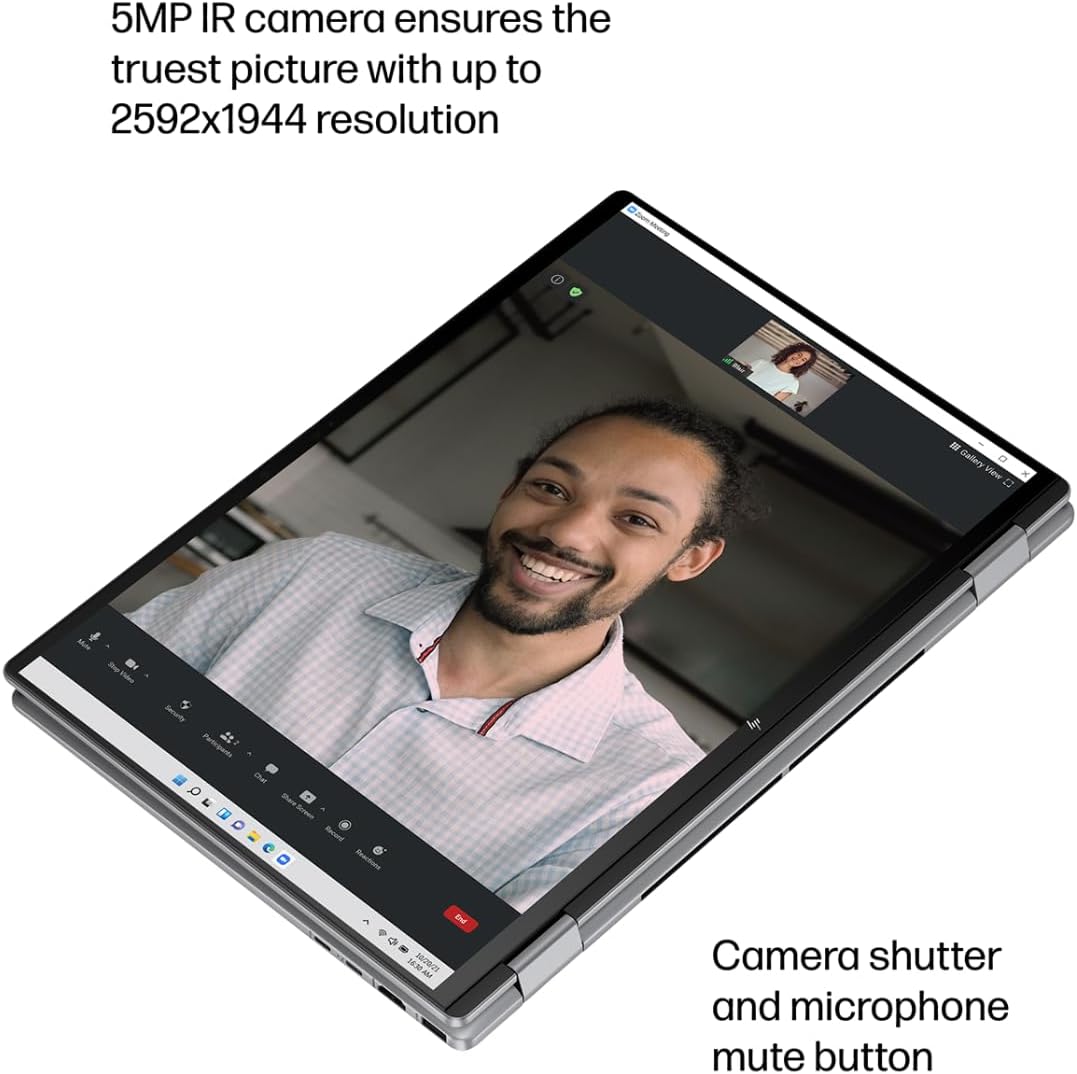
Image: The laptop in tablet mode during a video call, emphasizing the 5MP IR camera for clear visuals and the camera shutter for privacy.
4. Audio
The laptop features Poly Studio Audio with dual speakers, providing enhanced sound quality for communication and entertainment.
5. Connectivity
- Wi-Fi 6E: Connect to high-speed wireless networks.
- Bluetooth 5.3: Pair with wireless accessories like headphones, mice, and keyboards.
- Ports: Utilize the USB Type-A, USB Type-C (supporting Power Delivery and DisplayPort 1.4a), and HDMI 2.1 ports for external devices and displays.
6. Windows Copilot
Access the AI-powered intelligent assistant, Windows Copilot, by pressing the dedicated Copilot key. Use it for summarizing documents, basic image generation, and text, voice, or image-based chat.
Maintenance
1. Cleaning
- Use a soft, lint-free cloth to clean the screen and exterior surfaces.
- Avoid harsh chemicals or abrasive materials.
- Ensure the laptop is powered off and unplugged before cleaning.
2. Battery Care
- To prolong battery life, avoid extreme temperatures.
- Utilize HP Fast Charge for quick recharging (0 to 50% in approximately 45 minutes).
- The laptop's hibernation detection helps prevent unnecessary battery drain.
3. Software Updates
Regularly check for and install Windows updates and HP driver updates to ensure optimal performance, security, and compatibility.
Troubleshooting
If you encounter issues with your HP Envy laptop, consider the following basic troubleshooting steps:
- No Power: Ensure the AC adapter is securely connected and the power outlet is functional. Try a different outlet.
- Display Issues: If the screen is blank, try connecting an external monitor to check if the issue is with the laptop's display. Restart the laptop.
- Connectivity Problems: For Wi-Fi or Bluetooth issues, try restarting the laptop and your router/modem. Check device manager for driver status.
- Slow Performance: Close unnecessary applications, check for malware, and ensure sufficient free storage space.
For more complex issues, refer to the HP support website or contact HP customer service.
Specifications

Image: An infographic summarizing key specifications of the HP Envy 2-in-1 laptop.
| Feature | Detail |
|---|---|
| Brand | HP |
| Model Name | HP ENVY |
| Screen Size | 16 Inches |
| Native Resolution | 1920 x 1200 pixels (WUXGA) |
| Display Technology | LCD |
| CPU Model | AMD Ryzen 5 8640HS |
| Processor Count | 6 |
| CPU Speed Maximum | 4900 MHz |
| RAM Memory Installed Size | 8 GB LPDDR5 |
| Memory Speed | 6400 MHz |
| Hard Disk Size | 512 GB NVMe PCIe SSD |
| Operating System | Windows 11 Pro |
| Graphics Coprocessor | AMD Radeon R5 (Integrated) |
| Special Features | Backlit Keyboard, HD Audio, Touchscreen |
| Webcam Capability | Yes (5MP IR Camera) |
| Form Factor | Convertible (2-in-1) |
| Total USB Ports | 4 |
| Total HDMI Ports | 1 (HDMI 2.1) |
| Hardware Interface | Bluetooth, USB, USB Type C, HDMI |
| Wireless Technology | Wi-Fi 6E, Bluetooth 5.3 |
| Battery Cell Type | Lithium Polymer |
| Lithium-Battery Energy Content | 65 Watt Hours |
| Item Dimensions (L x W x Thickness) | 14.04"L x 9.68"W x 0.72"Th |

Image: A diagram illustrating the physical dimensions of the HP Envy 2-in-1 16-inch laptop.
Warranty Information
Your HP Envy 2-in-1 laptop comes with a 1-Year Limited Warranty. This warranty covers manufacturing defects and hardware malfunctions under normal use conditions.
For complete details regarding warranty terms, conditions, and service procedures, please refer to the official HP warranty documentation included with your product or visit the HP support website.
Support
For further assistance, technical support, driver downloads, or service requests, please visit the official HP support website:
Ensure you have your product's serial number and model information ready when contacting support.


