
Redkey W13
Redkey W13 Cordless Wet Dry Vacuum Cleaner
User Manual
Introduction
Welcome to the Redkey W13 Cordless Wet Dry Vacuum Cleaner user manual. This guide provides essential information for the safe and efficient operation, maintenance, and troubleshooting of your new appliance. Please read this manual thoroughly before first use and retain it for future reference.
Important Safety Instructions
To reduce the risk of fire, electric shock, or injury, always follow basic safety precautions when using your appliance. This includes:
- Read all instructions before using the appliance.
- Use only as described in this manual.
- Do not immerse the appliance in water or other liquids.
- Keep hair, loose clothing, fingers, and all parts of the body away from openings and moving parts.
- Use only Redkey recommended attachments and replacement parts.
- Do not use to pick up flammable or combustible liquids, or anything that is burning or smoking.
- Ensure the charging base is placed on a flat, stable surface away from heat sources.
- This appliance is for household use only.
Package Contents
Carefully unpack your Redkey W13 and check that all items are present and in good condition. The package should include:
- Redkey W13 Main Unit
- Charging Base
- Power Adapter
- Brush Roll (pre-installed)
- Spare Brush Roll (2 included)
- HEPA Filter (pre-installed)
- Spare HEPA Filter
- Cleaning Tool
- Measuring Cup
- User Manual

Image: Redkey W13 Wet Dry Vacuum Cleaner with its charging base, two spare brush rolls, a cleaning brush, and a spare filter.
Product Overview
The Redkey W13 is a versatile cordless wet dry vacuum cleaner designed for efficient cleaning of hard floors. It combines powerful suction with a washing and mopping function, featuring intelligent self-cleaning and self-drying capabilities.
Key Features:
- Powerful Suction: Equipped with 17,500 Pa suction power for effective removal of dirt, dust, debris, hair, liquids, and stains.
- Enhanced Edge Cleaning: The brush design allows for thorough cleaning along baseboards and in corners, reaching within 1cm of edges.
- Intelligent Self-Cleaning & Drying: Automatic brush cleaning and hot air drying prevent mold and unpleasant odors.
- Long Runtime: Up to 45 minutes of continuous cleaning on a single charge, covering areas up to 200m².
- Dual Water Tank System: Separate tanks for clean water (0.7L) and dirty water (0.9L) ensure cleaning with fresh water.
- Digital Display: Provides intuitive information on battery level, cleaning modes, and alerts.
- Ergonomic Ring Handle: Designed for comfortable and easy maneuverability.

Image: The Redkey W13 demonstrating its 17,500 Pa suction power on a hard floor, effectively picking up debris.
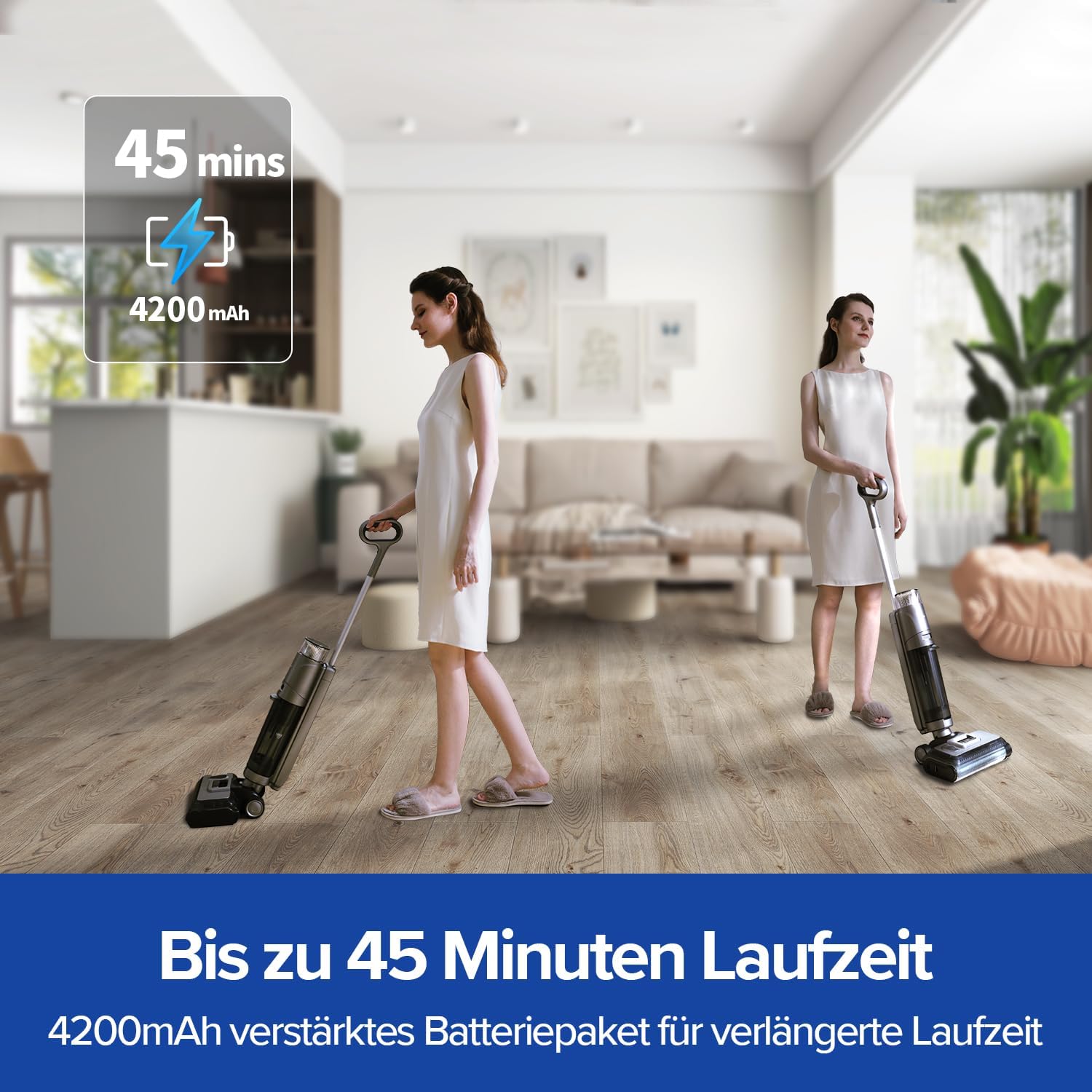
Image: Two individuals using the Redkey W13 in a living room, highlighting its 45-minute battery life.
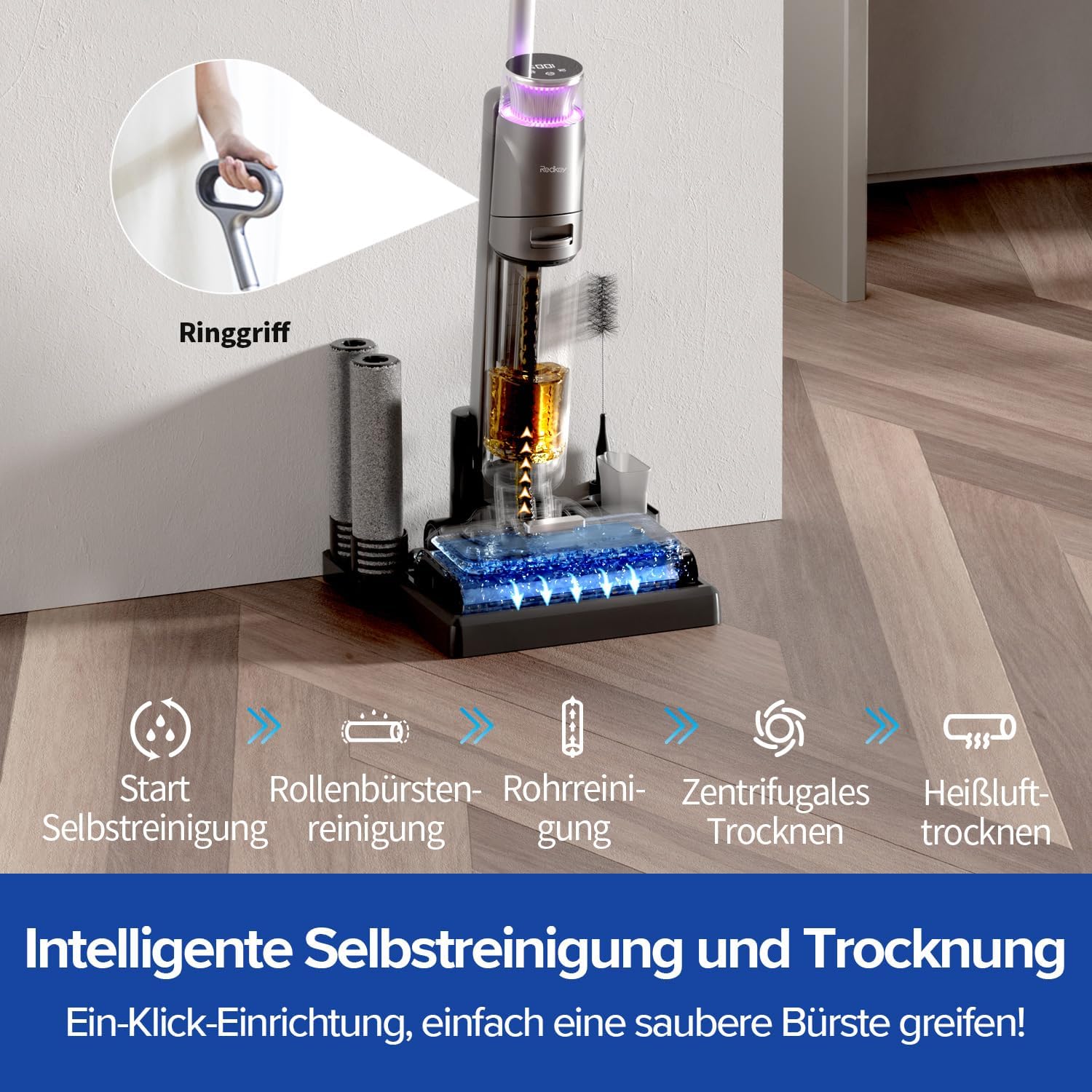
Image: Diagram illustrating the intelligent self-cleaning and drying process of the Redkey W13, including brush cleaning and hot air drying.

Image: The Redkey W13 cleaning close to a wall, demonstrating its less than 1cm edge cleaning capability.
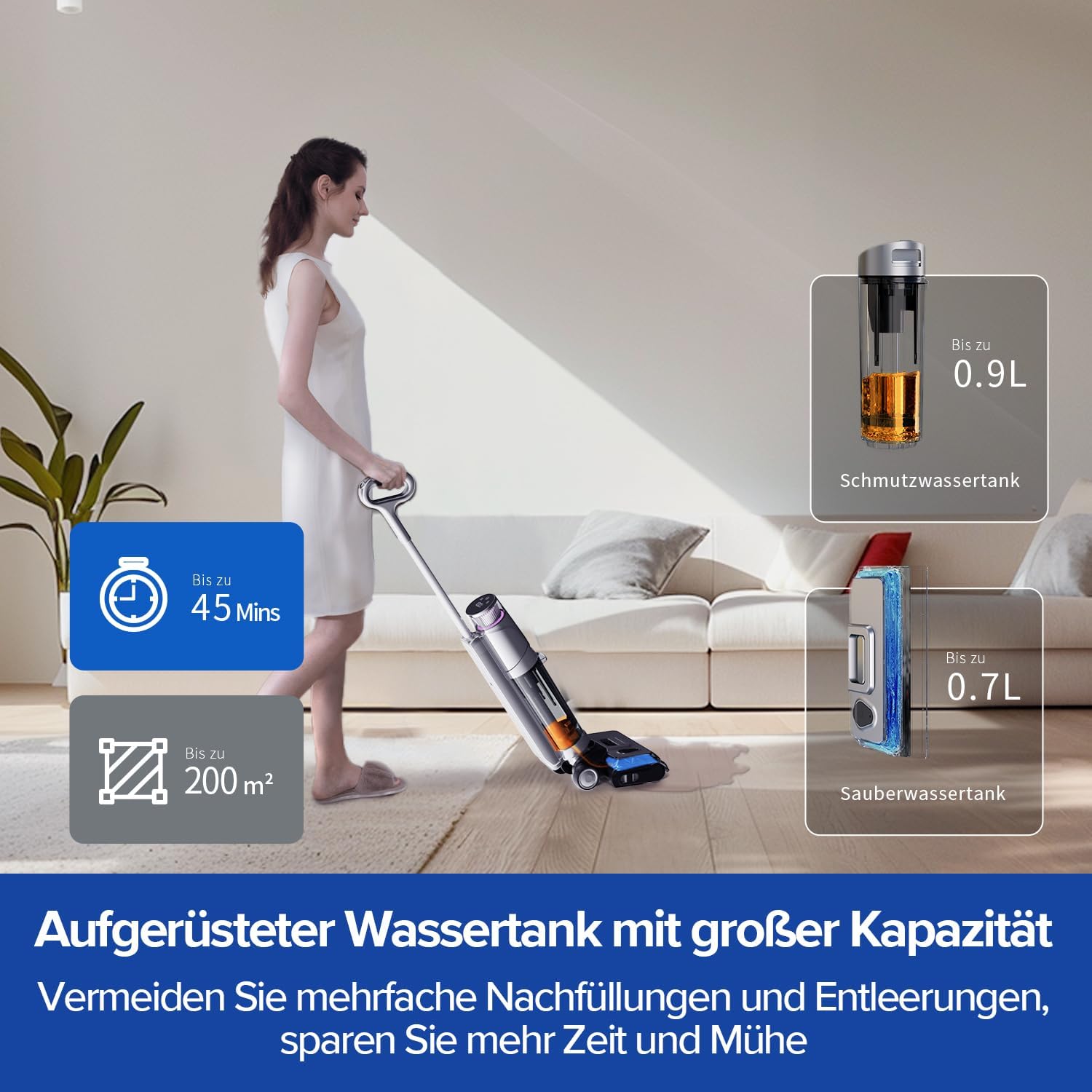
Image: The Redkey W13 in use, with callouts showing the 0.7L clean water tank and 0.9L dirty water tank capacities.

Image: A collage of different types of messes (dirt, liquids, food particles) that the Redkey W13 can clean, demonstrating its versatility.
Setup
- Assembly:
- Insert the handle into the main unit until it clicks securely into place.
- Ensure the clean water tank and dirty water tank are correctly seated in their compartments.
- Initial Charging:
- Place the main unit onto the charging base.
- Connect the power adapter to the charging base and plug it into a wall outlet.
- The digital display will indicate charging status. Fully charge the device before first use (approximately 4-5 hours).
Operating Instructions
- Filling the Clean Water Tank:
- Remove the clean water tank from the main unit.
- Open the tank cap and fill with clean tap water. You may add a small amount of non-foaming floor cleaning solution if desired. Do not exceed the MAX fill line.
- Close the cap securely and reinsert the tank into the main unit.
- Starting the Vacuum:
- Press the Power button on the handle to turn on the device.
- The vacuum will start in standard cleaning mode.
- To switch between cleaning modes (e.g., Standard, MAX), press the Mode button. The digital display will show the current mode.
- Tilt the vacuum back to engage the brush roll and begin cleaning.
- Emptying the Dirty Water Tank:
- When the dirty water tank is full, the device will alert you.
- Remove the dirty water tank from the main unit.
- Carefully open the tank and dispose of the dirty water. Remove any solid debris from the filter basket.
- Rinse the tank and filter basket with clean water.
- Close the tank securely and reinsert it into the main unit.
Maintenance
Regular maintenance ensures optimal performance and extends the lifespan of your Redkey W13.
1. Self-Cleaning Function:
After each use, it is recommended to run the self-cleaning cycle:
- Ensure the clean water tank has sufficient water.
- Place the vacuum on its charging base.
- Press the Self-Clean button (usually indicated by a water droplet icon) on the handle or base.
- The device will automatically clean the brush roll and internal tubing.
- After cleaning, the hot air drying process will begin, drying the brush roll in approximately 2 hours to prevent odors and bacterial growth.
Image: Visual representation of the Redkey W13's self-cleaning and hot air drying cycle.
2. Water Tank Cleaning:
- Clean Water Tank: Rinse regularly with fresh water.
- Dirty Water Tank: Empty and rinse thoroughly after each use. Use the provided cleaning tool to remove any stubborn residue.
3. Brush Roll Cleaning and Replacement:
- To remove the brush roll, open the brush cover on the front of the cleaning head.
- Lift out the brush roll. Rinse it under running water until clean.
- Allow the brush roll to air dry completely before reinserting.
- Replace the brush roll every 3-6 months, or sooner if wear is visible, using the spare brush rolls provided.
4. Filter Maintenance:
- The HEPA filter is located in the dirty water tank assembly.
- Remove the filter and tap it gently to dislodge dust and debris.
- If heavily soiled, rinse the filter under running water. Ensure it is completely dry before reinserting to prevent damage to the motor.
- Replace the filter every 3-6 months, or as needed, using the spare filter provided.
Troubleshooting
If you encounter issues with your Redkey W13, please refer to the following common problems and solutions:
| Problem | Possible Cause | Solution |
|---|---|---|
| Device does not turn on. | Battery is low or depleted. | Charge the device fully. Ensure the power adapter is properly connected. |
| Reduced suction power. | Dirty water tank is full, brush roll is clogged, or filter is blocked. | Empty and clean the dirty water tank. Clean the brush roll. Clean or replace the HEPA filter. |
| "Reset sewage tank" alert persists after emptying. | Sensor in the dirty water tank is wet or obstructed. | Ensure the dirty water tank and its sensor area are completely dry and free of debris. Reinsert the tank firmly. |
| Unpleasant odor from the device. | Brush roll or dirty water tank not properly cleaned/dried. | Run the self-cleaning cycle with hot air drying. Thoroughly clean the dirty water tank and brush roll. Ensure all components are dry before storage. |
| Device leaves streaks on the floor. | Brush roll is dirty or worn, or too much cleaning solution used. | Clean or replace the brush roll. Use only recommended non-foaming cleaning solutions and follow dilution instructions. |
If the problem persists after trying these solutions, please contact Redkey customer support for further assistance.
Specifications
| Feature | Detail |
|---|---|
| Brand | Redkey |
| Model | W13 |
| Color | Violett (Purple) |
| Suction Power | 17,500 Pa |
| Runtime | Up to 45 minutes |
| Clean Water Tank Capacity | 0.7 Liters |
| Dirty Water Tank Capacity | 0.9 Liters |
| Weight | Approximately 9.08 kg |
| Cordless | Yes |
Warranty and Support
Redkey products are manufactured to the highest quality standards. For warranty information, technical support, or to purchase replacement parts, please visit the official Redkey website or contact their customer service department. Keep your purchase receipt as proof of purchase for warranty claims.
For further assistance, you may visit the Redkey Store on Amazon.
Ask a question about this manual
Ask about setup, troubleshooting, compatibility, parts, safety, or missing instructions. Manuals+ will review the question and use this page’s manual context to help answer it.