
Omron mini Air 360+
OMRON mini Air 360+ Portable Nebulizer User Manual
Model: mini Air 360+
Brand: Omron
1. Product Overview
The OMRON mini Air 360+ is a lightweight, portable mesh nebulizer designed for effective relief of cough and cold symptoms. Its compact size allows for convenient use anywhere, anytime. This device is suitable for both adults and children, providing a versatile solution for respiratory care.
It incorporates AiMesh Technology, featuring a mesh disc filter made from a special bioelastic material. This material ensures enhanced durability, resistance, and optimal nebulization performance, leading to better therapeutic results.

Image: The OMRON mini Air 360+ portable nebulizer shown with its included adult mask, child mask, and mouthpiece, highlighting its compact design and accessories.
2. What's Included
Upon unboxing your OMRON mini Air 360+, please verify that all the following components are present:
- Portable Mesh Nebulizer (main unit)
- Mouthpiece
- Adult Mask
- Child Mask
- Carrying Case
- Micro-USB Cable
- Instruction Manual (this document)

Image: A visual representation of all items included in the OMRON mini Air 360+ package: the nebulizer unit, child mask, adult mask, mouthpiece, and micro-USB cable.
3. Key Features
- Effective Respiratory Treatment: The mini Air 360+ ensures efficient medication delivery to the lungs, aiding in the treatment of symptoms and soothing irritated throats.
- Virtually Silent Operation: Designed for quiet use, making it suitable for use without disturbing others, even during sleep.
- Easy to Use: Simple one-button operation for convenient inhalation.
- Micro-USB Rechargeable: Conveniently recharge the device on the go using the included Micro-USB cable.
- Short Inhalation Time: Provides quick relief due to efficient nebulization.
- Suitable for All Ages: Safe and easy to use for infants, children, and adults.

Image: The OMRON mini Air 360+ held in a hand, illustrating its portable and pocket-sized design, alongside icons representing its key features: effective respiratory treatment, lightweight design, virtually silent operation, and rechargeable capability.

Image: Close-up view of the OMRON mini Air 360+ demonstrating its Micro-USB charging port and the single power button for easy operation.
4. Setup and Preparation
- Charge the Device: Before first use, fully charge the mini Air 360+ using the provided Micro-USB cable and a compatible power adapter (not included). The charging indicator light will show the charging status.
- Prepare Medication Chamber:
- Remove the cover from the medication chamber.
- Carefully add the prescribed medication or physiological saline solution into the chamber. Do not overfill.
- Attach Accessory: Select the appropriate accessory (mouthpiece, adult mask, or child mask) and securely attach it to the nebulizer unit. Ensure a snug fit to prevent leaks.

Image: Step 1 of setup, showing a hand removing the clear cover from the top of the nebulizer unit.

Image: Step 2 of setup, illustrating medication being dropped into the nebulizer's chamber from a small vial.

Image: Step 3 of setup, showing a hand attaching the mouthpiece to the nebulizer unit.
5. Operating Instructions
- Start Inhalation: Press the power button once to begin nebulization. The device will start producing a fine mist.
- Inhale Correctly:
- If using the mouthpiece: Place the mouthpiece between your lips and breathe normally, inhaling the mist deeply.
- If using a mask: Place the mask over your nose and mouth, ensuring a good seal, and breathe normally.
- Duration: Continue inhalation until the medication chamber is empty or as directed by your healthcare professional. The device will automatically stop when the medication is depleted.
- Stop Inhalation: To stop nebulization manually, press the power button again.
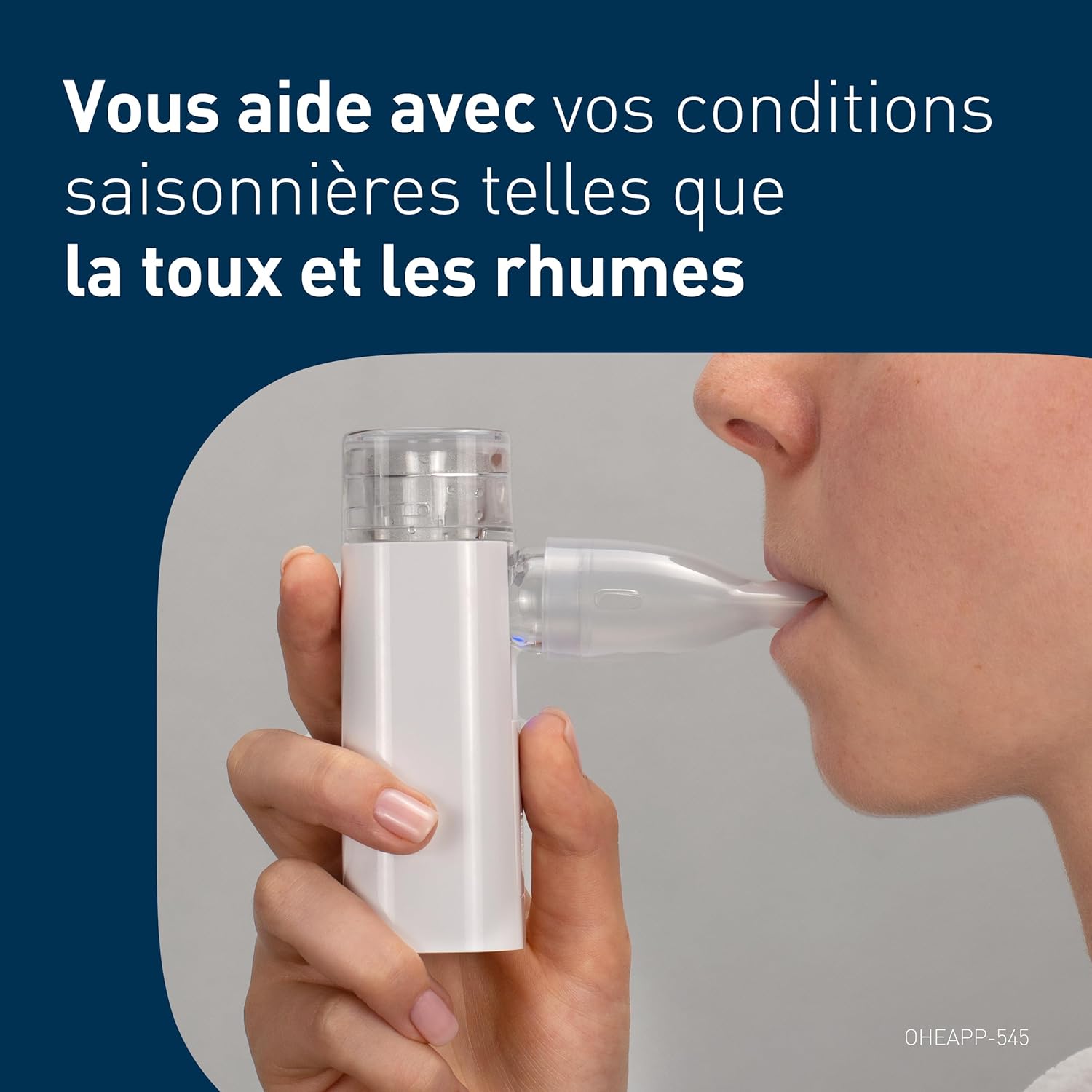
Image: A person demonstrating the use of the OMRON mini Air 360+ with the mouthpiece, showing proper positioning for inhalation.

Image: Step 4 of operation, showing a person holding the nebulizer with the mouthpiece against their mouth, ready for inhalation.
6. Maintenance and Cleaning
Proper cleaning and maintenance are crucial for the longevity and hygienic operation of your mini Air 360+.
After Each Use:
- Disassemble: Separate the medication chamber and the accessory (mouthpiece/mask) from the main unit.
- Rinse: Rinse the medication chamber and accessory thoroughly under warm running water.
- Dry: Shake off excess water and allow all parts to air dry completely on a clean cloth or paper towel. Do not wipe the mesh disc.
Weekly Cleaning (or as needed):
- Disinfect: For thorough disinfection, soak the medication chamber and accessories in a solution of distilled water and a small amount of mild dish soap for 10-15 minutes. Alternatively, use a medical disinfectant solution as recommended by your healthcare provider.
- Rinse Thoroughly: Rinse all parts extensively with clean distilled water to remove any soap or disinfectant residue.
- Air Dry: Allow all components to air dry completely before reassembling or storing.
Important: Do not immerse the main nebulizer unit in water or any liquid. Use a soft, damp cloth to wipe the exterior of the main unit if needed. Do not use abrasive cleaners or solvents.
7. Troubleshooting
| Problem | Possible Cause | Solution |
|---|---|---|
| No mist produced / Weak mist |
|
|
| Device does not turn on |
|
|
| Device stops unexpectedly |
|
|
If the problem persists after attempting these solutions, please contact OMRON customer support for further assistance.
8. Specifications
| Feature | Detail |
|---|---|
| Model Number | mini Air 360+ |
| Brand | Omron |
| ASIN | B0D7J3LQ3D |
| Product Dimensions (L x W x H) | 3.8 x 3.8 x 10.9 cm (1.5 x 1.5 x 4.3 inches) |
| Weight | 120 grams (0.26 lbs) |
| Power Source | Micro-USB Rechargeable |
| Medication Capacity | 10 ml maximum |
| Country of Origin | China |
| Manufacturer | Feellife Health Inc. |
9. Warranty and Support
OMRON products are manufactured to the highest quality standards. For information regarding the warranty period and terms for your mini Air 360+, please refer to the warranty card included in your product packaging or visit the official OMRON website.
For technical support, troubleshooting assistance, or to inquire about replacement parts, please contact OMRON customer service. Contact details can typically be found on the OMRON website or on the product packaging.
You can visit the official Omron store on Amazon for more information: Omron Store
10. Important Safety Information
- Use only medications prescribed by your doctor for nebulization.
- Do not use essential oils or other non-approved substances in the nebulizer.
- Keep the device out of reach of small children when not in use.
- Do not operate the device if it is damaged or if the cable is frayed.
- Ensure proper ventilation during use.
- Consult your healthcare professional if you experience any adverse reactions during or after nebulization.
11. Official Product Videos
No official seller videos with specific URLs and creator types were provided in the product data to embed directly into this manual. Please refer to the product page on Amazon or the official Omron website for any available video demonstrations.
Related documentsmini Air 360+


Ask a question about this manual
Ask about setup, troubleshooting, compatibility, parts, safety, or missing instructions. Manuals+ will review the question and use this page’s manual context to help answer it.