
1. Introduction
Thank you for purchasing the Baolira Mini Bluetooth Speaker with Lights, Model G9. This device combines high-quality audio with an adjustable night light, offering versatile entertainment and ambiance. Please read this manual carefully to ensure proper use and to maximize your product experience. Keep this manual for future reference.
2. Package Contents
Verify that all items are present in your package:
- 1 x Baolira Mini Bluetooth Speaker (Model G9)
- 1 x Type-C USB Charging Cable
- 1 x AUX Audio Cable
- 1 x User Manual (this document)
3. Product Overview
The Baolira Mini Bluetooth Speaker features a unique spaceship design with an astronaut bear figure. It integrates a speaker with an adjustable night light and multiple connectivity options.
3.1 Components and Controls
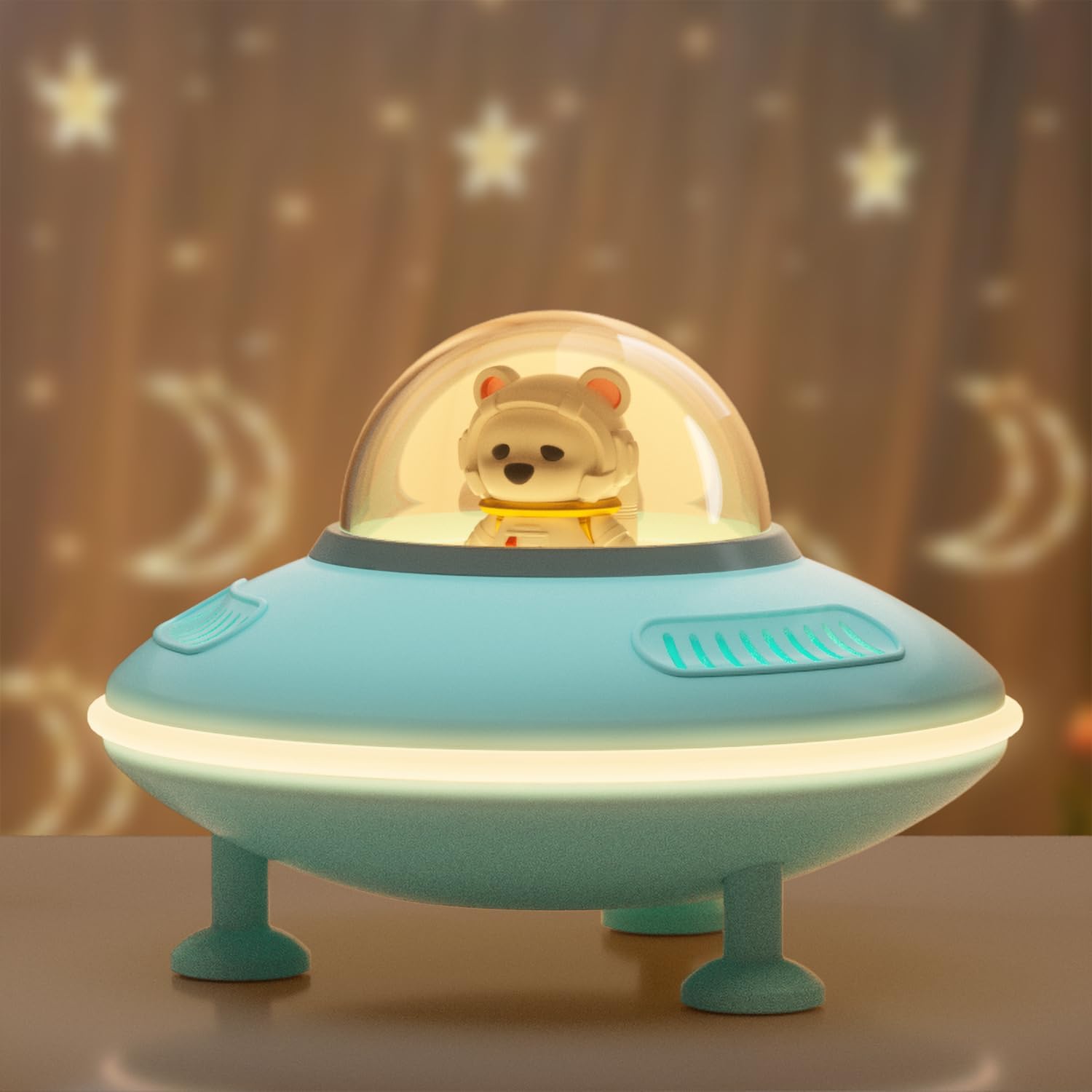
Figure 1: Front view of the Baolira Mini Bluetooth Speaker.

Figure 2: Top control buttons for power, mode, volume, track control, and light.
- Power/Mode Button: Press and hold to power on/off. Press briefly to switch between Bluetooth, AUX, USB, and TF Card modes.
- Volume Up / Next Track Button (+): Press and hold to increase volume. Press briefly to skip to the next track.
- Volume Down / Previous Track Button (-): Press and hold to decrease volume. Press briefly to go to the previous track.
- Light Button: Press to cycle through light brightness levels (Low, High, Off).

Figure 3: Rear connectivity ports.
- Type-C Charging Port: For charging the speaker's internal battery.
- USB Port: For playing audio from a USB flash drive.
- TF Card Slot: For playing audio from a TF (MicroSD) card.
- AUX In Port: For connecting external audio devices via the 3.5mm AUX cable.
4. Setup
4.1 Initial Charging
Before first use, fully charge the speaker. Connect the provided Type-C USB charging cable to the speaker's charging port and the other end to a USB power adapter (not included) or a computer's USB port. The charging indicator light will show charging status (refer to LED indicator section for details). A full charge typically takes a few hours.
4.2 Power On/Off
Press and hold the Power/Mode button for approximately 3 seconds to turn the speaker on or off. A voice prompt will indicate the power status.
5. Operating Instructions
5.1 Bluetooth Pairing
- Turn on the speaker. It will automatically enter Bluetooth pairing mode, indicated by a voice prompt and a flashing LED indicator.
- On your device (smartphone, tablet, etc.), enable Bluetooth and search for available devices.
- Select "ZS-01" from the list of devices.
- Once paired, a voice prompt will confirm the connection, and the LED indicator will stop flashing.
- You can now play audio from your device through the speaker.
Note: The speaker will automatically attempt to reconnect to the last paired device when powered on.
Video 1: Demonstrates Bluetooth pairing and sound quality of the speaker.
5.2 Using AUX, USB, or TF Card Input
- AUX Mode: Connect the provided 3.5mm AUX audio cable from your external audio device to the speaker's AUX In port. The speaker will automatically switch to AUX mode, or you can press the Power/Mode button to select it.
- USB Mode: Insert a USB flash drive (with audio files) into the USB port. The speaker will automatically switch to USB mode, or you can press the Power/Mode button to select it.
- TF Card Mode: Insert a TF (MicroSD) card (with audio files) into the TF Card slot. The speaker will automatically switch to TF Card mode, or you can press the Power/Mode button to select it.
5.3 Controlling Volume and Tracks
- Volume Adjustment: Press and hold the "+" button to increase volume. Press and hold the "-" button to decrease volume.
- Track Control: Press the "+" button briefly to skip to the next track. Press the "-" button briefly to go to the previous track.
5.4 Night Light Operation
Press the Light button to cycle through the night light settings: Low brightness, High brightness, and Off. The night light can operate independently of the speaker function.
Video 2: Shows the speaker's night light feature and its use in a child's room.
5.5 True Wireless Stereo (TWS) Pairing
If you have two Baolira Mini Bluetooth Speakers, you can pair them together for a stereo sound experience.
- Ensure both speakers are powered off.
- Turn on both speakers. They will enter Bluetooth pairing mode.
- On one of the speakers (this will be your primary speaker), double-press the Power/Mode button. It will search for the second speaker.
- Once successfully paired, a voice prompt will confirm the TWS connection.
- Now, connect your device via Bluetooth to the primary speaker. Audio will play in stereo through both speakers.

Figure 4: TWS pairing for enhanced stereo audio.
6. Specifications
| Feature | Detail |
|---|---|
| Model Name | G9 (ZS-01) |
| Brand | Baolira |
| Connectivity Technology | Bluetooth 5.4, AUX, TF Card, USB |
| Speaker Type | Surround Sound (2.0 Channel) |
| Speaker Maximum Output Power | 3 Watts |
| Frequency Response | 20 KHz |
| Impedance | 4 Ohms |
| Bluetooth Range | Up to 32.8 Feet (10 meters) |
| Battery Capacity | 1200 mAh Lithium Ion |
| Playing Time (Music) | 8-10 hours (varies by volume) |
| Playing Time (Night Light only) | Up to 20 hours |
| Product Dimensions | 5.5"D x 5.1"W x 3.7"H |
| Item Weight | 9.1 ounces |
| Material | Plastic |
| Control Method | Touch |
7. Maintenance
- Cleaning: Use a soft, dry cloth to clean the speaker. Do not use abrasive cleaners or solvents.
- Storage: Store the speaker in a cool, dry place away from direct sunlight and extreme temperatures.
- Battery Care: To prolong battery life, avoid fully discharging the battery frequently. Charge it regularly, even if not in use for extended periods.
8. Troubleshooting
| Problem | Possible Solution |
|---|---|
| Speaker does not turn on. | Ensure the battery is charged. Connect to a power source using the Type-C cable. |
| Cannot pair via Bluetooth. | Ensure the speaker is in Bluetooth pairing mode (flashing LED). Turn off and on your device's Bluetooth. Move closer to the speaker. |
| No sound from speaker. | Check volume levels on both the speaker and your connected device. Ensure correct input mode is selected (Bluetooth, AUX, USB, TF Card). |
| Night light not working. | Press the Light button to cycle through brightness levels. Ensure the speaker is powered on. |
| Poor sound quality. | Ensure the speaker is within Bluetooth range. Check for interference from other wireless devices. Try a different audio source or file. |
9. Safety Information
- Do not expose the speaker to water or moisture. It is not waterproof.
- Do not disassemble, repair, or modify the device.
- Keep out of reach of small children to prevent choking hazards from small parts.
- Avoid extreme temperatures and direct sunlight.
- Use only the provided charging cable.
10. Warranty and Support
The Baolira Mini Bluetooth Speaker comes with a limited warranty. For warranty claims, technical support, or customer service inquiries, please refer to the contact information provided on the product packaging or visit the official Baolira website. Please retain your proof of purchase for warranty validation.