
1. Introduction
Thank you for choosing the Advwin 160cm L-Shaped Gaming Desk. This manual provides essential information for the safe assembly, operation, and maintenance of your new desk. Please read these instructions carefully before beginning assembly and retain them for future reference.

Image 1.1: Advwin 160cm L-Shaped Gaming Desk setup with monitor, keyboard, and accessories.
2. Safety Information
Always assemble the desk according to the provided instructions. Ensure all parts are securely fastened and the desk is level before use. Avoid placing heavy objects on one side of the desk to prevent tipping. Always anchor the desk to the wall or floor if it is near a wall or in an area with high foot traffic.
3. Package Contents
Please verify that all components are present before beginning assembly. If any parts are missing or damaged, contact customer support.
- 1 x Advwin Computer Desk (disassembled components)
- 1 x Assembly Manual
- Hardware Kit (screws, bolts, tools as specified in assembly manual)
4. Setup and Assembly
Assembly of the Advwin L-Shaped Gaming Desk is required. Refer to the separate assembly manual included in your package for detailed, step-by-step instructions. Ensure you have adequate space and the necessary tools before starting.
4.1 Reversible Configuration
The L-shaped design of this desk is reversible, allowing you to configure the longer section to either the left or right side to best suit your space. Follow the specific instructions in the assembly manual for your desired orientation.

Image 4.1: The desk can be assembled with the longer section on either the left or right side.
4.2 Dimensions
Consider the desk dimensions for optimal placement in your room.

Image 4.2: Dimensional overview of the Advwin L-Shaped Gaming Desk.
5. Operating Instructions
5.1 LED Lighting System
The desk features an integrated RGB LED lighting system. Connect the LED lights to a power source as indicated in the assembly manual. Use the included remote control to select from various colors and lighting effects to customize your environment.
5.2 Built-in Charging Station
The desk includes a built-in power outlet with 3 AC outlets and 2 USB ports. Connect the desk's power cord to a wall outlet. You can then power your computer, monitor, and charge your smartphone or other USB-powered devices directly from the desk.
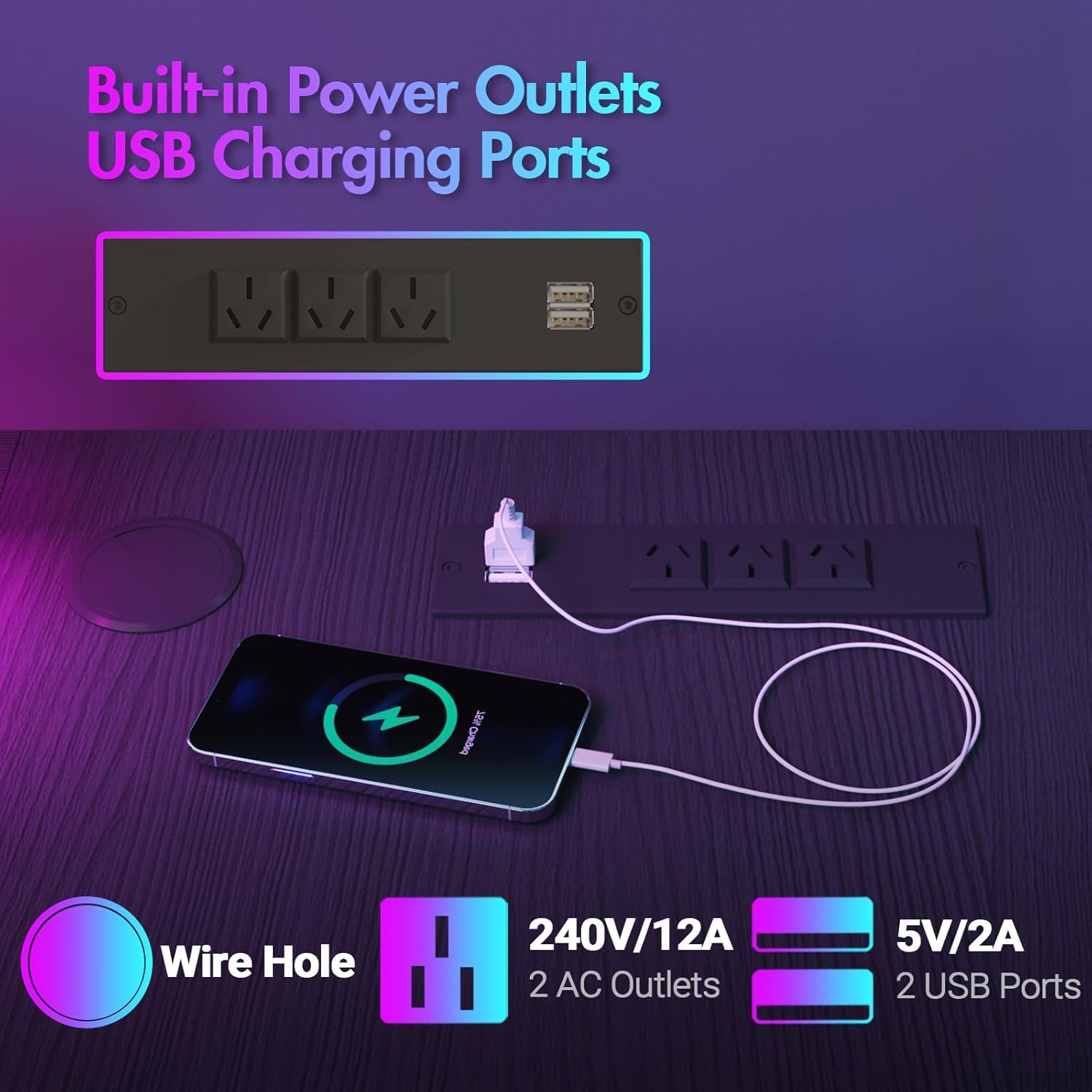
Image 5.1: Built-in power outlets and USB charging ports for convenience.
5.3 Storage Features
Utilize the four drawers and non-woven storage bags to keep your workspace organized. The monitor stand provides an ergonomic height for your screen, reducing neck strain.

Image 5.2: Integrated storage solutions including drawers and a side bag.
6. Maintenance
To maintain the appearance and longevity of your desk, follow these guidelines:
- Cleaning: Wipe surfaces with a soft, damp cloth. Avoid abrasive cleaners or harsh chemicals that may damage the finish.
- Dusting: Regularly dust the desk to prevent buildup.
- Spills: Clean up spills immediately to prevent staining or damage to the particle board.
- Fasteners: Periodically check all screws and bolts to ensure they remain tight. Tighten if necessary.
7. Troubleshooting
If you encounter issues with your Advwin L-Shaped Gaming Desk, refer to the following common solutions:
- Desk Wobbles: Ensure all assembly screws are tightened. Check that the adjustable leg pads are properly adjusted to compensate for uneven flooring.
- LED Lights Not Working: Verify that the LED strip is correctly connected to the power adapter and that the adapter is plugged into a functional wall outlet. Check the remote control battery.
- Charging Station Not Providing Power: Confirm the desk's main power cord is securely plugged into a live wall outlet. Test the outlet with another device.
- Drawers Not Sliding Smoothly: Ensure the drawer fabric is not caught and that the drawer supports are correctly installed and aligned.
8. Specifications
| Feature | Specification |
|---|---|
| Brand | Advwin |
| Model | 160cm L-Shaped Gaming Desk |
| Product Dimensions | 31.5"D x 62.99"W x 28.94"H (80cm D x 160cm W x 73.5cm H) |
| Color | Black |
| Base Material | Alloy Steel (Iron, Steel) |
| Top Material Type | 15mm E1 Particle Board |
| Special Features | Gaming Desk with LED Lights, Built-in Outlet, Built-in USB Port, Monitor Stand, Reversible L-Shape |
| Number of Drawers | 4 |
| Assembly Required | Yes |
| Leg Style | U-shaped |

Image 8.1: Sturdy metal frame design for enhanced stability.
9. Warranty and Support
For warranty information or customer support, please refer to the documentation included with your purchase or contact the Advwin customer service department. Keep your purchase receipt for any warranty claims.