
1. Introduction
This manual provides essential information for the safe and effective use of your Acdctek AC/DC Adapter. This power supply is designed to provide reliable power to Eton Grundig FR200 and FR200G radios. Please read these instructions carefully before use and retain them for future reference.
2. Safety Information
To ensure safe operation and prevent damage, observe the following safety guidelines:
- Over Voltage Protection (OVP): The adapter is equipped with circuitry to prevent damage from excessive output voltage.
- Over Current Protection (OCP): Built-in protection safeguards against damage from excessive output current.
- Short Circuit Protection (SCP): The adapter includes protection against short circuits to prevent damage to both the adapter and the connected device.
- Do not expose the adapter to water, moisture, or extreme temperatures.
- Do not attempt to open or modify the adapter. Refer all servicing to qualified personnel.
- Ensure the power outlet is easily accessible for quick disconnection if needed.
3. Product Overview
The Acdctek AC/DC Adapter is a reliable power solution for your compatible radio. It features a durable design and integrated safety mechanisms.
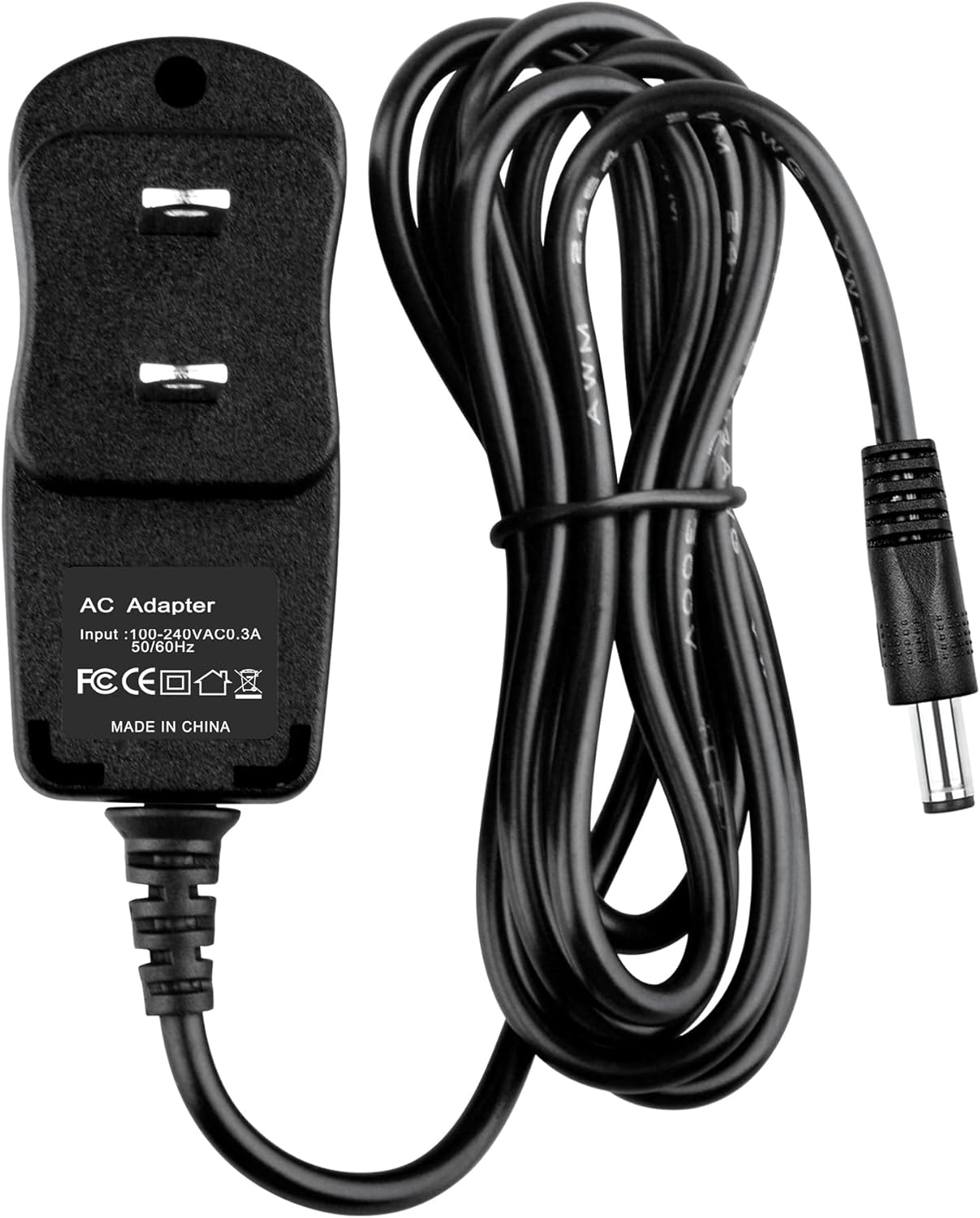
Figure 1: Acdctek AC/DC Adapter with its cable neatly coiled, showing the two-prong plug and barrel connector.
The adapter provides a stable power supply, converting standard AC wall power to the DC power required by your Eton Grundig FR200 or FR200G radio.

Figure 2: Acdctek AC/DC Adapter with its cable extended, providing a clear view of the two-prong plug and the barrel connector.
Its compact design makes it suitable for various environments, and the 6-foot cable offers flexibility in placement.

Figure 3: Acdctek AC/DC Adapter viewed from a side angle, highlighting the label with input specifications and safety certifications.
4. Setup
- Verify Compatibility: Before connecting, double-check that your radio is an Eton Grundig FR200 or FR200G model and that its power input specifications match those of this adapter. Pay close attention to the device output and connector dimensions.
- Connect to Radio: Insert the barrel connector end of the AC/DC adapter cable into the DC input jack on your Eton Grundig FR200 or FR200G radio. Ensure a snug fit.
- Connect to Power Outlet: Plug the two-prong AC plug of the adapter into a standard 100-240V AC wall outlet.
- Power On: Once connected, your radio should be ready to receive power. Turn on your radio using its power button.
5. Operating Instructions
The Acdctek AC/DC Adapter operates automatically once connected. It provides continuous power to your compatible radio from a wall outlet.
- Ensure the adapter is securely plugged into both the radio and the wall outlet.
- The adapter is designed for continuous use within its specified voltage range.
- To disconnect power, first turn off your radio, then unplug the adapter from the wall outlet, and finally disconnect it from the radio.
6. Maintenance
Proper care will extend the life of your AC/DC adapter:
- Cleaning: Disconnect the adapter from all power sources before cleaning. Use a soft, dry cloth to wipe the exterior. Do not use liquid cleaners or solvents.
- Storage: When not in use, store the adapter in a cool, dry place, away from direct sunlight and extreme temperatures. Avoid tightly coiling the cable to prevent damage.
- Inspection: Periodically inspect the cable and connectors for any signs of wear, cuts, or damage. If damage is observed, discontinue use immediately.
7. Troubleshooting
If you encounter issues with your AC/DC adapter, try the following steps:
- No Power to Radio:
- Ensure the adapter is firmly plugged into both the wall outlet and the radio.
- Test the wall outlet with another device to confirm it is functional.
- Check the radio's power switch to ensure it is in the 'ON' position.
- Intermittent Power:
- Check for loose connections at both the wall outlet and the radio's input jack.
- Inspect the cable for any visible damage or kinks.
- Adapter Feels Hot:
- It is normal for power adapters to feel warm during operation. However, if it is excessively hot to the touch or emitting smoke/smell, unplug it immediately and discontinue use.
If problems persist after attempting these steps, contact customer support.
8. Specifications
| Model Number | Acdctek-ACDC-FR200 |
| Input Voltage | 100-240V AC, 50-60Hz |
| Connector Gender | Male-to-Female |
| Plug Format | Type A or Type B (US Standard) |
| Item Length (Cable) | 6 Feet |
| Power Cord Prong Count | 2 |
| Item Weight | 4 ounces |
| Package Dimensions | 4 x 2.5 x 2 inches |
9. Warranty and Support
For warranty information or technical support, please refer to the product packaging or contact Acdctek customer service directly. Keep your purchase receipt as proof of purchase.