
1. Introduction
This manual provides comprehensive instructions for the Denash Mini Programmable Gaming Keyboard, Model Denashyvt8210emp-11. This compact keyboard is designed for enhanced productivity and gaming performance, featuring 12 customizable keys and 2 programmable rotary knobs. It utilizes responsive red mechanical switches for precise input. Please read this manual thoroughly before using the device to ensure proper operation and longevity.
2. Package Contents
- 1 x Denash Mini Programmable Keyboard
- 1 x USB Cable
3. Product Overview
The Denash Mini Programmable Gaming Keyboard is a versatile input device featuring a compact design. It includes 12 mechanical keys and 2 rotary knobs, all of which can be programmed to perform various functions, macros, or shortcuts. The red mechanical switches provide tactile feedback and a quick response time, ideal for both rapid-fire gaming actions and efficient office tasks.

Figure 1: Top-down view of the keyboard, highlighting the 12 keys and 2 knobs.

Figure 2: Side view of the keyboard, illustrating the mechanical switches and connectivity port.
4. Setup Instructions
- Connect the USB Cable: Locate the USB port on the mini keyboard and connect one end of the provided USB cable.
- Connect to Computer: Plug the other end of the USB cable into an available USB port on your computer (laptop or desktop).
- Driver Installation: The keyboard is typically plug-and-play and does not require specific driver installation for basic functionality. Your operating system (Windows, Vista, Linux, OS X) should automatically recognize the device.
- Software Installation (Optional for Customization): For advanced key programming and macro setup, you may need to download specific software from the manufacturer's website. Refer to the manufacturer's support resources for details on programming software.

Figure 3: Connecting the keyboard to a computer via USB.
5. Operating Instructions
5.1 Key Functions
The keyboard features 12 mechanical keys. By default, these keys may have pre-assigned functions or no function until programmed.
5.2 Knob Functions
The two rotary knobs can be programmed for various actions, such as volume control, scrolling, or other custom commands. Each knob can also function as a button when pressed.
5.3 Programming Keys and Knobs
To customize the functions of the 12 keys and 2 knobs, you will need to use the dedicated programming software provided by the manufacturer. This software allows you to:
- Assign single key presses (e.g., Copy, Paste, Undo).
- Create complex macros (sequences of key presses).
- Map multimedia controls (e.g., Play/Pause, Volume Up/Down).
- Configure knob rotations for specific actions (e.g., zoom in/out, scroll).
- Assign knob presses to functions.
Refer to the programming software's user guide for detailed instructions on creating and saving profiles.
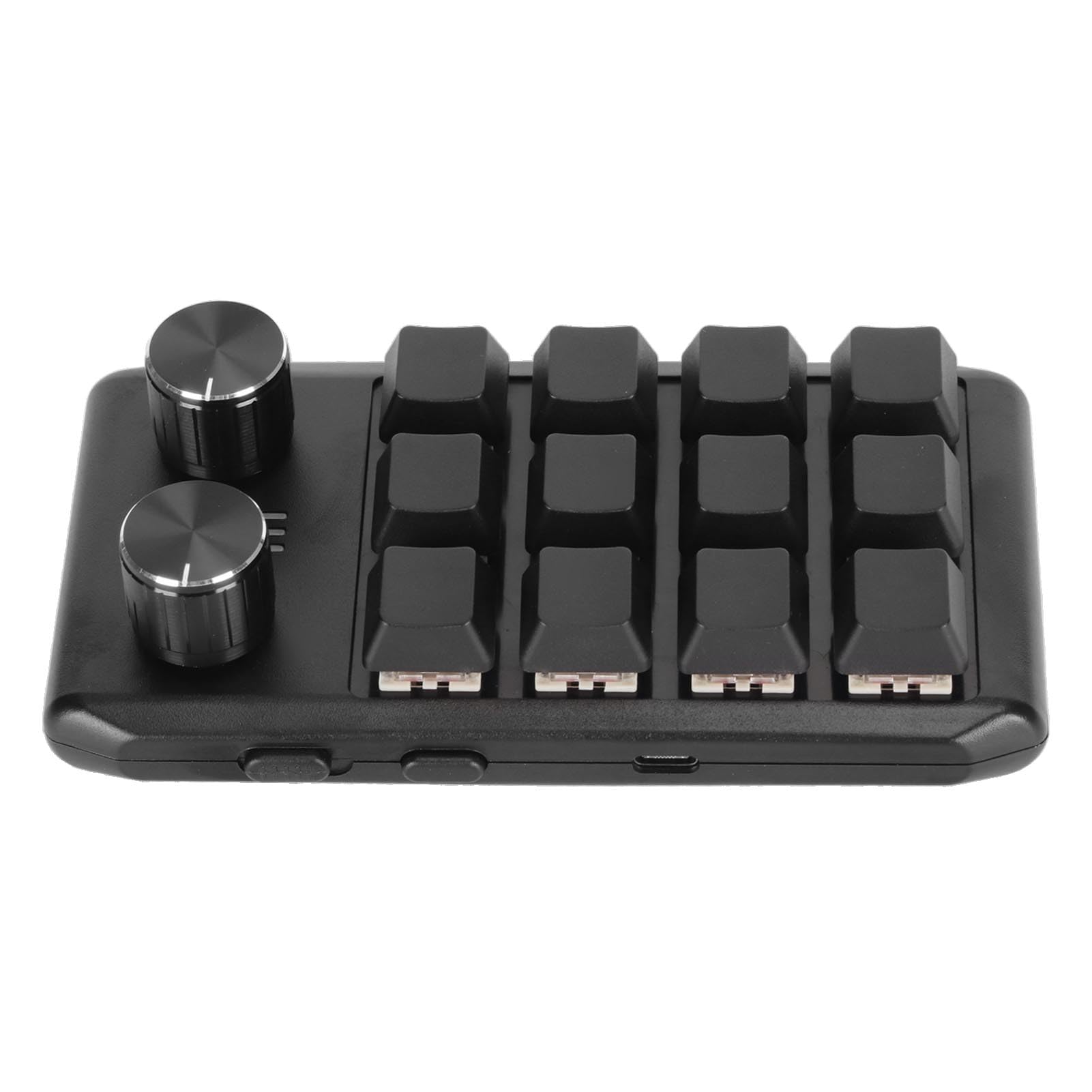
Figure 4: Keyboard in use for productivity or gaming.
6. Maintenance
- Cleaning: Use a soft, dry cloth to wipe the surface of the keyboard. For stubborn dirt, a slightly damp cloth with mild soap can be used, ensuring no liquid enters the device. Do not use harsh chemicals or abrasive cleaners.
- Storage: Store the keyboard in a cool, dry place away from direct sunlight and extreme temperatures.
- Cable Care: Avoid bending or twisting the USB cable excessively to prevent damage.
7. Troubleshooting
| Problem | Possible Solution |
|---|---|
| Keyboard not recognized by computer. |
|
| Keys or knobs are not responding. |
|
| Custom functions are not working. |
|
8. Specifications
| Feature | Detail |
|---|---|
| Brand | Denash |
| Model Name | Denashyvt8210emp-11 |
| Connectivity Technology | USB (Wired) |
| Number of Keys | 12 |
| Number of Knobs | 2 |
| Key Type | Mechanical (Red Switch) |
| Special Feature | Programmable Keys and Knobs |
| Material | Acrylonitrile Butadiene Styrene (ABS) |
| Compatible Devices | Laptop, Desktop PC |
| Operating System Support | Windows, Vista, Linux, OS X |
| Recommended Use | Gaming, Office Productivity |
| Included Components | USB Cable |
9. Warranty and Support
Specific warranty information for the Denash Mini Programmable Gaming Keyboard is not provided in this manual. For details regarding warranty coverage, technical support, or to download the latest programming software and drivers, please refer to the official Denash website or contact your retailer.