1. Introduction
Thank you for choosing the meross WiFi Water Hose Timer. This smart device allows you to automate your watering schedules for lawns, gardens, and pools, integrating seamlessly with smart home ecosystems like Apple HomeKit, Amazon Alexa, and Google Assistant. This manual provides detailed instructions for setup, operation, maintenance, and troubleshooting to ensure optimal performance of your water timer.
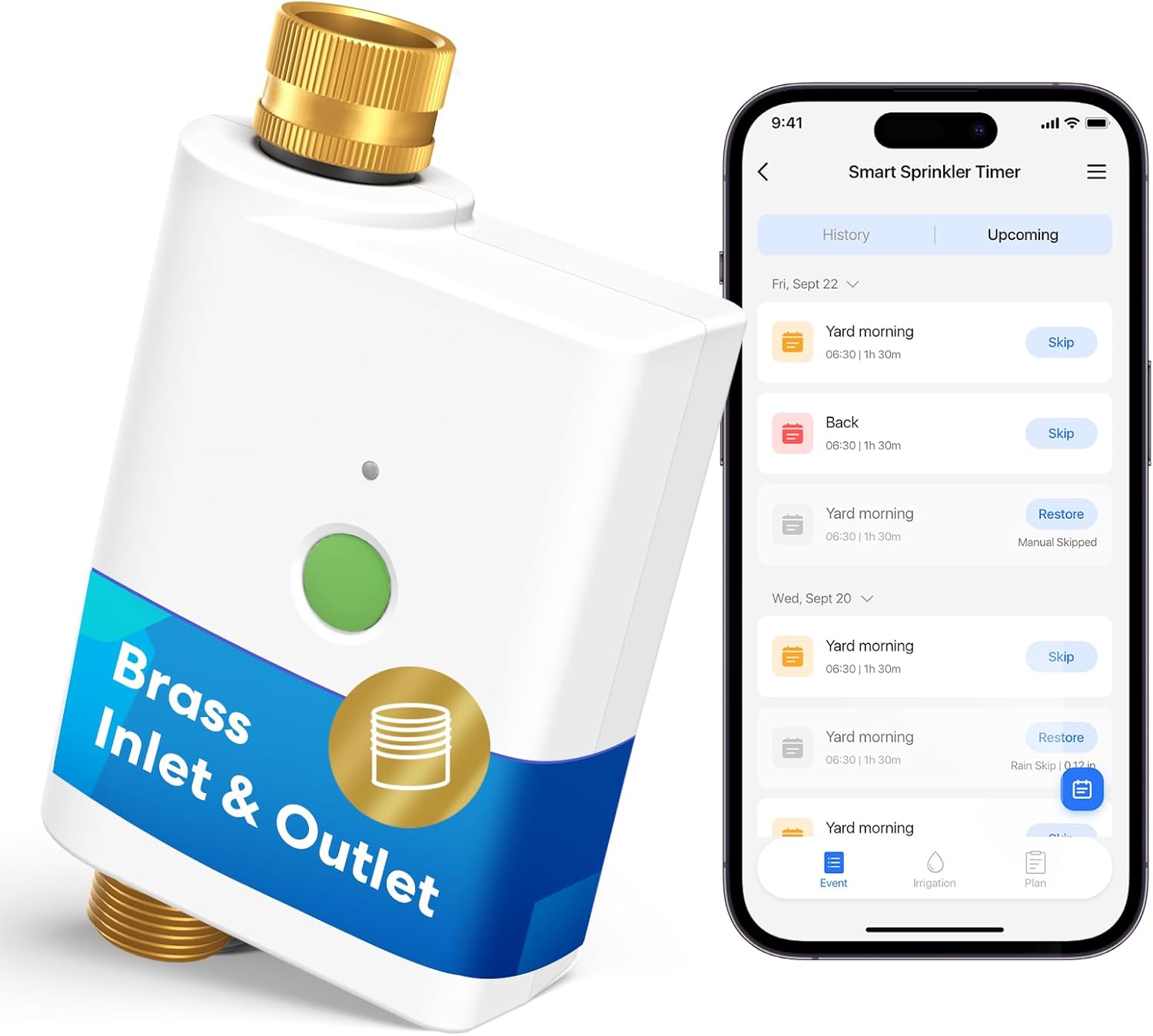
Image: The meross WiFi Water Hose Timer shown alongside a smartphone displaying its control application.
2. Key Features
- Requires WiFi Hub: This water timer operates only when paired with a compatible meross WiFi hub (Model: MSH400). The hub is sold separately or can be part of an existing meross smart irrigation system.
- Durable Brass Construction: Features solid brass inlet and outlet for enhanced corrosion resistance and long-lasting durability, ensuring a leak-free connection even in outdoor conditions.
- Multi-Platform Smart Integration: Compatible with Apple HomeKit, Amazon Alexa, and Google Assistant for convenient voice control and remote management from anywhere.
- Smart Weather Skip: Utilizes hyper-local weather data to automatically skip watering during rain, freezing temperatures, or windy conditions, preventing overwatering and protecting plants.
- Customizable Watering Schedules: Allows for flexible scheduling with adjustable start times, durations (1 minute to 11 hours 59 minutes), and frequencies (e.g., Mon-Sun, odd/even days, weekly cycles).
- Water Usage Tracking & Alerts: Monitor water consumption via the Meross app and receive instant notifications for any issues, helping to conserve water and manage utility bills.
- Easy Manual Watering & Auto Shut-Off: Initiate watering manually with a simple button press. Features an adjustable automatic shut-off (default 15 minutes) to prevent water waste.

Image: Detailed view highlighting the durable brass inlet and outlet of the water timer.
3. Package Contents
Please check the package for the following items:
- meross WiFi Water Hose Timer (MST100)
- User Manual
Note: The meross WiFi Hub (MSH400) is sold separately and is required for the timer's operation.
4. Setup Guide
4.1. Battery Installation
The meross Water Hose Timer requires 4 AA batteries (not included). Due to the waterproof design, the battery compartment may be tight. Use a small screwdriver to gently pry open the battery cover if needed.
Video: Instructions on how to open the battery compartment and install batteries in the meross Water Hose Timer.
- Locate the battery compartment on the back of the timer.
- Gently pry open the battery cover using a screwdriver if it's too tight to open by hand.
- Insert 4 new 1.5V AA batteries, ensuring correct polarity (+/-).
- Securely close the battery cover. The timer will power on, indicated by a green light.

Image: Visual guide for inserting batteries and the initial pairing steps for the smart sprinkler timer.
4.2. Connecting the WiFi Hub (MSH400)
The meross WiFi Water Hose Timer requires a meross WiFi Hub (MSH400) to function. If you do not have one, please purchase it separately.
- Power on your meross WiFi Hub and ensure your smartphone is connected to a 2.4GHz WiFi network.
- Download the Meross app from the App Store or Google Play.
- Open the Meross app, click the "+" icon, and add the Smart Hub "MSH400" by scanning its QR code or following the in-app instructions.

Image: Step-by-step guide for connecting the meross WiFi Hub to your home network and the Meross app.
4.3. Pairing the Water Timer with the Hub
- After installing batteries in the water timer, press the button on the sprinkler timer twice. The indicator light will flash.
- Press the hub button twice. The hub indicator light will flash.
- Wait a few seconds until the indicator lights on both the timer and the hub stop flashing, indicating successful pairing.
5. Operation
5.1. Manual Watering
You can initiate watering manually directly from the device or through the Meross app.
- On Device: Press the green button on the water timer once to start manual watering. The default duration is 15 minutes, which can be adjusted in the Meross app.
- Via App: Open the Meross app, select your water timer, and tap the manual watering option. You can set the desired duration.
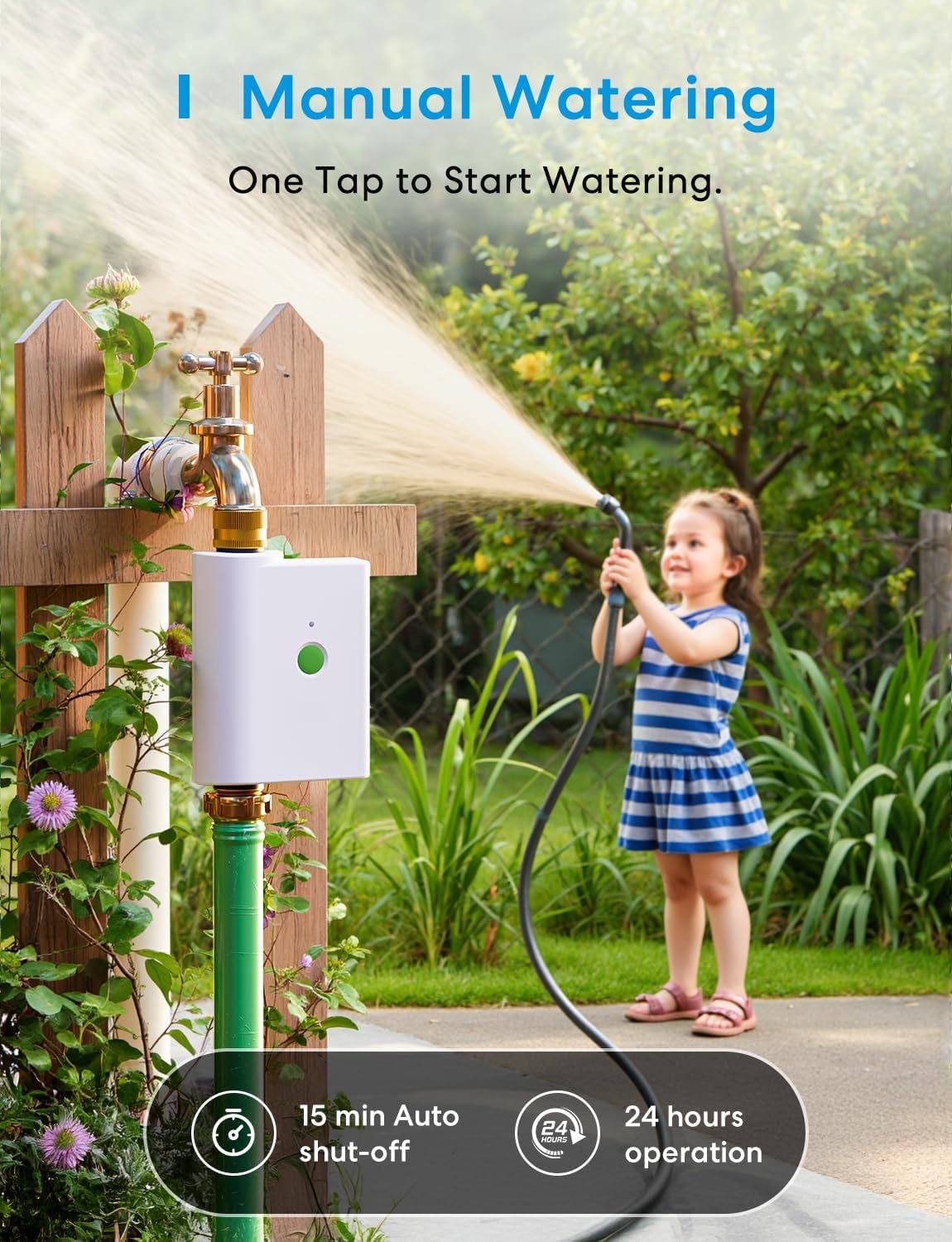
Image: A child using a hose connected to the meross smart water timer for manual watering.
5.2. Creating Watering Schedules
Use the Meross app to create and manage automated watering schedules.
- Open the Meross app and select your water timer.
- Navigate to the scheduling section.
- Set desired start times, watering durations, and frequency (e.g., specific days of the week, odd/even days, or custom intervals).
- Save your schedule. Schedules will run even if the timer is offline.

Image: Examples of customizable watering plans for different areas like backyard, lawn, and flower beds.
5.3. Smart Weather Skip
The timer can automatically adjust watering based on local weather conditions.
- Enable the Smart Weather Skip feature in the Meross app.
- The timer will use hyper-local weather data to skip watering before, during, or after rain, or in freezing/windy conditions.

Image: The meross water timer shown in a rainy environment, demonstrating its ability to skip watering based on weather conditions like rain, frost, or wind.
5.4. Voice Control
Control your meross Water Hose Timer using voice commands with compatible smart assistants.
- Ensure your meross account is linked to Apple HomeKit, Amazon Alexa, or Google Assistant.
- Use commands such as:
- "Hey Siri, open the sprinkler timer."
- "Alexa, open the sprinkler timer."
- "Hey Google, open the sprinkler timer."

Image: A woman using voice commands with a smart speaker to control her meross sprinkler timer.
5.5. Water Usage Monitoring
Track your water consumption directly through the Meross app.
- The Meross app provides detailed reports on water usage, helping you understand and optimize your watering habits.
- Receive alerts for any anomalies or issues with water flow.

Image: The meross water timer connected to an outdoor faucet, with an overlay showing a graph of water usage data from the app.
5.6. Expanding Your Sprinkler System
One meross WiFi Hub (MSH400) can support up to 24 water timers, allowing you to manage multiple watering zones from a single hub.

Image: An aerial view of a large property illustrating how multiple meross water timers can be connected to a single WiFi hub for expanded coverage.
6. Maintenance
- Cleaning: Wipe the exterior of the timer with a soft, damp cloth. Do not use harsh chemicals or abrasive cleaners.
- Battery Replacement: Replace batteries when the low battery indicator appears in the app or on the device. Always use fresh 1.5V AA batteries.
- Winterization: Before freezing temperatures, disconnect the timer from the faucet and hose. Remove batteries and store the timer indoors in a dry, protected area to prevent damage from frost.
- Check Connections: Periodically check all connections to ensure they are secure and leak-free.
7. Troubleshooting
7.1. Timer Not Responding
- Check Batteries: Ensure batteries are correctly installed and have sufficient charge. Replace if necessary.
- Check Power: Verify the timer's indicator light is on. If not, re-install batteries.
7.2. Cannot Connect to WiFi Hub
- Hub Status: Ensure the meross WiFi Hub (MSH400) is powered on and connected to your home WiFi network.
- Proximity: Make sure the water timer is within range of the WiFi Hub (up to 328 ft unobstructed).
- Re-pair: Try re-pairing the timer with the hub by following the steps in Section 4.3.
- 2.4GHz WiFi: Confirm your smartphone and hub are connected to a 2.4GHz WiFi network during setup.
7.3. Watering Schedule Not Running
- Check Schedule Settings: Verify the schedule is enabled and configured correctly in the Meross app (times, durations, frequencies).
- Weather Skip: Check if Smart Weather Skip is active and if current weather conditions are causing the schedule to be skipped.
- Water Pressure: Ensure adequate water pressure from your faucet.
7.4. Leaks at Connections
- Tighten Connections: Ensure all connections (faucet, timer, hose) are securely tightened.
- Check Washers: Verify that rubber washers are properly seated in the connections. Replace if damaged.
8. Specifications
| Attribute | Detail |
|---|---|
| Model Number | MST100 |
| Color | White |
| Brand | meross |
| Material | Acrylonitrile Butadiene Styrene, Brass |
| Product Dimensions | 3.9"D x 2.2"W x 6"H |
| Number of Settings | 10 |
| Item Weight | 1.31 pounds |
| Power Source | 4 x 1.5V AA Batteries (not included) |
| Connectivity | WiFi (requires meross WiFi Hub MSH400) |
| Compatibility | Apple HomeKit, Amazon Alexa, Google Assistant |
9. Warranty and Support
meross products are designed with quality and reliability in mind. For warranty information, technical support, or any questions regarding your meross WiFi Water Hose Timer, please visit the official meross website or contact their customer support directly. You can also refer to the digital user manual available for download on the product's Amazon page.
Online Resources:
- Official meross Website: www.meross.com
- User Manual (PDF): Download PDF


