
BACEKOLL B0D7GJRZYJ
BACEKOLL 62" Tall 8-Tier S-Shape Indoor Plant Stand with Grow Lights Instruction Manual
Model: B0D7GJRZYJ
1. Product Overview
The BACEKOLL 62-inch Tall 8-Tier S-Shape Indoor Plant Stand with Grow Lights is designed to provide an elegant and functional display solution for your indoor plants. This stand features a robust iron frame and water-resistant particleboard shelves, offering ample space for various plant sizes. Integrated full-spectrum grow lights with timer and brightness adjustments ensure optimal growth conditions for your plants.

Image: Two BACEKOLL S-shape plant stands, each with multiple tiers, showcasing various potted plants. The integrated grow lights are active, providing illumination to the plants. The stands are positioned against a light-colored wall in a home setting.
2. Package Contents
Before assembly, please verify that all components listed below are present and undamaged.
- Iron frame components
- Particleboard shelves
- Full-spectrum LED grow lights with USB power cable and controller
- Assembly hardware (screws, wrench, screwdriver)
- Anti-tipping attachments
- Instruction manual

Image: A detailed diagram illustrating the dimensions of the assembled plant stand (62.08" tall) and individual shelf sizes. Various components of the iron frame and wooden shelves are labeled with numbers and letters for easy identification during assembly.
3. Assembly Instructions
Assembly is designed to be straightforward. Please follow these steps carefully. All necessary tools are included in the package.
- Unpack Components: Carefully remove all parts from the packaging and lay them out on a clean, flat surface. Verify against the package contents list.
- Assemble Base Frames: Connect the designated iron frame pieces to form the base structures for each independent unit. Ensure screws are tightened securely using the provided wrench.
- Attach Shelves: Secure the particleboard shelves to the iron frame using the provided screws. Note that shelves may vary in size and placement. Refer to the included diagram for correct orientation.
- Install Grow Lights: The LED grow lights can be attached to the underside of selected shelves. Use the provided zip ties or screws to secure the light strips and manage the wiring neatly along the frame.
- Connect Power: Plug the USB power cable for the grow lights into a compatible USB power adapter (not included) or a USB port.
- Secure to Wall (Optional but Recommended): For enhanced stability, especially in households with children or pets, use the anti-tipping attachments to secure the plant stand to a wall.
Video: This video demonstrates the assembly process of the plant stand, including attaching the shelves and installing the grow lights. It provides a visual guide to complement the written instructions.
4. Operating Instructions (Grow Lights)
The integrated grow lights are designed to support healthy plant growth with customizable settings.
- Power On/Off: Use the power button on the inline controller to turn the lights on or off.
- Brightness Adjustment: The lights feature 10 brightness levels. Use the '+' and '-' buttons on the controller to adjust the intensity to suit your plants' needs.
- Timer Function: Set the lights to automatically turn off after a specific duration. Available timer settings are 3 hours, 9 hours, and 12 hours. This feature helps ensure your plants receive consistent light cycles without manual intervention.
- Full-Spectrum Lighting: The lights provide full-spectrum illumination, simulating natural daylight to promote photosynthesis and overall plant vitality.
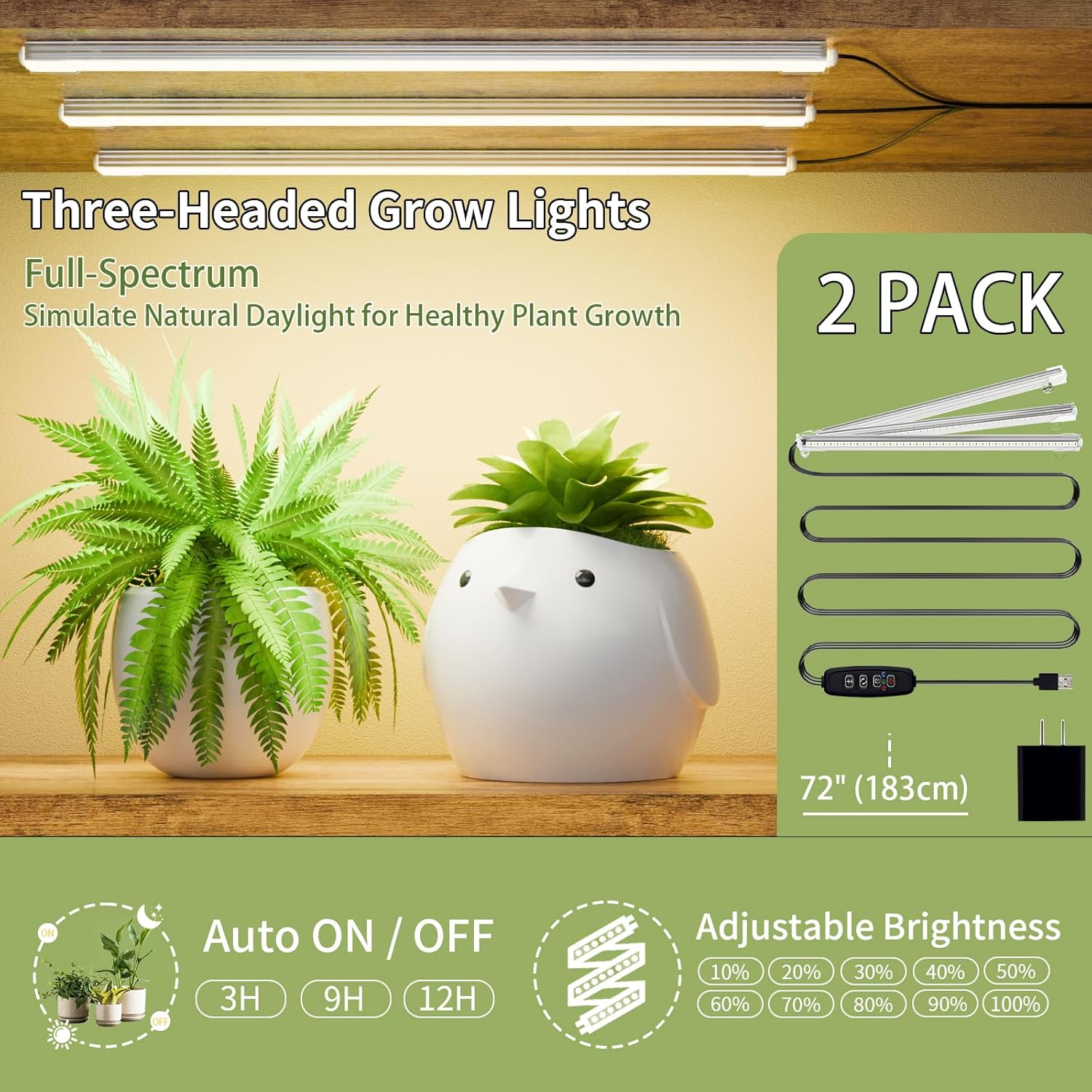
Image: A close-up view of the grow light controller, highlighting the buttons for adjusting brightness (plus/minus), setting the timer (3H, 9H, 12H), and power on/off. The image also shows the full-spectrum LED strips.
5. Maintenance
Proper maintenance will extend the lifespan and preserve the appearance of your plant stand.
- Cleaning: Wipe the iron frame and particleboard shelves with a soft, damp cloth. Avoid abrasive cleaners that could damage the finish.
- Water Resistance: The particleboard shelves are coated with a water-resistant layer. However, promptly wipe away any spilled water to prevent long-term damage, corrosion, warping, or curling.
- Frame Durability: The heavy-duty iron pipes (0.85mm thick) are coated with special baking paint to resist rust. Inspect regularly for any signs of wear and tear.
- Light Care: Ensure grow lights are kept clean and free from dust to maintain optimal performance. Avoid direct contact with water.

Image: A visual comparison highlighting the robust construction of the BACEKOLL plant stand, featuring 0.85mm thick heavy-duty iron pipes and water-resistant particleboard shelves. It contrasts these features with thinner, less durable alternatives, emphasizing the product's quality and longevity.
6. Troubleshooting
If you encounter any issues, please refer to the following common solutions:
- Lights Not Turning On:
- Check if the USB cable is securely plugged into a power source.
- Ensure the power adapter is functional and receiving power.
- Verify that the power button on the inline controller is pressed.
- Lights Flickering:
- Ensure the USB power source provides sufficient power.
- Check for any loose connections in the wiring.
- Stand Instability:
- Ensure all screws are fully tightened.
- Verify the stand is placed on a flat, level surface.
- Utilize the provided anti-tipping attachments to secure the stand to a wall.
7. Specifications
| Feature | Detail |
|---|---|
| Brand | BACEKOLL |
| Model | B0D7GJRZYJ |
| Dimensions (L x W x H) | 10.2 x 56.6 x 62.1 inches |
| Item Weight | 38.1 Pounds |
| Material | Iron, Wood |
| Finish Type | Iron |
| Shape | S-Shape |
| Assembly Required | Yes |
| Grow Lights | Full-spectrum, Timer-enabled (3H/9H/12H), Brightness-adjustable |
8. Warranty and Support
For any questions, concerns, or support regarding your BACEKOLL Plant Stand, please contact the manufacturer directly through your purchase platform or the official BACEKOLL website. Please retain your proof of purchase for warranty claims.
Ask a question about this manual
Ask about setup, troubleshooting, compatibility, parts, safety, or missing instructions. Manuals+ will review the question and use this page’s manual context to help answer it.