
Introduction
Thank you for choosing the G3 Ferrari Smart Cut Rechargeable Beard and Hair Trimmer. This versatile device is designed for precise beard and hair trimming, offering professional performance and convenience. Please read this manual carefully before using the product to ensure safe and optimal operation. Keep this manual for future reference.

Image: Overview of the G3 Ferrari Smart Cut trimmer, showcasing its ergonomic design and sleek appearance.
Safety Information
Please observe the following safety precautions to prevent injury or damage to the device:
- Do not use on wet skin or near water sources. This device is water-resistant (IPX6) for cleaning, but should not be submerged or used in a shower/bath.
- Avoid contact with eyes.
- Always follow the maintenance and cleaning instructions provided in this manual.
- Keep out of reach of children.
- Do not attempt to disassemble or repair the device yourself. Contact qualified service personnel for repairs.
- Ensure the charging cable is not damaged before use.
What's in the Box
The G3 Ferrari Smart Cut package includes:
- G3 Ferrari Smart Cut Beard and Hair Trimmer
- 2 Adjustable Height Combs
- USB Charging Cable
- Cleaning Brush
- Lubricating Oil
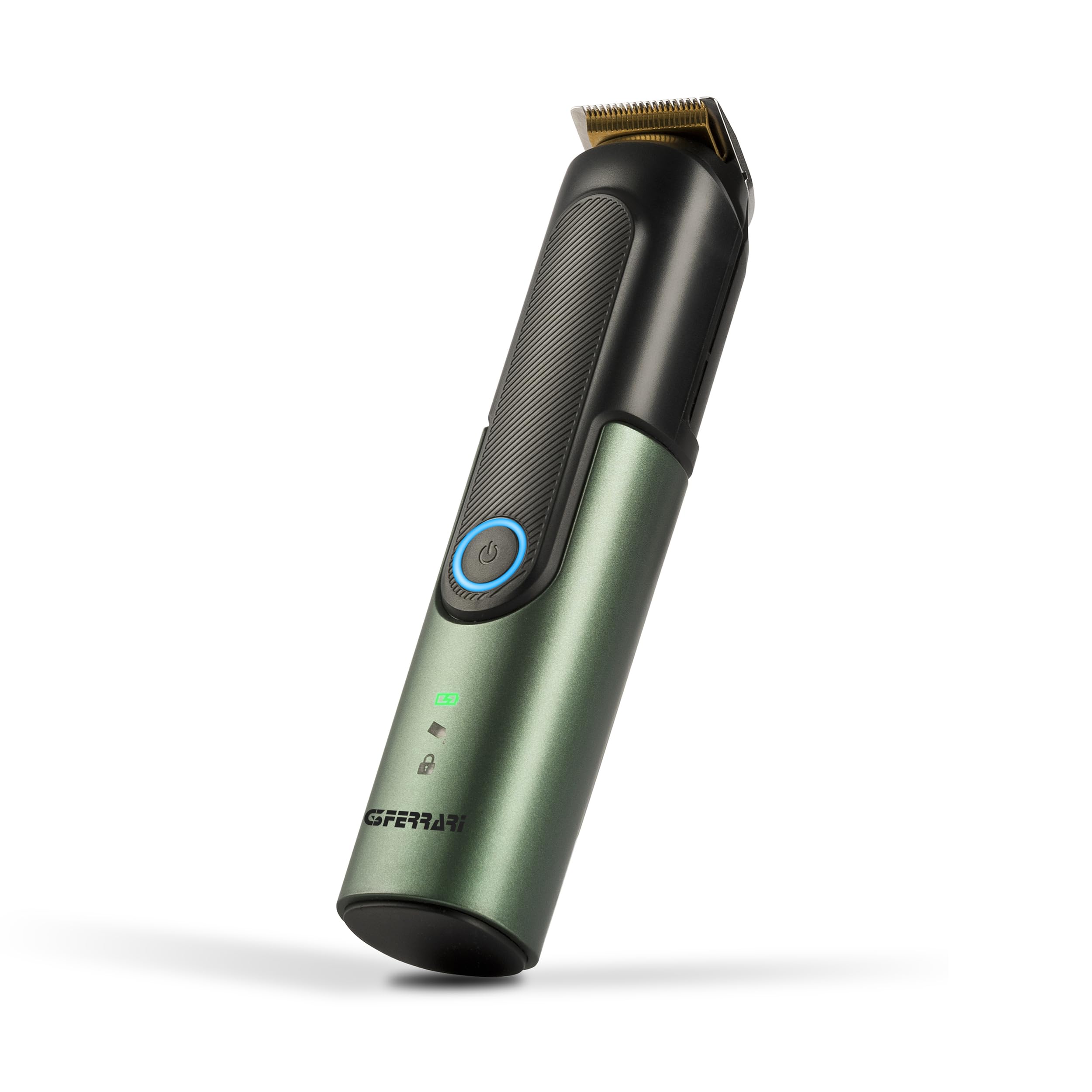
Image: The G3 Ferrari Smart Cut trimmer shown with its included accessories: two combs, USB cable, cleaning brush, and oil.
Product Features
The G3 Ferrari Smart Cut Trimmer offers the following key features:
- Cordless Operation: Provides maximum freedom of movement.
- Adjustable Cutting Length: From 1 to 20 mm for versatile styling.
- Long Battery Life: Up to 120 minutes of autonomy on a full charge.
- Fast USB Charging: Fully recharges in approximately 1.5 hours.
- Lithium Rechargeable Battery: For consistent power and durability.
- IPX6 Water Protection: Allows for easy cleaning under running water.
- Three Speed Settings: For customized trimming control.
- Stainless Steel Blades: Durable and precise cutting.
Setup
1. Charging the Device
Before first use, fully charge the trimmer. Connect the USB charging cable to the trimmer and to a compatible USB power adapter (not included) or a computer USB port. The battery indicator light will show charging status.
- A full charge takes approximately 1.5 hours.
- The battery indicator light will change to indicate a full charge.
2. Attaching the Comb
Select one of the two adjustable height combs. Align the comb with the trimmer head and gently push it until it clicks into place. Ensure it is securely attached before use.

Image: A close-up view of the trimmer head with an adjustable comb attached, showing the teeth of the comb.
Operating Instructions
1. Power On/Off
Press the power button to turn the trimmer on. Press it again to cycle through the three speed settings. Press and hold the power button to turn the trimmer off.
2. Adjusting Cutting Length
With the comb attached, rotate the adjustment dial located on the trimmer body to select your desired cutting length from 1 mm to 20 mm. Ensure the desired length is securely set before trimming.

Image: A close-up of the trimmer's adjustment dial, showing the numerical settings for cutting length from 1 to 20 mm.
3. Trimming
Hold the trimmer with the blades facing the area to be trimmed. Move the trimmer against the direction of hair growth for best results. Use slow, even strokes. For beard trimming, start with a longer setting and gradually reduce it until the desired length is achieved.
Maintenance and Cleaning
Regular cleaning and maintenance will ensure the longevity and performance of your trimmer.
1. Cleaning the Blades and Comb
- After each use, turn off the trimmer and remove the comb.
- Use the provided cleaning brush to remove loose hairs from the blades and comb.
- Since the trimmer has IPX6 protection, you can rinse the blades and comb under running water. Ensure the trimmer is turned off and disconnected from any charging cable before rinsing.
- Allow all parts to air dry completely before reassembling or storing.
2. Oiling the Blades
To maintain optimal cutting performance, apply a few drops of the provided lubricating oil to the blades after every few uses, or if you notice reduced performance. Turn the trimmer on for a few seconds to distribute the oil evenly, then turn it off and wipe off any excess.

Image: A close-up of the trimmer's body, showing the battery charge indicator and a lock symbol, which may indicate a travel lock feature.
Troubleshooting
If you encounter any issues with your G3 Ferrari Smart Cut Trimmer, refer to the following common problems and solutions:
| Problem | Possible Cause | Solution |
|---|---|---|
| Trimmer does not turn on. | Battery is depleted. | Charge the trimmer for at least 1.5 hours. |
| Travel lock is activated. | Press and hold the power button for 3-5 seconds to deactivate the travel lock. | |
| Poor cutting performance. | Blades are dull or clogged with hair. | Clean the blades thoroughly and apply lubricating oil. |
| Comb attachment is not properly seated. | Ensure the comb is securely clicked into place. | |
| Battery not charging. | USB cable or power adapter is faulty. | Try a different USB cable or power adapter. Ensure connections are secure. |
Specifications
| Feature | Detail |
|---|---|
| Model Number | G3006303 |
| Dimensions (LxWxH) | 35 x 32 x 163 mm |
| Weight | 160 grams |
| Power Source | Battery Powered (Lithium) |
| Charging Type | USB Charging |
| Charging Time | Approx. 1.5 hours |
| Operating Autonomy | Up to 120 minutes |
| Cutting Length Adjustment | 1 - 20 mm |
| Number of Speed Settings | 3 |
| Blade Material | Stainless Steel |
| Water Protection Rating | IPX6 (Washable with water jet) |
| Recommended Use | Beard and Hair Trimming |
Warranty and Support
This G3 Ferrari product is covered by a manufacturer's warranty. Please refer to your purchase documentation for specific warranty terms and conditions. The manufacturer's warranty period is typically 2 years from the date of purchase.
For technical support, service, or warranty claims, please contact your retailer or visit the official G3 Ferrari website for customer service information.
