
1. Introduction
This manual provides essential information for the setup, operation, and maintenance of your SOUNDBOKS 4 Bluetooth Performance Speaker. Please read this manual thoroughly before using the product to ensure proper function and safety.
2. Safety Information
Observe the following safety precautions to prevent damage to the speaker or personal injury:
- Do not expose the speaker to extreme temperatures, direct sunlight, or excessive moisture.
- Ensure proper ventilation around the speaker during operation.
- Use only the specified power supply or a compatible 65W+ USB-C PD power supply for charging.
- Battery Safety: The SOUNDBOKS 4 uses a removable Lithium-Ion battery. Inspect the battery regularly for any signs of damage, swelling, or leakage. If any abnormalities are observed, discontinue use immediately and contact SOUNDBOKS support for a replacement. Do not attempt to open or repair the battery. Dispose of batteries according to local regulations.
- Keep the speaker away from children and pets.
- Avoid placing heavy objects on the speaker.
3. What's in the Box
Upon unpacking your SOUNDBOKS 4, verify that all components are present:
- SOUNDBOKS 4 Performance Speaker
- Battery (1 Lithium Ion battery required, included)
Note: The charger is not included with the SOUNDBOKS 4. You will need a 65W+ USB-C PD power supply or 'THE CHARGER' (sold separately) to charge the speaker.
4. Product Overview
The SOUNDBOKS 4 is a portable Bluetooth performance speaker designed for high-volume audio output and durability. It features a robust construction and intuitive controls.
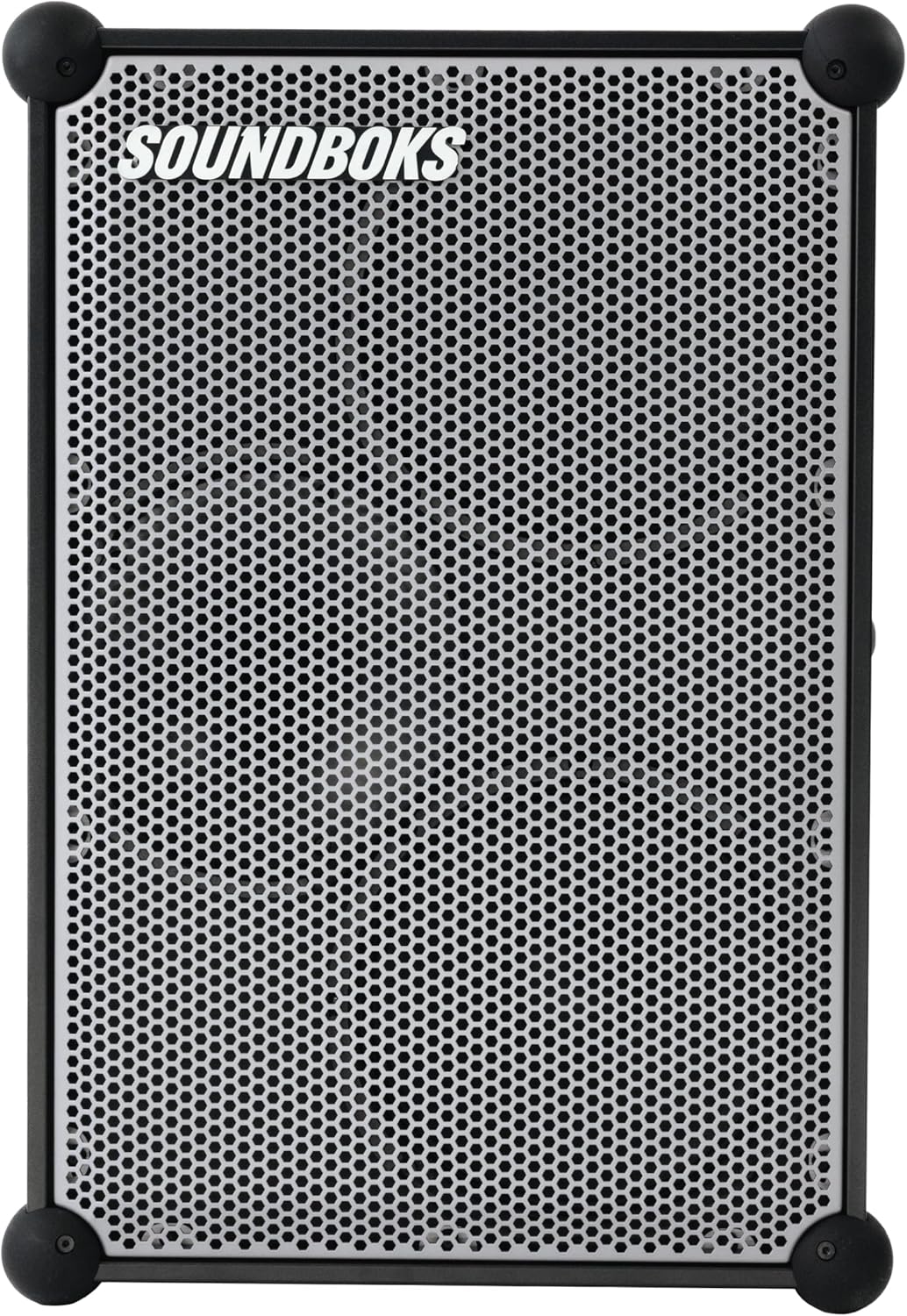
Figure 4.1: Front view of the SOUNDBOKS 4 speaker, showcasing the metallic gray grill and robust corner protectors.

Figure 4.2: Side view of the SOUNDBOKS 4, highlighting the control panel with a volume knob and power button, and integrated handles.
5. Setup
5.1 Battery Installation
- Locate the battery compartment on the side of the speaker.
- Insert the included battery into the compartment, ensuring it is securely seated.
- Close the battery compartment cover.

Figure 5.1: A user installing the battery into the designated compartment on the SOUNDBOKS 4 speaker.
5.2 Charging the Speaker
The SOUNDBOKS 4 can be charged while in use. Connect a 65W+ USB-C PD power supply (not included) to the USB-C charging port on the speaker. The battery indicator lights will show the charging status.

Figure 5.2: The USB-C charging port on the SOUNDBOKS 4, with a charging cable connected to a smartphone placed on top.
5.3 Powering On/Off
- To power on: Press and hold the power button on the control panel until the indicator lights illuminate.
- To power off: Press and hold the power button until the indicator lights turn off.
5.4 Bluetooth Pairing
- Ensure the speaker is powered on.
- Activate Bluetooth on your audio device (smartphone, tablet, etc.).
- On your device, search for available Bluetooth devices and select "SOUNDBOKS 4".
- Once connected, the speaker will emit an audible confirmation, and the Bluetooth indicator light will remain solid.
6. Operating Instructions
6.1 Volume Control
Adjust the master volume using the large rotary knob on the control panel. Turn clockwise to increase volume and counter-clockwise to decrease.
6.2 TeamUp Wireless Connection
The SOUNDBOKS 4 features SKAA technology for wireless multi-speaker setups. You can connect up to five SOUNDBOKS speakers wirelessly to create an expanded audio system.
- Ensure all speakers are powered on.
- On the primary speaker, activate TeamUp mode (refer to the SOUNDBOKS App for detailed instructions).
- On secondary speakers, activate TeamUp mode to join the network.
6.3 ProPanel Inputs
The ProPanel allows connection of microphones, mixers, instruments, and other audio sources. Consult the SOUNDBOKS App for specific settings and configurations for these inputs.
6.4 Customizable Design (Grill Removal)
The front grill of the SOUNDBOKS 4 is removable for customization. Gently pull the grill away from the speaker frame to detach it. To reattach, align the grill with the speaker and press firmly until it clicks into place.

Figure 6.1: An example of a customizable grill for the SOUNDBOKS 4 speaker, demonstrating the removable design feature.
6.5 SOUNDBOKS App
Download the official SOUNDBOKS App for advanced control, sound profiles, equalizer adjustments, and managing TeamUp connections. The app provides additional functionality and customization options for your speaker.

Figure 6.2: Screenshots illustrating the user interface of the SOUNDBOKS mobile application, showing sound settings and connection options.
7. Maintenance
7.1 Cleaning
Wipe the speaker's exterior with a soft, dry cloth. Do not use abrasive cleaners or solvents. Avoid getting moisture into any openings.
7.2 Battery Care
- Store the battery in a cool, dry place when not in use.
- Avoid fully discharging the battery frequently.
- If storing for extended periods, charge the battery to approximately 50% capacity.
8. Troubleshooting
If you encounter issues with your SOUNDBOKS 4, refer to the following common problems and solutions:
| Problem | Possible Cause | Solution |
|---|---|---|
| Speaker does not power on | Battery is depleted or not properly installed. | Charge the battery using a 65W+ USB-C PD power supply. Ensure the battery is correctly inserted. |
| No sound output | Volume is too low, device not paired, or incorrect input selected. | Increase volume. Re-pair Bluetooth device. Check input selection via the SOUNDBOKS App. |
| Bluetooth connection unstable | Device is too far from the speaker or interference. | Move device closer to the speaker. Avoid obstacles. Disconnect and re-pair. |
| TeamUp not connecting | Speakers are out of range or not in the correct TeamUp mode. | Ensure speakers are within range. Verify TeamUp mode settings in the SOUNDBOKS App for all speakers. |
9. Specifications
| Feature | Detail |
|---|---|
| Model Name | SOUNDBOKS 4 |
| Item Model Number | SB4 |
| Material | Aluminum |
| Product Dimensions | 13"D x 17"W x 25.6"H |
| Item Weight | 46.2 pounds |
| Speaker Type | Outdoor |
| Special Features | Bass Boost, Hi Res Audio, Shockproof |
| Recommended Uses | Indoor/Outdoor |
| Connectivity Technology | Bluetooth |
| Wireless Communication Technology | Bluetooth |
| Power Source | Battery Powered (1 Lithium Ion battery included) |
| Speaker Maximum Output Power | 216 Watts |
| Woofer Diameter | 10 Inches |
| Tweeter Diameter | 1 Inches |
| Control Method | Push Button |
| Audio Output Mode | Stereo |
| Mounting Type | Floor Standing |
| Warranty Type | Limited |
10. Warranty and Support
The SOUNDBOKS 4 comes with a limited warranty. For detailed warranty information, product support, or to purchase accessories like 'THE CHARGER', please visit the official SOUNDBOKS website or contact their customer service.
You can also visit the SOUNDBOKS Store on Amazon for more information.


