
Introduction
Thank you for choosing the USX MOUNT Heavy Duty Fixed TV Wall Mount. This manual provides essential information for the safe and correct installation and operation of your TV wall mount. Please read all instructions carefully before installation to ensure proper setup and to prevent damage or injury. This mount is designed for fixed installation of 65-100 inch flat panel televisions.
Safety Information
WARNING: Failure to read and follow these instructions may result in serious personal injury, property damage, or voiding of your warranty. If you do not understand these instructions or have doubts about the safety of the installation, please contact customer support or a qualified installer.
- Do not install on drywall alone. The mount must be secured to wood studs, concrete, or brick walls.
- Ensure the mounting surface can safely support the combined weight of the mount and the television.
- Use only the hardware provided. Do not use the mount for any purpose not expressly specified by the manufacturer.
- Keep children and pets away during installation.
- Always use a stud finder to locate wood studs accurately.
- Verify VESA compatibility and TV weight before installation.
Package Contents
Please check to ensure all components are included and undamaged. If any parts are missing or defective, contact customer support.
- Wall Plate Assembly
- TV Brackets (2x)
- Hardware Kit (various screws, washers, spacers, anchors)
- Bubble Level
- Drilling Template

Image: Included hardware kit with lag bolts, Fischer anchors, and a bubble level.
Specifications
| Mounting Type | Wall Mount |
| Movement Type | Fixed |
| Compatible TV Sizes | 65 - 100 Inches |
| Maximum Load Capacity | 200 lbs (90.7 kg) |
| VESA Compatibility | Min: 200x200mm, Max: 800x600mm |
| Profile from Wall | 1.3 inches (33mm) |
| Compatible Wall Types | Wood Studs (16", 18", 24", 32" spacing), Concrete, Brick |
| Material | Heavy-gauge steel |
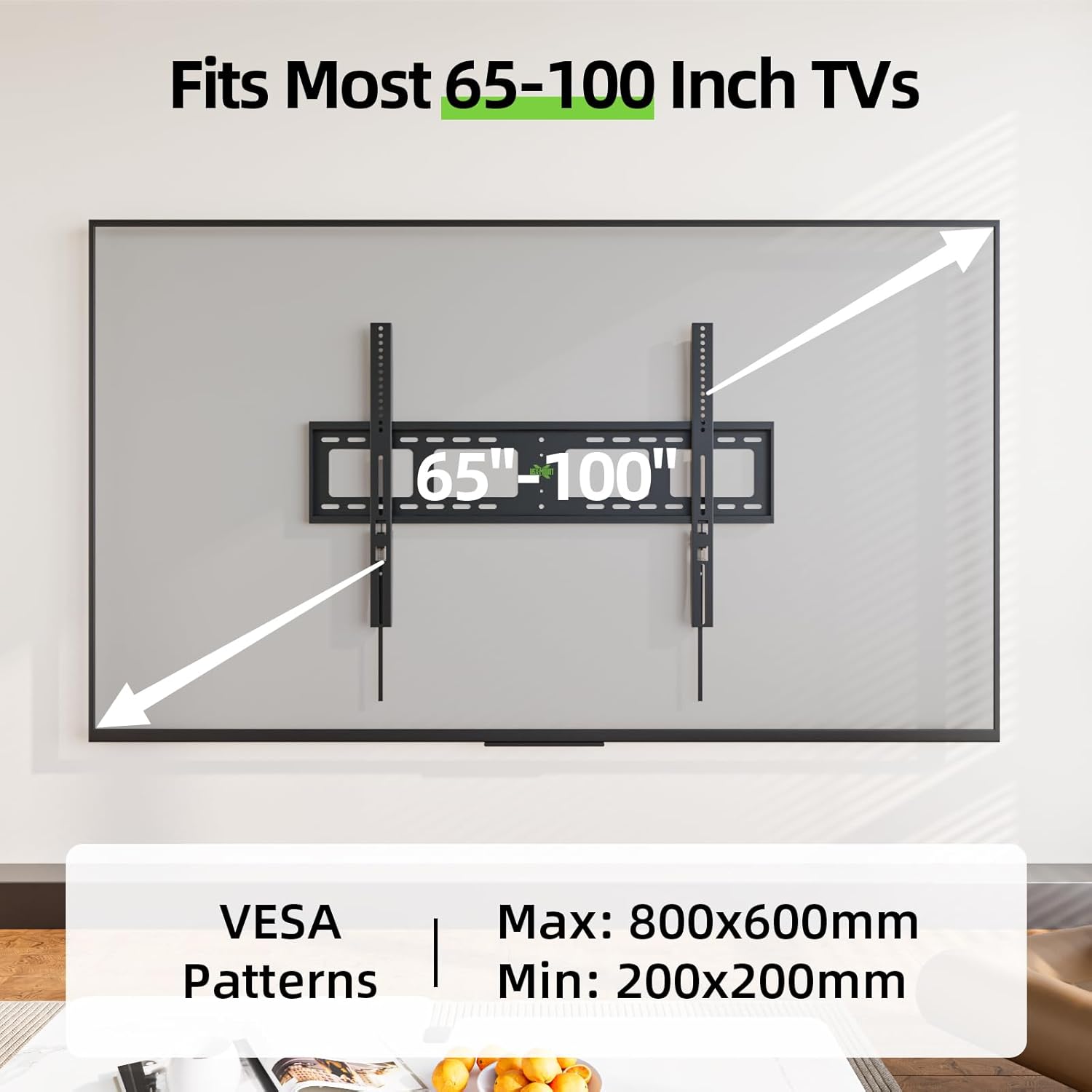
Image: Diagram illustrating VESA compatibility (Min: 200x200mm, Max: 800x600mm) and TV size range (65-100 inches).

Image: The USX MOUNT fixed TV wall mount designed for large screens, shown with a 98-inch TV.
Installation Guide
Follow these steps carefully for a secure installation.
Step 1: Pre-Installation Checks
- Check TV Compatibility: Ensure your TV's weight is within 200 lbs and its VESA pattern (mounting holes on the back of the TV) is between 200x200mm and 800x600mm.
- Check Wall Type: Identify your wall type. This mount is suitable for wood studs, concrete, and brick walls. DO NOT mount on drywall alone.

Image: Illustration of compatible wall types including wood studs (16"/24"/32" spacing), concrete, and brick. A clear warning against mounting on drywall only is present.
Step 2: Mount the Wall Plate
- Mark Drilling Locations: Use the provided drilling template and bubble level to mark the precise locations for drilling on your wall. For wood studs, ensure the marks align with the center of the studs. For concrete/brick, use appropriate anchors.
- Drill Pilot Holes: Drill pilot holes at the marked locations. The size of the drill bit will depend on your wall type and the lag bolts being used.
- Attach Wall Plate: Secure the wall plate to the wall using the lag bolts and washers. Ensure it is level and firmly attached.

Image: A person marking drilling locations on a wall using the provided drilling template and bubble level, ensuring accurate placement for the wall mount.
Step 3: Attach TV Brackets to TV
- Select Screws and Spacers: Choose the correct diameter and length of screws that fit your TV's VESA holes. Use spacers if necessary to ensure the brackets do not interfere with cables or the TV's curved back.
- Attach Brackets: Securely attach the two TV brackets to the back of your television using the selected screws and washers. Ensure the brackets are oriented correctly (pull cords facing downwards).
Step 4: Hang the TV on the Wall Plate
- Lift and Hook: With assistance, carefully lift the television and hook the TV brackets onto the top edge of the wall plate.
- Lower and Lock: Gently lower the TV until the brackets fully engage with the wall plate. The TV will click into place, indicating it is securely seated.
- Verify Security: Pull the quick-release cords to ensure the TV is locked onto the wall plate. The cords should be accessible from below the TV.

Image: Two individuals collaborating to lift and hang a large flat-screen TV onto the installed wall mount, highlighting the straightforward installation process.
Operating Instructions
Lock and Release Mechanism
The USX MOUNT features a classic pulling strap lock design for quick release or locking of the TV.
- To Lock: Once the TV is hung on the wall plate, the brackets automatically engage, securing the TV in place.
- To Release: To remove the TV from the wall mount, locate the two pull cords hanging below the TV. Pull both cords downwards simultaneously to disengage the locking mechanism, then carefully lift the TV off the wall plate with assistance.

Image: A close-up diagram illustrating the lock and unlock function of the TV mount using the pull cords for easy release.
Maintenance
Regular maintenance ensures the longevity and safety of your TV wall mount.
- Periodically check all screws and connections to ensure they are tight and secure.
- Clean the mount with a soft, dry cloth. Avoid abrasive cleaners or solvents.
- Inspect the mount for any signs of wear, damage, or corrosion. If any issues are found, contact customer support.
Troubleshooting
If you encounter any issues during or after installation, refer to the following common problems and solutions.
- TV is not level: Ensure the wall plate was installed level using the bubble level. If the TV brackets allow for minor adjustments, make them. Otherwise, the wall plate may need re-installation.
- TV does not lock into place: Verify that the TV brackets are correctly seated on the wall plate. Ensure no obstructions prevent the locking mechanism from engaging.
- Cables are difficult to plug in: Due to the low-profile design (1.3 inches from the wall), some cables may be difficult to access. Consider using right-angle adapters or flat-profile cables for connections.
- Mount feels unstable: Recheck all lag bolts and screws to ensure they are securely tightened. Confirm that the mount is properly anchored into solid wood studs, concrete, or brick.
Customer Support
Our dedicated US-based customer support team is available to assist you with any inquiries regarding the use or installation of your USX MOUNT TV wall mount. Please do not hesitate to contact us for assistance.
Contact Information: Refer to the product packaging or the USX MOUNT official website for the most current contact details.
Warranty Information
USX MOUNT products are manufactured with quality and durability in mind. For specific warranty terms and conditions, please refer to the warranty card included with your product or visit the official USX MOUNT website. Keep your purchase receipt as proof of purchase for any warranty claims.