
1. Introduction
Thank you for choosing the WUYJTIF E6plus Handheld Game Console. This manual provides essential information for setting up, operating, maintaining, and troubleshooting your device. Please read this manual thoroughly before use to ensure optimal performance and longevity of your console.
2. Product Overview
The WUYJTIF E6plus is a portable handheld game console designed for on-the-go entertainment. It features a 5-inch IPS full screen, a powerful processor, and supports a wide range of games.
Key Features:
- Display: 5-inch IPS full screen with multi-touch capability, 720x720 resolution, 60Hz/100Hz refresh rate.
- Processor: Unisoc T820 processor (8 cores: 1*A76@2.7GHz, 3*A76@2.3GHz, 4*A55@2.1GHz) and Quad Core Mali-G57 850MHz GPU.
- Memory & Storage: 2GB RAM + 32GB internal storage, expandable up to 256GB via external TF card.
- Battery: 6000mAh for extended playtime.
- Operating System: Android 13.
- Connectivity: Bluetooth 5.0, Wi-Fi, OTG handle connection.
- Output: Supports desktop/screen projection mode for TV connection.

This image displays two WUYJTIF E6plus handheld game consoles, one white and one purple, highlighting the 5-inch multi-touch screen and ergonomic design. The screen supports mirroring with wired earphones for Android/gaming dual systems.

This composite image details several key features of the WUYJTIF E6plus console. It highlights the upgraded Hall rocker, the ergonomic original grip designed for comfort, the 5-inch touch screen, the Game/Android Dual System, and the processor, emphasizing quick response and efficient cooling.
3. Setup
3.1 Initial Charging
Before first use, fully charge the console using the provided charging cable and a compatible 5V/2A power adapter. The charging indicator will typically show progress and turn off when fully charged.
3.2 Power On/Off
- To Power On: Press and hold the power button located on the side/top of the console until the screen illuminates.
- To Power Off: Press and hold the power button, then select 'Power Off' from the on-screen options. A short press will typically put the device into sleep mode.
3.3 Inserting an External TF Card
Locate the TF card slot on the console. Gently insert your external TF card (up to 256GB) into the slot until it clicks into place. Ensure the card is oriented correctly.
3.4 Connecting to a TV (Screen Projection Mode)
The console supports screen projection for a larger display experience. Connect the console to your TV using a compatible cable (not always included, check package contents). Navigate to the display settings on the console to activate screen mirroring or projection mode.
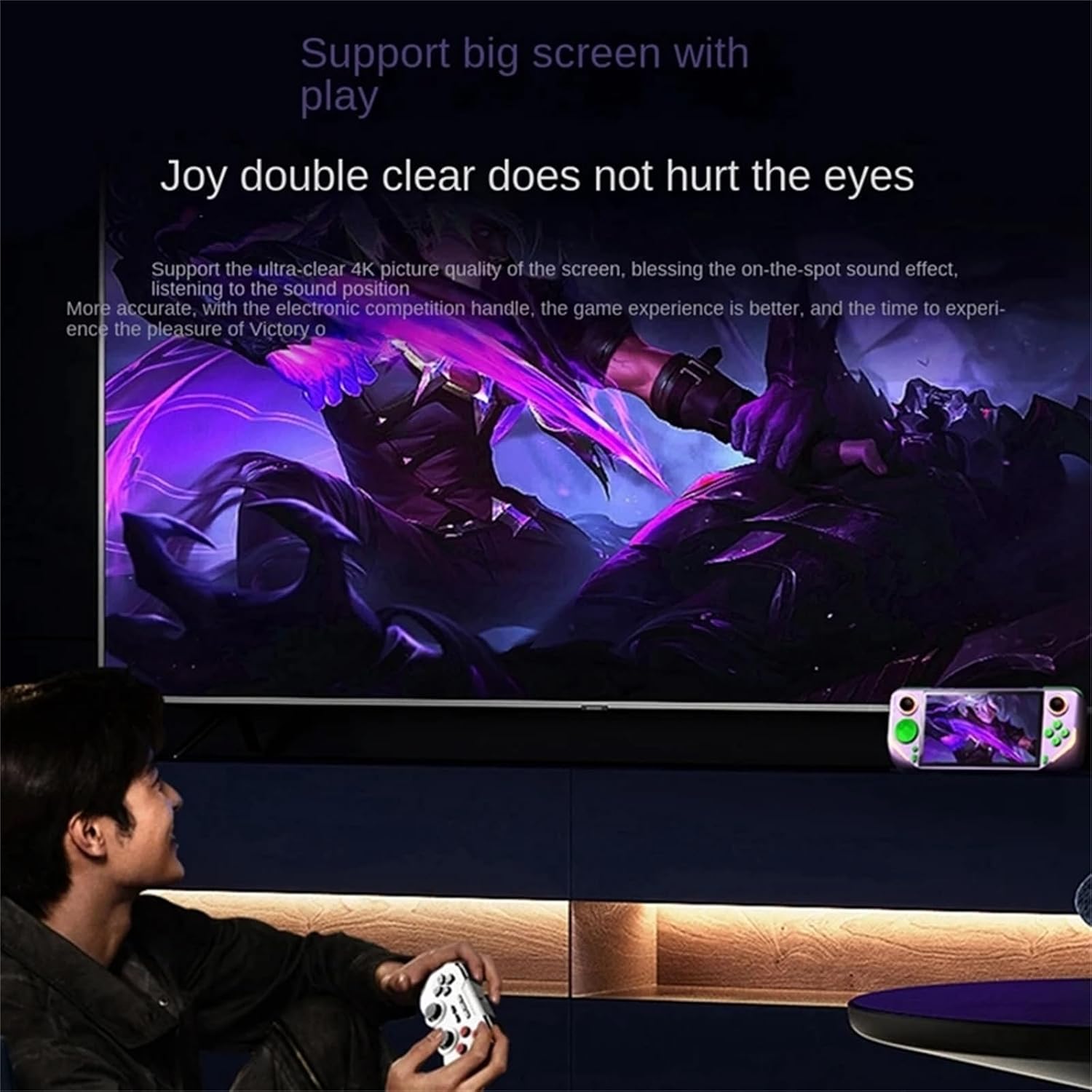
This image illustrates the console's ability to connect to a larger TV screen for an enhanced gaming experience. A user is shown playing the handheld console while the game content is mirrored on a television, supporting ultra-clear 4K picture quality.
4. Operating Instructions
4.1 Navigation and Controls
The console features a 5-inch IPS touch screen for intuitive navigation, along with physical buttons and joysticks for game control. Familiarize yourself with the layout of the buttons (A, B, X, Y), directional pad, and analog sticks.

A close-up view of the 5-inch IPS touch screen of the WUYJTIF E6plus handheld game console. The screen supports a 60Hz/100Hz refresh rate, designed to prevent screen tearing and provide an immersive visual experience.
4.2 Game Selection and Play
The console comes with a pre-loaded 128GB game card containing approximately 20,000 games. Navigate through the game library using the touch screen or physical controls. Select a game to launch it. Most games will have on-screen instructions or standard controls.
4.3 System Settings
Access the Android 13 operating system settings to configure various aspects of your console:
- Wi-Fi: Connect to a wireless network for updates or online features.
- Bluetooth: Pair with compatible Bluetooth accessories like headphones or controllers.
- Display: Adjust brightness, screen timeout, and resolution. The display supports a 60Hz refresh rate for smooth visuals.
- Sound: Control volume and audio output settings.
- Language: Select your preferred system language.

This graphic demonstrates the 60Hz refresh rate capability of the console's display. It shows how a 1280x720 HD resolution at 60 frames per second reduces motion blur and ghosting, providing a clear visual experience during fast-paced operations.
5. Maintenance
5.1 Cleaning the Console
Use a soft, dry, lint-free cloth to clean the console's screen and body. For stubborn smudges, slightly dampen the cloth with water. Avoid using harsh chemicals, abrasive cleaners, or excessive moisture, as these can damage the device.
5.2 Battery Care
- Avoid fully discharging the battery frequently.
- Store the console in a cool, dry place when not in use for extended periods.
- Use only the provided charging cable and a compatible power adapter (5V/2A) to prevent battery damage.
5.3 Storage
When not in use, store the console in a protective case or a safe environment to prevent scratches, impacts, and exposure to dust or extreme temperatures.
6. Troubleshooting
If you encounter issues with your WUYJTIF E6plus Handheld Game Console, refer to the table below for common problems and solutions.
| Problem | Possible Solution |
|---|---|
| Console does not power on. | Ensure the battery is charged. Connect the charger and wait a few minutes before attempting to power on again. |
| Screen is unresponsive or frozen. | Perform a soft reset by pressing and holding the power button for approximately 10-15 seconds until the device restarts. |
| Games are not loading or running slowly. | Check if the external TF card is properly inserted. Ensure there is sufficient storage space. Close any background applications. |
| Cannot connect to Wi-Fi or Bluetooth. | Verify that Wi-Fi/Bluetooth is enabled in settings. Ensure you are within range of the network/device. Restart the console and try again. |
| Console gets warm during use. | It is normal for the device to generate some heat during extended use. If it becomes excessively hot, stop playing and allow it to cool down. Ensure proper ventilation. |
7. Specifications
| Feature | Detail |
|---|---|
| Model Number | E6plus (Manufacturer Part Number: DIN240428001) |
| Screen Size | 5 Inches IPS |
| Resolution | 720x720 (as per feature bullets) |
| Refresh Rate | 60Hz / 100Hz |
| Processor | Unisoc T820 (8 cores: 1*A76@2.7GHz, 3*A76@2.3GHz, 4*A55@2.1GHz) |
| Graphics | Quad Core Mali-G57 850MHz |
| RAM | 2GB (as per description) / 8GB LPDDR4X (as per feature bullets - using 8GB as it's more detailed) |
| Internal Storage | 32GB (as per description) / 128GB UFS2.2 (as per feature bullets - using 128GB as it's more detailed) |
| Expandable Storage | Up to 256GB (TF Card) / Up to 2TB (as per feature bullets - using 2TB as it's more detailed) |
| Operating System | Android 13 |
| Battery Capacity | 6000mAh |
| Connectivity | Bluetooth 5.0, Wi-Fi, OTG |
| Dimensions (L x W x H) | 7.8" x 4" x 2" |
| Material | Plastic |
| Power Input | 5V/2A |
8. Warranty and Support
For any product-related inquiries, technical support, or if you are not completely satisfied with your console, please contact the seller directly. They are committed to responding within 24 hours to assist you.
Please retain your proof of purchase for any warranty claims or support requests.