
1. Introduction
Thank you for purchasing the Oraolo Wearable Bluetooth Speaker. This manual provides essential information for setting up, operating, and maintaining your speaker. Please read it thoroughly before use to ensure optimal performance and longevity of the device.

Image 1.1: The Oraolo Wearable Bluetooth Speaker, showcasing its compact size and design.
2. Product Features
- Pocket-Sized Portability: Lightweight and compact design for easy carrying.
- Hands-Free Functionality: Equipped with an easy-open clip for one-handed operation and versatile attachment.
- User-Friendly Controls: Thoughtfully sized multi-function buttons for easy operation, even with gloves.
- High-Fidelity Audio: Delivers rich and clear sound for music and calls.
- Ultra-Lightweight Design: Weighs less than 3 oz (65 grams) for comfortable wear.
- Extended Battery Life: Up to 18 hours of playtime on a single charge.
- Rugged and Outdoor-Ready: IPX7 rating for dust and water resistance.
- Ideal for Active Lifestyles: Wireless Bluetooth capabilities and clip-on design for activities like hiking, running, or gym workouts.
3. Package Contents
Please check the package for the following items:
- Oraolo Wearable Bluetooth Speaker (Model S11)
- USB Charging Cable
- User Manual
4. Product Overview
4.1. Speaker Components
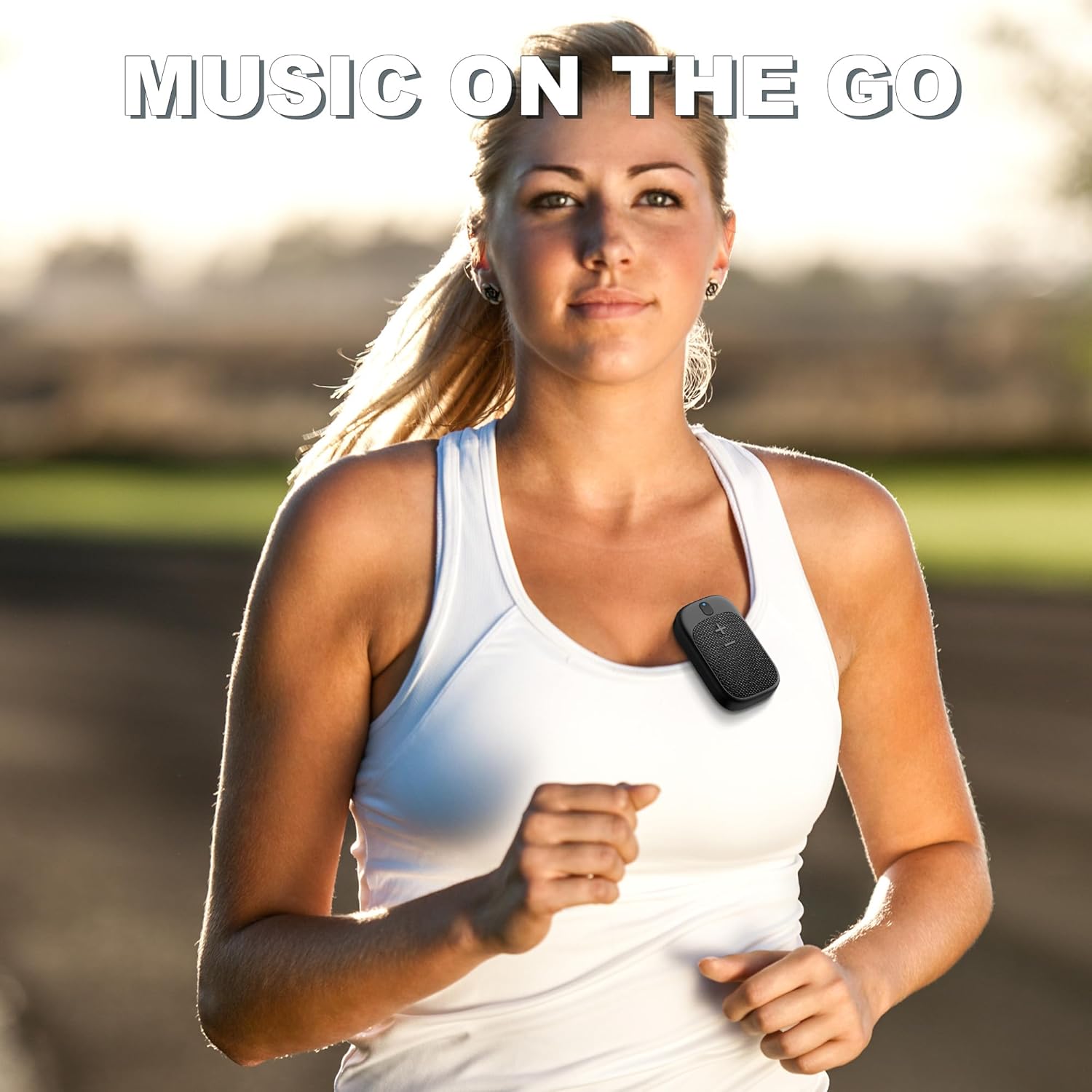
Image 4.1: Front view of the speaker showing the main control buttons.
The speaker features a minimalist design with easily accessible controls. The main surface includes volume up (+) and volume down (-) buttons, which also serve as track navigation controls. A multi-function button is typically located near the top for power, play/pause, and call management. An LED indicator provides status feedback.
4.2. Dimensions and Weight
- Product Dimensions: 1.6"D x 2.8"W x 1.2"H (approximately 4cm D x 7cm W x 3cm H)
- Item Weight: 2.29 ounces (65 grams)

Image 4.2: The speaker demonstrating its splash-proof fabric and water resistance.
5. Setup
5.1. Charging the Speaker
Before first use, fully charge the speaker. Connect the provided USB charging cable to the speaker's charging port and a USB power source (e.g., computer, wall adapter). The LED indicator will show charging status and turn off or change color when fully charged.

Image 5.1: The speaker connected to a USB-C charging cable, illustrating the charging process.
5.2. Power On/Off
- To Power On: Press and hold the multi-function button for approximately 2 seconds. The LED indicator will light up.
- To Power Off: Press and hold the multi-function button for approximately 2 seconds. The LED indicator will turn off.
5.3. Bluetooth Pairing
- Ensure the speaker is powered off.
- Press and hold the multi-function button until the LED indicator flashes rapidly, indicating pairing mode.
- On your device (smartphone, tablet, laptop), enable Bluetooth and search for available devices.
- Select "Oraolo S11" (or similar name) from the list of found devices.
- Once connected, the LED indicator will stop flashing and remain solid blue.
6. Operating Instructions
6.1. Music Playback
- Play/Pause: Short press the multi-function button.
- Volume Up: Short press the '+' button.
- Volume Down: Short press the '-' button.
- Next Track: Press and hold the '+' button for 2 seconds.
- Previous Track: Press and hold the '-' button for 2 seconds.
6.2. Hands-Free Calls
- Answer/End Call: Short press the multi-function button during an incoming call or an active call.
- Reject Call: Press and hold the multi-function button for 2 seconds during an incoming call.

Image 6.1: A user demonstrating hands-free calling with the speaker clipped to their attire.
6.3. Wearing the Speaker
The Oraolo speaker features a versatile clip-on design. You can attach it to various items for convenient, hands-free audio:
- Clip it onto your T-shirt collar or pocket.
- Attach it to your backpack strap.
- Secure it to a tool belt or other work attire.

Image 6.2: The speaker clipped to a tool belt, illustrating its adaptive clip style for various uses.
7. Maintenance
- Cleaning: Wipe the speaker with a soft, damp cloth. Do not use harsh chemicals or abrasive cleaners.
- Water Resistance: The speaker has an IPX7 rating, meaning it can withstand immersion in water up to 1 meter for 30 minutes. Ensure the charging port cover is securely closed before exposure to water. Do not intentionally submerge for extended periods or in depths beyond its rating.
- Storage: Store the speaker in a cool, dry place away from extreme temperatures and direct sunlight.
- Battery Care: To preserve battery life, charge the speaker regularly, even if not in frequent use. Avoid fully discharging the battery for extended periods.
8. Troubleshooting
- Speaker won't turn on: Ensure the battery is charged. Connect to a power source and try again.
- Unable to pair with device: Make sure the speaker is in pairing mode (LED flashing). Turn off and on your device's Bluetooth. Move the speaker closer to your device.
- No sound: Check the volume levels on both the speaker and your connected device. Ensure the speaker is properly paired.
- Poor sound quality: Move the speaker closer to your device to avoid interference. Ensure there are no obstructions between the speaker and the device.
- Charging issue: Verify the charging cable and power source are working correctly. Ensure the charging port is clean and free of debris.
9. Specifications
| Model Name | S11 |
| Brand | Oraolo |
| Connectivity Technology | Bluetooth |
| Speaker Type | Built-In |
| Special Feature | Built-In Microphone |
| Recommended Uses | Clip-on |
| Compatible Devices | Laptop, Smartphone, Tablet |
| Product Dimensions | 1.6"D x 2.8"W x 1.2"H |
| Item Weight | 2.29 ounces (65 Grams) |
| Water Resistance Level | Waterproof (IPX7) |
| Control Method | Touch |
| Power Source | Battery Powered (1 Lithium Polymer battery included) |
| Audio Driver Type | Dynamic Driver |
10. Warranty and Support
The Oraolo Wearable Bluetooth Speaker comes with a limited warranty. Please refer to the warranty information provided with your purchase for details on coverage and duration. For technical support, troubleshooting assistance, or warranty claims, please contact Oraolo customer service through the retailer's platform or the official Oraolo website.

Image 10.1: Product packaging displaying manufacturer details and compliance information.
Manufacturer: Shenzhen Mosheng Innovation Technology Co., Ltd.
EU REP: eValuMaster Consulting GmbH
ASIN: B0D7C5N564
Item Model Number: S11

