
Introduction
The 1Mii B03Pro is a versatile 3-in-1 Bluetooth audio adapter designed to enhance your home audio experience. It functions as a Bluetooth transmitter, a Bluetooth receiver, and offers a bypass mode. This device allows you to stream audio wirelessly to or from your existing audio systems, including home stereos, TVs, and speakers. Its broad compatibility and advanced audio codecs provide high-quality sound transmission.

Image: Overview of the 1Mii B03Pro's three operational modes: Receiver, Transmitter, and Bypass.
Key Features
- 3-in-1 Functionality: Operates as a Bluetooth transmitter, receiver, and in bypass mode for flexible audio connectivity.
- Audiophile DAC: Equipped with an ESS SABRE9018K2M decoding chip, supporting up to 384 kHz/32-bit sampling for high-fidelity audio with a 121 dB Signal-to-Noise Ratio (SNR).
- Advanced Bluetooth 5.3: Features aptX Adaptive, aptX LL (Low Latency), and aptX HD codecs for high-quality, low-latency audio transmission and reception. aptX HD supports up to 48 kHz/24-bit audio.
- Extended Wireless Range: Provides a maximum operating distance of 80 meters (265 feet) outdoors and 35 meters (115 feet) indoors, allowing freedom of movement without losing audio connection.
- Dual Link Support: Can connect to two Bluetooth headphones or speakers simultaneously in transmitter mode.
- Wide Compatibility: Supports AUX, RCA, and optical digital inputs/outputs, making it compatible with a variety of devices including amplifiers, speakers, TVs, computers, and mobile phones.

Image: Detail of the 1Mii B03Pro's top panel, showing codec indicators and the ESS SABRE DAC chip.

Image: Microchip labeled 'ESS ES9018K2M' on a circuit board, representing the integrated audiophile DAC.
Package Contents
- 1Mii B03Pro Bluetooth Transmitter Receiver Unit
- USB Power Cable
- 3.5mm Audio Cable
- RCA Audio Cable (3.5mm Female to RCA Male)
- Optical Digital Cable

Image: The 1Mii B03Pro unit and its included cables for various audio connections.
Device Layout
The 1Mii B03Pro features a user-friendly layout with clearly labeled ports and controls. Familiarize yourself with the device's front and rear panels for optimal setup and operation.
Front Panel Controls and Indicators:
- Mode Switch (TX/RX/Bypass): Selects the operational mode.
- Bluetooth Pairing Button: Initiates pairing mode.
- Volume Buttons (+/-): Adjusts audio output level.
- Power Button: Turns the device on/off.
- LED Indicators: Display current mode (TX/RX), active codec (SBC, aptX, LL, HD, AD), and connection status.
Rear Panel Ports:
- DC IN: USB power input.
- 3.5mm Out / Optical Out: Audio outputs for connecting to speakers or receivers.
- Optical In / 3.5mm In: Audio inputs for connecting to source devices like TVs or PCs.

Image: Top view of the 1Mii B03Pro, highlighting controls and indicators.

Image: Rear view of the 1Mii B03Pro, showing all connection ports.
Setup and Operation
1. Powering On the Device
- Connect the provided USB power cable to the DC IN port on the B03Pro.
- Plug the other end of the USB cable into a 5V USB power adapter (not included) or a powered USB port.
- Press the Power Button to turn on the device. The LED indicators will light up.
2. Selecting Operating Mode (TX/RX/Bypass)
Use the mode switch on the front panel to select your desired operation mode:
- TX (Transmitter) Mode: To send audio from a non-Bluetooth device (e.g., TV, PC) to Bluetooth headphones or speakers.
- RX (Receiver) Mode: To receive audio from a Bluetooth device (e.g., smartphone, tablet) and play it through a non-Bluetooth stereo system or speakers.
- Bypass Mode: To allow audio to pass through the device without Bluetooth processing, useful when you want to use your wired speakers directly.
3. Receiver Mode (RX) Setup
In RX mode, the B03Pro receives Bluetooth audio and outputs it to your wired audio system.
- Set the mode switch to RX.
- Connect the B03Pro's 3.5mm Out or Optical Out port to your stereo receiver, amplifier, or powered speakers using the appropriate audio cable.
- On your smartphone or tablet, enable Bluetooth and search for "1Mii B03Pro". Select it to pair.
- Once paired, the RX LED indicator will be solid, and you can stream audio from your device to your stereo system.
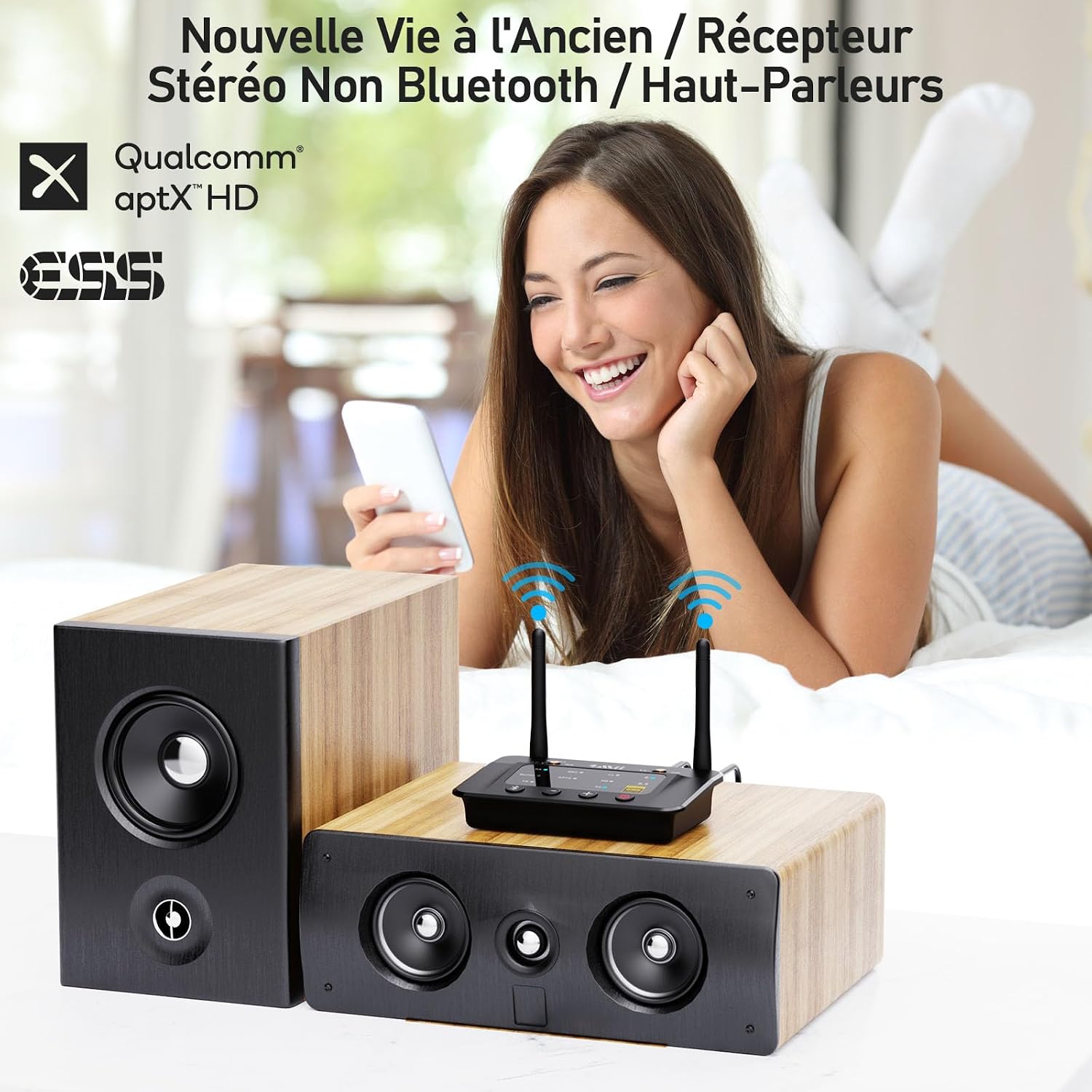
Image: Example of the 1Mii B03Pro in Receiver (RX) mode, connecting a smartphone to traditional speakers.
4. Transmitter Mode (TX) Setup
In TX mode, the B03Pro transmits audio from your non-Bluetooth device to Bluetooth headphones or speakers.
- Set the mode switch to TX.
- Connect your audio source (e.g., TV, PC) to the B03Pro's 3.5mm In or Optical In port using the appropriate audio cable.
- Put your Bluetooth headphones or speakers into pairing mode.
- Press the Bluetooth Pairing Button on the B03Pro. The TX LED will flash.
- The B03Pro will automatically search for and connect to your Bluetooth audio device. Once connected, the TX LED will be solid.
- For dual link, repeat step 3 and 4 for the second Bluetooth device.

Image: The 1Mii B03Pro in Transmitter (TX) mode, enabling two people to listen to TV audio via Bluetooth headphones.
5. Bypass Mode Setup
Bypass mode allows you to use your wired speakers directly without disconnecting the B03Pro, providing a seamless transition between wired and wireless audio.
- Set the mode switch to Bypass.
- Connect your audio source (e.g., TV) to the B03Pro's 3.5mm In or Optical In port.
- Connect the B03Pro's 3.5mm Out or Optical Out port to your wired speakers or soundbar.
- Audio will now pass directly from your source to your wired speakers.
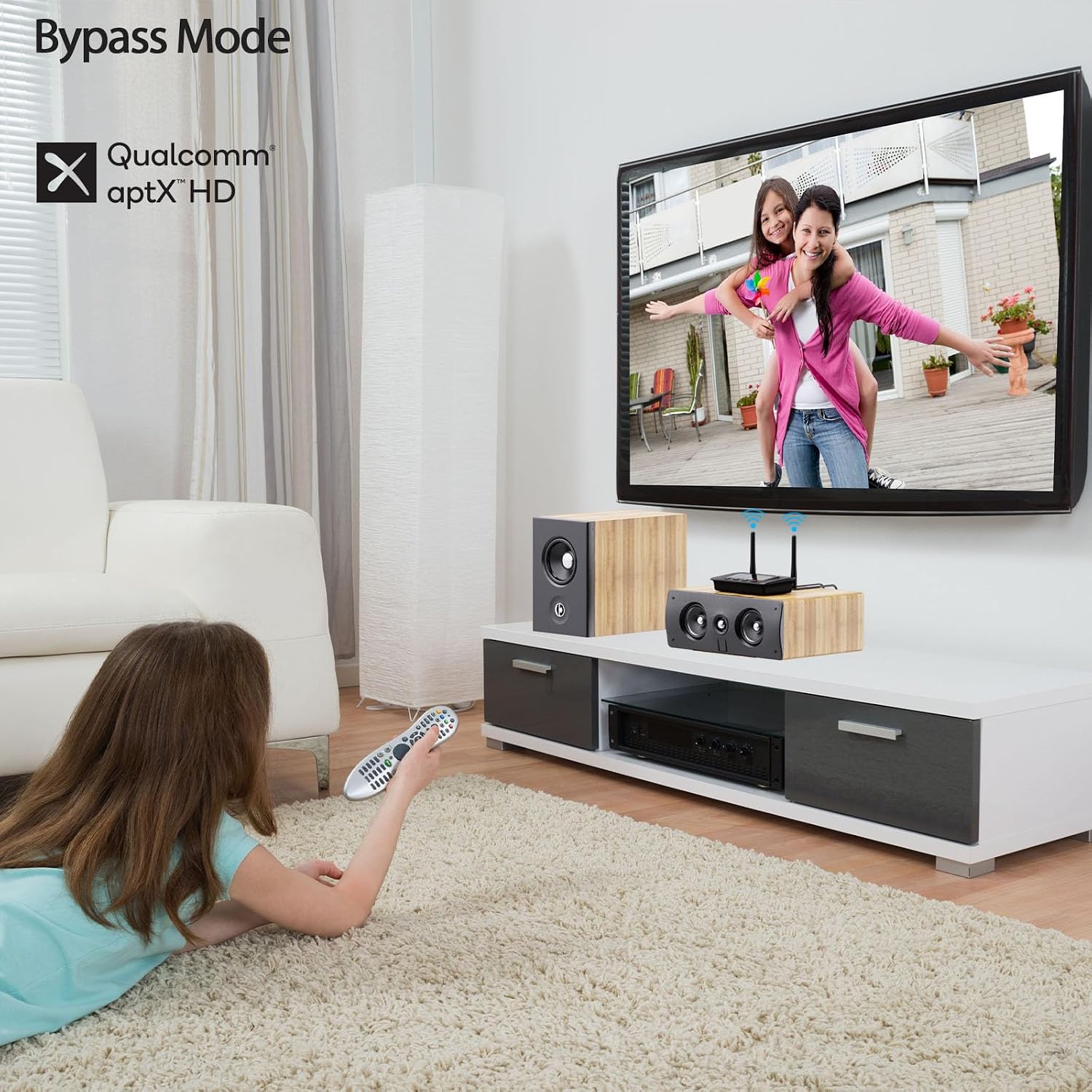
Image: The 1Mii B03Pro in Bypass mode, allowing direct audio output to a soundbar from a TV.
Maintenance
- Keep the device in a dry environment, away from extreme temperatures and direct sunlight.
- Clean the device with a soft, dry cloth. Do not use liquid cleaners or aerosols.
- Avoid dropping or subjecting the device to strong impacts.
- Ensure proper ventilation around the device during operation.
Troubleshooting
| Problem | Possible Solution |
|---|---|
| No power / Device does not turn on. | Ensure the USB power cable is securely connected and the power source is active. Try a different USB power adapter or port. |
| Cannot pair with Bluetooth device. |
|
| No audio output. |
|
| Audio quality is poor or intermittent. |
|
Specifications
| Feature | Detail |
|---|---|
| Brand | 1Mii |
| Model Number | B03Pro |
| Connectivity Technology | Bluetooth 5.3, RCA, 3.5mm Jack, Optical |
| Special Features | Audiophile DAC (ESS SABRE9018K2M), Long Range, TX+BYPASS Working, aptX HD, aptX LL, aptX Adaptive |
| Compatible Devices | Amplifiers, Speakers, Televisions, Computers, Bluetooth Wireless Headphones, Mobile Phones |
| Audio Output Mode | Stereo (2.0 Channel) |
| Color | Black |
| Control Method | Buttons on device |
| Wireless Range (Outdoor) | Up to 80 meters (265 feet) |
| Wireless Range (Indoor) | Up to 35 meters (115 feet) |
Warranty and Support
1Mii products come with a standard manufacturer's warranty. For specific warranty details, technical support, or customer service inquiries, please refer to the warranty card included in your product packaging or visit the official 1Mii website. You can also contact 1Mii customer support directly through their provided contact channels.
For the latest information and support resources, please visit: www.1mii.com


