
1. Introduction
Thank you for choosing the ACAMMZAR 1:24 RC Drift Car Model S812. This manual provides essential information for setting up, operating, maintaining, and troubleshooting your new remote control car. Please read it thoroughly before use to ensure safe and optimal performance.
The ACAMMZAR RC Drift Car is a 1:24 scale, 4WD high-speed vehicle designed for exciting drifting and racing. It features LED lights, two types of tires (drifting and racing), and comes with two rechargeable batteries for extended playtime.
2. Safety Information
- Adult Supervision: Always operate the RC car under adult supervision, especially with younger users.
- Battery Safety: Use only the specified batteries and charging cable. Do not attempt to charge non-rechargeable batteries. Do not short-circuit, disassemble, or expose batteries to extreme temperatures.
- Operating Environment: Avoid operating the car in crowded areas, near water, or on public roads. Ensure a clear, open space for safe operation.
- Avoid Obstacles: Do not drive the car into people, animals, or furniture to prevent injury or damage.
- Cleaning: Disconnect the battery before cleaning. Use a dry cloth; avoid water or chemicals.
- Age Recommendation: This product is recommended for users aged 8 years and above.
3. Package Contents
Verify that all items listed below are included in your package:
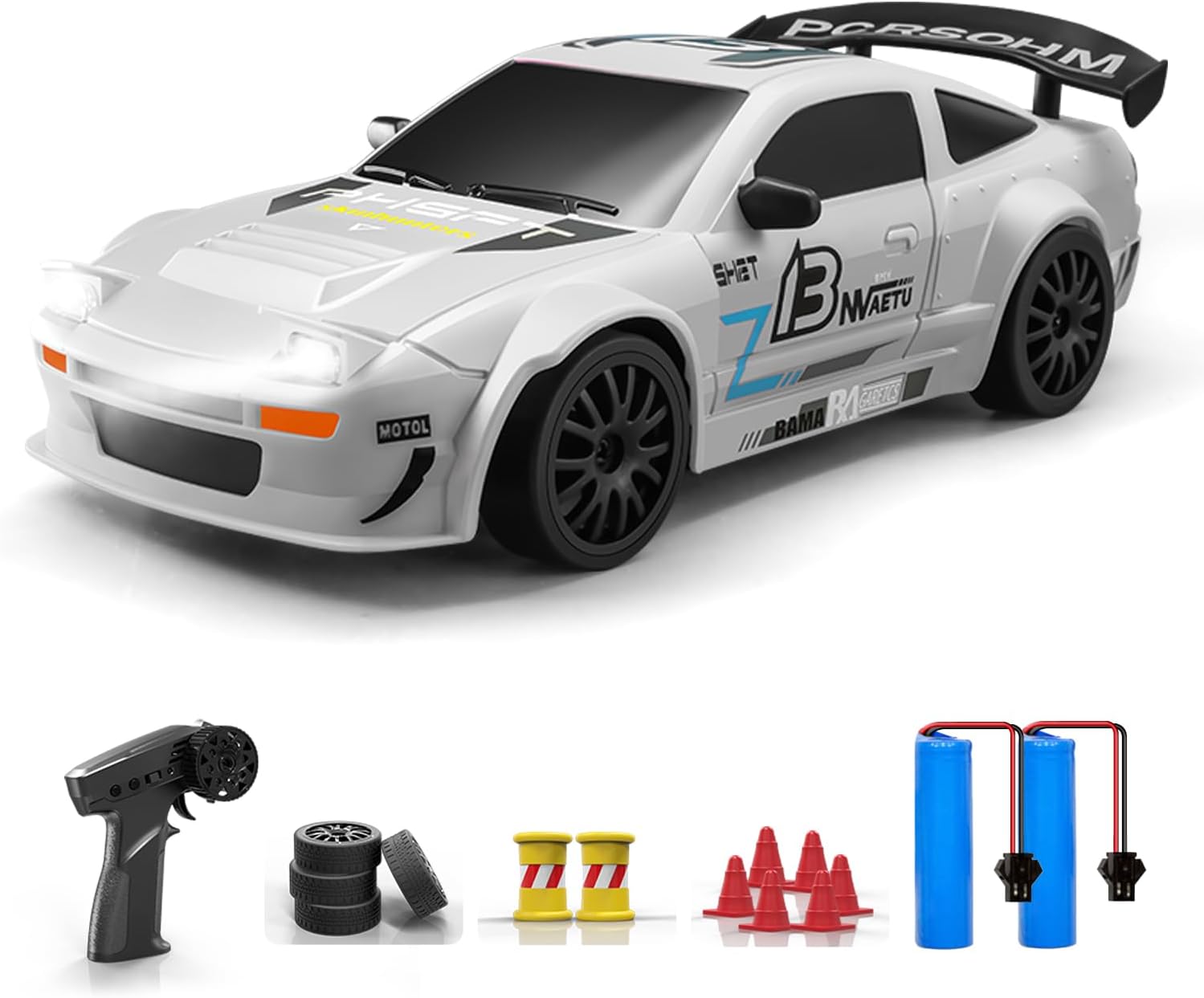
- 1x ACAMMZAR 1:24 RC Drift Car (Model S812)
- 1x Remote Control
- 2x 3.7V 500mAh Li-ion Rechargeable Batteries (one pre-installed in car, one spare)
- 1x USB Charging Cable
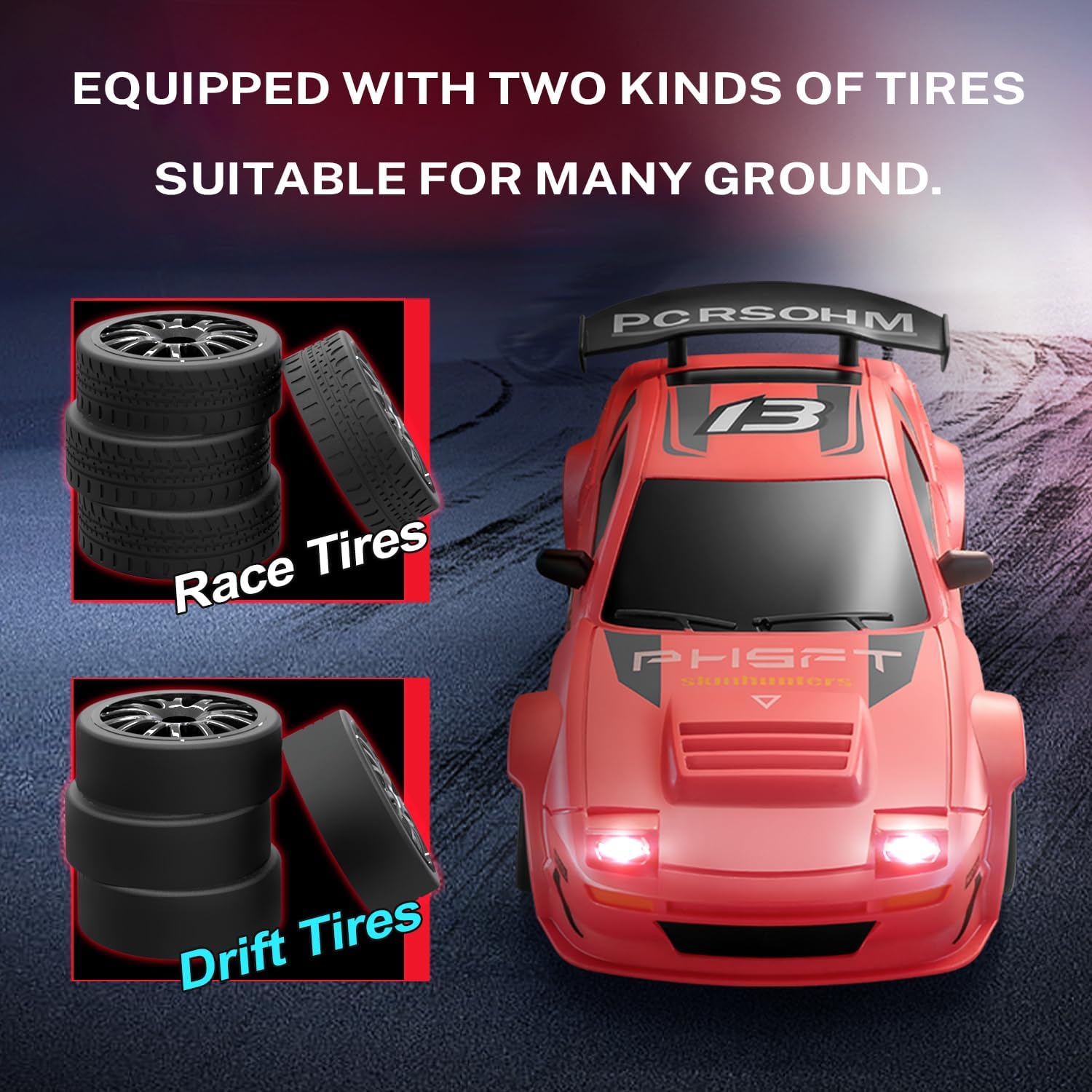
- 4x Extra Drifting Tires
- 4x Racing Tires (pre-installed)
- 1x Screwdriver
- 1x Instruction Manual
- Barricade Accessories (cones and barrels)
4. Components Overview
4.1 RC Car
The RC car features a durable body, LED headlights and taillights, and a 4WD system for stable drifting. It includes independent front shock absorbers for smoother operation.

4.2 Remote Control
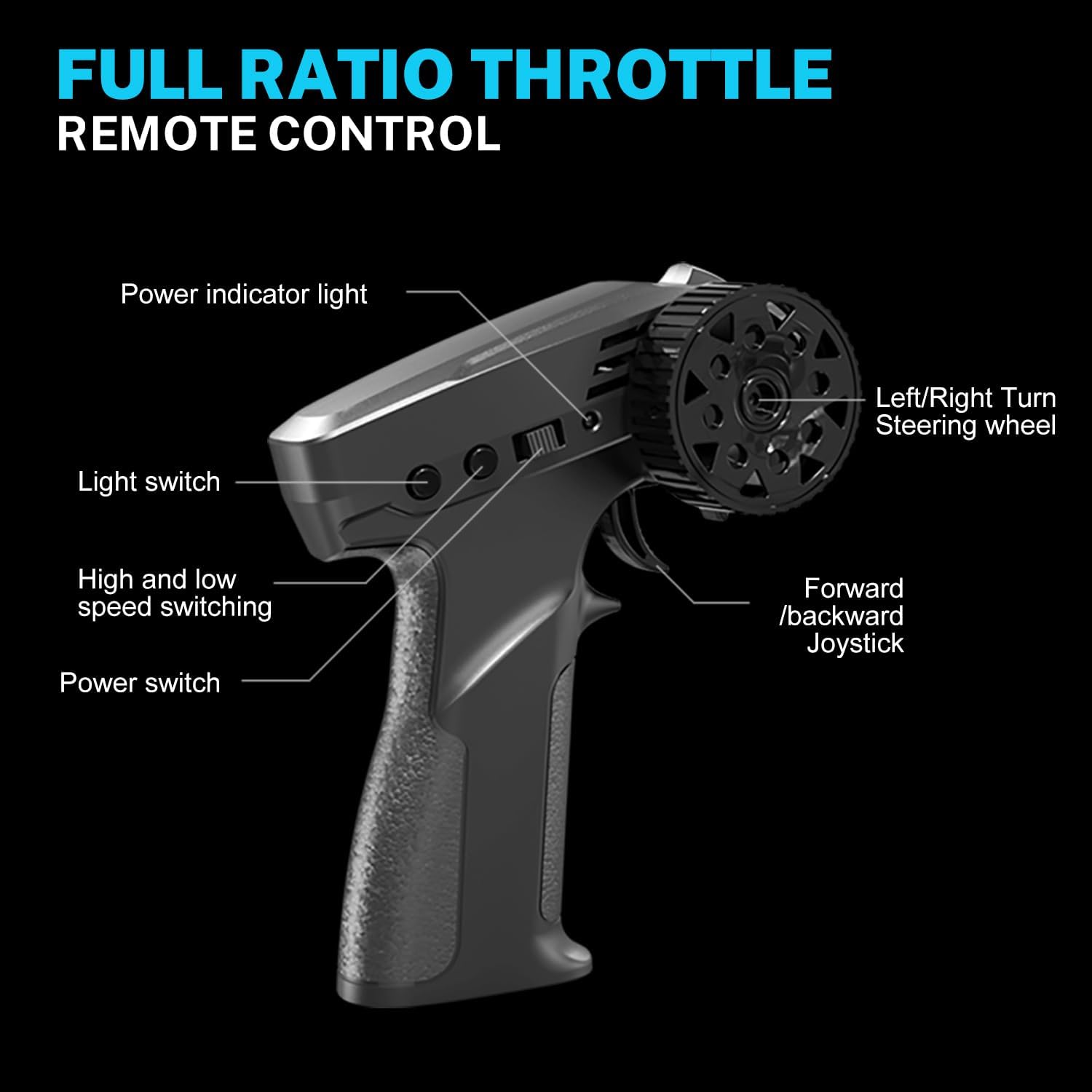
The remote control operates on 2.4GHz frequency, providing a control distance of up to 50 meters. It features a full proportional throttle for precise speed control and a steering wheel for accurate turns.
5. Setup
5.1 Battery Installation (RC Car)
- Locate the battery compartment on the underside of the car.
- Use the provided screwdriver to open the battery compartment cover.
- Connect the 3.7V 500mAh Li-ion battery to the car's connector, ensuring correct polarity.
- Place the battery inside the compartment and close the cover securely with the screwdriver.
5.2 Battery Installation (Remote Control)
- Locate the battery compartment on the underside of the remote control.
- Open the battery cover.
- Insert 2x AA batteries (not included) into the compartment, observing the correct polarity (+/-).
- Close the battery cover.
5.3 Charging the Car Battery
- Connect the 3.7V 500mAh Li-ion battery to the USB charging cable.
- Plug the USB charging cable into a USB power source (e.g., computer, USB wall adapter).
- The indicator light on the USB cable will show charging status (refer to charger instructions for details).
- Once fully charged, disconnect the battery from the charger.
5.4 Tire Replacement
The car comes with two sets of tires: racing tires (pre-installed) for grip and drifting tires for easy sliding. You can switch them using the provided screwdriver.
- Use the screwdriver to remove the screw in the center of each wheel.
- Carefully pull off the current tire and wheel assembly.
- Align the desired tire (drifting or racing) with the axle and push it into place.
- Secure the new tire with the screw using the screwdriver.
- Repeat for all four wheels.
6. Operating Instructions
6.1 Pairing the Remote Control
- Turn on the RC car using the switch on its underside. The car's lights will blink, indicating it's waiting for connection.
- Turn on the remote control using its power switch.
- The remote control and car will automatically pair. Once paired, the car's lights will become solid.
6.2 Basic Controls
- Forward/Backward: Use the trigger on the remote control. Pull to move forward, push to move backward. The full proportional throttle allows for variable speed control.
- Left/Right: Use the steering wheel on the remote control to turn the car left or right.
6.3 Speed Adjustment
The remote control allows you to switch between high and low speed modes, making it suitable for beginners and experienced users alike. Refer to the remote control diagram for the speed switch button.
6.4 LED Lights Control
The car is equipped with headlights, taillights, and chassis lights. These can be controlled via the remote control, enhancing visibility and aesthetics, especially for night play.

6.5 Drifting Techniques
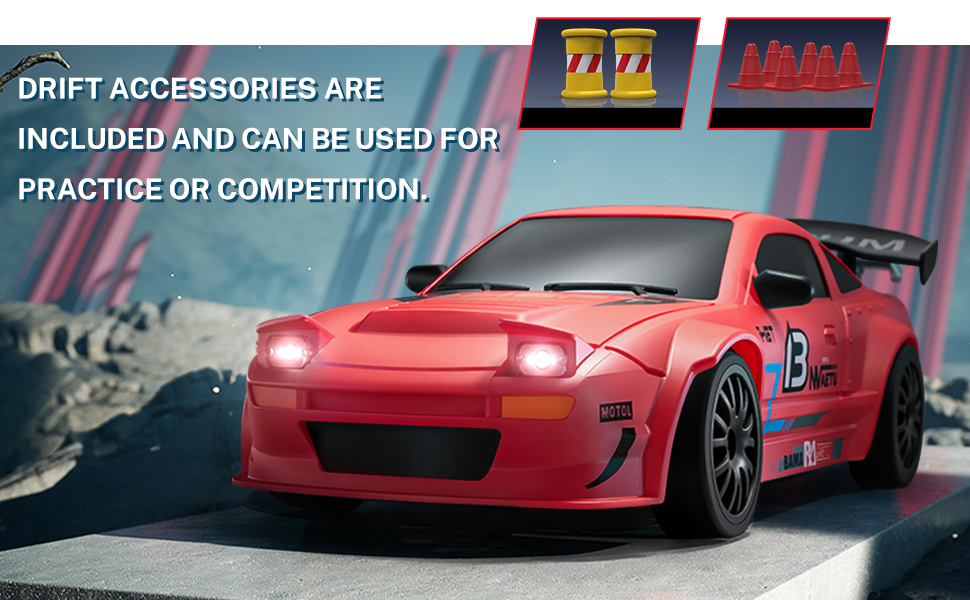
Utilize the 4WD system and full proportional throttle to perform various drifting stunts. The included barricade accessories (cones and barrels) can be used to set up courses for practice and competition.
Video: This video demonstrates the ACAMMZAR RC Drift Car in action, highlighting its features such as LED lights, gyro for automatic adjustments during drift, 2.4GHz full proportional remote control with 50m distance, 4WD system with powerful motor and 7.4V battery for easy cornering, interchangeable racing tires, and suitability for various drifting and racing scenarios.
Video: This video provides an overview of the ACAMMZAR RC Drift Car, showcasing its design and basic functionalities.
7. Maintenance
- Cleaning: Use a soft, dry cloth to wipe down the car after each use. Avoid using water or harsh cleaning agents, which can damage electronic components.
- Battery Care: Always fully charge the batteries before storage. If not used for an extended period, charge the batteries every 3 months to prolong their lifespan. Store batteries in a cool, dry place.
- Storage: Store the RC car and remote control in a dry, cool place away from direct sunlight and extreme temperatures.
- Inspection: Regularly check for loose screws, damaged parts, or worn tires. Replace any damaged components promptly to maintain performance and safety.
8. Troubleshooting
| Problem | Possible Cause | Solution |
|---|---|---|
| Car does not respond to remote control. | Low battery in car or remote; not paired; interference. | Charge car battery; replace remote batteries; re-pair car and remote; move to an area with less interference. |
| Short playtime. | Battery not fully charged; old battery. | Ensure battery is fully charged; use the spare battery; consider replacing old batteries. |
| Car drifts poorly or is hard to control. | Incorrect tires for surface; steering trim off. | Switch to drifting tires for slick surfaces or racing tires for grip; adjust steering trim on the remote control. |
| Lights not working. | Lights switched off; low battery. | Check light switch on remote; charge car battery. |
9. Specifications
| Feature | Detail |
|---|---|
| Scale | 1:24 |
| Model Number | S812 |
| Max Speed | 20 KM/H |
| Drive System | 4WD |
| Car Battery | 2x 3.7V 500mAh Li-ion (included) |
| Total Runtime | Up to 50 minutes |
| Remote Control Frequency | 2.4GHz |
| Remote Control Distance | Up to 50m |
| Remote Control Batteries | 2x AA batteries (not included) |
| Lights | LED Headlights, Taillights, Chassis Lights |
| Tires | Drifting Wheels, Racing Wheels (interchangeable) |
| Dimensions | 9.02 x 8.9 x 2.99 inches |
| Item Weight | 1.06 pounds |
10. Warranty and Support
ACAMMZAR is committed to providing reliable products. If you encounter any issues during the use of your RC Drift Car, please contact ACAMMZAR customer support. We are dedicated to assisting you with any problems you may experience.