
1. Introduction
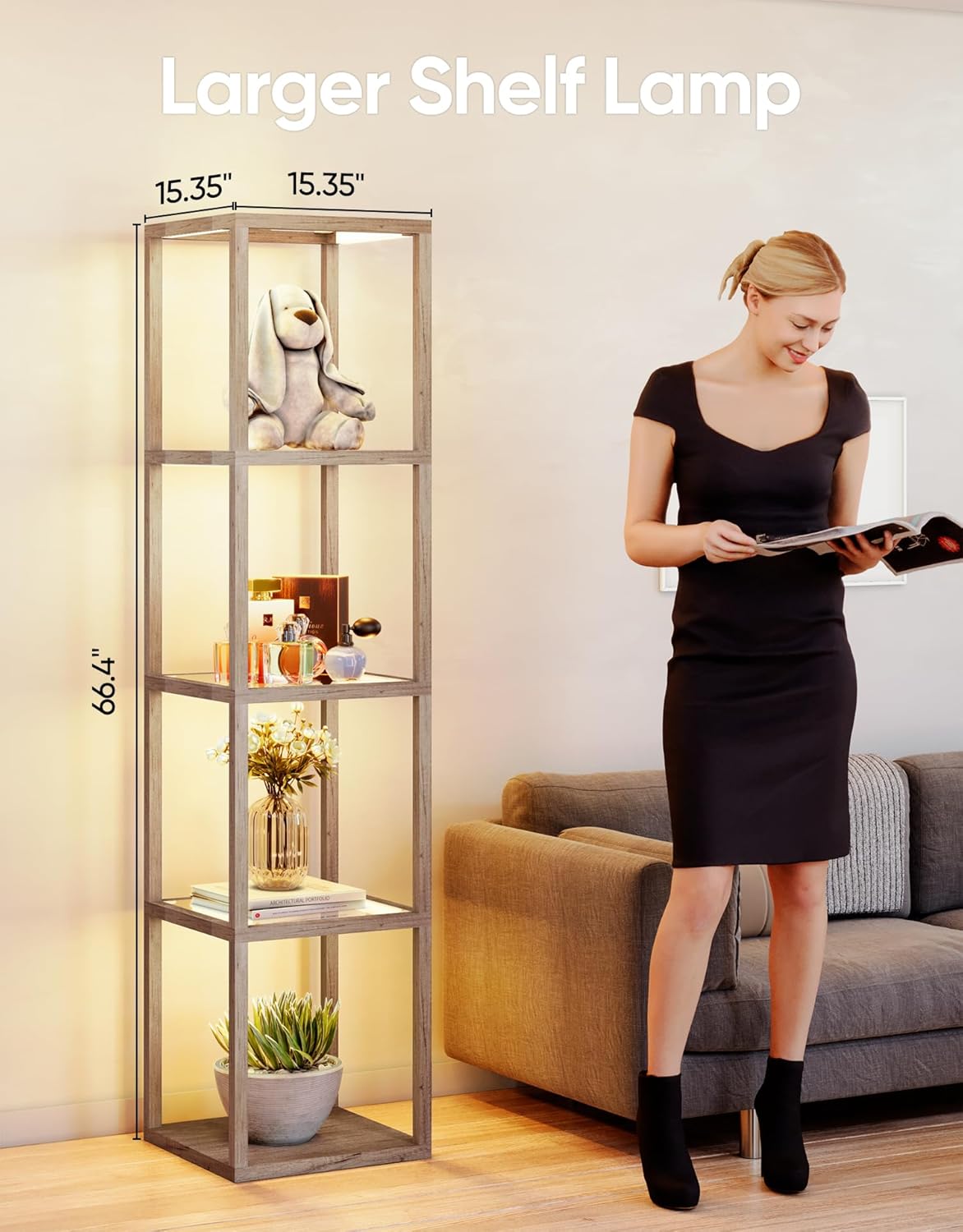
This manual provides detailed instructions for the assembly, operation, and maintenance of your PARTPHONER Dimmable LED Floor Lamp with Glass Display Shelves, Model PAFP088AH1. This product combines a functional floor lamp with a multi-tier display shelf, offering adjustable lighting and smart control options to enhance your living space.
2. Safety Information
- Ensure the lamp is unplugged before assembly, cleaning, or maintenance.
- Do not expose the lamp to water or excessive moisture. This product is for indoor use only.
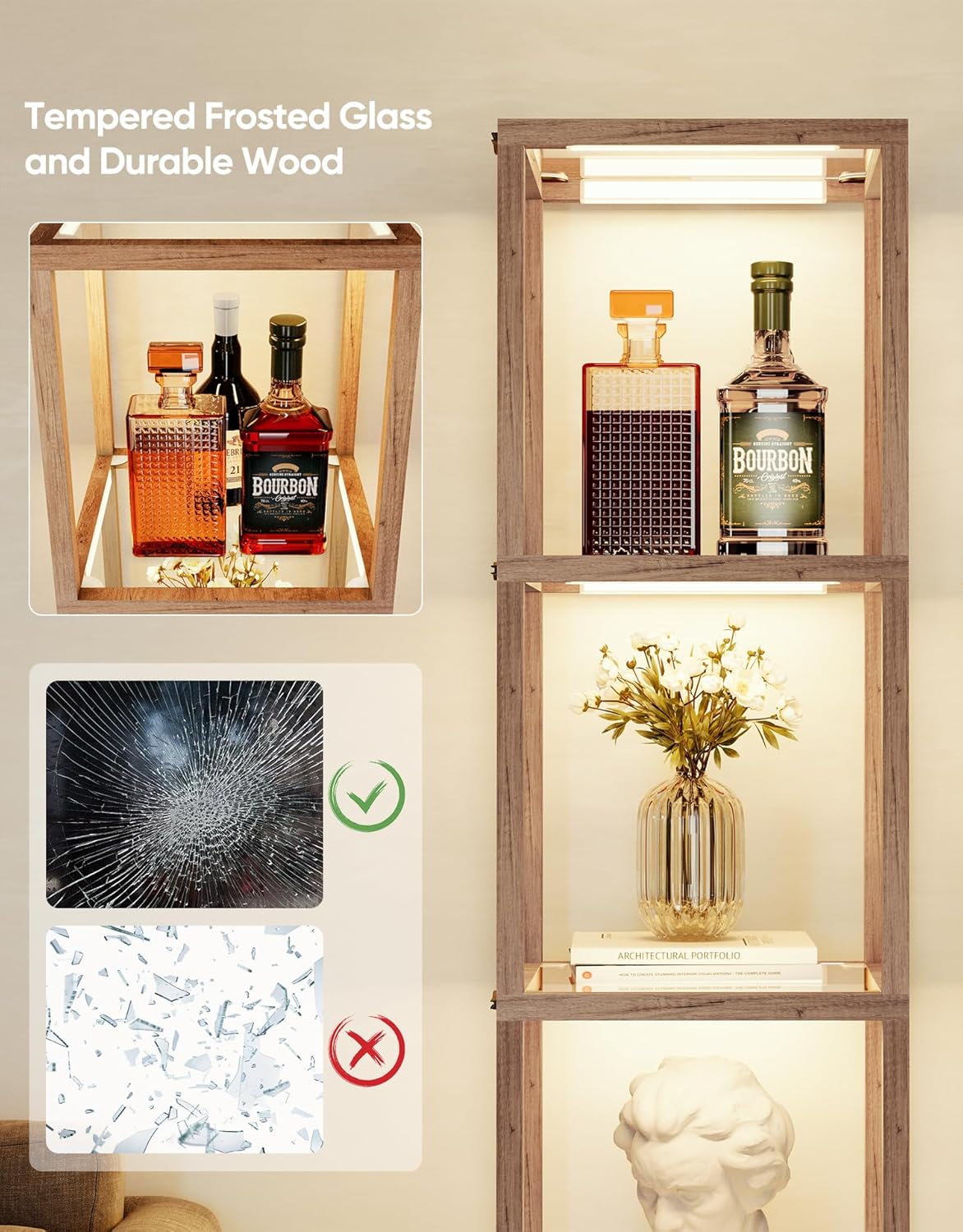
- Handle glass shelves with care to prevent breakage. In case of breakage, dispose of fragments safely.
- Place the lamp on a stable, level surface to prevent tipping.
- Do not exceed the maximum load capacity of the shelves (20 lbs per shelf).
- Keep the remote control and small parts out of reach of children.
- Use only the provided power adapter.
3. Package Contents
Verify that all components are present before beginning assembly:
- Wood frame components (vertical posts, horizontal supports)
- Tempered frosted glass shelves (5 pieces)
- LED light strips/modules (pre-installed or separate)
- Power adapter
- Remote Control (batteries not included)
- Assembly hardware (screws, L-wrench)
- Instruction Manual (this document)
4. Setup and Assembly
The PARTPHONER Floor Lamp is designed for straightforward assembly, typically completed within 10 minutes. Please follow the detailed step-by-step instructions provided in the physical instruction manual included in your package. A general overview of the assembly process is as follows:
- Unpack Components: Carefully remove all parts from the packaging and lay them out on a clean, soft surface to prevent scratches.
- Assemble Frame: Connect the wood frame components using the provided screws and L-wrench. Ensure all connections are secure.
- Install Glass Shelves: Gently slide the tempered frosted glass shelves into their designated slots within the frame.
- Connect Lighting: If LED light strips are not pre-installed, follow the manual to attach them to the frame and connect the wiring.
- Connect Power: Plug the power adapter into the lamp's power input, then into a standard electrical outlet.
5. Operating Instructions
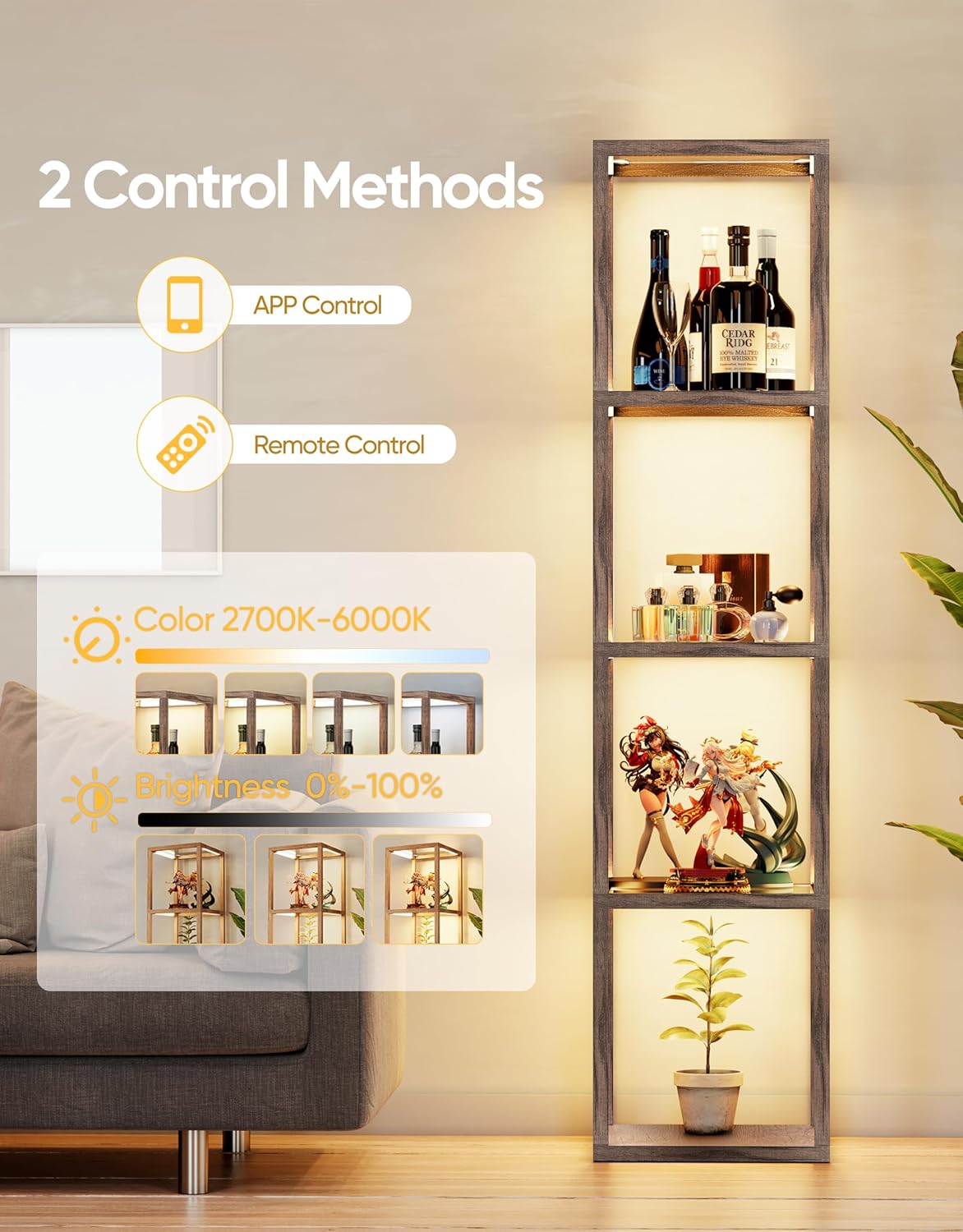
Your PARTPHONER floor lamp can be controlled via the included remote control or a dedicated smartphone application.
5.1 Remote Control Operation
Insert two AAA batteries (not included) into the remote control. The remote allows for quick adjustments:
- Power Button: Turns the lamp On or Off.
- Brightness Control (+/-): Increases or decreases light brightness (0-100%).
- Color Temperature Control (+/-): Adjusts the light color from warm (2700K) to cool (6000K).
- 1H Timer: Sets the lamp to automatically turn off after one hour.
- Preset Modes: Dedicated buttons for specific lighting environments: Nursery Mode, Night Mode, Work Mode, Study Mode.


5.2 APP Control Operation
For advanced control and customization, download the PARTPHONER app:
- Download App: Scan the QR code located on the power cable or search for the PARTPHONER app in your device's app store.
- Pairing: Follow the in-app instructions to pair your smartphone with the lamp via Wi-Fi.
- Adjust Lighting: Use the app interface to precisely control color temperature (2700K-6000K) and brightness (0-100%).
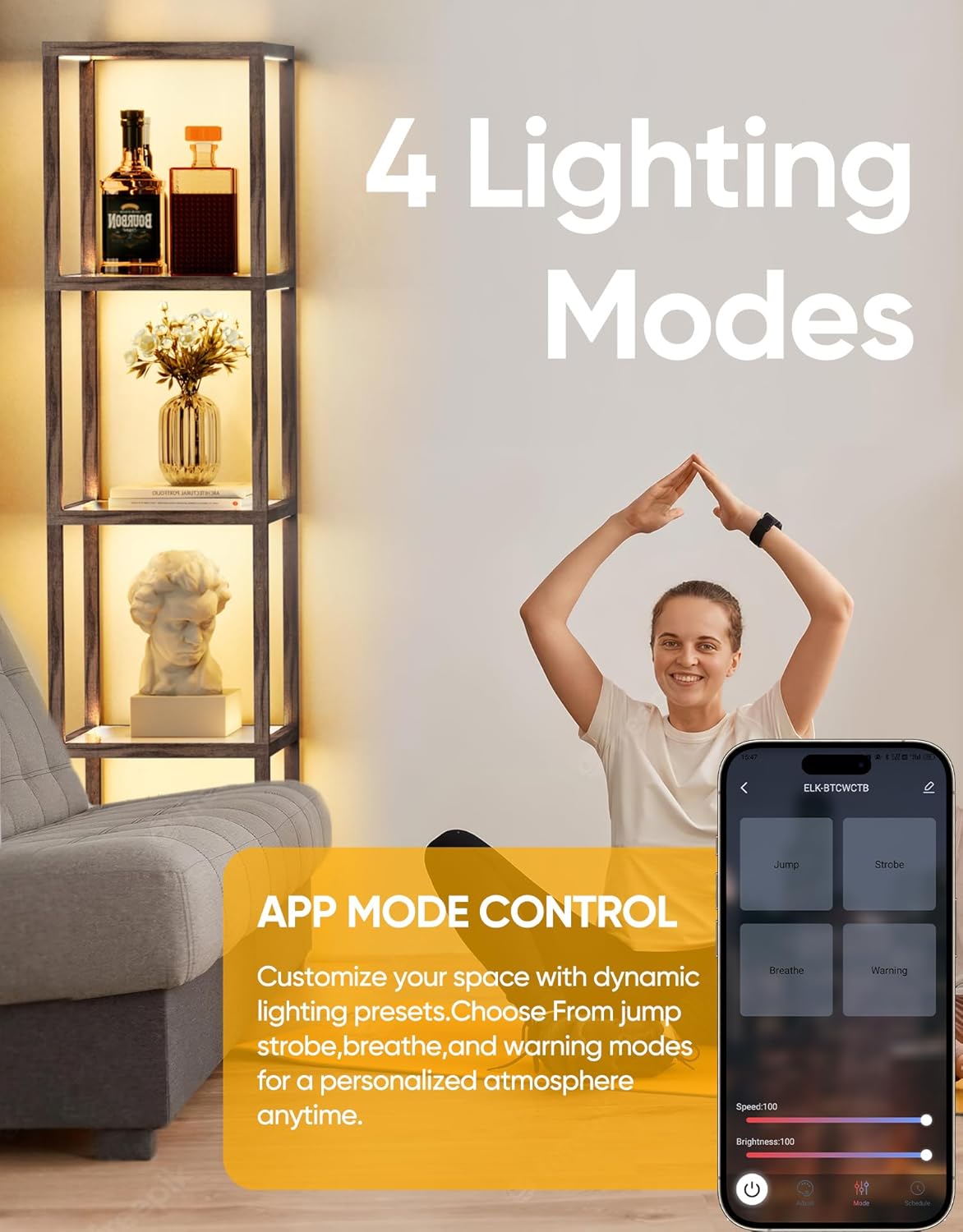
- Dynamic Lighting Modes: Access additional dynamic lighting presets such as Jump, Strobe, Breathe, and Warning to create personalized ambiance.
- Timer and Schedule: Set custom ON/OFF timers and schedules for automated operation. The lamp features a memory function that recalls the last used settings.



6. Maintenance
Regular maintenance ensures the longevity and optimal performance of your lamp.
- Cleaning: Disconnect power before cleaning. Use a soft, dry cloth to wipe the wood frame. For glass shelves, use a glass cleaner and a lint-free cloth. Avoid abrasive cleaners or solvents.
- Dusting: Periodically dust the lamp and shelves to maintain light output and appearance.
- Inspections: Periodically check all connections and hardware to ensure they remain tight and secure.
7. Troubleshooting
If you encounter issues with your lamp, refer to the following common problems and solutions:
| Problem | Possible Cause | Solution |
|---|---|---|
| Lamp does not turn on. | No power, loose connection, remote batteries dead. | Check power outlet, ensure power adapter is securely connected. Replace remote batteries. |
| Remote control not responding. | Dead batteries, obstruction, out of range. | Replace remote batteries. Ensure no obstructions between remote and lamp. Operate within range (up to 49.2 ft). |
| APP cannot connect to the lamp. | Incorrect Wi-Fi, lamp not in pairing mode, app error. | Ensure your phone is connected to a 2.4GHz Wi-Fi network. Restart the lamp and app. Follow in-app pairing instructions carefully. |
| Light flickers or is inconsistent. | Loose wiring, power fluctuation. | Check all wiring connections. Try plugging into a different outlet. If issue persists, contact support. |
8. Specifications
| Feature | Detail |
|---|---|
| Model Number | PAFP088AH1 |
| Product Dimensions | 15.35"D x 15.35"W x 66.4"H |
| Item Weight | 3 Pounds |
| Material Type | Glass, Wood |
| Finish Type | Painted |
| Light Source Type | LED |
| Color Temperature | 2700K-6000K (Dimmable) |
| Brightness Control | 0-100% |
| Switch Type | Remote, APP Control |
| Connectivity Protocol | Wi-Fi |
| Indoor/Outdoor Usage | Indoor |
| Max Shelf Load Capacity | 20 lbs |
9. Warranty and Support
This PARTPHONER product comes with a 2-year manufacturer's warranty from the date of purchase. This warranty covers defects in materials and workmanship under normal use.
For warranty claims, technical assistance, or any questions regarding your product, please contact PARTPHONER customer support through the retailer's platform or the official PARTPHONER website. Please have your model number (PAFP088AH1) and proof of purchase ready when contacting support.
