
1. Setup
Follow these steps for initial setup of your FULMINARE PUT10 HEPA Air Purifier.
- Unboxing: Carefully remove the air purifier from its packaging. Ensure all components are present: the main unit, power cord, and user manual.
- Filter Installation: Before first use, open the bottom cover of the air purifier and remove the plastic packaging from the filter. Insert the filter back into the unit and secure the bottom cover.
- Placement: Place the air purifier on a flat, stable surface in the desired room. Ensure there is adequate space around the unit for optimal air intake and output.
- Power Connection: Plug the power cord into the air purifier and then into a standard electrical outlet.
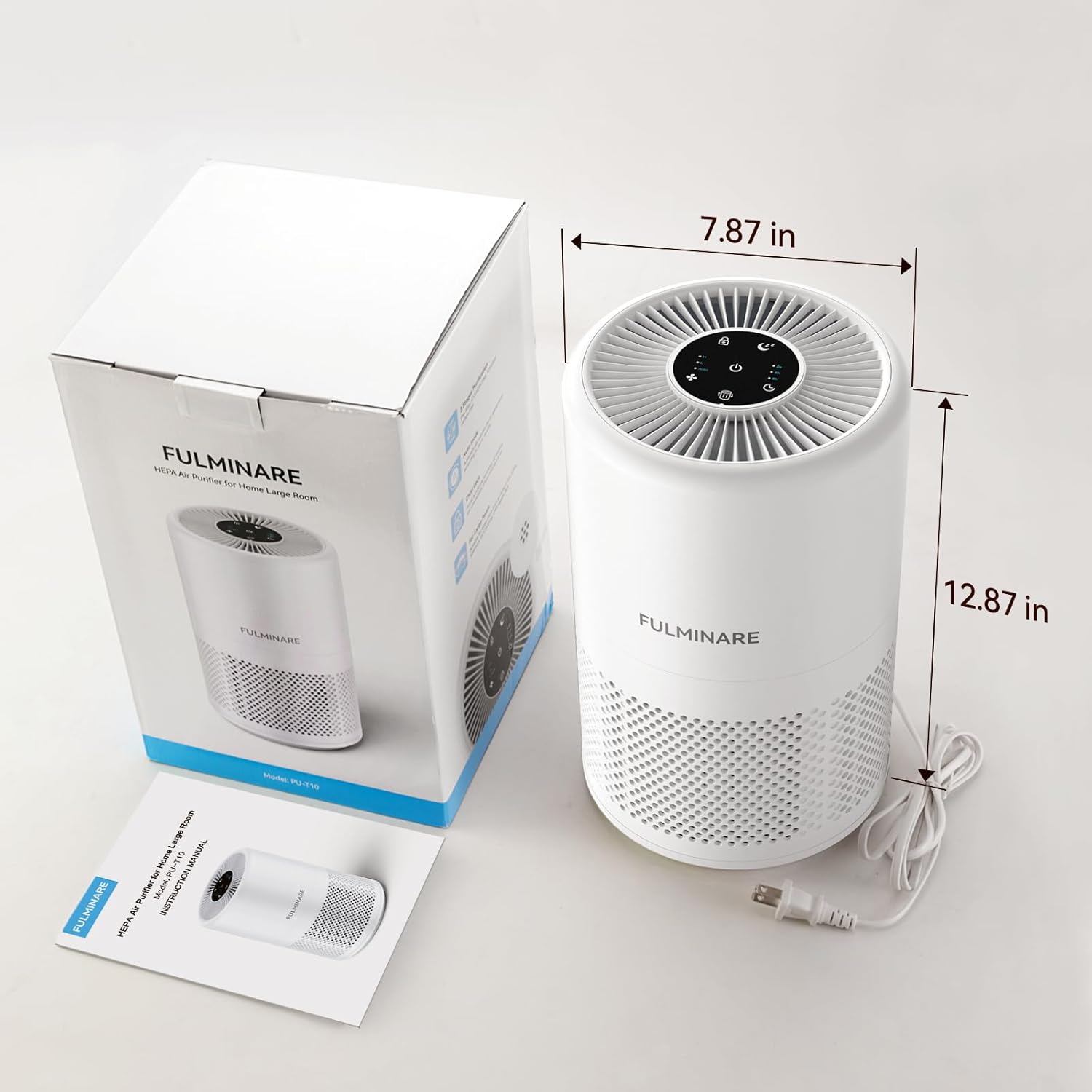
Image: FULMINARE PUT10 Air Purifier with its packaging and user manual, illustrating its compact dimensions of 8 x 8 x 13 inches.

Image: A detailed diagram illustrating the three-layer True HEPA filtration system, including the Pre-Filter for hair/lint, HEPA Filter for pet dander/0.1 micron particles, and Active Carbon Filter for VOCs/odors.
2. Operating Instructions
Your FULMINARE PUT10 Air Purifier features intuitive touch controls for easy operation.
- Power On/Off: Touch the power icon on the top panel to turn the unit on or off.
- Fan Speed Adjustment: Cycle through 3 fan speeds (Low, Medium, High) by touching the fan speed icon.
- Automatic Mode: The air purifier is equipped with a precise air quality sensor. In Auto Mode, it dynamically adjusts its operating power based on real-time ambient air quality.
- Sleep Mode: Activate Sleep Mode for ultra-quiet operation (as low as 22 dBs). In this mode, indicator lights turn off, and the fan operates at its lowest setting for an undisturbed environment.
- Timer Function: Set the purifier to operate for a specific duration using the timer function. Available settings include 2, 4, 8, 10, and 12 hours.
- Child Lock: To prevent accidental changes to settings, activate the Child Lock feature by pressing and holding the lock icon. Repeat to unlock.
- Air Quality Indicator: The unit features a visible real-time air quality indicator that changes color: Blue for Good Air Quality, Yellow for Moderate Air Quality, and Red for Bad Air Quality.
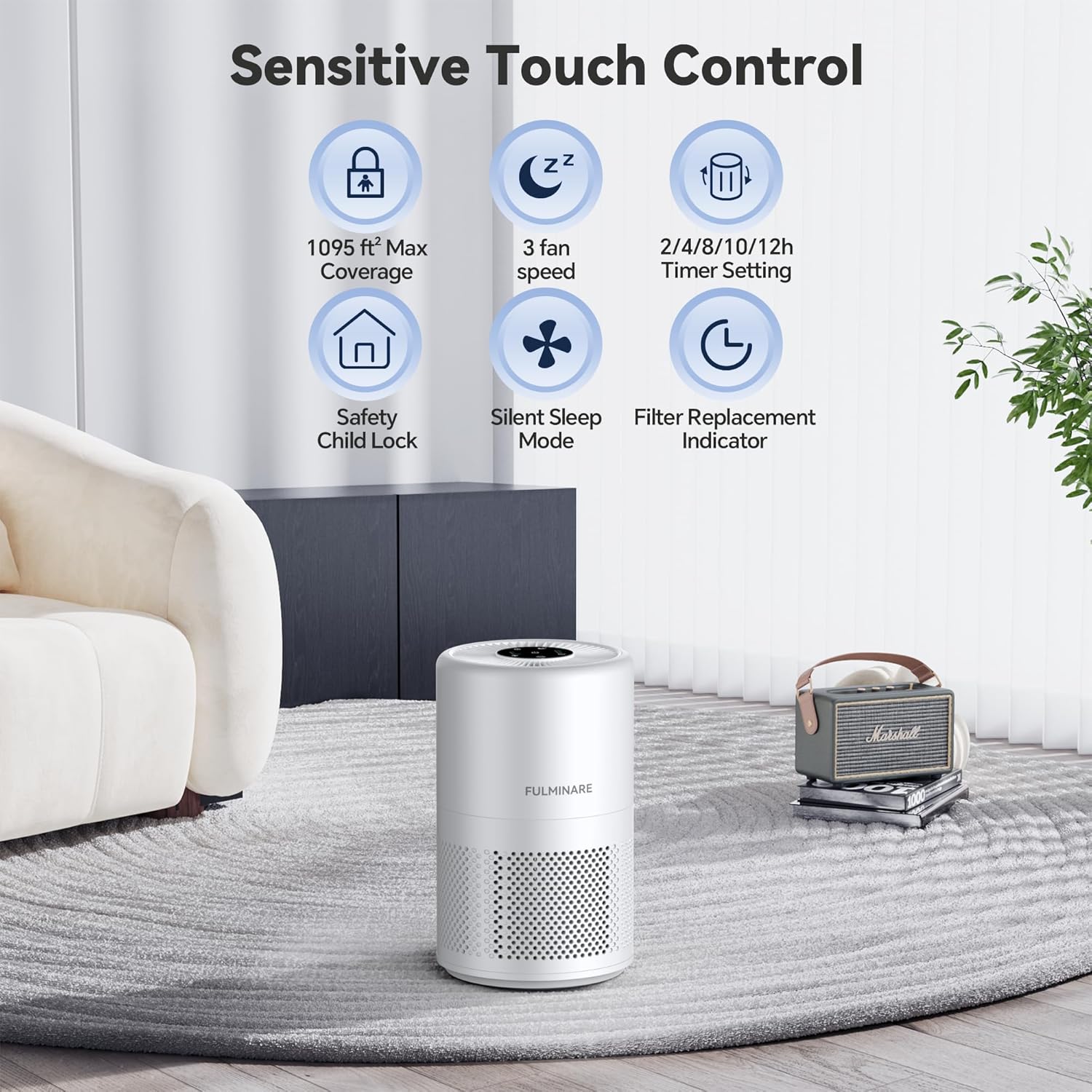
Image: The sensitive touch control panel on top of the FULMINARE Air Purifier, displaying icons for various functions including fan speed, timer, sleep mode, and child lock.
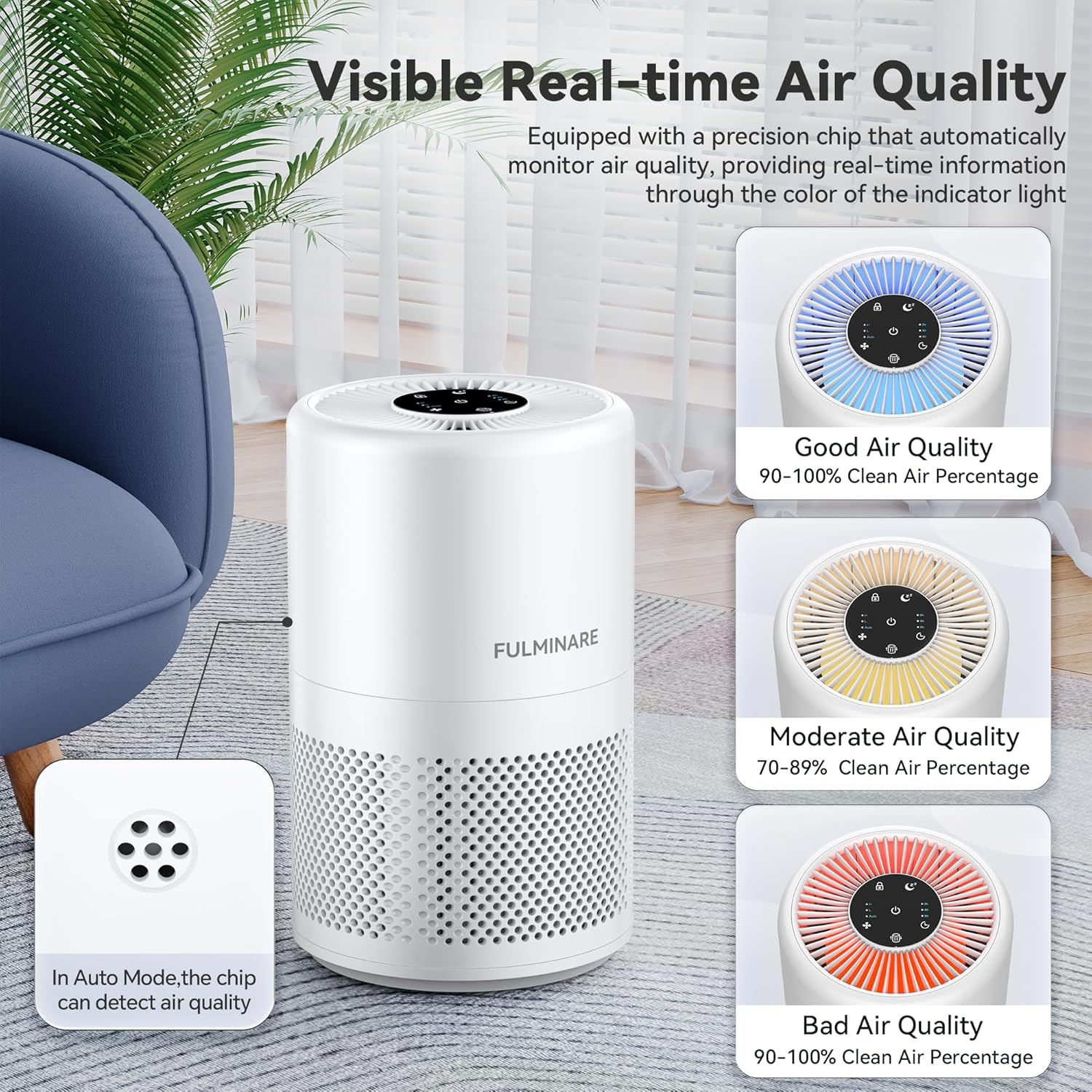
Image: The air quality indicator on the FULMINARE Air Purifier, showing how different light colors (Blue, Yellow, Red) correspond to varying levels of air cleanliness.
Video: An official FULMINARE video demonstrating the air purifier's features and operation in a home setting.
3. Maintenance
Regular maintenance ensures optimal performance and longevity of your air purifier.
- Filter Replacement: The smart indicator light will illuminate automatically when the filter needs to be replaced, typically every 3-6 months depending on usage.
- Replacing the Filter: To replace, unplug the unit, unscrew the bottom cover, remove the old filter, insert a new FULMINARE original filter, and re-secure the cover.
- Reset Filter Indicator: After replacing the filter, press and hold the filter reset button for 3 seconds until the indicator light turns off.

Image: The FULMINARE Air Purifier highlighting the Smart Filter Replacement Indicator feature, which alerts users when it's time to change the filter.
Video: An official FULMINARE video demonstrating how to replace the filter in the air purifier.
4. Troubleshooting
If you encounter any issues with your FULMINARE PUT10 Air Purifier, refer to the following common solutions:
- Unit Not Turning On: Ensure the power cord is securely plugged into both the unit and a working electrical outlet. Check if the outlet is functional.
- Reduced Airflow/Effectiveness: The filter may be clogged. Check the filter replacement indicator. If lit, replace the filter and reset the indicator.
- Unusual Noise: Ensure the unit is placed on a stable, flat surface. Check if the filter is correctly installed and the bottom cover is securely tightened.
- Air Quality Indicator Always Red/Yellow: This indicates poor or moderate air quality. Allow the purifier to run in Auto Mode for an extended period. If the issue persists, consider replacing the filter.
- Controls Unresponsive: Check if the Child Lock function is activated. Deactivate it by pressing and holding the lock icon.
5. Specifications
| Brand | FULMINARE |
| Model Number | PUT10 |
| Product Dimensions | 8"D x 8"W x 13"H (8 x 8 x 13 inches) |
| Item Weight | 4.2 Pounds (4.15 Pounds) |
| Coverage Area | Up to 1095 ft² (102 m²) |
| Filtration Type | True H13 HEPA (3-layer system) |
| Noise Level | As low as 22 dBs (Sleep Mode) |
| Power Source | AC |
| Color | White |
6. Certifications and Compliance
The FULMINARE PUT10 HEPA Air Purifier is designed and manufactured to meet high quality and safety standards.
- CARB Certified: Complies with California Air Resources Board (CARB) standards for indoor cleaning devices.
- Additional Certifications: PEA, FCC, CE, RoHS certified.
7. Warranty and Support
For warranty information, technical support, or to purchase original replacement filters, please refer to the contact details provided in your product packaging or visit the official FULMINARE website.


