
Introduction
Thank you for choosing the Wohome Belt Drive Turntable Player. This manual provides essential information for the proper setup, operation, and maintenance of your turntable, ensuring an optimal listening experience for your vinyl records. This high-fidelity turntable features a magnetic cartridge, adjustable counterweight, built-in speakers, and versatile connectivity options including Bluetooth in/out and AUX in/out.
What's in the Box
- Wohome Belt Drive Turntable Player (MZL-T01)
- Power Adapter
- User Manual (this document)
Product Features
- High-Fidelity Audio: Equipped with a magnetic cartridge and adjustable counterweight for precise tracking, delivering rich, warm, and authentic sound with minimal noise and distortion.
- Integrated Sound System: Features a vibration-absorbed system and four high-performance built-in speakers for superb sound quality and deep bass.
- Versatile Connectivity: Supports Bluetooth In (stream music to the turntable from your device), Bluetooth Out (connect to external Bluetooth speakers or headphones), AUX In, AUX Out, and Phono Out for comprehensive audio integration.
- Multi-Speed Playback: Two-speed belt-drive system (33 1/3 and 45 RPM) accommodates 7-inch, 10-inch, and 12-inch vinyl records.
- Elegant Design: Nostalgic wooden finish combined with a modern craft design, making it a stylish addition to any space.

Image: Internal view highlighting the four built-in speakers for enhanced audio output.
Setup Instructions
- Unpacking: Carefully remove all components from the packaging. Retain packaging for future transport or storage.
- Placement: Place the turntable on a stable, level surface away from direct sunlight, heat sources, and strong vibrations.
- Platter and Belt Installation:
- Place the metal platter onto the spindle.
- Locate the drive belt under the platter. Gently stretch the belt around the motor pulley. Ensure the belt is not twisted.
- Counterweight Adjustment:
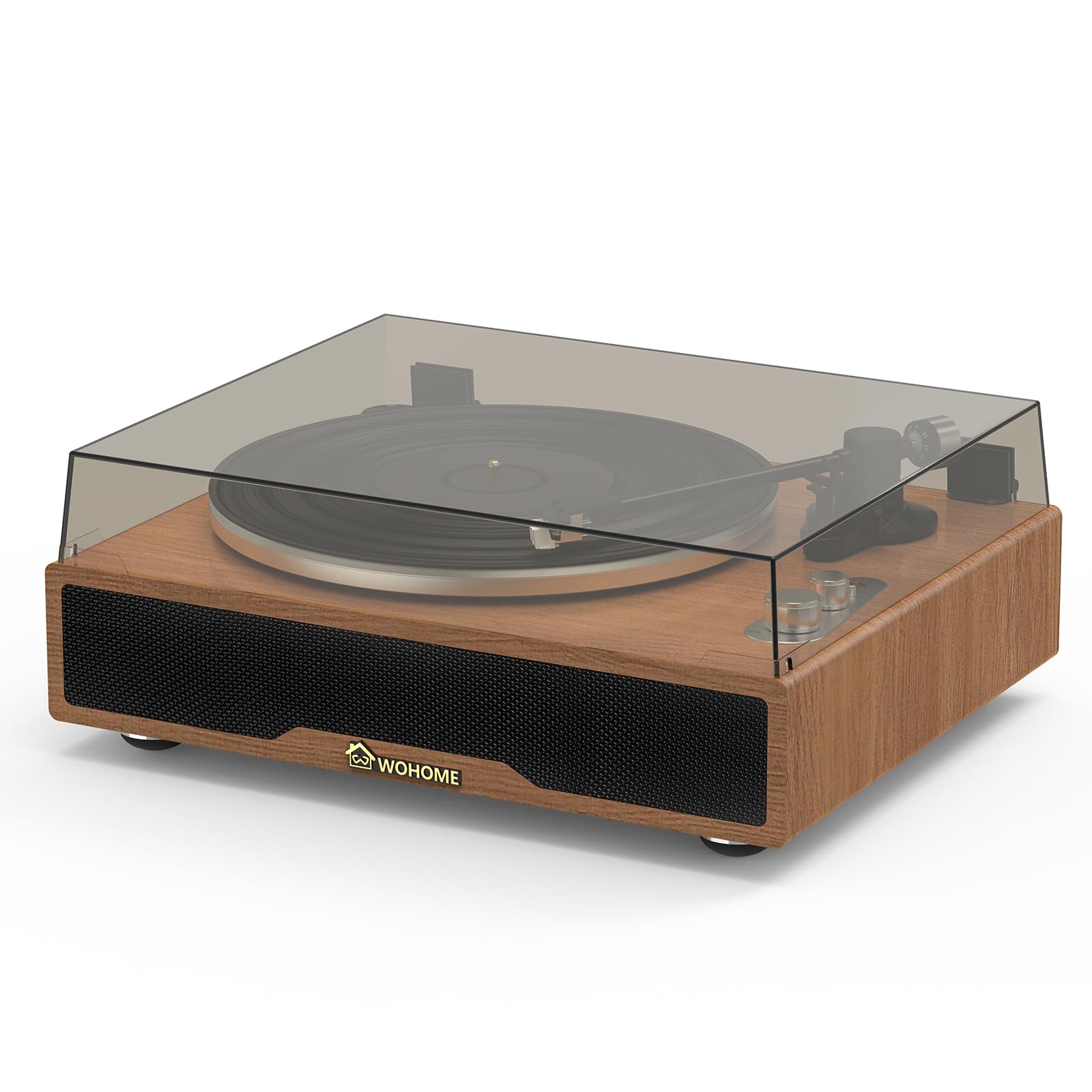
Image: Detail of the tonearm with magnetic cartridge and adjustable counterweight.
- Gently remove the stylus protector from the cartridge.
- Rotate the counterweight onto the rear of the tonearm until it is approximately balanced.
- Adjust the counterweight until the tonearm floats horizontally.
- Once balanced, hold the counterweight steady and rotate the numbered ring to '0'.
- Rotate the entire counterweight counter-clockwise to the recommended tracking force (typically 1.5-3.0 grams for magnetic cartridges, refer to cartridge specifications if available).
- Power Connection: Connect the power adapter to the DC IN port on the rear of the turntable, then plug it into a wall outlet.
- External Connections (Optional):

Image: Rear panel connections including AUX, Line Out, and power input.
- AUX Out: Connect to external amplifiers or powered speakers using an RCA cable.
- Phono Out: For connecting to a phono preamplifier or an amplifier with a dedicated phono input.
- AUX In: Connect external audio devices (e.g., smartphone, MP3 player) to play through the turntable's speakers.
Operating Instructions
Playing a Vinyl Record
- Power On: Turn the power knob to the ON position.
- Select Speed: Press the speed button to select the appropriate speed (33 1/3 or 45 RPM) for your record. The indicator light will show the selected speed.

Image: Turntable layout with speed selection and record size compatibility.
- Place Record: Place your vinyl record on the platter. If playing a 45 RPM single, use the included adapter.
- Lift Tonearm: Use the cueing lever to gently lift the tonearm.
- Position Tonearm: Manually move the tonearm over the desired starting groove of the record.
- Lower Tonearm: Slowly lower the cueing lever to gently place the stylus onto the record. The record will begin to play.
- Adjust Volume: Use the volume knob to adjust the playback level.
- Stop Playback: At the end of the record, the tonearm will automatically return to its rest position. Alternatively, use the cueing lever to lift the tonearm and return it manually to the rest.
Bluetooth Functionality
The Wohome turntable supports both Bluetooth In and Bluetooth Out modes.
Bluetooth In (Turntable as Speaker)
- Ensure the turntable is powered on.
- Switch the mode to Bluetooth In (usually indicated by a blue LED).
- On your smartphone, tablet, or other Bluetooth device, search for available devices and select "Wohome Turntable".
- Once paired, you can stream audio from your device through the turntable's built-in speakers.
Bluetooth Out (Turntable to External Speaker/Headphones)
- Ensure the turntable is powered on and in Bluetooth Out mode (if applicable, check manual for specific button/switch).
- Put your external Bluetooth speaker or headphones into pairing mode.
- The turntable will automatically search for and connect to nearby Bluetooth audio devices.
- Once connected, audio from your vinyl records will play through the external Bluetooth device.
Maintenance
- Cleaning the Turntable: Use a soft, dry cloth to wipe the turntable's surface. Avoid abrasive cleaners or solvents.
- Stylus Care: Gently clean the stylus regularly using a soft brush designed for stylus cleaning, brushing from back to front. Avoid touching the stylus with your fingers.
- Record Care: Keep your records clean and free of dust. Store them vertically in their sleeves to prevent warping.
- Belt Replacement: The drive belt may need replacement after extended use. Refer to manufacturer guidelines for replacement parts and instructions.
Troubleshooting
- No Power:
- Ensure the power adapter is securely connected to both the turntable and a working power outlet. Check if the power switch is in the ON position.
- No Sound:
- Check the volume knob. If using external speakers, ensure they are powered on and correctly connected. Verify the correct input source is selected on any external amplifier. If using Bluetooth Out, ensure successful pairing.
- Skipping or Distorted Sound:
- Ensure the record is clean and free of dust. Check the stylus for dirt or damage. Verify the counterweight is correctly adjusted for the recommended tracking force. Ensure the turntable is on a stable, level surface.
- Turntable Not Spinning:
- Check if the drive belt is properly seated around the motor pulley and the platter. Ensure the power is on.
- Bluetooth Pairing Issues:
- Ensure the turntable is in the correct Bluetooth mode (In or Out). Make sure the other device is in pairing mode and within range. Try restarting both devices.
Specifications
| Feature | Specification |
|---|---|
| Brand | Wohome |
| Model Number | MZL-T01 |
| Manufacturer Part Number | D02 |
| Included Components | Turntable |
| Material | Acrylic, Wood, Metal |
| Style | Built-in 4 Speakers |
| Voltage | 12 Volts |
| Power Source | Corded Electric |
| Connectivity Technology | Auxiliary, Bluetooth |
| Item Dimensions (L x W x H) | 43L x 34.5W x 17.5H Centimeters |
Warranty and Support
For warranty information and technical support, please refer to the documentation provided with your purchase or contact Wohome customer service directly. Keep your purchase receipt as proof of purchase.