
pTron Bassbuds Astra
pTron Bassbuds Astra TWS Earbuds User Manual
Model: Bassbuds Astra
Introduction
Thank you for choosing the pTron Bassbuds Astra TWS Earbuds. This manual provides essential information for setting up, operating, and maintaining your earbuds to ensure optimal performance and longevity. Please read this manual thoroughly before use.

Image: The pTron Bassbuds Astra TWS Earbuds with their charging case, showcasing the product design.
Package Contents
Ensure all items are present in your package:
- pTron Bassbuds Astra TWS Earbuds
- Charging Case
- USB Type-C Charging Cable
- Silicone Eartips (S/M/L sizes)
- User Manual
Product Overview
Familiarize yourself with the components of your pTron Bassbuds Astra.

Image: A top-down view of the pTron Bassbuds Astra earbuds removed from their charging case, illustrating their compact design.
- Earbuds: Left and Right earbuds with touch control areas and charging contacts.
- Charging Case: Houses and charges the earbuds, with a Type-C charging port and LED indicator.
- Eartips: Replaceable silicone tips for a secure and comfortable fit.
Setup
1. Charging the Earbuds and Case
Before first use, fully charge the earbuds and charging case.
- Place the earbuds into the charging case. Ensure they are correctly seated.
- Connect the USB Type-C cable to the charging port on the case and the other end to a USB power adapter (not included) or a computer's USB port.
- The LED indicator on the case will show charging status. Once fully charged, the indicator will change or turn off.
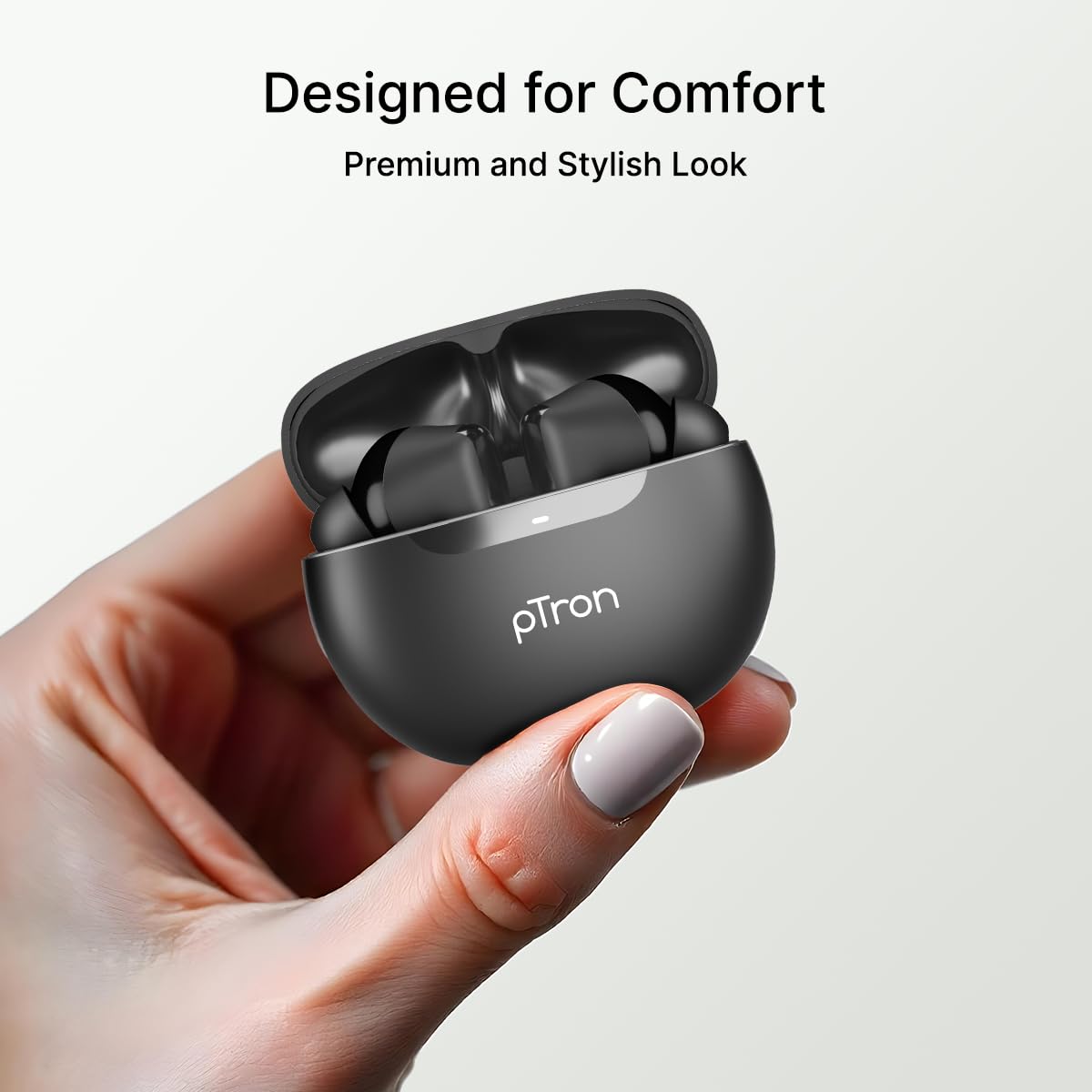
Image: An illustration highlighting the Type-C charging port and the fast charging capability of the earbuds.
Note: The earbuds offer approximately 34 hours of total playtime with the charging case.
2. Pairing with Your Device
Follow these steps to connect your earbuds via Bluetooth:
- Open the charging case. The earbuds will automatically enter pairing mode.
- Enable Bluetooth on your smartphone or other device.
- Search for "pTron Bassbuds Astra" in the list of available Bluetooth devices.
- Select "pTron Bassbuds Astra" to connect. A voice prompt will confirm successful pairing.

Image: A smartphone screen showing an incoming call from "pTron" next to the earbuds and charging case, demonstrating quick Bluetooth v5.3 connectivity.
The earbuds will automatically reconnect to the last paired device when taken out of the case, if Bluetooth is enabled on the device.
Operating Instructions
1. Wearing the Earbuds
For optimal sound quality and comfort, choose the correct size eartips and wear the earbuds properly.
- Select the eartips (S/M/L) that provide a snug fit in your ear canal.
- Insert the earbuds into your ears and gently twist them until they feel secure and comfortable.

Image: A woman wearing a pTron Bassbuds Astra earbud, illustrating the ergonomic design for comfortable and secure fit during use.
2. Touch Controls
The pTron Bassbuds Astra feature intuitive touch controls on each earbud:
| Function | Action |
|---|---|
| Play/Pause Music | Single tap on either earbud |
| Next Track | Double tap on the Right earbud |
| Previous Track | Double tap on the Left earbud |
| Answer/End Call | Single tap on either earbud |
| Reject Call | Long press on either earbud |
| Activate Voice Assistant | Triple tap on either earbud |
Image: A visual representation of key features including IPX4 water resistance, voice assistant activation, fast charging, and touch controls.
3. Mono and Stereo Mode
The earbuds support both stereo (using both earbuds) and mono (using a single earbud) modes. Simply take one earbud out of the case to use it in mono mode. The other earbud can remain in the case or be used simultaneously for stereo audio.
Maintenance
1. Cleaning
- Regularly clean the earbuds and charging case with a soft, dry, lint-free cloth.
- Remove eartips and clean them with mild soap and water, then dry thoroughly before reattaching.
- Ensure charging contacts on both earbuds and case are free from dust and debris.
2. Water Resistance (IPX4)
The pTron Bassbuds Astra are IPX4 rated, meaning they are resistant to splashing water from any direction. This makes them suitable for workouts and light rain.
- Do not submerge the earbuds in water.
- Avoid exposing them to high-pressure water jets.
- Ensure earbuds are dry before placing them back into the charging case to prevent damage.
3. Storage
When not in use, store the earbuds in their charging case to protect them and keep them charged. Store in a cool, dry place away from extreme temperatures.
Troubleshooting
If you encounter any issues, refer to the following common solutions:
| Problem | Solution |
|---|---|
| Earbuds not pairing | Ensure earbuds are charged. Turn off and on Bluetooth on your device. Forget "pTron Bassbuds Astra" from your device's Bluetooth list and re-pair. |
| Only one earbud working | Place both earbuds back into the charging case, close the lid, then open it again. Ensure both earbuds are charged. |
| No sound | Check device volume. Ensure earbuds are connected. Try playing different audio. |
| Touch controls unresponsive | Ensure your fingers are clean and dry. Try restarting the earbuds by placing them in the case and taking them out. |
| Charging issue | Check the charging cable and adapter. Ensure charging contacts on earbuds and case are clean. |
Specifications
Key technical specifications for the pTron Bassbuds Astra TWS Earbuds:
- Model Name: Bassbuds Astra
- Connectivity: Bluetooth V5.3
- Wireless Range: Up to 10 meters
- Audio Driver Size: 13mm Dynamic Driver
- Battery Life: Up to 34 hours (with charging case)
- Charging Port: USB Type-C
- Water Resistance: IPX4
- Control Method: Touch
- Material: Acrylonitrile Butadiene Styrene (ABS)
- Item Weight: 40 grams
- Included Components: Earbuds, Charging Case, USB Type-C Cable, Eartips, User Manual

Image: A detailed diagram of a 13mm sonic surge driver alongside the pTron Bassbuds Astra charging case, emphasizing the audio technology and extended 34-hour playtime.
Warranty and Support
Your pTron Bassbuds Astra TWS Earbuds come with a 6-month manufacturer warranty from the date of purchase, covering manufacturing defects only.
For warranty claims, technical support, or any other inquiries, please contact pTron customer care:
- Phone: 040-67138888
- Email: support@ptron.in
Please retain your purchase receipt for warranty validation.
Related documentsBassbuds Astra

Ask a question about this manual
Ask about setup, troubleshooting, compatibility, parts, safety, or missing instructions. Manuals+ will review the question and use this page’s manual context to help answer it.