
KAIWEETS HT100s-B
KAIWEETS HT100s Non-Contact Voltage Tester User Manual
Model: HT100s-B
1. Introduction
The KAIWEETS HT100s is a versatile non-contact voltage tester designed for safe and efficient electrical work. It allows users to detect AC voltage without direct contact, identify live and null wires, and locate wire breakpoints. Its intuitive design with an LCD display, audible and visual alarms, and an integrated LED flashlight makes it an indispensable tool for both professional electricians and DIY homeowners.
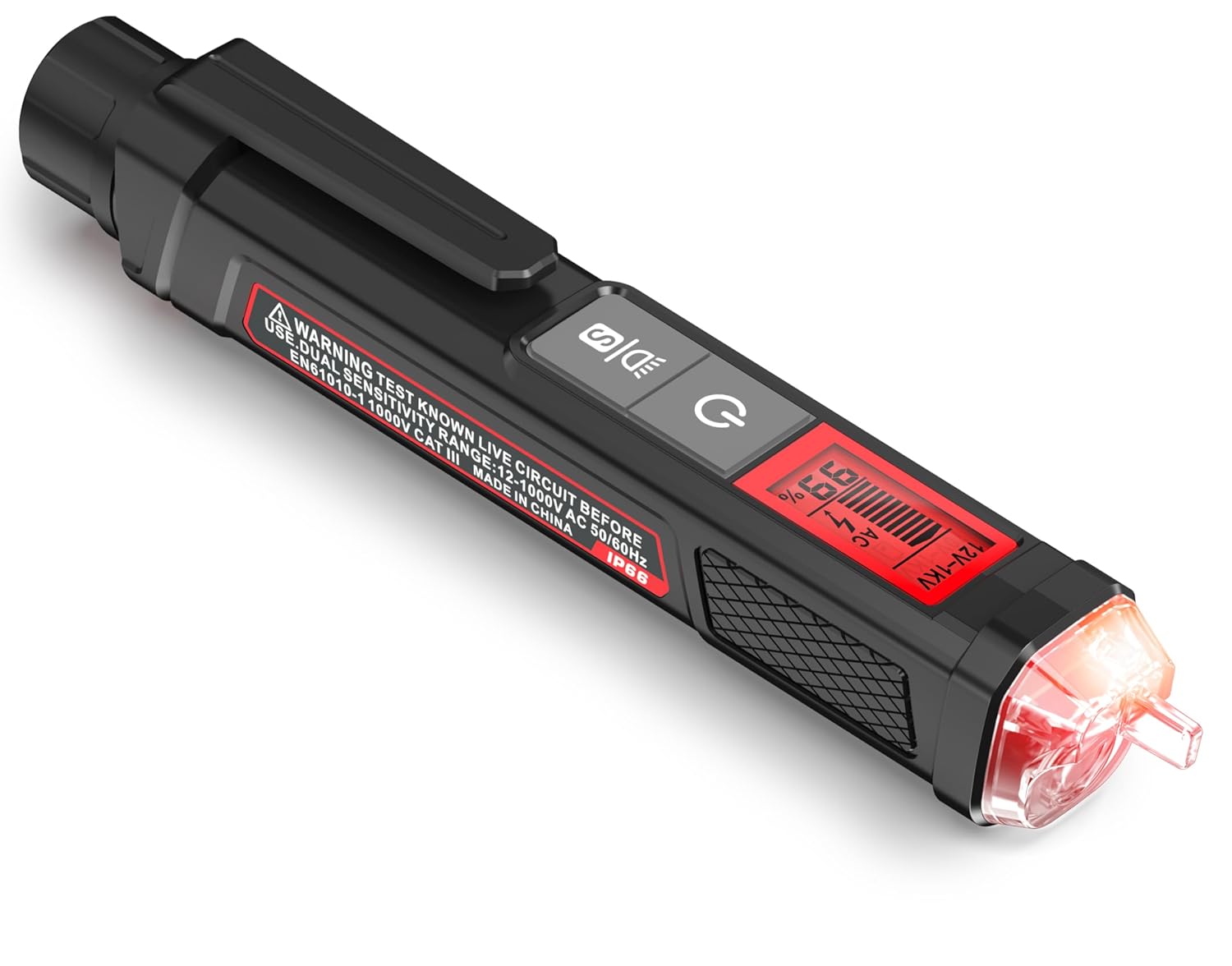
Figure 1: KAIWEETS HT100s Non-Contact Voltage Tester
2. What's in the Box
Upon opening your KAIWEETS HT100s package, you should find the following items:
- KAIWEETS HT100s Voltage Tester
3. Specifications
| Feature | Specification |
|---|---|
| Product Dimensions | 6.1 x 0.9 x 1.1 inches |
| Item Weight | 2.47 ounces |
| Model Number | HT100s-B |
| Brand | KAIWEETS |
| Power Source | Battery Powered (2 x 1.5V AAA, included) |
| Voltage Range | Dual Range AC 12V/70V-1000V |
| Safety Level | IEC CAT III 1000V, CAT IV 600V |
| Display | LCD with Signal Percentage |
| Features | Live/Null Wire Tester, Wire Breakpoint Finder, LED Flashlight, Automatic Power Off |
4. Setup
4.1 Battery Installation
The KAIWEETS HT100s requires two 1.5V AAA batteries for operation. To install or replace batteries:
- Unscrew the battery cover at the top of the tester.
- Insert two AAA batteries, ensuring correct polarity (+/-).
- Securely screw the battery cover back on.
The device features a Low-Power-Indicator that activates when battery voltage drops below 2.5V, signaling that batteries need replacement.

Figure 2: KAIWEETS HT100s with labeled components, including battery cover.
5. Operating Instructions
5.1 Power On/Off
Press the power button (⏻) to turn the tester on. The LCD screen will illuminate. The device will automatically power off after 5 minutes of no operation or signal detection to conserve battery life.
5.2 Non-Contact Voltage (NCV) Detection
To detect AC voltage, simply place the tip (NCV sensor) of the tester near a terminal strip, outlet, or supply cord. The tester will emit sound and light alarms if voltage is present.
- When voltage is detected, the tip will emit red light and beep.
- The higher the sensed voltage or the closer it is to the voltage source, the higher the beeping frequency and the larger the percentage value displayed on the LCD.
- The screen will turn red for high voltage/live wire detection and green for low voltage/null wire detection.

Figure 3: Non-contact voltage testing on an outlet.
5.3 Dual Range & Sensitivity Adjustment
The HT100s supports dual voltage ranges: 12-1000V AC and 70-1000V AC. This allows for more sensitive and flexible measurements.
- Press the 'S' button (S) to adjust sensitivity.
- Use the low range (12-1000V AC) for sensitive applications like testing doorbells, thermostats, or irrigation wiring.
- The NCV sensor automatically recognizes the voltage and displays it on the bar graph, with a percentage value indicating signal intensity.

Figure 4: High and Low Sensitivity Modes for voltage detection.
5.4 Live/Null Wire Detection
The tester can automatically detect live or neutral wires. The screen color (red for live, green for null) and signal intensity help differentiate between them.
5.5 Wire Breakpoint Finder
To find a wire breakpoint, move the NCV tip of the tester along the wire. If the voltage alert signs disappear, that is most probably the breakpoint.

Figure 5: Performing a wire breakpoint test.
5.6 LED Flashlight
The integrated bright LED flashlight helps illuminate work areas in dim conditions. Press the flashlight button (💡) to toggle it on or off.
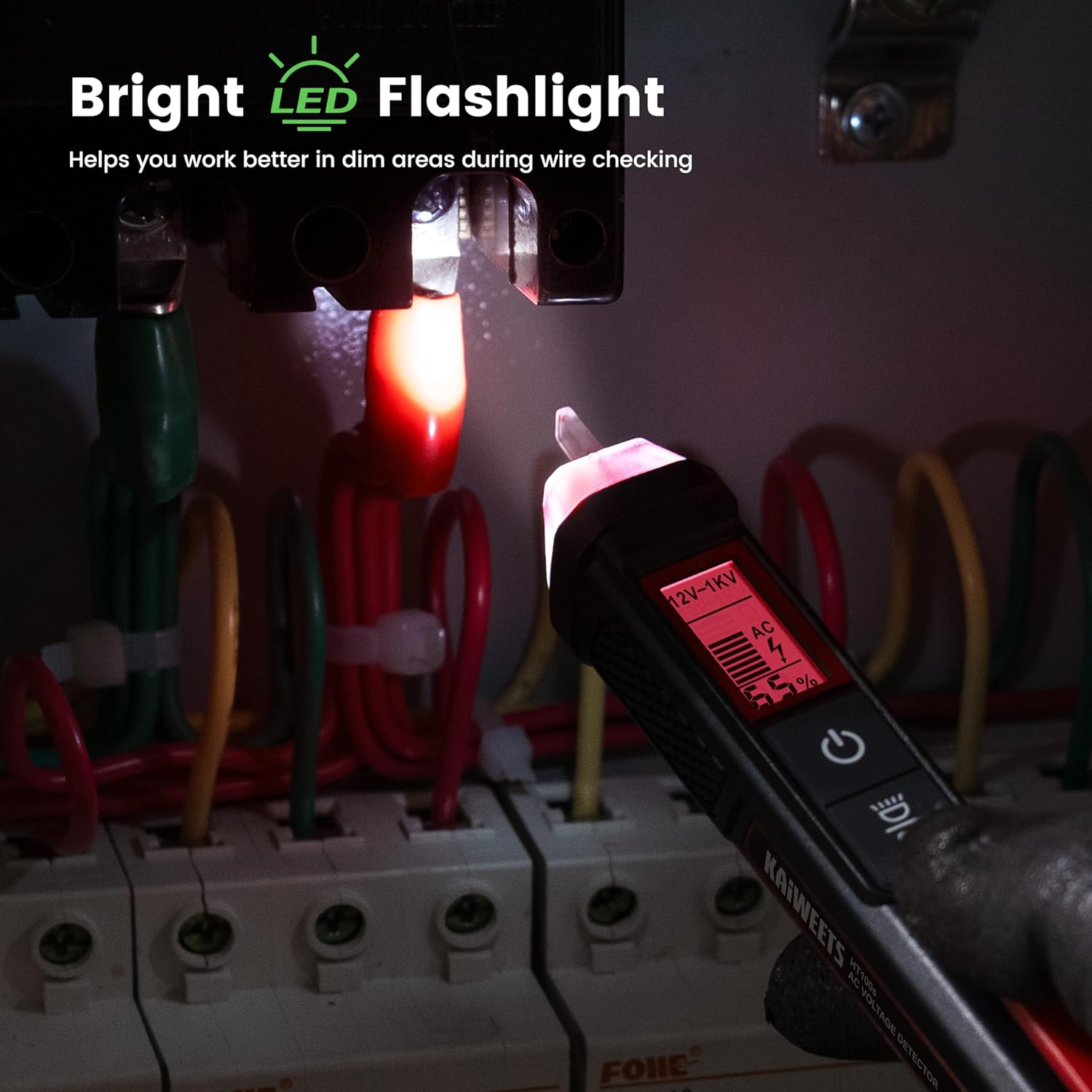
Figure 6: Using the built-in LED flashlight in a dim area.
6. Maintenance
To ensure the longevity and accuracy of your KAIWEETS HT100s:
- Keep the device clean and free from dust and debris. Use a soft, dry cloth for cleaning.
- Store the tester in a cool, dry place away from direct sunlight and extreme temperatures.
- If the device will not be used for an extended period, remove the batteries to prevent leakage.

Figure 7: Compact design for easy storage and portability.
7. Troubleshooting
7.1 No Power/Device Not Turning On
- Check battery installation: Ensure batteries are inserted with correct polarity.
- Replace batteries: If the Low-Power-Indicator is on or the device doesn't respond, replace with fresh 1.5V AAA alkaline batteries. Note: Some rechargeable batteries may not provide sufficient voltage for optimal operation.
7.2 Inconsistent Readings
- Adjust sensitivity: Switch between the 12V-1000V AC and 70V-1000V AC ranges using the 'S' button to match the testing environment.
- Ensure proper contact: While non-contact, ensure the NCV sensor tip is close enough to the wire or outlet being tested.
8. Safety Information
Your safety is paramount. Always adhere to the following guidelines when using the KAIWEETS HT100s:
- The tester is IEC rated CAT III 1000V and CAT IV 600V, and meets CE requirements.
- It is safely double insulated for user protection.
- A High Voltage Alert will warn you of voltage above 90V, with the screen turning red and a safety symbol illuminating.
- Always test on a known live circuit before use to ensure the tester is functioning correctly.
- Do not use the tester if it appears damaged or is not operating properly.
- Always follow local electrical codes and safety practices.
9. Warranty & Support
KAIWEETS provides 36-Month after-sale service for your voltage tester. If you have any concerns or require support, please feel free to contact KAIWEETS customer service.
Related documentsHT100s-B


Ask a question about this manual
Ask about setup, troubleshooting, compatibility, parts, safety, or missing instructions. Manuals+ will review the question and use this page’s manual context to help answer it.