
NOVOO NH08S-C800
NOVOO USB C Hub 8-in-1 Instruction Manual
Brand: NOVOO | Model: NH08S-C800
1. Introduction
The NOVOO USB C Hub is a versatile 8-in-1 multiport adapter designed to expand the connectivity of your USB-C enabled devices. It provides essential ports for seamless connection, including HDMI for video output, Gigabit Ethernet for stable network access, multiple USB data ports for high-speed transfers, and SD/TF card slots for convenient media access. This compact and powerful docking station is compatible with a wide range of laptops and operating systems, enhancing your productivity and connectivity.
2. Key Features
- 8-in-1 Multiport Design: Integrates 1x 4K@60Hz HDMI, 1x 100W USB-C PD, 1x 5Gbps USB-C data, 2x 5Gbps USB-A data, 1x 1000Mbps Ethernet, and SD/TF card slots. All ports can operate simultaneously.
- Ultra-Fast Gigabit Ethernet: Supports 10/100/1000Mbps LAN network for stable and high-speed wired internet connection, eliminating Wi-Fi instability.
- 4K@60Hz Ultra-Clear Display: HDMI port supports up to 4K@60Hz resolution for direct transmission to HDTVs, monitors, or projectors, compatible with 1080P@120Hz for high refresh rates.
- Powerful 100W Charging: USB-C Power Delivery (PD) port supports up to 100W power input to charge your MacBook Pro or other compatible laptops.
- High-Speed Data Transfer: USB 3.0 and USB-C data ports offer speeds up to 5Gbps for quick transfer of files, movies, and photos.
- SD/TF Card Reader: Built-in slots for universal SD and Micro SD memory cards for easy access to files.
- Wide Compatibility: Plug-and-play with almost all USB-C laptops (e.g., XPS, ThinkPad, ZenBook, MacBook Air/Pro M2, Dell, HP, Lenovo) and operating systems (Windows, MacOS, Linux, Vista). Fully compatible with iPhone 15 series.
3. Setup Guide
- Unpack the Hub: Carefully remove the NOVOO USB C Hub from its packaging.
- Connect to Host Device: Plug the integrated USB-C cable of the hub into an available USB-C port on your laptop, tablet, or smartphone. Ensure your device's USB-C port supports data transfer and video output (DisplayPort Alt Mode) for full functionality.
- Power Connection (Optional but Recommended): For stable performance and to charge your host device, connect your laptop's original USB-C power adapter to the 100W USB-C PD port on the hub.
- Connect Peripherals: You can now connect your desired peripherals (monitor, keyboard, mouse, external hard drive, SD card, Ethernet cable) to the corresponding ports on the hub.

Image: The NOVOO USB C Hub connected to a laptop, with various peripherals like USB drives, SD cards, and an HDMI cable shown alongside.
4. Operating Instructions
The NOVOO USB C Hub is designed for plug-and-play operation, requiring no additional drivers for most functions on compatible operating systems.
4.1. Video Output (HDMI)
Connect an HDMI cable from the hub's HDMI port to your monitor, TV, or projector. The hub supports resolutions up to 4K@60Hz. Your operating system should automatically detect the external display. You can configure display settings (mirror or extend mode) through your device's display settings.

Image: Visual representation of mirror and extend display modes using the hub's HDMI output.
4.2. Data Transfer (USB-A & USB-C Data Ports)
Plug your USB devices (flash drives, external hard drives, keyboards, mice) into the USB-A 3.0 ports or the USB-C data port. These ports support data transfer speeds up to 5Gbps.
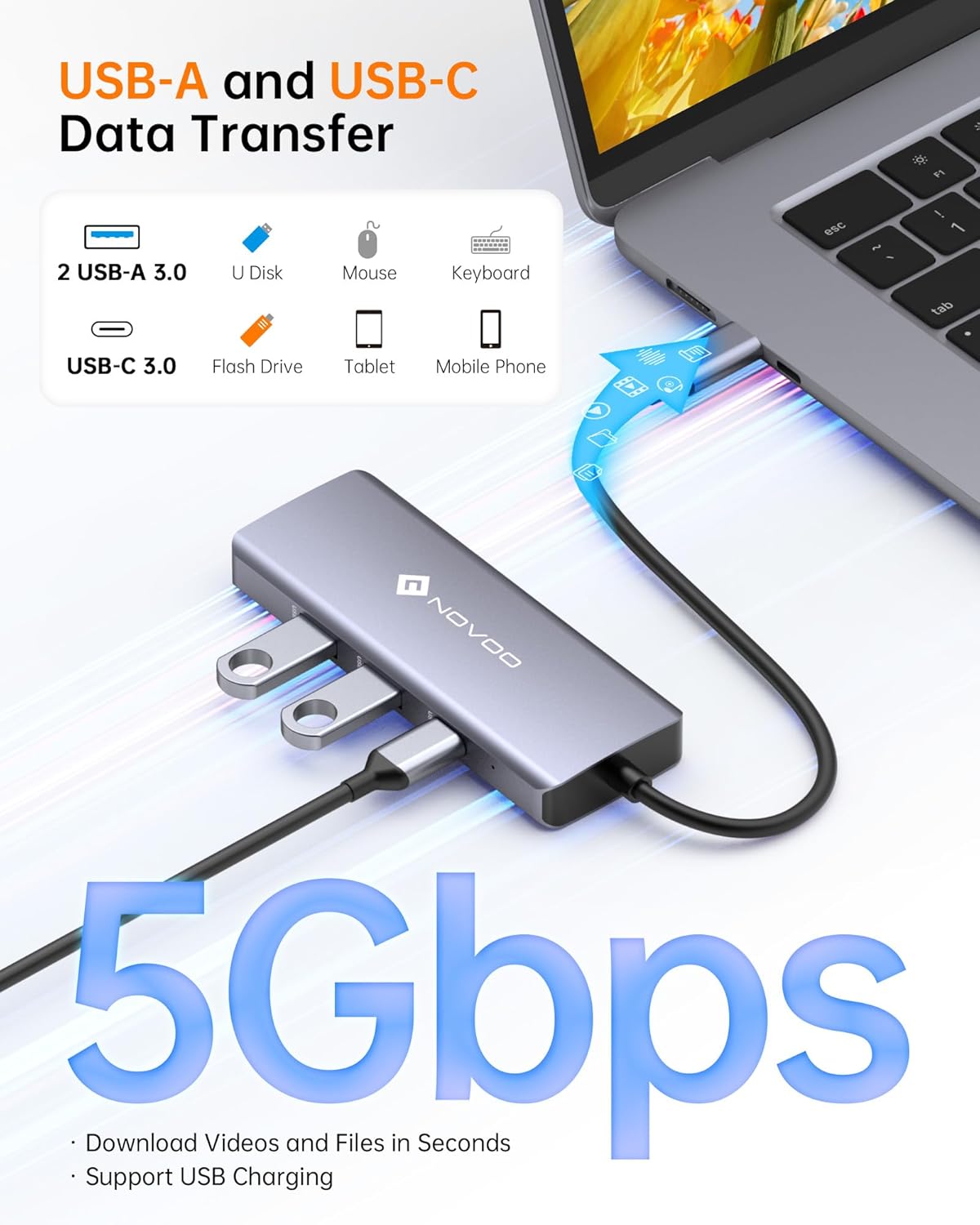
Image: Illustration of high-speed data transfer using the USB-A and USB-C data ports on the hub.
4.3. Network Connection (Gigabit Ethernet)
Connect an Ethernet cable from your router or modem to the RJ45 Gigabit Ethernet port on the hub. This provides a stable wired network connection up to 1000Mbps.

Image: The Gigabit Ethernet port in use, demonstrating fast and reliable internet connectivity.
4.4. Card Reading (SD/TF)
Insert your SD or Micro SD (TF) card into the corresponding slot. The hub allows for quick viewing and transfer of photos and videos. Note: This USB C Hub does not support simultaneous reading of SD/TF cards.
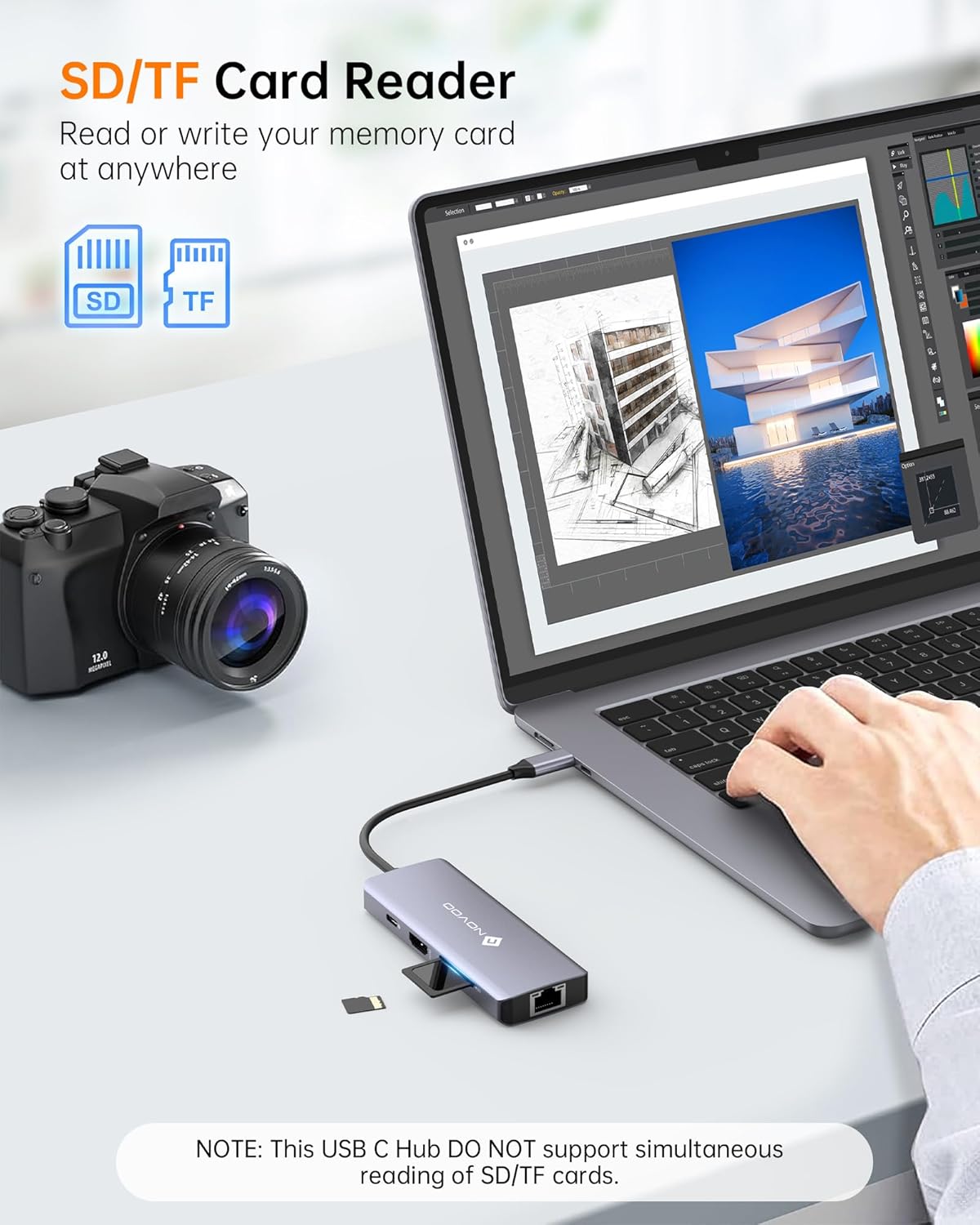
Image: A user inserting an SD card into the hub's card reader slot.
4.5. Power Delivery (USB-C PD)
The USB-C PD port is for power input only and supports up to 100W. Connect your laptop's power adapter to this port to charge your laptop while using the hub. This port does not support data transfer.

Image: The hub providing 87W output to a laptop from a 100W input power source.
5. Port Layout and Functions
The NOVOO USB C Hub is designed with a comprehensive set of ports to meet diverse connectivity needs. Below is a detailed overview of each port:

Image: A comprehensive view of all ports on the NOVOO 8-in-1 USB C Hub, highlighting their types and functions.
- 1. USB-C PD (Power Delivery) Port:
Input: Up to 100W. Used for charging the host device (laptop, tablet) through the hub. Does not support data transfer.
- 2. HDMI Port:
Video Output: Supports 4K@60Hz resolution for connecting to external displays, TVs, or projectors. Compatible with 1080P@120Hz.
- 3. SD Card Slot:
Data Transfer: For standard SD memory cards. Allows quick access and transfer of files.
- 4. TF (Micro SD) Card Slot:
Data Transfer: For Micro SD memory cards. Allows quick access and transfer of files. Note: SD and TF slots cannot be used simultaneously.
- 5. USB-C Data Port:
Data Transfer: 5Gbps speed. For connecting USB-C peripherals like external SSDs or flash drives.
- 6. USB-A 3.0 Data Ports (x2):
Data Transfer: 5Gbps speed. For connecting traditional USB-A peripherals such as keyboards, mice, USB flash drives, or external hard drives.
- 7. RJ45 Gigabit Ethernet Port:
Network Connection: Supports 10/100/1000Mbps speeds for a stable and fast wired internet connection.
5.1. Product Video Overview
Video: Official NOVOO product video demonstrating the 8-in-1 USB C Hub's features, including 4K@60Hz HDMI, Gigabit Ethernet, and various data ports.
6. Compatibility
The NOVOO USB C Hub offers broad compatibility with a wide range of devices and operating systems:
- Laptops: Compatible with almost all USB-C laptops that support DisplayPort Alt Mode and Power Delivery, including but not limited to:
- Apple MacBook Pro/Air (M1, M2, M3, Intel-based)
- Dell XPS series
- HP Spectre/EliteBook series
- Lenovo ThinkPad/Yoga series
- Microsoft Surface series
- ASUS ZenBook/ROG series
- Chromebooks
- And many more USB-C enabled laptops.
- Tablets & Phones: Fully compatible with devices supporting USB-C with video output and data transfer, such as:
- iPhone 15 series
- iPad Pro/Air
- Samsung Galaxy Tab/Phone series
- Other Android phones/tablets with USB-C video output.
- Operating Systems: Plug and play functionality across multiple operating systems:
- Windows (10, 11, etc.)
- MacOS
- Linux
- Vista
- Chrome OS
- Android OS

Image: A visual guide to the wide range of compatible devices and operating systems for the NOVOO USB C Hub.
If you are unsure about your device's compatibility, please refer to your device's manual or contact NOVOO customer support.
7. Maintenance
- Cleaning: Use a soft, dry cloth to clean the surface of the hub. Avoid using liquid cleaners or aerosols.
- Storage: Store the hub in a cool, dry place away from direct sunlight and extreme temperatures.
- Handling: Avoid dropping the hub or subjecting it to strong impacts. Do not bend or pull the integrated USB-C cable excessively.
- Ventilation: Ensure the hub has adequate ventilation, especially during prolonged use, to prevent overheating.
8. Troubleshooting
| Problem | Possible Solution |
|---|---|
| No video output via HDMI. |
|
| USB devices not recognized. |
|
| Ethernet connection issues. |
|
| Host device not charging. |
|
| SD/TF cards not detected. |
|
9. Specifications
| Model Number | NH08S-C800 |
| Product Dimensions | 3.54 x 0.71 x 6.69 inches |
| Item Weight | 0.81 ounces |
| Color | Grey |
| Hardware Interface | MicroSD, USB Type C, Ethernet, HDMI, USB 3.0 |
| HDMI Output | Up to 4K@60Hz (compatible with 1080P@120Hz) |
| USB-C PD Port | Up to 100W Power Delivery (input only) |
| USB Data Ports | 2x USB-A 3.0 (5Gbps), 1x USB-C Data (5Gbps) |
| Ethernet Port | 10/100/1000Mbps Gigabit Ethernet (RJ45) |
| Card Reader | SD and TF (Micro SD) slots (non-simultaneous) |
| Manufacturer | NOVOO |
| Country of Origin | China |
10. Warranty & Support
NOVOO stands by the quality of its products. The NOVOO USB C Hub comes with a 2-year warranty.
For any questions, technical assistance, or warranty claims, please do not hesitate to contact NOVOO customer support. You can reach us via email:
Contact Email: support@novoo.com
We strive for 100% customer satisfaction and are ready to assist you with any concerns.
Ask a question about this manual
Ask about setup, troubleshooting, compatibility, parts, safety, or missing instructions. Manuals+ will review the question and use this page’s manual context to help answer it.